Windows Errors? Fix Them Before They Spread
Repair common Windows errors and clear accumulated junk for a smoother, more stable PC - no reinstall needed.Free scan · no reinstallOutdated Drivers Are Slowing You Down
One free scan finds every outdated or missing driver and matches the right update for your exact hardware.Free scan · exact hardware matchVerdict: The Samsung CJG5 can still be a worthwhile bargain in 2026 when you find a healthy 1440p/144Hz unit well below the price of newer monitors. Its VA panel delivers strong contrast, while the 1800R curve and large 27- or 32-inch format suit games and movies. Age-related compromises—limited stand adjustment, basic ports, no meaningful HDR, and possible dark-level smearing—mean it is not a default recommendation or a specialist esports display.
Most importantly, “CJG5” is a family name. Check the complete code on the rear label or in the on-screen menu before buying: C27JG50, C32JG50, JG52, JG54, JG56 and similarly named models can differ in resolution, adaptive sync and input behavior.
Identify the exact CJG5 before judging the deal
Samsung launched the original C27JG5 and C32JG5 in 2018 with 2560×1440 resolution, 144Hz refresh, a curved VA panel and 1800R curvature. Regional suffixes reused the branding, however, so specifications are not globally identical. Samsung’s launch announcement describes the original family, while regional JG54 pages explicitly list AMD FreeSync (Samsung Global Newsroom; Samsung Philippines).
| Family code | Typical size | Resolution | Refresh | Adaptive sync |
|---|---|---|---|---|
| C27JG50 / C32JG50 | 27 / 32 in | 2560×1440 | 144Hz | Often absent |
| C27JG52 / C32JG52 | 27 / 32 in | 2560×1440 | 144Hz | Region-dependent |
| C27JG54 / C32JG54 | 27 / 32 in | 2560×1440 | 144Hz | FreeSync listed on some regional pages |
| C27JG56 / C32JG56 | 27 / 32 in | 2560×1440 | 144Hz | Verify the individual unit |
| C32JG51 / C32JG53 | 32 in | Often 1920×1080 | 144Hz | Variant-dependent |
DisplayNinja’s family guide is useful for decoding suffixes, but the monitor’s own label, manual and regional support page take precedence (DisplayNinja; Samsung support).
#1 Best Overall

- QHD Resolution (2560 x 1440) has 1.7 times the pixel density of Full HD for incredibly detailed pinsharp images
- HDR10 provides brighter highlights and nuanced shadow for added depth - making every scene feel more vivid and realistic
- The 180Hz refresh rate minimizes lag for gameplay with ultra-smooth action. Plus, the 1ms response time helps capture your moves in real-time, allowing you to react fast for gaming precision
- AMD FreeSync reduces choppiness, screen lag and image tearing, ensuring that your fast-paced, complex in-game action is stable with minimal stutter
- Ergonomic stand allows for tilt, pivot and height adjustments to maximize gaming comfort
What remains good in 2026
1440p at 144Hz
2560×1440 remains a useful middle ground: visibly sharper and roomier than 1080p without the GPU demand of 4K. At 144Hz, scrolling, cursor movement and games feel substantially smoother than 60Hz—provided the computer can produce more than 60 frames per second. Confirm 144Hz in the operating system and game; it is not always enabled automatically.
VA contrast and the curved screen
Samsung specified roughly 3000:1 contrast for the VA panel, giving darker blacks than many ordinary IPS monitors and a convincing image in dim rooms. The 1800R curve is more immersive on the 32-inch version and works well for games and films (Samsung; Samsung Peru). Viewing-angle consistency is weaker than IPS, so colors and brightness change more when you move off-center.
Where the design shows its age
- The usual stand provides tilt only—not height, swivel or pivot adjustment.
- There is no USB hub or built-in speaker, and no HDMI 2.1 feature set.
- Typical connectivity is DisplayPort 1.2, two HDMI inputs (limits vary by model) and a 3.5mm headphone output.
- Brightness and ordinary contrast do not make this a meaningful HDR monitor; do not confuse an operating-system HDR toggle with real HDR capability.
Many units use a 75×75mm VESA pattern, making an arm or riser the practical fix for the low stand (DisplayNinja). Verify the exact pattern before purchasing hardware.
Rank #2
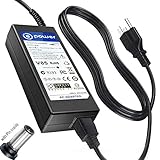
- T-Power - manufactured with Brand-new Input Voltage Range: AC 100V - 240V (19V - 90W )
- Compatibility: Samsung CJG5 C32JG50 Series 22" 27" 32" QHD Curved Gaming Monitor LC27JG50QQN , LC27JG50QQNZA , LC32JG50QQN , LC32JG50QQNZA
- Samsung 32" Class J5205 J5003 22" H5000 Full LED Smart HDTV A6619_FS
- UN32 J4000AGXZD UN22 H5000 UN32 J4000 UN32 J4000AFXZA UN32-J4000AF UN32-J400DAF UN32-J5205 UN32-J4000AF, UN32-J400DAF, UN32-J4500AF UN22 H5000 , UN32 J4000 , UN32 J4000AF, UN32 J4000AFXZA , UN32 J4000AGXZD , UN32 J400DAF, UN32 J4500AF, UN32 J5205 , UN32 J5205AF, UN32 J5205AFXZA , UN32 J525DAF
- Samsung UN32J4000 UN32J4000AF UN2J4000 HD LED TV HDTV C*JG5* C27JG50 C27JG50QQ C27JG50QQN LC27JG50QQN LC27JG50QQNXZA C27JG52QQ* LCD Monitor
Motion performance: 144Hz is not the whole story
Samsung’s 4ms GTG figure is a manufacturer specification, not a complete measurement of every transition (Samsung feature article). Independent reports disagree on how severe ghosting is: DisplayNinja reports visible dark-transition trailing on the JG50 family, while an Allegro test found ghosting relatively minor on its sample (DisplayNinja; Allegro). That variation may reflect settings, test methods or individual panels.
Do these 3 things before closing this tab:
1Fix the driver behind crashes, sound loss and screen glitches2Repair Windows errors before they cause bigger problems3Scan for outdated or missing drivers - takes under a minuteFor competitive shooters, test dark scenes and moving objects rather than relying on the 4ms label. Try every response-time mode: the fastest option can introduce inverse ghosting. A unit that looks excellent in slower games or desktop work may still smear noticeably in shadow-heavy firefights.
FreeSync and variable refresh: check, then test
Do not assume every CJG5 supports FreeSync. Some original JG50 coverage describes no adaptive sync, while regional JG54 listings advertise AMD FreeSync (Tom’s Hardware; Samsung Philippines).
Rank #3

- Samsung’s 32” Odyssey G5 QHD Gaming Monitor delivers brilliant visuals for exhilarating gameplay that’s more immersive than ever before.
- QHD resolution (2560 x 1440) boasts incredibly detailed, pin-sharp images.
- With a wide 178° viewing angle, the IPS panel consistently delivers crisp, clear hues from various viewpoints.
- 180Hz Refresh Rate and 1ms response time (GtG) allow fast reactions for ultra-smooth gaming, plus G-Sync compatibility syncs the GPU and panel to reduce choppiness, screen lag, and image tearing.
- HDR10 provides brighter highlights and nuanced shadows for added depth.
- Enable FreeSync in the monitor menu if the option exists.
- Enable adaptive sync in the graphics driver and confirm the display is detected.
- Use a connection and mode that support the desired resolution and refresh.
- Watch for flicker as frame rates fluctuate; adaptive sync smooths timing but does not increase frame rate.
27-inch versus 32-inch
| Priority | Better fit |
|---|---|
| Sharper text and close desk work | 27-inch 1440p |
| Immersive games and films | 32-inch |
| Small desk or dual-monitor setup | 27-inch |
| Sitting farther away | 32-inch |
| Competitive gaming | Usually 27-inch; response behavior matters more than size |
The 32-inch model has lower pixel density, so text is less crisp at normal desk distances. Measure desk depth and arm clearance before choosing it.
Gaming, work and media verdicts
Gaming
For single-player games, racing and general play, the combination of 1440p, 144Hz, contrast and curve remains appealing. Competitive players should buy only after testing dark smearing and variable-refresh behavior on the exact unit.
Office and coding
It handles browsing, coding and two-window multitasking well, but the tilt-only stand is inconvenient on shared desks. The 27-inch model is the more practical office choice. It is not ideal for color-critical production without measurements of gamut, uniformity and calibration.
Rank #4

- HANDPICKED BY AMAZON: They did the research so you don’t have to.
- WRAP YOURSELF IN ADVENTURE: Experience the next level of gaming with vivid scenes wrapped around your field of view. The 49" 1000R curved screen with Dual QHD resolution enables full peripheral vision, putting you right into the character's shoes.
- LIGHTENING-FAST RESPONSE TIME: Conquer every enemy with extreme speed. A 240Hz refresh rate eliminates lag for ultra-smooth action. 1ms(GtG)* response time allows for blur-free frames and minimized ghosting, enabling you to game with precision.
- GROUNDBREAKING DISPLAY: See every detail in all its glory. From gloomy shadows to sun-scorched scenes, 1000 nit peak brightness and 1,000,000:1 contrast ratio enhance color expression and depth. Gain an edge by spotting enemies in dark corners.
- IMMERSE YOURSELF WITHOUT DISRUPTION: Hyperfast action made seamless. Complex and fast-moving game scenes are projected smoothly and stutter-free with AMD FreeSyncTM Premium Pro to power your competitive edge.
Movies
VA contrast and the 32-inch curve suit films in a dim room. Side viewing is less consistent than on IPS, and the display should not be bought for HDR.
Independent reader supportYour contribution helps us test, update, and keep practical guides available for everyone.Recommended setup
- Connect through DisplayPort where possible.
- Set 2560×1440 and then select 144Hz in the operating system.
- Enable FreeSync only when the exact model provides it.
- Start with the standard response-time setting; test faster modes for overshoot.
- Disable Eye Saver Mode for gaming unless reduced blue light is the goal.
- Set brightness for the room, not from a universal internet preset.
- Use a colorimeter for color-critical work; posted RGB values are not universal calibration.
Samsung’s game modes alter black gamma, contrast, sharpness and color. Treat them as starting points, not objective calibration (Samsung).
Secondhand inspection checklist
- Photograph or read the complete model code; reject listings that provide only “CJG5.”
- Display a white, black and gray test image to find dead pixels, uneven lighting or damage.
- Run 144Hz at 2560×1440 and test every input you intend to use.
- Check for flicker with adaptive sync on and off.
- Scroll dark text and play a fast shooter to evaluate smearing.
- Inspect the stand, VESA mount, power supply and included cable.
- Confirm a return period and warranty, especially for clearance or refurbished stock.
When a newer monitor is the better buy
| Alternative | Why choose it | Trade-off |
|---|---|---|
| Modern 1440p/144Hz+ IPS | Cleaner motion consistency, viewing angles and text | Weaker native blacks |
| Samsung Odyssey G5/G55C class | Current support and newer connectivity | Testing still finds motion, ergonomics and HDR compromises (RTINGS) |
| 1080p 240Hz | Best fit for esports frame rate and clarity | Lower resolution and workspace |
| 1440p OLED | Excellent motion, contrast and HDR potential | Higher price and burn-in considerations |
| Used 1440p IPS | Often better ergonomics for similar money | Used-panel risk and weaker blacks |
Price-sensitive buying rule
No reliable single 2026 US price applies because CJG5 stock is regional, clearance-based or secondhand. Compare the seller’s live price, condition, warranty and return policy with current 1440p/144Hz alternatives; Samsung’s locator can help establish availability (Samsung Where to Buy). Buy only when the CJG5 is materially cheaper and its compromises fit your use. If the price approaches a current IPS or newer VA model, choose the newer display.
Quick Recap
Product prices and availability are accurate as of the date/time indicated and are subject to change. Any price and availability information displayed on Amazon at the time of purchase will apply.




