Quick wins for a faster PC:
Repair Windows errors before they cause bigger problemsFix Now →Scan for outdated or missing drivers - takes under a minuteDriver Scan →Robots communicate reliably only when they share more than a network connection. They need compatible transport and discovery, an agreed data contract, matching quality-of-service (QoS) policies, authenticated identities, and a recovery plan for delays, drops, and disconnections. ROS 2 commonly supplies these functions through DDS-oriented middleware, while Zenoh and vendor protocols address other deployment constraints. There is no universal “acceptable” latency: measure p50, p95, and p99 performance on the actual robots, radios, firmware, middleware, and network.
What robot-to-robot communication actually includes
A multi-robot system exchanges more than movement commands. Robots may publish poses, maps, sensor observations, task status, battery state, safety events, and ownership changes while subscribing to commands or coordination decisions. A message can arrive successfully and still be unusable if its units, coordinate frame, timestamp, identifier, or schema version is misunderstood.


As an Amazon Associate I earn from qualifying purchases.
Interoperability therefore has four layers:
- Transport: how bytes move between processes, computers, radios, gateways, or cloud links.
- Discovery: how a publisher and subscriber find one another and learn what is available.
- Schema and semantics: the field definitions, units, frames, timestamps, identifiers, and command meanings.
- QoS and behavior: delivery, freshness, queueing, security, authority, and what each robot does when communication fails.
Nominal support for the same protocol does not prove semantic compatibility. Test the exact vendors, firmware versions, middleware releases, network topology, and message definitions that will be deployed.
PC Slower Than It Used to Be?
A free scan shows the junk files, broken settings and background clutter dragging Windows down - then fixes them in one click.Free scan · Windows 10 & 11Outdated Drivers Are Slowing You Down
One free scan finds every outdated or missing driver and matches the right update for your exact hardware.Free scan · exact hardware matchHow ROS 2 and DDS enable robot-to-robot messaging
DDS-oriented middleware
ROS 2 supports multiple middleware implementations. DDS supplies distributed discovery and the Real-Time Publish-Subscribe (RTPS) transport, while ROS 2 exposes configuration for how messages are delivered. Open Robotics describes ROS 2 as offering “a rich variety of Quality of Service (QoS) policies that allow you to tune communication between nodes.”
#1 Best Overall
Publishers and subscriptions negotiate QoS compatibility. An incompatible policy can prevent communication entirely, even when both sides use the same topic name and message type. A robot that publishes reliable data may not connect to a subscription configured with incompatible reliability or durability expectations. Treat QoS profiles as part of the interface contract, not as a tuning detail to change after integration.
Distributed discovery
DDS discovery normally has no single required discovery server. Open Robotics notes that its advantage is that discovery is “completely distributed,” so there is no central point of failure required for system components to communicate. Distributed discovery does not eliminate every failure: firewall rules, multicast limitations, routing, radio isolation, discovery configuration, and stale participant state can still prevent peers from finding each other. Measure discovery time on the production network.
Other ROS 2 middleware architectures
Zenoh is another ROS 2 middleware architecture aimed at edge and heterogeneous deployments. Its suitability depends on the topology, links, gateways, resource limits, and interoperability requirements of the fleet. Do not assume that selecting a different middleware preserves identical timing, discovery, QoS behavior, or tooling; validate those properties with the target configuration.
Define the data contract before connecting robots
Write a contract that is independent of any single implementation. For every message, record:
- Units: metres versus millimetres, radians versus degrees, kilograms versus grams, and explicit scaling rules.
- Coordinate frames: frame names, handedness, origin, and the transform authority.
- Timestamps: clock source, time base, precision, synchronization method, and whether a timestamp describes sensing, processing, or transmission.
- Identifiers: stable robot IDs, task IDs, sequence numbers, map IDs, and correlation IDs.
- Schema version: compatibility rules, optional fields, deprecation policy, and rejection behavior for unknown versions.
- Command authority: which robot, supervisor, or safety controller may issue each command and how conflicting commands are resolved.
- Actuator ownership: who owns an actuator at any moment, how ownership is leased, and how it is released after a timeout.
Version the contract and test both valid and invalid messages. A subscriber should reject an unsafe frame, stale timestamp, unknown authority, or incompatible schema rather than silently interpreting it.
Choosing a communication approach
| Comparison axis | DDS-based ROS 2 | Zenoh used with ROS 2 | Vendor or proprietary protocol |
|---|---|---|---|
| Discovery | Distributed DDS discovery; topology and network settings still matter | Architecture and deployment dependent; measure gateway and edge behavior | Implementation-specific; not stated in the available primary material |
| QoS controls | Reliability, deadline, liveliness, durability, and history are exposed | Depends on the ROS 2 integration and deployment | Implementation-specific |
| Schema interoperability | Requires shared ROS 2 message definitions and semantics | Requires compatible ROS 2 types or explicit mappings | Requires vendor documentation or an adapter |
| Latency | No universal cross-platform figure; measure p50/p95/p99 | No universal cross-platform figure; measure p50/p95/p99 | Not stated; measure on the target system |
| Delivery guarantees | Negotiated through QoS compatibility | Integration-specific | Protocol-specific |
| Security | DDS-Security plugins provide authentication, access control, and cryptographic protection | Depends on the selected integration and security configuration | Protocol-specific; verify identity and key lifecycle |
| Recovery behavior | Must be designed with deadline, liveliness, retries, and state reconciliation | Must be designed for the chosen topology | Must be designed and documented by the integrator |
| Bandwidth, power, determinism, and tooling | Deployment-specific; benchmark on the actual fleet | Deployment-specific; benchmark on the actual fleet | Not stated; obtain measurements from the supplier |
Use this table as a decision checklist, not as a ranking. A protocol that looks attractive in a laboratory can fail when discovery crosses subnets, a radio queues retransmissions, or a gateway translates schemas.
Configure QoS for the message, not for the robot
Reliability
Reliable delivery can retry lost samples, increasing delivery probability but also adding queueing and retransmission delay. Best-effort delivery can reduce waiting and prevent a backlog, but samples may be dropped. Commands, map updates, and high-rate sensor streams often need different choices. Decide whether an old sample is better than no sample, then test that decision under loss.
Do these 3 things before closing this tab:
1Scan for outdated or missing drivers - takes under a minute2Clear out junk files and repair common Windows errors3Fix the driver behind crashes, sound loss and screen glitchesDeadline
A deadline expresses how long a publisher may go without producing an expected sample. A missed deadline is a freshness signal that lets the subscriber stop trusting the stream, switch behavior, or raise an alarm. Select a deadline from the control or planning requirement and include sensing, scheduling, serialization, transport, and processing time.
Liveliness
Liveliness indicates whether a participant or publisher is still considered active. Configure the lease duration and assertion mechanism so a short wireless interruption does not trigger needless failover, while a silent crashed process is detected before it can create a hazard.
Durability and history
Durability controls whether late-joining subscribers can receive previously published data. History controls how many samples are retained. A transient configuration or map may need retained history; a velocity stream usually needs only the newest value. Retaining too much data consumes memory and can deliver stale information after reconnect.
Rank #3

- Raspberry Pi 5 & ROS2 Robot Car. MentorPi smart robot car is powered by Raspberry Pi 5, compatible with ROS2, and programmed in Python, making it an ideal platform for AI robot development.
- 360° Omnidirectional Mobility with Mecanum-Wheel Chassis. MentorPi M1 smart robot car is built on a mecanum-wheel chassis, enabling 360° omnidirectional movement. This design provides greater flexibility in various applications and better adaptability to diverse terrains.
- With TOF Lidar & 3D Depth Camera for Advanced AI Capabilities. Supports SLAM mapping, path planning, multi-robot coordination, vision recognition, target tracking, and more, covering a wide range of AI applications.
- High-Performance Hardware & Premium Design. Equipped with closed-loop encoder motors, TOF lidar, 3D depth camera, high-torque servos, and other advanced components to ensure optimal performance and efficiency.
- Autonomous Driving with Deep Learning. Utilizes YOLOv5 model training to enable road sign and traffic light recognition, along with other autonomous driving features, helping users explore and develop autonomous driving technologies.
Document each topic’s QoS profile, expected rate, maximum age, queue depth, and behavior when incompatible. Verify that every publisher-subscription pair actually matches; a failed match is safer than silently applying an assumption.
Free tools Windows power users keep installed
One-click scans. No signup required.
How to measure and budget latency
End-to-end latency is not just radio propagation. It includes sensing and scheduling, serialization, transport, wireless contention, routing, queueing, retransmission, deserialization, application processing, and actuation. Reliable delivery may add retries and queueing; best effort may lower waiting time while permitting drops.
Use distributions, not a single promise
Report one-way or round-trip latency with the direction stated, plus p50, p95, and p99 values. The median shows typical behavior; p95 and p99 expose tail delays that can destabilize coordination. Also report message rate, payload size, number of robots, radio conditions, CPU load, QoS profile, and whether encryption was enabled.
No authoritative cross-platform latency, packet-loss, or recovery-time figure is established for all robot systems. A value measured on one fleet, network, or firmware release cannot be advertised as a universal limit.
Build a latency budget
- Timestamp the message at the producer immediately before serialization.
- Timestamp receipt immediately after deserialization at the consumer; for actuation, add a timestamp at command application.
- Synchronize clocks or use a calibrated round-trip method; document clock error.
- Collect enough samples to calculate p50, p95, and p99, plus loss, duplication, reordering, and deadline misses.
- Repeat under representative robot count, payload size, traffic mix, interference, battery state, and CPU load.
- Separate normal delay from retry delay so a QoS change does not hide a tail-risk increase.
Secure robot-to-robot messages
What DDS-Security provides
The ROS 2 DDS-Security integration defines authentication, access-control, and cryptographic plugins. Open Robotics describes the DDS-Security specification as adding security enhancements through a Service Plugin Interface architecture. Its cryptographic plugin provides authenticated encryption using AES-GCM-GMAC.
The Tool Desk
Outbyte PC Repair FREEClear out junk files and repair common Windows errorsFree Scan →Outbyte Driver Updater FREEFix the driver behind crashes, sound loss and screen glitchesFind Drivers →Rank #4
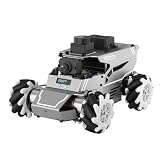
- 【ROS2 & HIGH-PERFORMANCE HARDWARE】ROSOrin runs on the ROS2 framework and is compatible with Jetson and Raspberry Pi. Integrated with LiDAR, 3D Depth Camera, and AI Voice module, this system efficiently processes real-time YOLO series object detection, SLAM mapping, and Large Language Models (LLMs). It provides the reliable "superbrain" and hardware foundation required for Embodied AI and autonomous robotics development.
- 【MULTIMODAL AI & LLM INTEGRATION】ROSOrin supports the integration of leading Large Language Models (including ChatGPT, Gemini, Grok, Llama, and more). By leveraging MLLMs, ROSOrin robot car can achieve semantic understanding and task decomposition. This enables advanced Embodied AI applications such as natural language interaction, complex environment perception, and intelligent path planning for autonomous research.
- 【SLAM & 3D VISION PERCEPTION】ROSOrin AI smart robot car kit supports Gmapping, Hector, and Cartographer SLAM. This robot kit achieves centimeter-level mapping accuracy. Built-in OpenCV and MediaPipe libraries allow for advanced 3D visual tracking, gesture control, and dynamic obstacle avoidance in cluttered environments.
- 【360° OMNIDIRECTIONAL MECANUM CHASSIS】Equipped with high-performance Mecanum wheels(80mm), ROSOrin supports 360° omnidirectional movement, including lateral drifts and complex rotations. This agile chassis allows the robot to navigate through tight spaces and intricate paths with ease.
- 【ALL-IN-ONE ROS2 EDUCATIONAL ROBOT】ROSOrin includes a comprehensive resource library with step-by-step tutorials, open-source code, and AI project examples. From initial build to advanced ROS2 development, it provides everything needed for students and developers to master robot applications.
Identity and authorization design
- Give every robot and administrative service a distinct identity; never share one fleet-wide credential.
- Grant least-privilege access to topics, services, and actions. A mapping robot should not automatically be allowed to command drive actuators.
- Protect private keys in hardware-backed or otherwise access-controlled storage where practical.
- Define certificate and key rotation, expiration, backup, and revocation procedures before deployment.
- Log authentication events, authorization failures, rejected schemas, QoS mismatches, and unusual message rates.
- Segment safety-critical robot networks from general corporate or guest networks and patch the operating system, middleware, and devices on a controlled schedule.
Revocation is an operational event, not merely an administrative one. Decide what a robot does when its credential expires or is revoked: stop accepting commands, enter a local safe mode, or transfer authority to a designated controller. NIST operational-technology guidance emphasizes controls that preserve performance, reliability, and safety; security changes must therefore be tested for timing and fail-safe effects.
Independent reader supportYour contribution helps us test, update, and keep practical guides available for everyone.Design failure detection and recovery explicitly
Detect a silent or stale peer
Use deadline events to detect missing expected data and liveliness events to detect a participant or publisher that has stopped asserting activity. Add application-level sequence numbers and timestamps so a connected peer cannot be mistaken for a healthy source when it is sending stale or replayed state.
Bound retries and backoff
Retry only for a bounded duration and use backoff to avoid synchronized storms when many robots reconnect. Set a maximum queue age and discard data that is no longer actionable. A retry loop must never block a safety-critical control path indefinitely.
Keep safety-critical behavior local
Each robot needs a last-known-safe state and a local response for loss of coordination. Depending on the machine, that may mean braking, holding position, limiting speed, returning control to a local operator, or completing a bounded maneuver. The safe response must not depend on receiving another network message.
Recommended Free Tools
Reconcile state after reconnect
Reconnection is not proof that both robots agree. Exchange session or epoch identifiers, sequence numbers, current task ownership, actuator leases, map or model versions, and safety state. Decide which source wins when values diverged, reject commands from an expired epoch, and record whether an action was executed before the link failed. Re-run authorization checks after credential rotation or revocation.
Discovery, route establishment, and state repair have separate times. Measure each one rather than reporting a single “recovery time.”
Quick Recap
A practical integration and test procedure
- Inventory the fleet: record robot IDs, sensors, actuators, firmware, operating systems, middleware implementations, radios, gateways, network segments, and clock sources.
- Freeze the contract: define units, frames, timestamps, identifiers, schema versions, authority, actuator ownership, QoS, maximum age, and safe fallback for every message.
- Select middleware: compare DDS-based ROS 2, a Zenoh-based ROS 2 deployment, and any required vendor protocol against discovery, topology, bandwidth, power, determinism, tooling, and support requirements.
- Validate discovery: confirm that every intended publisher and subscriber finds the other across the production subnets, firewalls, radios, and gateways. Record discovery time and failure symptoms.
- Exercise QoS: vary reliability, deadline, liveliness, durability, and history profiles. Confirm that incompatible settings fail clearly and compatible settings produce the expected behavior.
- Measure performance: timestamp send and receive events, collect p50/p95/p99 latency and loss, and repeat under representative load and interference.
- Inject faults: add packet loss, wireless interference, CPU saturation, delayed routes, a stopped peer, malformed or stale messages, and a disconnected gateway.
- Test security operations: authenticate new devices, deny unauthorized topic access, rotate keys, revoke credentials, and verify logging and safe behavior during each event.
- Verify recovery: confirm deadline and liveliness detection, bounded retries, local safe behavior, reconnect discovery, and deterministic state reconciliation.
- Repeat after changes: rerun the suite after firmware, middleware, QoS, network, certificate, or message-schema changes.
Common symptoms and corrective actions
| Symptom | Likely area | What to check |
|---|---|---|
| Nodes see the topic but no samples arrive | QoS incompatibility or schema mismatch | Compare reliability, durability, history, deadline, message type, schema version, and units. |
| Communication works on a bench but not across the facility | Discovery, routing, multicast, firewall, or radio topology | Capture discovery behavior, verify routes and permitted ports, and measure each network segment. |
| Typical latency is acceptable but control still oscillates | Tail latency, retries, queueing, or stale data | Inspect p95/p99, deadline misses, queue age, retransmissions, and timestamp freshness. |
| Robots continue acting after a peer disappears | Missing liveliness/deadline handling or unsafe default | Test peer-stop faults and verify a bounded local safe state. |
| Reconnect creates duplicate or conflicting tasks | Unreconciled state or expired authority | Use epochs, sequence numbers, leases, ownership rules, and explicit conflict resolution. |
| Messages are rejected after a security change | Certificate, key, permission, or clock problem | Check identity validity, trust chain, topic permissions, key rotation, revocation handling, and synchronized time. |
Operational checklist
- Every message has documented semantics, units, frame, timestamp, identifier, and version.
- Every topic has an intentional QoS profile and a tested incompatibility response.
- Latency is reported as p50, p95, and p99 under stated conditions.
- Loss, duplication, reordering, stale data, and deadline misses are monitored.
- Each robot has a unique identity, least-privilege permissions, protected keys, rotation, revocation, and logs.
- Deadline and liveliness events trigger bounded, tested behavior.
- Safety-critical operation remains possible without a live peer.
- Reconnect logic reconciles task, map, actuator, authority, and safety state.
- Fault-injection tests cover interference, stopped peers, route loss, credential revocation, and malformed data.
Product prices and availability are accurate as of the date/time indicated and are subject to change. Any price and availability information displayed on Amazon at the time of purchase will apply.

