Recommended Free Tools
If a 4:3 photo is resized to fit inside a 1200×630 area without changing its proportions, the image itself becomes 840×630. The resize has not failed: the photo reaches the target height first, leaving space at the sides. To get an exact 1200×630 image, choose between adding side padding, cropping the photo, or distorting it.
Why a 1200×630 resize can produce an 840×630 image
The target rectangle is 1200 pixels wide and 630 pixels tall, an aspect ratio of about 1.905:1. A 4:3 photo has a narrower ratio of about 1.333:1. When software fits the entire photo inside the target while preserving its proportions, it scales the photo until its height reaches 630 pixels. Its width is then 630 × 4 ÷ 3 = 840 pixels.
As an Amazon Associate I earn from qualifying purchases.
That leaves 360 pixels of horizontal space in the wider 1200-pixel area. The software may report the fitted photo as 840×630 because that is the resized image, not the size of a surrounding canvas. The example implies a 4:3 source, but check your original file’s dimensions before assuming its ratio.
Choose what matters most: the whole photo, a full rectangle, or no distortion
When the source and target have different aspect ratios, you cannot preserve the full composition, preserve its proportions, and fill every pixel of the target at the same time. Choose the trade-off that fits your use:
#1 Best Overall

- 【4'' x 6'' Glossy Photo Paper】This pack includes 1200 sheets of glossy photo paper. Each sheet measures 4in x 6in with a weight of 180gsm/48lb. Featuring a glossy finish on one side for printing, this photo paper is compatible only with inkjet printers using dye inks
- 【Glossy Surface】The glossy coating on this photo printer paper reflects light, enhancing the vibrancy and lifelike quality of your printed photos. This finish helps produce beautiful results suitable for display. The back of each sheet provides a convenient space for writing notes or captions. Note: only one side is glossy
- 【Rapid Drying】Our glossy printer paper features advanced super cast coating technology. This enables printed ink to dry instantly without smearing, eliminating concerns about fading or running. It maintains vivid colors while ensuring long-term image stability
- 【Vibrant Colors】The specialized coating on our photo paper effectively absorbs and locks in ink, producing vibrant, true-to-life colors. This allows you to preserve your cherished moments and beautiful scenery with lasting quality
- 【Wide Use】Beyond photos, this photo paper is ideal for making greeting cards, posters, calendars, brochures, menus, flyers, photo albums, candy wrappers, custom chip bags, and more. It is designed for use with inkjet printers and dye inks
| Method | Entire photo visible? | Fills 1200×630? | Preserves proportions? | Trade-off |
|---|---|---|---|---|
| Fit and pad | Yes | Yes, once placed on the canvas | Yes | Adds side space, which can be a plain background or part of the design. |
| Cover and crop | No | Yes | Yes | Removes overflow; crop position determines what is cut off. |
| Force exact dimensions | Yes | Yes | No | Stretches or squashes the photo to fit. |
Fit the whole image and add padding
Use a contain or fit operation to keep the full photo within the target, then place it on a 1200×630 canvas. Choose a side-fill color, blurred background, or graphic treatment that suits the design. This works when preserving the complete composition matters more than making the photo edge-to-edge.
Pillow provides ImageOps.contain and ImageOps.pad for this kind of workflow. ImageMagick documents placing a fitted image on a backdrop. See the Pillow ImageOps documentation and ImageMagick command-line processing documentation.
Rank #2

- Excellent photo results with vibrant colors.
- Pack of 50 Sheets
Fill the rectangle and crop
Use a cover or fit-to-fill operation that scales the photo until it covers 1200×630, then crops the overflow. The result has the requested dimensions and keeps the photo’s proportions, but some content will be outside the crop. Check the framing around faces, text, and other details that must remain visible.
Windows Errors? Fix Them Before They Spread
Repair common Windows errors and clear accumulated junk for a smoother, more stable PC - no reinstall needed.Free scan · no reinstallCrashes, No Sound, or Screen Glitches?
Random freezes, missing sound and display glitches usually trace back to one bad driver. Find and replace yours safely.Free scan · under a minutePillow’s ImageOps.fit resizes and crops to a requested size. ImageMagick documents fill geometry with crop or extent operations in its command-line processing guide.
Rank #3

- 【8.5'' x 11'' Glossy Photo Paper】This pack includes 600 sheets of glossy photo paper. Each sheet measures 8.5in x 11in (standard letter size) with a weight of 200gsm/54lb. Featuring a glossy finish on one side for printing, this photo paper is compatible only with inkjet printers using dye inks
- 【Glossy Surface】The glossy coating on this photo printer paper reflects light, enhancing the vibrancy and lifelike quality of your printed photos. This finish helps produce beautiful results suitable for display. The back of each sheet provides a convenient space for writing notes or captions. Note: only one side is glossy
- 【Rapid Drying】Our glossy printer paper features advanced super cast coating technology. This enables printed ink to dry instantly without smearing, eliminating concerns about fading or running. It maintains vivid colors while ensuring long-term image stability
- 【Vibrant Colors】The specialized coating on our photo paper effectively absorbs and locks in ink, producing vibrant, true-to-life colors. This allows you to preserve your cherished moments and beautiful scenery with lasting quality
- 【Wide Use】Beyond photos, this photo paper is ideal for making greeting cards, posters, calendars, brochures, menus, flyers, photo albums, candy wrappers, custom chip bags, and more. It is designed for use with inkjet printers and dye inks
Force 1200×630 and accept distortion
You can set width and height independently to make the photo itself exactly 1200×630 without cropping. That changes its proportions, so round objects may look oval and people or other subjects may appear stretched or compressed. Use this only when distortion is acceptable.
ImageMagick distinguishes forcing exact geometry from its aspect-preserving default. Its documentation notes: “By default, the width and height given in a geometry argument are maximum values unless a percentage is specified.” Read the ImageMagick command-line processing documentation for how its geometry options behave.
Rank #4

- Create affordable photo projects with a bright, glossy finish
- Customize photos with easy-to-use editing tools and print from your phone with HP Smart app
- Handle durable, quick-dry photos right from the printer
- Make memories last with photos that resist fading for decades when printed with Original HP Ink
How to check your image and get the intended result
- Check the source dimensions. Find the original photo’s pixel width and height, then compare their ratio with 1200:630. A 4:3 source explains the 840×630 fit result; a different source ratio may produce different dimensions.
- Decide whether content may be cut off. If not, fit the complete photo and add padding. If a full-bleed rectangle matters more, cover the target and inspect the crop.
- Set the output canvas size. For a padded or cropped result, make the final canvas or image 1200×630; a fitted photo may be smaller inside that canvas.
- Review the exported file. Confirm its pixel dimensions and inspect the composition. A 1200×630 canvas containing an 840×630 photo is different from an 840×630 exported image.
Image-processing libraries expose distinct operations for preserving, cropping, and padding rather than treating them as the same resize. Pillow documents contain, cover, fit, and pad, along with image resizing and thumbnail methods in its ImageOps documentation and Image module documentation.
Quick Recap
Best Value
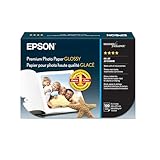
- High-gloss, bright white, resin coated photo paper
- Print high quality photos for glass frames and photo albums
- Smudge and water-resistant quick dry surface
- Look and feel of traditional photographs
- 4x6 Borderless, 100 Sheets
Product prices and availability are accurate as of the date/time indicated and are subject to change. Any price and availability information displayed on Amazon at the time of purchase will apply.

