Choose the Razer Huntsman V3 Pro Mini if you want analog optical switches, onboard adjustments and arrow keys that work through tap-and-hold modifier behavior. Choose the Wooting 60HE+ if magnetic sensing, programmable layers and a more explicitly modular hardware setup matter more. Both offer adjustable actuation and Rapid Trigger; available evidence does not show that one will reliably make you play better.
Razer Huntsman V3 Pro Mini vs Wooting 60HE+: at a glance
| What matters | Razer Huntsman V3 Pro Mini | Wooting 60HE+ |
|---|---|---|
| Switch sensing | Gen-2 analog optical switches, according to Razer’s product specifications. | Magnetic/Hall-effect sensing, according to Wooting’s 60HE+ product page. |
| Adjustable actuation | Razer specifies a 0.1–4.0 mm range. | Adjustable actuation is listed; a numeric range is not stated on the cited product page. |
| Rapid Trigger | Supported, with onboard adjustment documented by Razer. | Supported, with settings saved to onboard memory. |
| Compact-layout controls | Dual-purpose modifier keys can act as arrows when tapped and modifiers when held. | Programmable layers and remapping provide access to secondary functions. |
| Hardware customization | Not stated on the cited product page as a comparable modular case system. | Wooting describes a separate module and options for compatible cases and keycaps; check compatibility for the exact configuration. |
| Size and weight | Not stated in the cited comparison facts. | Wooting lists 30.2 × 11.6 × 3.8 cm and 605 g; these are manufacturer specifications and may change. |
Both are 60% keyboards, so neither gives you a full-size dedicated key layout. The better fit depends less on the Rapid Trigger label than on how each board handles configuration and the keys you use every day.
As an Amazon Associate I earn from qualifying purchases.
What is the practical difference between their switches?
Razer: analog optical sensing
The Huntsman V3 Pro Mini uses Razer’s Gen-2 analog optical switches. Razer specifies adjustable actuation from 0.1 to 4.0 mm and supports Rapid Trigger. The product documentation also describes onboard adjustment of actuation and Rapid Trigger settings, useful if you prefer to change those controls directly on the keyboard rather than depend entirely on a software workflow.
Crashes, No Sound, or Screen Glitches?
Random freezes, missing sound and display glitches usually trace back to one bad driver. Find and replace yours safely.Free scan · under a minutePC Slower Than It Used to Be?
A free scan shows the junk files, broken settings and background clutter dragging Windows down - then fixes them in one click.Free scan · Windows 10 & 11Wooting: magnetic sensing
The 60HE+ uses magnetic, Hall-effect sensing. Wooting lists adjustable actuation and Rapid Trigger, with settings saved to onboard memory. The manufacturer’s page does not provide a directly comparable numeric actuation range in the cited material, so the Razer’s stated range should not be treated as proof that its adjustment is broader or narrower.
#1 Best Overall

- CHOSEN BY PRO’S FOR ADVANCED FPS MOVEMENT — With Rapid Trigger, Adjustable Actuation and Razer Snap Tap, the Huntsman V3 Pro offers lightning-fast, precise movements that provides gamers an unbeatable edge especially in FPS games
- RAZER SNAP TAP — Prioritize the latest input between two selected keys without having to release the previous one, and enjoy more responsive inputs for near-instant directional changes in FPS games (latest firmware update required)
- RAPID TRIGGER — A step up from traditional mechanical or optical keyboards to achieve the most responsive and precise inputs; reset keys at the slightest lift of a finger, and experience an advantage in speed that is especially useful for movement in competitive FPS games
- ANALOG OPTICAL SWITCHES GEN-2 — Max out on precision and response with advanced switches for ultra fast repeated inputs, a 0.1–4.0 mm adjustable actuation range, and a 100 million keystroke lifespan
- QUICK ONBOARD ADJUSTMENTS — Make precise, on-the-fly adjustments to actuation height or Rapid Trigger sensitivity with the visual aid of an onboard LED array while saving the settings to the keyboard with no software required
Both designs let you tune key behavior rather than relying only on a fixed actuation point. The sensing technologies differ, but the available comparison does not establish that the technology alone determines which board feels faster or produces better results for an individual player.
Does Wooting have a latency advantage?
RTINGS’ comparison, updated in June 2026, reports a slight latency advantage for Wooting over the Razer Huntsman V3 Pro Mini and says the gap is unlikely to be noticeable in-game. Its Wooting board was the 60HE v2, not the 60HE+ named here, so its model-specific measurements are not a direct test of the 60HE+. Treat the result as comparative context, not a guarantee about the 60HE+ or an individual player’s experience. See the RTINGS comparison.
Rank #2

- CHOSEN BY PRO’S FOR ADVANCED FPS MOVEMENT — With Rapid Trigger, Adjustable Actuation and Razer Snap Tap, the Huntsman V3 Pro offers lightning-fast, precise movements that provides gamers an unbeatable edge especially in FPS games
- RAZER SNAP TAP — Prioritize the latest input between two selected keys without having to release the previous one, and enjoy more responsive inputs for near-instant directional changes in FPS games (latest firmware update required)
- RAPID TRIGGER — A step up from traditional mechanical or optical keyboards to achieve the most responsive and precise inputs; reset keys at the slightest lift of a finger, and experience an advantage in speed that is especially useful for movement in competitive FPS games
- ANALOG OPTICAL SWITCHES GEN-2 — Max out on precision and response with advanced switches for ultra fast repeated inputs, a 0.1–4.0 mm adjustable actuation range, and a 100 million keystroke lifespan
- QUICK ONBOARD ADJUSTMENTS — Make precise, on-the-fly adjustments to actuation height or Rapid Trigger sensitivity with the visual aid of an onboard LED array while saving the settings to the keyboard with no software required
In practice, do not choose between these boards on the expectation that a small latency difference will translate into a competitive advantage. Layout comfort and whether you can configure the keys the way you want are more useful deciding factors.
How do the 60% layouts differ in everyday use?
Razer’s tap-and-hold arrow behavior
Razer documents dual-purpose modifier keys that function as arrows when tapped and as modifiers when held. That can make common navigation possible without dedicating four separate arrow keys, but it asks you to adapt to a tap-versus-hold interaction.
Rank #3
- ANALOG OPTICAL SWITCHES GEN-2 — Max out on precision and response with advanced switches, featuring Rapid Trigger for ultra-fast repeated inputs, a 0.1–4.0 mm adjustable actuation range, and a 100-million keystroke lifespan
- QUICK ONBOARD ADJUSTMENTS — Make precise, on-the-fly adjustments to actuation height or Rapid Trigger sensitivity with the visual aid of an onboard LED array while saving the settings to the keyboard with no software required
- DUAL-PURPOSE MODIFIER KEYS — The bottom-right modifier keys on the keyboard double up as arrow keys when tapped, providing convenient navigation that's usually only on larger keyboards
- TEXTURED DOUBLESHOT PBT KEYCAPS — More durable than regular keycaps and made to withstand intense competitive play, complete with side-printed secondary functions for easy visual reference
- BRUSHED ALUMINUM TOP PLATE — Crafted from aircraft-grade aluminum and refined with a smooth brushed metal finish, the keyboard’s robust casing is built to withstand frequent, intense use and is resistant to warping
Wooting’s layers and remapping
Wooting offers programmable layers and remapping, so secondary functions can be arranged around your own habits. That flexibility is useful if you already use layers or want to customize where less common keys live. It also means you should check how your intended layout behaves before assuming a 60% board will work like a larger keyboard.
For either keyboard, consider the keys you rely on for work, chat, media controls and games—not just the movement keys. If you need frequent access to function-row, navigation or arrow keys, make sure the board’s secondary functions feel natural to you.
Rank #4

- PRO-LEVEL SPEED & PRECISION – Dominate competitive FPS, tactical shooters, and esports matches with Razer Analog Optical Switches Gen-2 featuring Rapid Trigger and adjustable actuation from 0.1 mm to 4.0 mm for ultra-responsive control
- TRUE 8000 HZ HYPERPOLLING – Gain a near-zero latency advantage with an 8000 Hz polling rate that is 8x faster than standard gaming keyboards, delivering exceptionally fast input registration for ranked play and tournaments
- ADVANCED INPUT CONTROL – Execute cleaner movement and faster actions using Razer Snap Tap, Snap Flex, Dynamic Keystroke, and Dual-Keypress Priority technologies designed for competitive gaming performance
- QUICK ONBOARD CUSTOMIZATION – Fine-tune actuation points and Rapid Trigger sensitivity directly from the keyboard, save settings to onboard memory, and switch profiles without requiring software during tournaments or LAN events
- OPTIMIZED FOR ESPORTS PLAY – The compact 60% form factor creates more mouse movement space for low-sensitivity players while making the keyboard easy to transport between gaming setups and competitions
Which keyboard offers more customization?
Wooting documents a more explicit hardware-customization path for the 60HE+: its product page describes a separate module and options involving compatible cases and keycaps. It also offers different keycap and layout choices. Compatibility depends on the precise configuration, so confirm that a case or keycap set fits the version and layout you intend to buy.
Recommended Free Tools
Razer’s documented strengths in this comparison are its switch specifications and onboard adjustment features. The cited material does not establish a comparable modular case system for the Huntsman V3 Pro Mini; that is not evidence that no third-party customization exists, only that it is not established here.
Quick Recap
Best Value
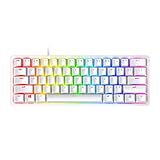
- FASTER THAN TRADITIONAL MECHANICAL SWITCHES — Razer Linear Optical switch technology uses optical beam-based actuation, registering key presses at the speed of light (15-30% shorter actuation distance than other linear switches at 1.0 mm)
- ULTIMATE PERSONALIZATION & GAMING IMMERSION WITH RAZER CHROMA RGB LIGHTING — Fully syncs with popular games, Razer hardware, Philips Hue, and gear from 30+ partners; supports 16.8 million colors on individually backlit keys from the world’s largest lighting ecosystem for gaming devices
- QUALITY, ALUMINUM CONSTRUCTION — Covered with a matte, aluminum top frame for increased structural integrity
- OIL-RESISTANT DOUBLESHOT PBT KEYCAPS — Made of textured, high-grade PBT for a more durable and textured finish less prone to long-term grime buildup
- FULLY PROGRAMMABLE MACROS — Razer Hypershift allows for all keys and keypress combinations to be remapped to execute complex commands
Which one should you choose?
Choose the Razer Huntsman V3 Pro Mini if…
- You prefer Razer’s analog optical switch platform.
- You want the documented 0.1–4.0 mm adjustable actuation range.
- Onboard adjustment and the tap-and-hold arrow behavior suit your setup.
Choose the Wooting 60HE+ if…
- You specifically want magnetic/Hall-effect sensing.
- You value programmable layers and remapping.
- You want the documented route to compatible case and keycap customization.
Before you order
- Check the exact model and generation: Wooting 60HE+ and 60HE v2 are not interchangeable names.
- Confirm the layout and keycap configuration, plus any case compatibility you need.
- Compare current delivered prices, regional availability, warranty and return terms. Prices and stock vary, and the cited evidence does not establish current regional pricing or inventory.
Product prices and availability are accurate as of the date/time indicated and are subject to change. Any price and availability information displayed on Amazon at the time of purchase will apply.

