The Tool Desk
Outbyte PC Repair FREERepair Windows errors before they cause bigger problemsFix Now →Outbyte Driver Updater FREEScan for outdated or missing drivers - takes under a minuteDriver Scan →Usually, removing a PS4 game from the PlayStation Store does not cancel a purchase already attached to your account. A buyer should look in Game Library, confirm the purchasing account and transaction history, and try the PS4 license-restoration tool if the game is missing or shows a padlock. Delisting alone is not listed by PlayStation as an automatic refund reason, and continued downloading, DLC access, patches, and online play depend on the specific title, edition, region, and publisher services.
The rules below use PlayStation’s United States guidance unless a section identifies Canada or another date. Consumer-law rights can be broader in your jurisdiction.
| # | Preview | Product | Price | |
|---|---|---|---|---|
| 1 |

|
Mortal Kombat 11 - PlayStation 4 | $20.98 | Buy on Amazon |
| 2 |
|
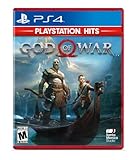
God of War Hits - PlayStation 4 | $18.95 | Buy on Amazon |
| 3 |

|
IRIPLEZO Grand Theft Auto V | $24.32 | Buy on Amazon |
| 4 |

|
Red Dead Redemption - PlayStation 4 | $24.39 | Buy on Amazon |
| 5 |
|
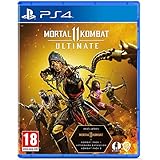
Mortal Kombat 11 Ultimate (PS4) | $22.49 | Buy on Amazon |
As an Amazon Associate I earn from qualifying purchases.
What “delisted” means on PS4
A delisted game is no longer offered for a new purchase in a particular PlayStation Store region. That sale listing is separate from several other things:
Do these 3 things before closing this tab:
1Repair Windows errors before they cause bigger problems2Fix the driver behind crashes, sound loss and screen glitches3Clear out junk files and repair common Windows errors- Your account license: the record that you bought the digital game, add-on, or season pass.
- Installed files: content already stored on the console.
- Download service: whether PlayStation still makes the purchased files available to retrieve.
- DLC entitlements: separate add-ons that may have different availability from the base game.
- Online services: publisher servers and features that can continue or shut down independently of the Store listing.
- Disc access: a physical copy’s ability to install and run, which can involve patches, account checks, or server-dependent modes.
Consequently, “the page disappeared” does not by itself answer whether you can play a game you bought. It also does not create an automatic refund entitlement in the PlayStation guidance reviewed.
#1 Best Overall
- The all new custom character variations give you unprecedented control to customize the fighters and make them your own
- The new graphics engine showcasing every skull shattering, eye popping moment, brings you so close to the fight you can feel it
- And featuring a roster of new and returning Klassic Fighters, Mortal Kombat's best in class cinematic story mode continues the epic saga over 25 years in the making
- 1 - 2 players; Network players 2 - 8 full game requires PlayStation plus membership to access online multiplayer; Dualshock 4 vibration function; HD video output 720p, 1080i, 1080p
Can you redownload a PS4 game after it is delisted?
PlayStation says purchased Store games appear in your Game Library. That is the first place to look, but the support guidance does not promise that every delisted title will remain downloadable indefinitely. Treat library access as the normal path, not as a guarantee for every game, region, or edition.
Check the account and purchase record
- Sign in to the PlayStation account that originally bought the game. A different account on the same PS4 will not necessarily show the entitlement.
- Open the PS4 Library and check the purchased-games section for the title. Search by the exact edition if the game had standard, deluxe, bundle, or regional versions.
- Open Transaction History for that account and confirm that the purchase is recorded. Keep the transaction date, order details, and region available if you need support.
- If the console is not the account’s primary PS4, review the primary-PS4 activation setting. PlayStation includes activation in its troubleshooting guidance for missing or locked purchases.
Restore licenses on PS4
For a game or add-on that is missing, locked, or not recognized, use the official PS4 route:
- From the PS4 home screen, open Settings.
- Select Account Management.
- Choose Restore Licenses.
- Select Restore and wait for the process to finish.
PlayStation says license restoration can help when a game has a padlock, when a game or add-on cannot be located, or when a game crashes. It refreshes the account’s entitlement information; it does not recreate a Store listing or guarantee that a file PlayStation no longer serves will return.
Quick wins for a faster PC:
Fix the driver behind crashes, sound loss and screen glitchesFind Drivers →Clear out junk files and repair common Windows errorsFree Scan →If the game still does not appear
- Recheck the buying account, country/region, and edition shown in Transaction History.
- Look for a separately listed bundle or remastered edition rather than assuming every edition shares one license.
- Record the exact error message and whether the title is installed, uninstalled, or locked.
- Contact PlayStation Support with the transaction details and title information. Ask specifically about redownload availability in your Store region.
Does delisting qualify you for a refund?
No automatic refund follows from delisting alone. PlayStation’s United States games-and-DLC policy lists a timing requirement and a download/streaming requirement. For a full game, downloadable content, or season pass, the usual checklist is:
Rank #2
- Physical combat over the shoulder free camera brings the action closer than ever combat in God of war is up close frenetic and unflinching. Kratos' Axes powerful, magic and multi faceted is a brutal weapon as well as a versatile tool for exploration
- Midgard and beyond: Set within the untamed forests, mountains, and realms of Norse lore, God of war features a distinctly new setting with its own pantheon of creatures, monsters, and gods
- Vicious, physical combat with an over the shoulder free camera that brings the player closer to the action than ever before
| Condition | What the US guidance says |
|---|---|
| Request timing | The request is generally made within 14 days of purchase. |
| Use of the content | The content has not been downloaded or streamed. |
| Faulty content | Faulty-content exceptions may apply even when the normal checklist is not met. |
| Local law | Your jurisdiction may provide additional cancellation or consumer rights. |
PlayStation’s own short checklist wording is: Content has not been downloaded or streamed.
That sentence is only one condition; it must be read together with the 14-day window and the faulty-content and local-law qualifications.
How to submit a US request
- Open your PlayStation account’s Transaction History.
- Select the transaction for the game, DLC, or season pass.
- Choose Request Refund when the option is available.
- Provide the requested transaction and account information, and explain any suspected fault accurately.
If the game was downloaded or streamed, or the purchase is older than 14 days, the ordinary policy checklist may not be met. You can still ask support to assess a faulty-content issue or rights provided by local law, but do not describe delisting itself as the reason a refund is guaranteed.
Canada-specific policy
PlayStation’s Canada cancellation policy separately describes a 14-day cancellation period for game and game-add-on purchases when downloading or streaming has not started, with an exception for faulty content. This is Canada-specific guidance, not a universal rule for every country. Check the policy serving your account’s region before relying on it.
Recommended Free Tools
What happens to DLC, add-ons, and season passes?
DLC is an independent entitlement even when it is associated with a delisted base game. A game can have one status for its main application and another for expansions, costumes, maps, or a season pass. Before assuming an add-on is available, identify:
Rank #3
- STUNNING VISUALS — Enhanced levels of fidelity and performance with new graphics modes featuring up to 4K resolution, up to 60 frames per second, HDR options, ray tracing, improved texture quality, and more
- FASTER LOADING — Quicker access to the action as the world of Los Santos and Blaine County load in faster than ever before.
- ADAPTIVE TRIGGERS AND HAPTIC FEEDBACK — Feel every moment through the DualSense controller, from directional damage to weather effects, rough road surfaces to explosions, and more.
- TEMPEST 3D AUDIO — Hear the sounds of the world with pinpoint precision: the throttle of a stolen supercar, the rattle of neighbouring gunfire, the roar of a helicopter overhead, and more.
- Please note that although this game is Region Free or Region Unlocked and will work on all systems, this is the European version and may differ from the local version in age rating, labeling or instructions.
- the exact base-game edition;
- the DLC name and whether it was purchased separately or included in a bundle;
- the account and Store region used for the purchase;
- whether the add-on is installed, merely owned, or still needs a download;
- whether the add-on requires a particular patch or online service.
If you already bought an add-on, check Game Library and Transaction History, then use Settings > Account Management > Restore Licenses > Restore if it is missing or locked. If you never bought it, a delisted base game does not establish that the add-on remains purchasable. PlayStation’s general troubleshooting material does not make a universal promise about DLC availability after delisting.
Does a server shutdown stop the game from working?
Store status and server status are different. A publisher can end online services while leaving an offline campaign, local multiplayer, or previously purchased add-ons playable. It can also make a particular mode unusable if that mode depends on authentication, matchmaking, cloud data, or other servers.
Gran Turismo Sport as a title-specific example
PlayStation’s notice for Gran Turismo Sport says its online services ended on January 31, 2024, while offline portions and purchased add-ons could still be played. That is evidence about that title’s post-shutdown behavior, not a guarantee for all PS4 games. For another game, check the publisher’s service notice and identify which modes are server-dependent.
What’s actually slowing this PC down?
Pick the symptom - the matching free tool is one click away.
Before buying or reinstalling a physical or digital copy, separate these questions:
Rank #4
- When federal agents threaten his family, former outlaw John Marston is forced to hunt down the gang of criminals he once called friends.
- Experience Marston’s journey across the sprawling expanses of the American West and Mexico as he fights to bury his blood-stained past in the critically acclaimed adventure.
- Also included is Undead Nightmare, the ground-breaking horror story expansion that transforms the world of Red Dead Redemption into an apocalyptic fight for survival against a zombie horde.
- Experience the epic western adventures that defined a generation
- Can the base application install?
- Can it launch without signing into an online service?
- Which campaign or local modes remain usable?
- Does DLC require a live server, a specific patch, or a matching regional disc?
- Are leaderboards, multiplayer, shared worlds, or cloud features still operating?
Can a PS4 disc copy still be used?
A disc edition can provide a different route from a digital Store purchase, but its behavior is title- and edition-specific. The available evidence does not establish that an arbitrary disc installs completely offline, includes every DLC pack, has the newest patch, or preserves online modes after a server shutdown.
When evaluating a disc, verify the exact release, region, and included content. A disc may contain the base game while expansions were sold separately. Some games require a network download for updates or additional data, and a disc cannot restore online services that the publisher has discontinued.
What the January 2028 announcement does—and does not—say
On July 1, 2026, Sid Shuman, Senior Director of Sony Interactive Entertainment Content Communications, wrote: This transition has no impact on games that already released, or will be releasing, prior to January 2028 in disc format.
The announcement concerns a planned end to production of physical discs for new PlayStation-console releases starting in January 2028. It does not promise current retail stock, prove that a specific disc works without a patch, include DLC, or keep a title’s servers online.
For an older or delisted game, the practical disc questions are therefore narrower: does the disc match the console and region, can the base game install, is an update required, and which features remain offline-capable?
Best Value
- Includes Mortal Kombat 11, Kombat Pack 1, mk11: Aftermath & Kombat Pack 2.
- the definitive mk11 experience! Take control of earthrealm's protectors in the game's two critically acclaimed, time-bending story campaigns as they race to stop kronika from rewinding time and rebooting history.
- friendships are tested, and new alliances forged, in the battle to save all of existence. mk11 ultimate features the complete character roster, including new additions rain, mileena & Rambo.
- Mortal Kombat 11 showcases every amusing friendship, gory fatality and soul-crushing Fatal blow like never before. You'll be so close to the fight, you can feel it!
A decision guide for a missing or delisted game
If you bought it digitally and already downloaded it
Leave the installed copy in place if you still use it. Removing local files may force you to rely on whatever download service remains available. Back up saved data through the options available for your account, and document the edition and DLC you own.
If you bought it digitally but deleted it
- Use the original purchasing account.
- Check Game Library and Transaction History.
- Restore licenses through the PS4 settings path.
- Check primary-PS4 activation where applicable.
- Ask PlayStation Support about title-specific redownload availability if the game remains absent.
If the game is installed but locked
Confirm the account that purchased it, connect the console as required for account verification, and run Restore Licenses. If the padlock remains, preserve the error details and transaction record for support. License restoration is a diagnostic step, not a refund or delisting workaround.
If you are considering a disc
Identify the exact disc edition and region before buying. Confirm whether the content you want is on the disc or was separate DLC, whether a patch is required, and whether the desired modes rely on active servers. Do not infer those answers from the fact that another game’s disc still works.
Common misconceptions
- “Delisted means my purchase was revoked.” Not necessarily. The Store listing, account license, installed files, and download service are separate.
- “Delisted means I automatically get my money back.” PlayStation’s listed refund criteria focus on the 14-day period, whether downloading or streaming began, faulty content, and local-law rights.
- “Restore Licenses brings back any removed game.” It can correct account-recognition problems, but it does not guarantee that PlayStation still serves a delisted download.
- “Owning DLC means every online feature remains.” Add-on ownership does not restart publisher servers or guarantee server-dependent modes.
- “A disc always includes the complete game.” Edition contents, patches, add-ons, and network requirements differ by title.
What to gather before contacting support
Support can investigate more efficiently when you provide the title’s exact name and edition, account ID or sign-in email as requested through official channels, Store region, transaction date and number, console model, whether the game was previously installed, the wording of any padlock or download error, and the DLC or mode you are trying to use. State whether you are asking about a refund, redownload, add-on, or online service; those are separate questions with different evidence.
Bottom line
A PS4 delisting removes a sales listing, not automatically your account purchase. Start with Game Library, Transaction History, the original buying account, and Settings > Account Management > Restore Licenses > Restore. A refund normally depends on the applicable regional policy—PlayStation’s US checklist uses 14 days and no download or streaming, subject to faulty-content and legal exceptions. DLC, disc installation, patches, and online play must be checked for the specific title and edition; the January 2028 physical-disc announcement does not answer those title-level questions.
Quick Recap
Product prices and availability are accurate as of the date/time indicated and are subject to change. Any price and availability information displayed on Amazon at the time of purchase will apply.

