Sony has made the PlayStation Portal much more capable since launch: it now supports official cloud streaming, select digital PS5 games from your library, and a 1080p High Quality mode. Those changes make it a better streaming device, but not a handheld console. It still cannot run games locally, and its strongest new use case depends on a paid subscription and a reliable connection. For me, that leaves the Portal easier to recommend to a particular kind of PS5 owner—not compelling as a general-purpose portable gaming device.
What has changed since the Portal launched?
The biggest change is that the Portal no longer has to connect to your own PS5 for every gaming session. Sony launched cloud streaming on the device in November 2025, and a March 2026 update added a selectable 1080p High Quality mode for both cloud streaming and Remote Play. The interface and public-network support have also improved.
That is a meaningful expansion, not a change in category: the Portal still streams games rather than running them on the device. Sony’s cloud-streaming launch announcement and product page describe the two ways to play: Remote Play from a PS5 and supported cloud streaming.
Cloud streaming, now officially available
With an active PlayStation Plus Premium subscription and an eligible adult account, you can stream select games without starting a Remote Play session from your PS5. Supported choices include some PS5 games in the PlayStation Plus Game Catalog, applicable Classics Catalog titles, and select digital PS5 games you own. You may use cloud streaming while your PS5 is off or being used by another account.
#1 Best Overall

- 【All-in-One Handheld】 The ultimate portable console in your hands. Enjoy retro games, remote play, cloud gaming, and Android titles on a lightweight handheld with responsive controls and a stunning 7” display. More than just a game console — it's a powerful all-in-one entertainment device.
- 【Cloud Gaming + Remote Play】 Cloud Gaming – Instantly play AAA titles over Wi-Fi with subscriptions to Xbox Cloud Gaming (Beta), GeForce NOW, Amazon Luna, PlayStation Plus Premium, and Boosteroid. Remote Play – Stream games locally from your own devices using Moonlight, PlayStation Remote Play, Steam Link or PXPlay.【Need buyer's subscriptions to Xbox or PlayStation.】
- 【Emulator Retro Games + Android Games】 Emulation – Enjoy retro classics with enhanced compatibility and smoother performance on PS2, GameCube, and other popular systems. Android Games – Run most local games with ease, offering more ways to play on a larger screen with console-style controls."
- 【Capacitor Digital Joystick + Switchable Modes】 abxylute One Pro is the first handheld to feature cutting-edge digital joysticks—taller, larger, and more advanced, with an extended input range. Switch between Circle Mode for ultra-precise 0.2% tracking, or Square Mode for broader input—tailored to different play styles."
- 【4K Video Output + Dual Speakers】 Connect to an external display or AR glasses for up to 4K gaming with full controller support, or enjoy immersive gameplay on the built-in 1080P 7” display—perfect for couch play or gaming on the go. Upgraded audio drivers deliver deeper, clearer vocals, and rich, immersive sound in every in-game moment."
“Games in your library” does not mean your entire digital collection. Eligibility depends on the game and region and can change. Sony’s cloud-streaming support page says PS4 and PS3 games are not supported for Portal cloud streaming. Check the Portal’s Cloud Streaming or Search interface for a specific title rather than assuming that owning it makes it streamable.
1080p High Quality mode
The March 2026 update added a 1080p High Quality option in the Portal quick menu, for both Remote Play and cloud streaming. Start a session, open the quick menu, select Max Resolution, and choose 1080p High Quality. Restart the streaming game if prompted or needed for the change to take effect. Sony announced the feature in its March update notes.
Sony lists 13 Mbps as the minimum for 1080p cloud streaming on its Portal support page; its broader PlayStation Plus guidance describes 15 Mbps for 1080p. Treat 13 Mbps as the Portal page’s listed minimum and 15 Mbps as a more prudent target—not a promise of smooth play. Bandwidth alone cannot prevent lag or stutter caused by latency, jitter, packet loss, interference, congestion, or a poor route to Sony’s servers. A stable 720p stream can be preferable to an unstable 1080p one.
Interface, account, and connectivity refinements
The April 2025 cloud-streaming beta update added game sorting, gameplay-capture support, and user-experience refinements, according to Sony’s announcement. Version 7.0.0 later documented bundle-game selection, game-invite notifications for the title being played, more detailed trophy notifications, QR-code account creation and sign-in, and the 1080p mode. Sony’s system-software page currently lists version 7.0.2, which improves performance and stability and makes messages and some screens more usable. Version availability was checked August 18, 2026; see Sony’s current software notes for subsequent changes.
Free tools Windows power users keep installed
One-click scans. No signup required.
Newer software also supports select public Wi-Fi networks that require extra validation beyond a password. Sony says this applies to Portal system software 3.0.1 or later; it does not mean every hotel, airport, or café network will work. A network may require a browser-based sign-in, block gaming traffic, or be too congested for a stable session.
Remote Play or cloud streaming: which use fits?
Remote Play remains the most straightforward reason for a PS5 owner to buy the Portal. It streams compatible games installed on your own console, with no Portal-specific Premium requirement. It can let you use the PS5 while someone else has the television. It does require a PS5, a PlayStation account, a paired Portal, and a console connected to broadband and powered on or in Rest Mode. Sony’s Remote Play guide covers setup.
Rank #2

- 【Massive Retro Game Library】Our retro handheld console comes preloaded with 20,000+ classic games and supports multiple popular emulators including PS1, PSP, N64, MAME, GBA, FC, SFC and more for endless retro gaming fun anytime, anywhere.
- 【4.2-Inch IPS HD Display】The portable game console features a 4.2-inch IPS HD screen with 1024×768 resolution and OCA full lamination technology for vibrant colors, sharp details, and a smoother retro gaming experience.
- 【Stable & Responsive Gameplay】This handheld video games powered by the RK3326 quad-core processor for stable and responsive gameplay, allowing you to enjoy classic arcade, racing, action, and adventure games with reduced lag.
- 【Portable Gaming Anywhere】Handheld Game Console compact and lightweight portable gaming console designed for travel, commuting, camping, and relaxing at home with long-lasting battery life for extended gaming sessions.
- 【Great Gift for Retro Gaming Fans】Ergonomic dual joysticks and responsive controls provide comfortable gameplay, while WiFi multiplayer support makes it a fun gift for retro gaming fans, and adults.
Remote Play performance depends on both ends of the connection: the Portal’s Wi-Fi and the PS5’s network connection, particularly its upload performance when you are away from home. A fast internet plan does not rule out poor results if Wi-Fi is congested or the route is unstable. If pairing or connecting fails, first check that Remote Play is enabled, the console is in Rest Mode or on, and both devices use the intended account; then follow Sony’s current setup and troubleshooting steps rather than assuming a particular router setting will fix it.
Cloud streaming is useful when the PS5 is unavailable, when another person is using it, or when you want to play away from your console. In exchange, it requires Premium, an eligible game, a supported region, and a dependable internet connection to Sony’s servers. It is a second route into PlayStation games, not a way to access every title you own.
Recommended Free Tools
What the Portal still cannot do
It does not run games locally
The Portal has no installable game library and cannot play offline. Every game session is streamed, either from a PS5 or from Sony’s cloud service. That is the central reason it remains different from a native handheld such as a Steam Deck: cloud streaming makes the Portal less tied to your particular console, but it does not give it local gameplay or the flexibility of a general-purpose device.
Cloud play has a subscription and feature limits
Portal cloud streaming requires PlayStation Plus Premium and is limited to adult accounts. During cloud sessions, Sony lists unavailable system features including inviting players to groups or parties through the system interface, voice chat or messaging through that interface, managing friends, broadcasting, Share Screen, and Share Play. The usual trophy-viewing experience is also limited. You cannot purchase or manage a PlayStation Plus subscription on the Portal; use a PS5, the PlayStation App, or the PlayStation website instead. Sony details these restrictions on its cloud-streaming support page and accessories support page.
Some games and accessories are incompatible
Remote Play does not support games that require PlayStation VR or PS VR2, or additional peripherals beyond supported DualShock 4, DualSense, or DualSense Edge controllers. The cloud-streaming catalog has its own eligibility limits, so a title that works through Remote Play is not necessarily available from the cloud.
Independent reader supportYour contribution helps us test, update, and keep practical guides available for everyone.Is the hardware worth the price?
The Portal’s appeal is tangible: it has an 8-inch 1080p LCD touchscreen, DualSense-style controls, and haptic feedback and adaptive triggers where supported by the game. Sony advertises up to 60fps, depending on the game and streaming conditions. It also has built-in speakers, a 3.5mm headset jack, and PlayStation Link support for compatible audio accessories. The manual lists a weight of about 529g (18.7oz); that is a substantial device to hold, even if the full-size controls and larger screen suit some players better than a phone. Sony’s Portal manual provides hardware details, but does not establish one universal gameplay battery-life figure.
What’s actually slowing this PC down?
Pick the symptom - the matching free tool is one click away.
Rank #3
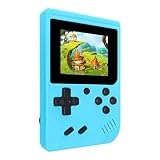
- 400 Pre - installed Classic Games:This mini handheld console comes with 400 video games, designed to bring endless fun to young players. The games are categorized into four major types: casual, puzzle, shooting, and sports. You can easily pick your favorites without much hassle.
- 3.0 - inch LCD Display:Featuring a 3.0 - inch display, this handheld video game offers vivid colors and a user - friendly interface for seamless gaming. Whether it's for travel or home use, the bright colors and clear images will immerse players in a crystal - clear gaming experience.
- Innovative Design:With an innovative ergonomic design, this console is small, lightweight, and easy for small hands to hold, ensuring a comfortable gaming experience. The arcade - style joystick provides precise control.
- Rechargeable and Uninterrupted Gaming:Our mini handheld console is equipped with a rechargeable battery that can be easily charged via a convenient USB cable, making it the best choice for gaming on the go.
- Easy to Operate:This mini handheld console is extremely easy to operate, suitable for all ages. It's an ideal gi-ft for birthdays, Christmas, Easter, and other holidays, sure to bring great surprise and joy to your loved ones.
In the United States, Sony’s recommended retail price rose to $249.99 effective April 2, 2026, from its previous launch-era price, according to its price announcement. An existing PS5 owner can use ordinary Remote Play without buying Premium specifically for the Portal, although a particular game may require a membership for online multiplayer.
A cloud-first buyer needs to count the subscription as well as the device. Sony’s U.S. PS Plus page lists Premium at $19.99 monthly, $54.99 quarterly, or $159.99 annually. At the annual rate, a Portal plus one year of Premium totals $409.98 before tax using those U.S. prices. Premium may make sense if you also want its broader catalog and benefits; it is a steep extra cost if you want it only to unlock cloud streaming on this device.
Who should buy a Portal—and who should skip it?
It makes sense for a particular PS5 owner
- You already own a PS5 and often need to free up the television.
- You value full-size PlayStation controls and a dedicated screen more than a phone-sized setup.
- Your home Wi-Fi and, for away-from-home Remote Play, your PS5’s internet connection are dependable.
- You want a simple Remote Play appliance rather than configuring a more flexible handheld.
- You already pay for Premium and will use cloud streaming as well as its other benefits.
It is a poor fit for a portable-console buyer
- You want offline play, local installs, or a device that works when a network does not.
- You do not own a PS5 and do not want an ongoing Premium subscription.
- You expect every purchased PS5 game to be cloud-streamable.
- You want native games across PC, Xbox, Nintendo, Android, or other platforms.
- Your usual networks are unreliable, restrictive, or congested, or you need full social and broadcast features during cloud play.
- You find a roughly 529g device uncomfortable for extended handheld sessions.
If you already own a capable phone, a phone-mounted controller such as the Backbone One PlayStation Edition is a way to try Remote Play with less dedicated hardware, though it uses the phone’s smaller screen and shares its battery and notifications. For local play and broader platform flexibility, the Steam Deck is a different category of device, with its own compatibility and setup trade-offs. The Logitech G Cloud and Razer Edge take an Android, multi-service approach rather than the Portal’s purpose-built PlayStation design. These are alternatives in approach, not like-for-like replacements.
My verdict: better, but still not for me
The Portal’s updates address genuine objections: cloud streaming reduces reliance on having your PS5 available, select owned games broaden the choice, public Wi-Fi support has improved, and 1080p High Quality raises the available image-quality ceiling. None of that removes compression, latency, eligibility restrictions, or the fact that the device cannot run a game itself.
The Tool Desk
Outbyte Driver Updater FREEScan for outdated or missing drivers - takes under a minuteDriver Scan →Outbyte PC Repair FREEClear out junk files and repair common Windows errorsFree Scan →If I already owned a PS5 and wanted a comfortable way to keep playing while the television was occupied, I would consider it a much more polished Remote Play accessory. As a cloud-first purchase or substitute for a native handheld, the combination of a $249.99 device, Premium requirement, network dependence, and selective catalog is harder to justify. The Portal is now a better answer to “How can I stream PlayStation games on a dedicated screen?” It still is not my answer to “Which handheld should I buy?”
Quick Recap
Product prices and availability are accurate as of the date/time indicated and are subject to change. Any price and availability information displayed on Amazon at the time of purchase will apply.




