Quick wins for a faster PC:
Clear out junk files and repair common Windows errorsFree Scan →Scan for outdated or missing drivers - takes under a minuteDriver Scan →Repair Windows errors before they cause bigger problemsFix Now →You can automate a courteous follow-up about a disclosed appointment no-show fee with n8n, but the workflow should not decide whether the fee is legally due or charge it just because an appointment time passed. Confirm the appointment’s current status, verify that the fee policy applies and was disclosed, offer a clear route to pay or request review, and stop for disputes or exceptions. The n8n appointment template is a useful starting point for reminders and rebooking—not a documented fee-charging system.
What the n8n appointment template does—and does not—do
n8n’s appointment workflow template demonstrates webhook intake, appointment-field normalization, a Wait node, and IF routing. Its example checks for a no-show tag after the appointment and sends rebooking outreach; a separate route handles completed appointments. The booking service must POST to the workflow webhook, and the example relies on an Aloware/EHR process applying the no-show tag.
As an Amazon Associate I earn from qualifying purchases.
That is a pattern for receiving and routing appointment data, not proof that every scheduling system sends the same fields or events. Nor does the template establish that a fee is eligible, present a fee notice, verify payment, or charge a customer. Its Aloware account, API access, outbound line, and sequence setup are dependencies of that particular example, not universal n8n requirements.
Do these 3 things before closing this tab:
1Clear out junk files and repair common Windows errors2Scan for outdated or missing drivers - takes under a minute3Repair Windows errors before they cause bigger problemsBuild the escalation ladder around verified status
Use the booking system—or another designated system of record—as the authority for appointment status. A webhook can start the process, but elapsed time alone cannot establish that someone was a no-show. The template’s one-hour delay is an example, not a recommended universal interval.
#1 Best Overall

- APPOINTMENT PLANNER STICKERS – Easily track doctor visits, dentist appointments, eye exams, medication refills, meetings, and personal commitments with colorful appointment reminder stickers designed for planners and calendars.
- CALENDAR APPOINTMENT STICKERS – Sized to fit most planner layouts, monthly calendars, bullet journals, and appointment books without covering important notes.
- DOCTOR APPOINTMENT STICKERS – Includes icons and reminders for medical appointments, dentist visits, eye doctor checkups, hair appointments, nail appointments, and vehicle maintenance.
- BRIGHT & EASY TO SEE – Colorful designs help important dates stand out at a glance, reducing missed appointments and improving schedule organization.
- Bill Payment: Includes over 90 small, easy-to-use stickers featuring car payment, mortgage/rent, phone bill, WiFi, energy, water, trash, and recycling.
- Receive and normalize the event. Accept the booking webhook and map the appointment ID, customer contact, scheduled start and end, timezone, appointment status, policy version, and available notice or consent reference. Keep provider-specific field paths configurable.
- Wait until the appointment window has passed. Use a business-configured wait or scheduled check. Do not send a fee notice solely because the clock passed the start time.
- Re-query the authoritative appointment record. Confirm the latest status and apply the business’s eligibility rules. Stop if the appointment was canceled, rescheduled, completed, exempt, or already resolved. Require a recorded applicable policy and evidence that the customer received the relevant notice.
- Send one neutral first notice. Identify the appointment date, the disclosed policy, the fee amount, and a simple payment or contact route. Use an approved channel, and keep sensitive appointment information out of SMS.
- Wait, then check again. Before a reminder, verify payment and appointment status anew. Stop if payment is recorded, the fee is disputed, a waiver is granted, the appointment status changes, or the customer asks for review.
- Escalate to a person when needed. If the customer disputes the fee, mentions an accommodation, or requests help, pause automated messages and create a staff task. Otherwise, send at most one concise reminder while the fee remains eligible and unresolved.
- Close and log minimally. Record the event and appointment identifiers, status checks, notice times and channels, policy version, payment outcome, and human decisions under the business’s retention rules. Avoid retaining unnecessary personal or health information.
Use event and appointment IDs to deduplicate repeated webhook deliveries. Before sending a payment request—or initiating any charge—check the current record again; an earlier event payload may be stale.
Illustrative JSON workflow for n8n
This is an implementation outline in n8n’s workflow JSON shape, not a tested, import-ready workflow. It intentionally leaves credentials, provider endpoints, field mappings, wait duration, policy checks, and message copy to be configured. The named nodes show where the safeguards belong; connect them to the actual booking, messaging, and payment services you use.
{
  "name": "No-show fee follow-up (configure before use)",
  "nodes": [
    {
      "name": "Booking webhook",
      "type": "n8n-nodes-base.webhook",
      "parameters": {
        "httpMethod": "POST",
        "path": "appointment-event",
        "responseMode": "onReceived"
      }
    },
    {
      "name": "Normalize appointment",
      "type": "n8n-nodes-base.set",
      "parameters": {
        "assignments": {
          "assignments": [
            { "name": "eventId", "value": "={{ $json.event_id }}", "type": "string" },
            { "name": "appointmentId", "value": "={{ $json.appointment.id }}", "type": "string" },
            { "name": "customerContact", "value": "={{ $json.customer.contact }}", "type": "string" },
            { "name": "scheduledStart", "value": "={{ $json.appointment.start }}", "type": "string" },
            { "name": "scheduledEnd", "value": "={{ $json.appointment.end }}", "type": "string" },
            { "name": "timezone", "value": "={{ $json.appointment.timezone }}", "type": "string" },
            { "name": "appointmentStatus", "value": "={{ $json.appointment.status }}", "type": "string" },
            { "name": "policyVersion", "value": "={{ $json.policy.version }}", "type": "string" },
            { "name": "noticeReference", "value": "={{ $json.policy.notice_reference }}", "type": "string" }
          ]
        }
      }
    },
    {
      "name": "Wait until appointment window ends",
      "type": "n8n-nodes-base.wait",
      "parameters": {
        "resume": "specificTime",
        "dateTime": "={{ $json.scheduledEnd }}"
      }
    },
    {
      "name": "Re-check booking and eligibility",
      "type": "n8n-nodes-base.httpRequest",
      "parameters": {
        "method": "GET",
        "url": "={{ $env.BOOKING_API_BASE + '/appointments/' + $json.appointmentId }}",
        "authentication": "preconfigured credential",
        "options": {
          "notes": "Replace URL, authentication, and response mapping for your booking provider. Check current status, policy notice evidence, exemptions, and idempotency before proceeding."
        }
      }
    },
    {
      "name": "Eligible and unresolved?",
      "type": "n8n-nodes-base.if",
      "parameters": {
        "conditions": {
          "options": { "caseSensitive": true },
          "conditions": [
            { "leftValue": "={{ $json.feeEligible }}", "rightValue": true, "operator": { "type": "boolean", "operation": "true" } },
            { "leftValue": "={{ $json.alreadyResolved }}", "rightValue": false, "operator": { "type": "boolean", "operation": "false" } }
          ],
          "combinator": "and"
        }
      }
    },
    {
      "name": "Send neutral first notice",
      "type": "n8n-nodes-base.httpRequest",
      "parameters": {
        "method": "POST",
        "url": "={{ $env.APPROVED_MESSAGING_API }}",
        "authentication": "preconfigured credential",
        "options": {
          "notes": "Map to an approved channel and approved message. Do not include sensitive appointment details in SMS. Include a human contact route."
        }
      }
    },
    {
      "name": "Wait before reminder check",
      "type": "n8n-nodes-base.wait",
      "parameters": {
        "resume": "afterTimeInterval",
        "amount": 3,
        "unit": "days"
      }
    },
    {
      "name": "Re-check payment, status, and replies",
      "type": "n8n-nodes-base.httpRequest",
      "parameters": {
        "method": "GET",
        "url": "={{ $env.STATUS_CHECK_ENDPOINT }}",
        "authentication": "preconfigured credential",
        "options": {
          "notes": "Replace with provider-specific checks. Stop on payment, dispute, review request, waiver, changed appointment status, or duplicate event."
        }
      }
    },
    {
      "name": "Needs human review?",
      "type": "n8n-nodes-base.if",
      "parameters": {
        "conditions": {
          "options": { "caseSensitive": true },
          "conditions": [
            { "leftValue": "={{ $json.needsHumanReview }}", "rightValue": true, "operator": { "type": "boolean", "operation": "true" } }
          ],
          "combinator": "or"
        }
      }
    },
    {
      "name": "Create staff review task",
      "type": "n8n-nodes-base.httpRequest",
      "parameters": {
        "method": "POST",
        "url": "={{ $env.STAFF_TASK_ENDPOINT }}",
        "authentication": "preconfigured credential"
      }
    },
    {
      "name": "Send one concise reminder",
      "type": "n8n-nodes-base.httpRequest",
      "parameters": {
        "method": "POST",
        "url": "={{ $env.APPROVED_MESSAGING_API }}",
        "authentication": "preconfigured credential",
        "options": {
          "notes": "Only connect when the latest checks still show an eligible, unresolved fee and no review trigger."
        }
      }
    }
  ],
  "connections": {
    "Booking webhook": { "main": [[{ "node": "Normalize appointment", "type": "main", "index": 0 }]] },
    "Normalize appointment": { "main": [[{ "node": "Wait until appointment window ends", "type": "main", "index": 0 }]] },
    "Wait until appointment window ends": { "main": [[{ "node": "Re-check booking and eligibility", "type": "main", "index": 0 }]] },
    "Re-check booking and eligibility": { "main": [[{ "node": "Eligible and unresolved?", "type": "main", "index": 0 }]] },
    "Eligible and unresolved?": { "main": [[{ "node": "Send neutral first notice", "type": "main", "index": 0 }], []] },
    "Send neutral first notice": { "main": [[{ "node": "Wait before reminder check", "type": "main", "index": 0 }]] },
    "Wait before reminder check": { "main": [[{ "node": "Re-check payment, status, and replies", "type": "main", "index": 0 }]] },
    "Re-check payment, status, and replies": { "main": [[{ "node": "Needs human review?", "type": "main", "index": 0 }]] },
    "Needs human review?": { "main": [[{ "node": "Create staff review task", "type": "main", "index": 0 }], [{ "node": "Send one concise reminder", "type": "main", "index": 0 }]] }
  },
  "active": false,
  "settings": { "executionOrder": "v1" }
}
Configure the IF conditions and provider response mappings to match actual data; the example fields such as feeEligible, alreadyResolved, and needsHumanReview are decision outputs you must implement, not fields guaranteed by a booking provider. Add persistent deduplication keyed by event and appointment IDs. The JSON does not initiate a charge: if you add payment collection, make the customer-facing request and any payment status checks fit your processor’s documented flow.
Rank #2
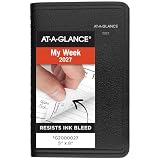
- This black weekly planner covers 12 months from January 2027 — December 2027 with Julian dates
- High-quality paper features ink bleed resistance, while the durable cover and twin wire binding help keep pages secure
- Weekly spreads have hourly appointments from 8:00 a.m. - 5:00 p.m., Monday — Friday. Weekends are condensed and untimed for flexibility. Pages measure 5" x 8".
- Special pages include a 3-year reference calendar, personal information and important dates
- Guaranteed to last all year. ACCO Brands will replace any defective AT-A-GLANCE planner that is returned within one year from date of purchase or delivery, whichever is longer. This guarantee does not cover damage due to misuse or abuse.
Use a neutral message with a human route
Here is adaptable copy for a first notice. Use it only after confirming that the policy applies, the customer received it, and the current appointment record qualifies.
Hi {{first_name}}, we missed you at your appointment on {{appointment_date}}. Our cancellation/no-show policy, shared when the appointment was booked, lists a {{fee_amount}} fee for this situation. You can review or resolve it here: {{approved_payment_or_contact_link}}. If we have the appointment status wrong or you’d like us to review this, reply to this message or contact {{business_contact}}.
Replace each variable with verified information and an approved link. Do not invent policy consent, a charge, or a payment URL. Keep the text factual; do not threaten, shame, or expose sensitive appointment information in an SMS.
Rank #3

- This gray weekly monthly planner covers 12 months from January 2027 — December 2027 with Julian dates
- High-quality paper features ink bleed resistance, while the durable cover and twin wire binding help keep pages secure
- Weekly spreads have ruled quarter-hourly appointments 8:00 a.m. - 9:45 p.m. on weekdays. Saturdays run 7:00 a.m. - 6:45 p.m. and Sunday is untimed. Pages measure 8-1/2" x 11".
- Tabbed monthly spreads have ruled daily blocks for detailed planning, reference calendars and a notes section
- Special pages include a 3-year reference calendar, personal information, contacts, important dates and notes pages
Configure webhooks and payment checks safely
n8n distinguishes Test and Production webhook URLs. The Test URL is for development and listens for a limited period; for live traffic, save and publish the workflow and use its Production URL. As n8n puts it in its Webhook node workflow-development documentation, “When your workflow is ready, switch to using the Production webhook URL.”
PC Slower Than It Used to Be?
A free scan shows the junk files, broken settings and background clutter dragging Windows down - then fixes them in one click.Free scan · Windows 10 & 11Outdated Drivers Are Slowing You Down
One free scan finds every outdated or missing driver and matches the right update for your exact hardware.Free scan · exact hardware matchDo not treat any incoming payload as proof of payment. If you use Stripe, n8n provides Stripe credentials and a Stripe Trigger. Configure the Signature Secret so incoming requests can be verified; without signature verification, an unsigned or forged request can reach an endpoint without being verified. See n8n’s Stripe credentials and Stripe Trigger documentation. Confirm payment from a verified processor event or authenticated status lookup, then match it to the appointment or fee record before closing the workflow.
Independent reader supportYour contribution helps us test, update, and keep practical guides available for everyone.Check the policy and applicable rules before automating collection
No universal rule for no-show fees is established by these examples. Before collecting, verify the applicable law and profession rules, the customer-facing policy or contract, how and when it was disclosed, and any exceptions with the relevant regulator or qualified counsel. An automation should enforce a reviewed policy; it should not make a legal eligibility decision.
Rank #4
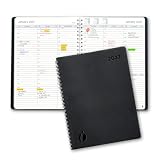
- Full Year 2027, Hour by Hour – A dated planner from November 2026 to December 2027 with weekly and monthly views and 30 minute time slots from 7am to 8pm, so every appointment has a line of its own.
- Your Week on Two Pages – Each week opens flat to a two-page hourly schedule with a notes column, the layout busy day planners reach for when a phone calendar keeps burying things.
- Monthly Views for the Long Game – Big month-per-spread pages for deadlines and term dates, a natural teacher planner and work schedule book, with 2027-2028 reference calendars for planning ahead.
- Thick Paper, Lies Flat – Extra-thick pages keep ink where you wrote it instead of bleeding through, and the softcover with twin-wire binding opens flat on any desk.
- Goals Pages Built In – Two-page goal spreads give the year a direction, in a simple design for productivity for students, nurses, business owners and busy professionals whose days are booked solid.
Federal disability-access example
The U.S. Department of Justice’s discussion of the ADA Title III regulations says providers cannot pass the cost of obtaining a necessary interpreter to a patient with a disability because of a late cancellation or no-show. The discussion also says a provider may charge for the missed appointment if all other patients are subject to the fee in the same circumstances. This is a specific interpreter-cost discussion, not a blanket rule about every no-show fee. See the ADA Title III regulations.
Texas chiropractic example
Texas’s chiropractic rule permits a reasonable cancellation or no-show fee and requires written notice to a new patient of the exact fees, conditions, and policies before scheduling a subsequent appointment. That rule is specific to Texas and chiropractic practice; it is not a nationwide standard. Consult the Texas State Board of Chiropractic Examiners’ board rules.
Free tools Windows power users keep installed
One-click scans. No signup required.
FTC fee-disclosure scope
The FTC’s fee-rule FAQ says covered fees must be clearly and conspicuously disclosed and included in the final amount before asking for payment, subject to the rule’s scope and applicable state or local requirements. Determine whether the rule applies to your business and transaction before treating it as controlling. See the FTC fee-rule FAQ.
Best Value

- 2027 DAY PLANNER: This 2027 appointment book planner covers 12 months (January 2027 - December 2027) of monthly and weekly spread for an easier year-round planning. Size: 8.6'' x 10.5'', this large planner offers spacious writing space, and allows you to freely plan your schedule!
- WEEKLY PLANNING PAGES: Weekly spreads of 2027 daily planner have 30 minutes-hourly appointments from 7:00 a.m. - 8:30 p.m. on weekdays. Saturdays run 7:00 a.m. - 5:30 p.m. and Sundays with notes section. Holidays, 3-month reference calendar, top priorities are included for managing your time easily. 2027 spiral agenda is great for busy planners.
- MONTHLY VIEW PAGES: 2-page monthly spread with large ruled blocks of 1.78'' x 1.83'' gives plenty of writing space to help you easily mark appointments, agenda, important dates, bills due, etc. Holidays and Julian Dates are included. Top goals/priorities and notes section help you keep track of top priorities and daily tasks, stimulating your creativity!
- UNIQUE FATURES: Our 2027 planner features waterproof flexible cover with round corner protect the inner pages and prevent your hands from being scratched. Monthly tabs are Laminated for quick search and tear-resistant navigation. Thick, no-bleed paper for easy writing. 2-sided back pockets to organize loose items. Twin-wire binding make it lay flat and turn pages easily.
- BE ORGANIZED & PRODUCTIVE: We've designed every detail to support your busy life. Whether you're a student managing assignments, a professional tracking projects, or a parent organizing the family schedule, this calendar planner offers the structure and freedom to plan your way. The simplified layout provides ample space without feeling overwhelming, making it easy to develop strong time-management skills. An ideal Christmas or New Year gift for friends, family, colleagues, or yourself!
Choose integrations by the controls you need
There is no source-backed universal best provider or performance comparison. When assessing a booking, messaging, or payment integration, check whether it supports the safeguards this workflow needs:
- Which system is authoritative for appointment status, and can the workflow query it again after the appointment?
- Does the service send webhooks, or will you need scheduled polling? How are repeated events and changed statuses handled?
- Can payment events be authenticated, and can a payment be matched reliably to the appointment or fee record?
- Can the chosen communication channel receive replies and route disputes or review requests to staff?
- Can you retain evidence of the applicable policy disclosure and version without keeping unnecessary sensitive data?
- Can staff pause or override the automation for exemptions and exceptions?
The n8n template names Calendly, Acuity Scheduling, Jane App, SimplePractice, and Mindbody as examples of scheduling services, not as guarantees of compatibility in every configuration or requirements for this workflow.
Quick Recap
Product prices and availability are accurate as of the date/time indicated and are subject to change. Any price and availability information displayed on Amazon at the time of purchase will apply.
The Tool Desk
Outbyte Driver Updater FREEScan for outdated or missing drivers - takes under a minuteDriver Scan →Outbyte PC Repair FREEClear out junk files and repair common Windows errorsFree Scan →
