Yes. Call of Duty: Modern Warfare II (2022) supports crossplay, so players on supported PlayStation, Xbox, and PC platforms can play together. Cross-progression also works when every platform is linked to the same Activision account: rank, statistics, weapon and camouflage progress, and unlocked customization content follow that account. The important exceptions are the game license, COD Points, and some purchases, which remain tied to the platform where they were bought or earned.
Is Modern Warfare 2 crossplay?
Activision says crossplay continues with the launch of Modern Warfare II, allowing players on all supported platforms to play together. In practical terms, a PlayStation 5 player can join friends on Xbox Series X|S or PC, provided everyone is using the supported Modern Warfare II edition, has the required platform accounts, and is signed into the intended Activision account.
| # | Preview | Product | Price | |
|---|---|---|---|---|
| 1 |

|
Call of Duty: Modern Warfare II - PlayStation 5 | $33.99 | Buy on Amazon |
| 2 |

|
Call of Duty: Modern Warfare II - Xbox One/Xbox Series X | $41.70 | Buy on Amazon |
| 3 |
|
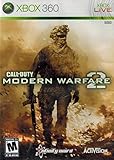
Call of Duty: Modern Warfare 2 (Renewed) | $14.38 | Buy on Amazon |
| 4 |

|
Call of Duty: Modern Warfare 2 - Playstation 3 (Renewed) | $9.12 | Buy on Amazon |
As an Amazon Associate I earn from qualifying purchases.
“All platforms” describes cross-platform matchmaking, not a universal license. Buying the game for one system does not grant a second copy for another system. Crossplay lets the owners of compatible copies share multiplayer sessions; it does not make a PlayStation purchase portable to Xbox or PC.
Quick wins for a faster PC:
Fix the driver behind crashes, sound loss and screen glitchesFind Drivers →Repair Windows errors before they cause bigger problemsFix Now →Scan for outdated or missing drivers - takes under a minuteDriver Scan →Platform storefronts, regional editions, online-service availability, and account policies can change. Before purchasing, check which Modern Warfare II edition and PC storefront are offered in your country and confirm that the edition supports the platform you intend to use.
#1 Best Overall
- Call of Duty: Modern Wafare II PS5
- Call of Duty: Modern Warfare II is the sequel to 2019’s blockbuster Modern Warfare.
- Featuring the return of the iconic, team leader Captain John Price, the fearless John "Soap" MacTavish, the seasoned Sergeant Kyle "Gaz” Garrick, and the lone wolf himself, fan favorite Simon “Ghost” Riley, players will witness what makes Task Force 141 the legendary squad it is today.
- Some features may require an internet connection and an online subscription
Which platforms can play Modern Warfare II together?
| Platform or storefront | Can join crossplay matches? | Account and progression requirement | Second-platform license |
|---|---|---|---|
| PlayStation 5 | Yes, with supported Xbox and PC players | Link the console profile to the same Activision account used elsewhere | A separate purchase is required for another platform |
| Xbox Series X|S | Yes, with supported PlayStation and PC players | Use the same Activision account to carry progression across platforms | A separate purchase is required for another platform |
| PC (including the Battle.net support surface) | Yes, with supported console players | Sign in to the same Activision account as the console profile | A separate PC or console license is required |
| Other console generations or PC storefronts | Depends on the edition and availability in your region | Verify account linking and edition compatibility before purchase | Do not assume one platform purchase covers another |
Activision’s support hub currently exposes PlayStation 5, Xbox Series X|S, and Battle.net support surfaces. Because storefront availability and regional editions are not permanent, use the store listing for your country as the final check rather than assuming that an older disc, bundle, or digital listing is interchangeable with a current edition.
What you need before inviting someone on another platform
- A compatible Modern Warfare II edition: both players must be using an edition that supports the same online service. Crossplay cannot bridge an incompatible product or a mode that has been retired.
- An Activision account: each player needs an Activision identity for cross-platform services. The account is also the location where game progression is stored.
- Correct account linking: link each console or PC profile to the Activision account that contains the desired rank, unlocks, and Battle Pass progress. Signing in with a different Activision account can make a profile appear to have no progress.
- Current game and service updates: crossplay depends on the live matchmaking service and compatible game builds. If one player is on an outdated build, update before troubleshooting invitations.
- Platform availability in your region: confirm the edition, storefront, and any platform-specific online requirements shown at purchase. Activision’s crossplay statement does not replace those platform rules.
Does Modern Warfare 2 progression carry over?
Yes, when platforms are linked to the same Activision account. Activision states that “Game progression is stored on your Activision account.” That account-based system is what allows a player to move between linked platforms without starting the core progression systems over.
| Progress or content | What happens on a linked platform | Important qualification |
|---|---|---|
| Military rank | Available across linked platforms | Modern Warfare II’s launch progression described 55 Military Ranks |
| Player statistics | Stored with the Activision account | Combat Records and leaderboards are now permanently disabled in Modern Warfare II; see the current restriction below |
| Weapon progression | Follows the account | Use the same Activision account on every platform |
| Camo progression and unlocked camos | Available on linked platforms | These are account-linked unlocks, not a second license |
| Other customization content | Unlocked content can appear on linked platforms | Purchase-related exceptions apply to some items |
| Battle Pass progress | Progress and Battle Pass content unlocked through progression follow the Activision account | COD Point spending has a platform-specific exception |
Cross-progression is not the same as cross-save for every commercial item. It synchronizes the progression and eligible content attached to the Activision account, while platform stores can still control where a purchase can be used.
PC Slower Than It Used to Be?
A free scan shows the junk files, broken settings and background clutter dragging Windows down - then fixes them in one click.Free scan · Windows 10 & 11Outdated Drivers Are Slowing You Down
One free scan finds every outdated or missing driver and matches the right update for your exact hardware.Free scan · exact hardware matchDo COD Points and Battle Pass purchases transfer?
COD Points are the major exception to the otherwise broad account-based progression rules. Activision’s rules distinguish between points earned through the Battle Pass, points purchased with real money, and items bought with COD Points.
COD Points earned through the Battle Pass
COD Points earned from a Battle Pass tier can be spent only on the platform where that tier was unlocked. If you complete the tier on PlayStation, those earned points are restricted to PlayStation for spending purposes; logging into Xbox or PC does not turn them into a universally spendable balance.
COD Points bought with real money
COD Points and content bought with real money can be used only on the platform where the purchase was made, according to Activision’s cross-progression guidance. A purchase made through one platform’s store therefore should not be treated as a license for another platform.
Items bought with COD Points
Content purchased with COD Points can be used on linked platforms. This is different from the points themselves: the balance can remain platform-bound, while an eligible item bought with that balance follows the Activision account to other linked platforms.
Rank #2
- Call of Duty: Modern Warfare II - Xbox One/ Xbox Series X
Before buying points or a bundle, decide which platform you will use to spend the balance. If you regularly switch between PlayStation, Xbox, and PC, make the purchase on the platform where you expect to redeem it, and keep all profiles linked to one Activision account.
Can you turn crossplay off?
Console players can enable or disable crossplay. On PlayStation, crossplay is enabled by default. The documented PlayStation menu path is:
- Open Options.
- Select Settings.
- Open Account & Network.
- Set Crossplay to the preferred state.
Activision does not provide one universal menu path for every Xbox console, PC storefront, or future interface revision. On those systems, look under the game’s account, network, or online settings for the crossplay control. If the switch is missing, confirm that you are in the current Modern Warfare II build and check the platform-specific support page rather than applying the PlayStation path to another device.
Disabling crossplay changes the pool of players available for matchmaking. It does not erase rank, weapon levels, camo progress, Battle Pass progress, or account-linked unlocks.
Which modes contribute to shared progression?
Activision says that Multiplayer and Special Ops in Modern Warfare II, along with Warzone play, count toward overall player progression and Battle Pass progression. That means activity in those experiences can advance the same account-linked progression systems when you use the same Activision account.
Multiplayer
Modern Warfare II Multiplayer contributes to the game’s overall progression systems. Rank, weapon progression, camouflage progression, and eligible unlocks remain attached to the Activision account rather than to one console.
Special Ops
Special Ops is included in Activision’s description of activities that count toward overall progression and Battle Pass progression. Progress earned there is subject to the same account-linking requirement.
Rank #3
- Call of Duty: Modern Warfare 2 Video Game for Xbox 360 General Features:
- Genre: First person shooter Players: 1-4 Player co-op: 2 System link: 2-18
- Online multiplayer: 2-18 Epic single-player campaign resumes where the prequel left off
- The definitive multiplayer experience returns with all new enhancements
- SpecOps mode inspired by "Mile High Club" combines the best of solo and multiplayer modes
Warzone play
Warzone activity also counts toward overall player and Battle Pass progression under Activision’s stated rules. However, the Warzone name covers distinct experiences, so the specific product matters.
Do these 3 things before closing this tab:
1Repair Windows errors before they cause bigger problems2Fix the driver behind crashes, sound loss and screen glitches3Clear out junk files and repair common Windows errorsModern Warfare II and Warzone 2.0 are not the same as Warzone Caldera
Activision’s Season 01 overview separates Warzone 2.0 from Warzone Caldera. Caldera is a separate experience: older games’ progression, inventories, Battle Pass content, weapons, and bundles remain in Caldera and their respective games. Modern Warfare II and Warzone 2.0 content is not available in Caldera.
This separation explains why an item can appear on linked platforms within the Modern Warfare II and Warzone 2.0 ecosystem yet remain absent from Caldera. It also prevents a player from assuming that every historical Call of Duty purchase or inventory is part of the same shared progression pool.
Current Modern Warfare II restriction: leaderboards and Combat Records
Activision’s latest cross-progression article, updated July 15, 2026, states: “Leaderboards and Combat Records have been permanently disabled in Call of Duty: Modern Warfare II.” This is a current service restriction, not a crossplay setting and not an account-linking error.
You can still use crossplay and account-based progression where the game supports them, but you should not expect the former leaderboard or Combat Record features to return by changing platform, reinstalling the game, or reconnecting an account. The permanent wording applies specifically to Modern Warfare II.
Why crossplay or progression may appear not to work
Your platforms use different Activision accounts
The most consequential account mistake is linking a new or different Activision account on the second platform. Verify the account identity on both devices before unlinking anything. The progress you want to carry over must belong to the account used on both platforms.
The second platform does not have a compatible license
Crossplay does not supply a free copy of Modern Warfare II. If the game is not owned or otherwise available on the second platform, an invitation cannot substitute for that platform’s license.
Rank #4
- Disc only. Original case and manual not included. Will come packaged in a generic case.
- This renewed game has been cleaned, tested, and shows minimal wear.
The store listing or edition is different
Check the product name, generation, included content, and country storefront. A listing for an older game, a separate Warzone experience, or an incompatible bundle may not provide the same online product.
Crossplay is disabled on one console
On PlayStation, inspect Options → Settings → Account & Network → Crossplay. On other systems, use the equivalent account or network setting documented for that platform. Both players should confirm their setting before retrying matchmaking.
Recommended Free Tools
You are expecting a platform-bound balance to appear everywhere
Check whether the missing item is COD Points, a real-money purchase, or content bought with COD Points. The balance and some purchases can remain tied to the original platform even while account-linked unlocks and eligible purchased content are visible elsewhere.
You are looking in Caldera for Modern Warfare II content
Confirm that you are launching Modern Warfare II or Warzone 2.0 rather than Warzone Caldera. Their progression, inventories, weapons, bundles, and Battle Pass content are separated.
Do you need to buy Modern Warfare 2 twice?
If you want to play on two different platforms, plan on separate platform licenses. For example, owning the PlayStation version enables play on PlayStation; it does not automatically grant the Xbox or PC version. Crossplay allows the separately licensed copies to meet in the same match, while cross-progression lets the same Activision account carry eligible progress between them.
That distinction is especially important when moving from console to PC. Link the PC profile to the Activision account that contains your existing progress, but do not expect the console purchase itself to unlock the PC storefront listing.
Free tools Windows power users keep installed
One-click scans. No signup required.
A practical setup checklist
- Choose the platform and regional edition you intend to buy or install.
- Record the Activision account email or username that currently holds your rank, unlocks, and Battle Pass progress.
- Sign in to that same Activision account on the second platform; do not create a replacement account just for convenience.
- Confirm that both installations are updated and that the relevant online service is available.
- On PlayStation, leave crossplay enabled unless you specifically want a restricted matchmaking pool; on other platforms, check the platform-specific control.
- When purchasing COD Points or a real-money bundle, do so on the platform where you intend to use the platform-bound balance or purchase.
- Launch the correct experience—Modern Warfare II or Warzone 2.0—when checking current progression, rather than Caldera.
Bottom line for PS5, Xbox, and PC players
Modern Warfare II crossplay lets supported PlayStation, Xbox, and PC players share matches. The same Activision account carries rank, stats, weapon and camo progress, Battle Pass progress, and eligible customization unlocks across linked platforms. It does not transfer the game license, and COD Points plus some real-money purchases remain restricted to the platform where they were bought or earned. Crossplay can be disabled on consoles, with PlayStation’s control at Options → Settings → Account & Network → Crossplay. Finally, remember that Warzone Caldera is separate and that leaderboards and Combat Records in Modern Warfare II were permanently disabled as of Activision’s July 15, 2026 update.
Quick Recap
Product prices and availability are accurate as of the date/time indicated and are subject to change. Any price and availability information displayed on Amazon at the time of purchase will apply.

