What’s actually slowing this PC down?
Pick the symptom - the matching free tool is one click away.
Yes—a documented OpenZFS mmap/truncate race can corrupt memory and plausibly cause unrelated processes to segfault. The mechanism is an unsigned underflow in zfs_fillpage() when a mapped read reaches a page beyond a file’s new size after an in-place truncate. That does not prove RAM is healthy or establish the cause of any particular host’s crashes: simultaneous segfaults alone are not a diagnosis.
How a ZFS file-truncation race can cause process crashes
The failure involves a mapped read racing with an in-place file truncate. A read may select a page before the truncate, but reach zfs_fillpage() after the file has become smaller. The OpenZFS fix describes the problematic condition as a page offset, io_off, at or beyond the file size, i_size. [FreeBSD regression-test commit]
As an Amazon Associate I earn from qualifying purchases.
Before the fix, the code calculated the read length using unsigned subtraction: io_len = i_size - io_off. When io_off was greater than i_size, the subtraction wrapped to a very large value rather than becoming negative. The commit says that dmu_read() could then zero-fill beyond the page and corrupt memory. Memory corruption offers a plausible route from this filesystem race to crashes in processes that are not themselves performing the truncate.
Recommended Free Tools
What the reported incident does—and does not—show
A DEV Community account reports simultaneous process crashes and a systemd freeze on one ZFS host, and attributes part of the prolonged outage to CrashAction=freeze. Those are the author’s incident claims, not confirmation from the upstream fix or release notes. [DEV Community incident account]
#1 Best Overall

- Compact plug-and-stay design to instantly add storage to your laptop, game console, in-car audio, and more
- Save time with ultra-fast transfer speeds up to 400MB/s (Based on read speed. 1 MB/s = 1 million bytes per second. Based on internal testing; performance may vary depending upon host device, usage conditions, drive capacity, and other factors. USB 3.0 port required.)
- Transfer a full-length movie to the drive in less than 30 seconds (Based on 1.2GB MPEG-4 video transfer with USB 3.2 Gen 1 or USB 3.0 host device.)
- Get space for your high-resolution photos, videos, and more at a great value with up to 512GB of storage (1GB=1,000,000,000 bytes. Actual user storage less.)
- Password-protect files using a downloadable software (Password protection uses 128-bit AES encryption and is supported by Windows 10+ and macOS v10.9+ (Software download required, see Password Protection page on SanDisk site).)
- Supported: the upstream commit documents the mmap-read/truncate race and the pre-fix underflow and memory-corruption path.
- Not established by symptoms alone: that this race caused a specific host’s segfaults, that bad RAM has been excluded, or that every ZFS host with several crashing processes is affected.
- No incidence rate is established: the cited upstream materials provide no prevalence or probability figure.
Keep investigating other plausible kernel, hardware, and software causes while checking whether the installed OpenZFS package includes the fix. The presence of several unrelated crashes makes a shared system-level cause worth investigating; it does not identify which cause is responsible.
Which upstream releases list the fix
OpenZFS release notes dated 21 August 2026 list “linux: handle mmap read beyond file size #18715” in versions 2.4.4 and 2.3.9. The same release page lists 2.2.11, but its change list does not name this fix. [OpenZFS release notes]
Rank #2

- Available in capacities ranging from 1-14TB with support for up to 8 bays.Data Transfer Rate:6Gbps.Specific uses: Business
- Supports up to 180 TB/yr workload rate | Workload Rate is defined as the amount of user data transferred to or from the hard drive. Workload Rate is annualized (TB transferred ✕ (8760 / recorded power-on hours)). Workload Rate will vary depending on your hardware and software components and configurations.
- NASware firmware for compatibility
- Small or medium business NAS systems in a 24x7 environment, Compatibility: Unlike desktop drives, these drives are specifically tested for compatibility with NAS systems for optimum performance.
- 3-year limited warranty
| Upstream release | Release-note status for this fix | What to infer |
|---|---|---|
| 2.4.4 (21 August 2026) | Lists “linux: handle mmap read beyond file size #18715” | The upstream release notes include the fix in this release. |
| 2.3.9 (21 August 2026) | Lists “linux: handle mmap read beyond file size #18715” | The upstream release notes include the fix in this release. |
| 2.2.11 (listed on the same release page) | The listed changes omit this fix | The omission is not proof that every distributor’s 2.2-based package lacks a backport. |
These are upstream release-note entries, not a guarantee about a Linux distribution’s package. Vendors may backport fixes while retaining an older-looking upstream version, or package versions may differ from upstream labels. Confirm the exact package build and consult the distributor’s changelog or security advisory before deciding whether a system is patched or which upgrade is supported.
Do these 3 things before closing this tab:
1Repair Windows errors before they cause bigger problems2Fix the driver behind crashes, sound loss and screen glitches3Clear out junk files and repair common Windows errorsHow to check an affected host
- Identify the system and installed package. Record the Linux distribution and release, the installed OpenZFS package name, and its complete package version and build. An upstream version label alone may not capture vendor patches.
- Compare the package with the fix. Check the relevant distribution package changelog or advisory for the mmap-read-beyond-file-size fix, and compare it with the upstream entries for 2.4.4 and 2.3.9. A missing mention in upstream 2.2.11 notes is not enough to determine the status of a vendor package.
- Choose a supported update route. Follow the distribution’s supported upgrade guidance rather than assuming an upstream release can be installed directly. Confirm that the target package contains the fix.
- Keep the crash evidence separate from the patch check. Use logs and system diagnostics to investigate the incident; do not treat the fix’s presence or absence as conclusive proof of what caused earlier crashes.
What to do about a frozen system
The incident account attributes part of its outage to systemd’s CrashAction=freeze setting and discusses automatic reboot behavior. That report is a lead, not a universal recovery recommendation. Before changing failure-response policy, verify the installed systemd version, the host’s actual configuration, and the operational consequences of freezing versus rebooting. A forced reboot can restore service in some situations but may also interrupt workloads; the cited sources do not establish a universally appropriate setting.
Quick Recap
Best Value
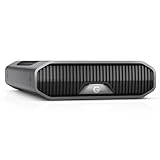
- USB-C (10Gbps) drive for fast backup with up to 250MB/s read and 250MB/s write (1 MB/s = 1 million bytes per second. Based on internal testing; performance may vary depending upon host device, usage conditions, drive capacity, and other factors.).Specific uses: Business, multimedia, and personal
- High-capacity, enterprise-class Ultrastar 7200RPM drive inside
- Mac Ready, Apple Time Machine compatible; easily reformatted for Windows
- Stackable, anodized aluminum enclosure offers premium durability
- Three modes of brightness to adjust the LED lights
Rank #4

- 【Leading NAS Powerhouse】The MINISFORUM AI NAS is powered by the AMD Ryzen 7 255 processor, featuring AMD's cutting-edge Zen 5 architecture. With 8 cores and 16 threads, it reaches a boost clock speed of up to 4.9GHz. AMD Ryzen AI enhances productivity, facilitates advanced collaboration, and boosts operational efficiency.
- 【The Ultimate DIY NAS Solution】The MINISFORUM N5 Air NAS supports a colossal 144TB storage capacity, offering unparalleled configuration flexibility. It features five HDD slots (each supporting up to 22TB), three M.2 slots, and one M.2 plus two U.2 ports (supporting up to 4TB + 15TB + 15TB). Enjoy seamless multitasking without storage constraints, easily storing data, movies, and digital photos. *Note: At least one SSD or 3.5-inch HDD is required to create a NAS storage pool and begin using your NAS.
- 【Expandable Storage】The N5 Air NAS comes with two DDR5 SODIMM (5600MT/s) memory slots, it can be expanded up to 96GB and. This setup is ideal for heavy multitasking and critical business storage needs. DDR5 5600 offers 75% higher bandwidth than DDR4, making it perfect for high-concurrency scenarios and large file processing.
- 【Secure and Private Data Management】Multiple RAID modes provide enhanced security: RAID 0 for multi-drive acceleration, RAID 1 for safety and stability, RAID 5 for balanced performance, RAID 6 for high security, and RAID 10 for a combination of security and performance. RAID modes like RAID 10, 6, and 5 support hybrid hard drive strategies, accelerating read speeds, reducing backup storage costs, and ensuring privacy.
- 【Super Speed Connectivity】Dual 10GbE+5GbE network ports support link aggregation, achieving combined transmission speeds of up to 15Gbps. Transfer a 1GB file in under one second. One PCIe 4.0 expansion slot enables network acceleration, SSD caching, and GPU expansion. OCuLink also supports an external GPU, increasing Stable Diffusion speeds by three times.
Rank #3

- Available in capacities ranging from 1-14TB with support for up to 8 bays
- 5400RPM performance class
- Supports up to 180 TB/yr workload rate*| * Workload Rate is defined as the amount of user data transferred to or from the hard drive. Workload Rate is annualized (TB transferred ✕ (8760 / recorded power-on hours))
- NASware firmware for compatibility
- Small or medium business NAS systems in a 24x7 environment
Product prices and availability are accurate as of the date/time indicated and are subject to change. Any price and availability information displayed on Amazon at the time of purchase will apply.

