Start with the battery-health message, your coverage, and a model-specific estimate. Apple designs MacBook batteries to retain 80% of their original capacity after 1,000 complete charge cycles, but that is a design target rather than a replacement deadline. If macOS says “Service Recommended,” the battery is holding less charge than when new or is not operating normally; you can continue using the Mac while deciding whether shorter runtime justifies service.
The right choice depends on four facts: the exact MacBook model, your country or region, warranty or AppleCare status, and the condition and usefulness of the rest of the computer. Apple or an authorized provider is the most predictable route, an independent repairer can be suitable with a clear written warranty, and self-service is intended only for experienced repairers with an eligible model.
As an Amazon Associate I earn from qualifying purchases.
What “Service Recommended” means
Open the battery-health information in macOS rather than relying on a third-party monitoring app. On current macOS versions, use Apple menu > System Settings > Battery > Battery Health. Older releases may place the same information under System Preferences and Battery or Energy Saver. The labels and layout vary by version, but look for the condition and maximum-capacity information reported by macOS.
Crashes, No Sound, or Screen Glitches?
Random freezes, missing sound and display glitches usually trace back to one bad driver. Find and replace yours safely.Free scan · under a minuteWindows Errors? Fix Them Before They Spread
Repair common Windows errors and clear accumulated junk for a smoother, more stable PC - no reinstall needed.Free scan · no reinstallNormal condition versus service warning
- Normal: macOS is not reporting a battery problem. Runtime can still vary with brightness, workload, wireless use, temperature and age.
- Service Recommended: Apple defines this as a battery that holds less charge than when new or is not functioning normally. Apple says you can safely continue using the Mac and seek service if the reduced capacity affects your experience.
- Unexpected shutdowns, swelling or heat: stop treating the issue as an ordinary runtime complaint. Back up your data, disconnect the charger if the computer or battery is unusually hot or physically swollen, and arrange professional inspection.
Apple also cautions that third-party battery-health utilities may be inaccurate or may not conclusively show diminished system runtime. Use macOS’s own battery-health report as the starting point for a repair decision.
#1 Best Overall

- PERFECT COMPATIBILITY: Compatible with MacBook Pro 15" Retina A1398 Mid 2015/Mid 2014/Late 2013/Early 2015. EMC: 2674, 2745, 2876, 2881, 2909, 2910.PLEASE CONFIRM YOUR MACBOOK'S MODEL YEAR via "About This Mac" to ensure a perfect fit. Not for Mid 2012/Early 2013 models.
- High 99.5Wh Capacity for Extended Runtime Features a substantial 99.5Wh (8755mAh) capacity and 11.36V voltage, designed to deliver long-lasting, reliable power that meets or exceeds the original battery's performance for your MacBook Pro 15-inch.
- Premium Safety & Stable Performance Built with premium-grade cells and a smart protection circuit that includes safeguards against overcharging, over-discharging, overheating, and short circuits, ensuring safe and stable operation.
- Easy Installation with Included Tools Comes with the necessary P5 Pentalobe and T5 Torx screwdrivers, providing all the tools required for a straightforward and complete battery replacement.
- Reliable Support & Warranty Backed by a 12-month replacement warranty and a 30-day money-back guarantee. Responsive 24/7 email support is available to assist with any installation questions or concerns.
How long a MacBook battery is designed to last
Apple states that MacBook batteries are designed to retain 80% of original capacity at 1,000 complete charge cycles. A cycle is the equivalent of using 100% of the battery’s capacity, although it may occur over several partial discharges. The 1,000-cycle figure is not a promise that every battery will reach that point, nor does it mean replacement is automatically required at cycle 1,000. Apple notes that lifespan varies with use and settings.
Capacity is only one part of the decision. A battery can show a service warning before 1,000 cycles, while another may remain usable beyond that point. Consider the actual runtime, charging behavior, shutdowns and whether the Mac still performs the work you bought it to do.
Check coverage before paying
One-year limited warranty
Apple’s one-year limited warranty includes replacement coverage for a defective battery. “Defective” is not the same as ordinary capacity loss from age, so the service provider must assess the problem under the warranty terms.
AppleCare coverage
Apple says battery replacement under the applicable AppleCare plan is at no charge when battery capacity falls below 80% of its original capacity. Confirm that your specific Mac is enrolled, that the plan is still active and that its terms apply in your country or region before booking service.
How to verify your status
- Find the Mac’s serial number in Apple menu > About This Mac or on the original purchase documentation.
- Use Apple’s coverage-check or support account page for your region, or contact Apple Support, to see the warranty and AppleCare status.
- Save a screenshot of the battery-health reading and note any shutdowns, swelling, charging faults or unusually short runtime.
- Ask the service channel to confirm whether the job is covered before approving a paid repair.
What MacBook battery replacement costs
There is no responsible single worldwide price. Apple’s estimate process asks you to choose the device and may require inspection before giving a personalized amount. The final out-of-warranty charge can depend on the exact model, location, taxes, shipping or delivery, and whether an authorized provider sets a different fee. Apple’s UK repair information specifically says estimates are subject to VAT, delivery fees may apply and authorized providers can set their own prices. Those conditions should not be generalized to every country.
Rank #2
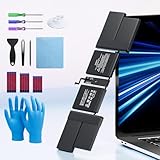
- 【Fits for MacBook pro 14 inch a2442 a2779 a2918 battery】 Battery Model:A2519. Parameter---Capacity: 6100mAh/69.9Wh, Voltage: 11.47V. Battery Type: Li-Polymer.
- 【Battery Advantages:】More than 1500+ recharge cycles over the life of the battery, Even with one full charge-discharge cycle used every day, the battery can last up to 5+ years
- 【Built with high actual capacity cells to support extremely long usage time】 Equipped with brand-new imported cells, this battery features long endurance and upgraded safety protection
- 【Compatible with Macbook pro 14 inch】 Macbook pro A2442 A2779 A2918 battery replacement. EMC Applicable number: 3650/8102/8304 (More detail in the picture), Battery Model: A2519
- 【Package】 1pcs - Replacement battery for macbook pro a2442 a2779 a2918, 1pcs - Installation Instructions, Professional necessary installation tools
| Route | What you pay or receive | Important limits |
|---|---|---|
| Apple or Apple Authorized Service Provider | Model- and region-specific estimate; covered repairs may cost nothing under qualifying warranty or AppleCare terms. | Inspection, taxes, delivery and provider pricing can affect the final amount. Availability and turnaround vary by location and parts supply. |
| Independent repair provider | A quote set by that business, often with its own warranty. | Apple does not cover the repair under its Limited Warranty or AppleCare. Confirm parts source, qualifications and written warranty. |
| Self Service Repair | Your cost for the genuine part, required tools and your time. | Only for experienced repairers and only for eligible models and regions. Damage caused by untrained work or non-genuine parts is not covered by warranty. |
Apple offers both in-person service at a Genius Bar or authorized provider and a mail-in option. Apple says service and replacement parts are guaranteed for 90 days or for the remaining warranty term, whichever is longer. The UK page notes that available options depend on parts availability and location.
Professional Apple service: the predictable option
When it makes sense
Choose Apple or an authorized provider when you want Apple’s service process, genuine parts and a clear connection to existing warranty or AppleCare coverage. It is especially sensible for a newer Mac, a machine used for work, or a computer with a glued-in or otherwise difficult-to-access battery.
Do these 3 things before closing this tab:
1Repair Windows errors before they cause bigger problems2Scan for outdated or missing drivers - takes under a minute3Clear out junk files and repair common Windows errorsHow to request an estimate
- Open Apple’s Mac repair and service page for your country or region.
- Select MacBook, MacBook Air or MacBook Pro, then identify the exact model rather than choosing only a screen size.
- Describe the battery condition and any related symptoms. If the site says inspection is required, treat the displayed amount as an estimate, not a guaranteed final bill.
- Compare in-person and mail-in choices, including shipping time and any delivery charge.
- Back up the Mac, sign out of services if instructed, and ask what data-preservation steps the provider requires.
Do not assume an estimate from one country applies elsewhere. Taxes, labor rates, parts logistics and local provider pricing can change the total.
Independent repair: potentially practical, but verify the details
An experienced independent provider may offer faster local service or a lower quote. Apple says independent repair providers may have access to genuine parts and resources, but their work is not Apple-authorized and is not covered by Apple’s Limited Warranty or AppleCare. The provider may offer its own warranty instead.
Questions to ask before handing over the Mac
- What is the exact model identifier and year being serviced?
- Is the replacement battery genuine, refurbished, or third-party, and who is the manufacturer?
- Does the quoted total include labor, tax, shipping, inspection and disposal of the old battery?
- How long is the written warranty, and what failures or installation damage does it cover?
- What happens if inspection finds liquid damage, a swollen cell, a damaged trackpad or a logic-board fault?
- Will the provider return the old battery and document the new battery’s condition?
A quote that omits the model, part source or warranty is not comparable with an Apple estimate. Get the terms in writing before authorizing work.
Rank #3
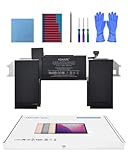
- Replacement Battery Model: A2389; Full Charge Capacity: 55 Wh 4800 mAh; Voltage: 11.4 V; Compatible with models: MacBook Air 13-inch A2337 (2020 M1)
- Advanced Quality: All-new 5.0 technology upgrade; High-capacity Japanese battery cells for longer-lasting and safer performance
- Superior Safety: BattArmor safety system with overcharge, circuit-overload, short-circuit, temperature protection and more
- Quality Certification: The battery is quality-certified and tested to provide the reliable power for your MacBook
- What You Get: Battery; Installation tools and guide; Service Manual; 24-hour friendly customer service
Self Service Repair and DIY risks
Apple’s Self Service Repair program gives experienced users access to genuine parts, tools and manuals for eligible out-of-warranty repairs. Apple says the program is currently limited to certain countries or regions and specific Mac models introduced in 2020 or later. “MacBook” and a screen size are not enough to establish eligibility or part compatibility.
Quick wins for a faster PC:
Scan for outdated or missing drivers - takes under a minuteDriver Scan →Clear out junk files and repair common Windows errorsFree Scan →Check these conditions first
- Identify the exact model number and year in About This Mac and, if needed, on the Mac’s regulatory label.
- Check whether that model and battery procedure are listed in Apple’s Self Service Repair store for your region.
- Read the complete repair manual, including required torque specifications, replacement adhesive, safety warnings and post-repair configuration steps.
- Price the complete job: battery, tools, shipping, taxes, possible return fees and the value of your time.
- Prepare a clean, static-safe workspace and a current backup before opening the computer.
Built-in batteries can be damaged or punctured during removal. Apple warns that untrained repair or non-genuine parts can damage equipment and that resulting damage is not covered by warranty. Because the exact procedure differs substantially between Mac generations, a generalized disassembly recipe is unsafe. If you lack experience with battery service, use a professional repair channel.
Is replacing the battery worth it?
There is no Apple-published price threshold that says when repair beats buying another Mac. Make the decision by comparing a verified, model-specific repair estimate with the cost of a suitable replacement computer and the value of keeping your current machine.
A practical decision framework
- Confirm the problem. Use macOS battery health and record real-world runtime, charging behavior and shutdowns.
- Confirm coverage. A qualifying warranty or AppleCare repair can change the economics completely.
- Get the total repair cost. Include tax, shipping, inspection, accessories and any likely secondary work.
- Assess the rest of the Mac. Check performance for your workload, storage space, keyboard, display, ports, camera, trackpad and physical condition.
- Estimate continued usefulness. A battery replacement is easier to justify when the computer already meets your needs and has no other significant faults.
- Compare replacement options. Use the price of a suitable replacement Mac, not the cheapest computer available, and include the cost of moving data and software.
| Situation | Likely direction | Why |
|---|---|---|
| Older battery, otherwise reliable Mac, repair estimate clearly below a suitable replacement | Replacement is often sensible | You are restoring runtime without discarding a computer that still meets your workload. |
| Battery issue covered by AppleCare or a valid warranty | Service is usually the first choice | Qualifying coverage can remove the replacement charge. |
| Battery warning plus failing display, keyboard, storage or logic board | Compare upgrade or replacement carefully | Several repairs can make continued ownership poor value. |
| Mac no longer handles required apps, external displays or memory demands | Replacement may be better | A new battery will not solve a performance or compatibility limit. |
| DIY candidate with no prior battery-repair experience | Use professional service | A mistake can damage the computer and remove warranty protection. |
Prepare for service
- Make a current Time Machine or other verified backup.
- Record the serial number, model identifier and battery-health message.
- Install pending macOS updates only if the Mac is stable and you have a verified backup; do not use an update as a substitute for battery diagnosis.
- Remove personal accessories and disclose liquid exposure, swelling, impact or previous repairs.
- Ask how long the repair will take and whether your data should be erased or FileVault credentials are needed.
- Get the final price, parts source, warranty and return terms in writing.
Common mistakes to avoid
- Using cycle count as a deadline: 1,000 cycles is a design expectation at 80% capacity, not an automatic service trigger.
- Trusting one third-party app: macOS battery-health information is Apple’s recommended reference.
- Comparing generic prices: MacBook batteries are model-specific; screen size alone does not identify a compatible part.
- Assuming AppleCare covers every worn battery: confirm the plan and the below-80% condition.
- Ignoring regional pricing: taxes, VAT, delivery, inspection and provider fees vary.
- Opening a built-in battery without experience: physical damage can create a safety hazard and void protection for resulting damage.
- Skipping the backup: battery service should never be the first time you discover that your only copy of important files is on the Mac.
Bottom line
Check macOS battery health, verify warranty or AppleCare, and obtain an estimate for the exact MacBook model in your region. Replace the battery when the Mac still meets your needs and the verified total cost is comfortably below buying a suitable replacement. Choose Apple or an authorized provider for the most predictable coverage and service guarantee; use an independent repairer only with clear parts and warranty terms; consider Self Service Repair only if your model is eligible and you already have the required repair experience.
Quick Recap
Product prices and availability are accurate as of the date/time indicated and are subject to change. Any price and availability information displayed on Amazon at the time of purchase will apply.
Free tools Windows power users keep installed
One-click scans. No signup required.

