Free tools Windows power users keep installed
One-click scans. No signup required.
Download T460 drivers from Lenovo’s official ThinkPad T460 Drivers & Software page, not from a generic driver site. Select the exact machine type when available, then choose Windows 10 and the installation’s 32-bit or 64-bit architecture. Install chipset and system-interface components first, add the drivers for devices that are missing or malfunctioning, and verify each group in Device Manager. Treat a BIOS update as a separate firmware operation with its own backup and power precautions.
Where to get Lenovo T460 drivers for Windows 10
Open Lenovo’s official ThinkPad T460 Drivers & Software support page. The current support-page crawl lists 96 results in categories such as BIOS/UEFI, audio, graphics, networking, storage, input, security and utilities. The page’s filters are the safest way to avoid mixing packages for another ThinkPad generation.

As an Amazon Associate I earn from qualifying purchases.
Choose the exact machine type
A T460 is identified by a machine-type code, not only by the “T460” name. Read the code from the label on the underside, from BIOS/UEFI setup, or with Lenovo’s detection tool. Lenovo publishes a Type 20FM-specific page, and that page separates Windows 10 32-bit and 64-bit packages. If your code is 20FM, use that page; otherwise select the code that matches your label.
Outdated Drivers Are Slowing You Down
One free scan finds every outdated or missing driver and matches the right update for your exact hardware.Free scan · exact hardware matchPC Slower Than It Used to Be?
A free scan shows the junk files, broken settings and background clutter dragging Windows down - then fixes them in one click.Free scan · Windows 10 & 11Match the Windows architecture
In the operating-system filter, choose Windows 10 and then the architecture that is actually installed. Most T460 installations are 64-bit, but do not assume: check Settings > System > About > System type, or open Control Panel > System. A 32-bit package is not a substitute for a 64-bit package, and vice versa.
#1 Best Overall

- [Performance]Lenovo ThinkPad T460s notebook comes with Intel core i5-6300 Processor delivers smooth multitasking for work and entertainment
- [Memory & Storage]8GB RAM to smoothly run your games as well as multiple programs. 256GB SSD save files fast and store more data. With massive amounts of storage and advanced communication power, great for major gaming, multiple servers, backups, and more.
- [Display]Experience crisp, clear visuals on the 14" Full HD display with narrow bezels, perfect for work presentations, online classes, or streaming your favorite shows. The anti-glare coating reduces eye strain during extended use.
- [Windows 11 Pro]Comes with genuine Windows 11 Home pre-installed for maximum compatibility and security
When Lenovo offers more than one revision, read the package’s supported operating system and machine-type list before downloading. A package shown in search results is not automatically suitable for every T460 configuration.
What to install after reinstalling Windows 10
After a clean installation, Windows may run with basic drivers while several T460 devices remain unidentified or operate with reduced features. Work from the Lenovo page’s categories rather than installing every result indiscriminately.
Recommended installation order
- Chipset and system-interface packages: install the platform components first so Windows can correctly identify buses and motherboard devices.
- Graphics: install the package matching the graphics hardware listed for your machine type. Reboot if requested.
- Networking: install wireless LAN and wired LAN drivers. If networking is unavailable, download the packages on another computer and copy them with a USB drive.
- Audio: install the Lenovo audio package, then test speakers, headphones and the microphone.
- Storage: install any storage or controller package listed for your configuration, especially if a device appears with a warning icon.
- Input devices: install touchpad, keyboard, hot-key or pointing-device packages as applicable.
- Card reader, camera and power management: add the packages for those components if they are present on your T460 or missing in Device Manager.
- Utilities and security components: install only the utilities that correspond to a function you use or a device that still lacks its proper driver.
Restart whenever an installer requests it. After each major group, open Device Manager (right-click Start, then choose Device Manager) and check for unknown devices or yellow warning icons. Open a device’s Properties > Driver tab to record the provider, date and version.
The Tool Desk
Outbyte PC Repair FREERepair Windows errors before they cause bigger problemsFix Now →Outbyte Driver Updater FREEScan for outdated or missing drivers - takes under a minuteDriver Scan →Safe manual update procedure
Prepare before changing drivers
- Back up important documents and confirm that you can reach Windows Recovery or another recovery path.
- Record the T460 machine type, current BIOS version and current driver versions. This makes a regression identifiable.
- Keep the downloaded Lenovo installers in a named folder so you can reinstall or roll back a package.
- Connect AC power before installing system software, and close applications that could interfere with a restart.
Install a downloaded Lenovo package
- On Lenovo’s T460 support page, set the machine type, Windows 10, and the correct 32-bit or 64-bit filter.
- Open the category for the device or platform component you need and read the package details, supported systems and release notes.
- Download the installer, then run it as an administrator if Windows requests elevation.
- Accept the prompts, allow the installer to finish, and reboot when instructed.
- Return to Device Manager and test the affected hardware. Check the driver version against the package you installed.
Use Device Manager only for targeted changes
For a single malfunctioning device, right-click it in Device Manager and choose Update driver > Browse my computer for drivers, then point Windows to the Lenovo package folder. Do not replace a working Lenovo package merely because Windows Update offers a different generic version. If a new driver causes a problem, open Properties > Driver and use Roll Back Driver when that button is available; otherwise uninstall the device and reinstall the previously saved Lenovo package.
Rank #2

- Fast & Efficient Performance: Powered by a 10th Gen Intel Core i5-10310U (4 cores, up to 4.4GHz), this laptop delivers reliable speed for business multitasking and everyday productivity.
- 14” FHD Display for Crisp Visuals – The 14-inch Full HD (1920 × 1080) display provides vibrant visuals with wide viewing angles and sharp clarity, perfect for work, video conferences, and media consumption.
- Optimized Memory & Storage: With 16GB DDR4 RAM and a 512GB SSD, enjoy faster boot-up times, quicker application launches, and seamless workflow even under heavy workloads.
- Windows 11 Pro for Enterprise-Grade Features – Pre-installed with Windows 11 Pro, offering advanced security tools, BitLocker encryption, and enhanced productivity features tailored for professionals.
Windows Update versus Lenovo’s package
| Option | Strength | Limitation and best use |
|---|---|---|
| Lenovo manual package | Explicit T460 machine-type and Windows-architecture matching; Lenovo’s reference package for model-specific functions. | Requires identifying the correct type and installing packages yourself. Prefer it for hot keys, power management, firmware and other T460-specific behavior. |
| Windows Update | Convenient and may supply a generic or newer in-box driver. | May not include Lenovo-specific features or the exact package intended for your configuration. Lenovo’s user guide explicitly says: “Attention: Do not download the device drivers from the Windows Update Web.” |
| Automatic driver utility | Can simplify scanning several devices. | Convenience does not remove the need to verify machine type, operating-system compatibility and a recovery plan. |
That Lenovo warning does not mean Windows Update can never provide a usable driver; it means Lenovo directs users to its own packages when a Lenovo-specific driver is required. For a feature that is broken after a generic update, reinstall the matching Lenovo package and reboot.
Should you update the T460 BIOS?
Drivers control individual devices inside Windows. BIOS/UEFI is system firmware, so a failed update can prevent normal startup and deserves stricter preparation. Do not update BIOS simply because a newer number exists; read the package description and release notes to determine whether it addresses your problem or hardware configuration.
The cited Lenovo BIOS package
Lenovo lists BIOS Update Utility package version 1.45.1.11 as Critical for Windows 10 (64-bit), with a release date of 7 March 2022. The package includes a Windows utility and a bootable-media option. Those details apply to the listed compatibility and should not be generalized to every T460 machine type.
Do these 3 things before closing this tab:
1Scan for outdated or missing drivers - takes under a minute2Repair Windows errors before they cause bigger problems3Fix the driver behind crashes, sound loss and screen glitchesBIOS update checklist
- Confirm the machine type and current BIOS version in BIOS setup or Windows System Information.
- Read Lenovo’s README for the exact package. Verify that your machine type and Windows edition are supported.
- Back up important files and ensure a recovery path is available before starting.
- Connect the AC adapter. Do not rely on a nearly empty battery.
- Close programs, run the Lenovo utility, and follow every on-screen instruction.
- Do not power off, close the lid, remove the AC adapter or interrupt the reboot while firmware is being written.
- After Windows starts, re-enter BIOS setup or System Information and record the new version. Test networking, audio, storage, sleep, keyboard hot keys and other functions you depend on.
If the Windows utility cannot be used, the same Lenovo package may provide bootable media instructions. Follow the README exactly rather than improvising a boot process.
Rank #3
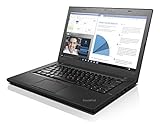
- 6th Gen Intel i5-6200U (2.3GHz up to 2.8GHz) 3MB Cache
- Intel HD Graphics 520, 4GB DDR3L SDRAM , 500GB 7200rpm Hard Drive
- 14-Inch HD Display (1366x768) 720p HD Webcam, Non-backlit Keyboard
- Bluetooth 4.1, Intel 8260 AC Dual Band Wireless, HDMI, 3x USB 3.0
- Battery Life Up To 18 Hours, Windows 7 Pro 64-bit
When a driver installation fails
The installer says the operating system is unsupported
Recheck the Lenovo filter, machine type and architecture. A Windows 10 32-bit package cannot be installed on 64-bit Windows, and a package for another ThinkPad type may be rejected even when the product name looks similar.
A device is still unknown
In Device Manager, open Properties > Details and select Hardware Ids. Use the identifier to determine which Lenovo category is missing, then install the chipset or system-interface package before retrying the device-specific package. Reboot and rescan for hardware changes.
The device worked before the update
Use Properties > Driver > Roll Back Driver when available. If rollback is unavailable, uninstall the problematic device, restart, and install the previously saved Lenovo package. Record the version that worked so a future update can be evaluated against it.
Wi-Fi is unavailable after reinstalling
Download the correct wireless LAN installer on another computer, copy it to the T460, install it, and restart. Then install the wired LAN package if your configuration includes Ethernet and verify both adapters in Device Manager.
Rank #4
The BIOS update will not run
Stop and read the package README again. Confirm AC power, machine type, current BIOS version and operating-system support. Do not force a firmware installer intended for a different model or interrupt an update that has already begun.
Support and Windows 10 lifecycle limits
Lenovo’s Type 20FM support page labels the product “End of Development Support” and states that “no further software updates will be provided.” This is a development-support status, not proof that every older package has been removed. Existing warranty-covered products remain covered for repair, while each downloaded package still needs an operating-system and machine-type compatibility check.
Microsoft states that Windows 10 Home and Pro reached end of support on 14 October 2025, with version 22H2 as the final release. After that date, Windows 10 no longer receives free software updates from Windows Update, technical assistance or security fixes, although the computer continues to function. Installing a T460 driver can restore hardware compatibility; it cannot restore Microsoft’s security servicing.
Decide whether to remain on Windows 10
- Keep the current installation if a required application or device depends on Windows 10 and you understand that the operating system is outside Microsoft’s normal security-support window.
- Plan a move to a supported operating system or newer device if ongoing security updates and vendor support are priorities. Check compatibility before changing systems and preserve your recovery media.
After the update: document a known-good T460
Create a simple record containing the machine type, Windows edition and architecture, BIOS version, and the installed versions for chipset, graphics, network, audio and storage packages. Note which devices were tested and whether sleep, hot keys, camera, Bluetooth, Wi-Fi, Ethernet, audio and external displays work. This record lets you distinguish a missing driver from a regression after a later package or Windows change.
For future maintenance, return to Lenovo’s support page, select the same machine type and architecture, and read release notes before changing a working package. Keep the installers for the last known-good versions and maintain a current backup before any BIOS or broad driver update.
Quick Recap
As an optional shortcut, Outbyte Driver Updater can scan more than 100 devices, identify outdated, corrupted or missing drivers, install official drivers, show current and recommended versions, and provide backup, restore and scheduled scans. It runs on Windows 11, 10, 8 and 7 and offers a 2-day free trial with no credit card before a subscription; results vary, so verify every proposed package against Lenovo’s machine-type and Windows requirements.
Product prices and availability are accurate as of the date/time indicated and are subject to change. Any price and availability information displayed on Amazon at the time of purchase will apply.
What’s actually slowing this PC down?
Pick the symptom - the matching free tool is one click away.

