Do these 3 things before closing this tab:
1Fix the driver behind crashes, sound loss and screen glitches2Clear out junk files and repair common Windows errors3Scan for outdated or missing drivers - takes under a minuteLatest listed normal XFE firmware: G130HXXU0APE2 for the Samsung Galaxy Young 2 DUOS (SM-G130H). It is South African CSC XFE, runs Android 4.4.2 KitKat, and has a build date of September 2, 2016. This package is for the exact SM-G130H model—not SM-G130HN, SM-G130E, SM-G130M, SM-G130U, or another variant.
Firmware identification at a glance
| Item | Verified value |
|---|---|
| Model | SM-G130H |
| Device | Samsung Galaxy Young 2 DUOS (Galaxy Young 2) |
| Region/CSC | XFE — South Africa |
| AP/PDA | G130HXXU0APE2 |
| CSC file | G130HOJV0APE2 |
| Android | 4.4.2 KitKat |
| Binary/SW revision | 0 |
| Build date | September 2, 2016 |
| Listed archive size | 564.85 MB |
| MD5 shown by SamFW | 7bbbbb771199a98b024105f3b6c69128 |
The XFE catalog lists G130HXXU0APE2 above the older G130HXXU0ANL1. “Latest” here means the latest listed ordinary XFE stock package, not the latest combination or service file.
As an Amazon Associate I earn from qualifying purchases.
What SM-G130H and XFE mean
Model number
SM-G130H identifies the dual-SIM Galaxy Young 2 variant. Confirm it in Settings → About device, on the Download Mode screen, on the label under the battery, or on the original box. A similar-looking phone with a different model suffix requires different firmware.
Recommended Free Tools
CSC and region
XFE is Samsung’s South Africa country/region code. CSC data can affect carrier settings, network configuration, language defaults, SIM behavior, and regional features. An imported SM-G130H may have another original CSC, so XFE is not automatically the best choice for every owner.
#1 Best Overall
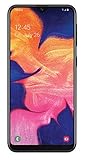
- Unlocked for all GSM carriers worldwide! Simply pop in your Activated SIM card and you're all set!
- NOT compatible with CDMA carriers like Verizon Wireless and Sprint.
- 5.8" PLS TFT Touchscreen Display
- Octa-Core CPU; Android 9.0 (Pie)
- 32GB Internal Memory; 2GB RAM; Li-Ion 3,000 mAh Battery (Non-removable)
What this update does—and does not do
APE2 is a later stock build, not a new Android generation. The listing still specifies Android 4.4.2 KitKat; it does not upgrade the phone to Android 5, 6, or a current security-supported release. Do not infer modern application or network compatibility from the 2016 build.
SamFW also displays G130HXXU0AOG1 in its combinations section. That is a separate combination/test/service package, not proof of a newer everyday XFE update. Do not flash it as normal consumer firmware. See the separate SM-G130H combination listing when a specialist service procedure specifically calls for one.
Rank #2

- Please note, this device does not support eSIM; This 4G model is compatible with all GSM networks worldwide outside of the U.S. In the US, ONLY compatible with T-Mobile and their MVNO's (Metro and Standup). It will NOT work with Verizon, Spectrum, Xfinity, AT&T, Total Wireless, or other CDMA carriers.
- Vivid 6.7” Super AMOLED Display – Enjoy a stunning Full HD+ screen with a smooth 90Hz refresh rate and 800 nits brightness for crystal-clear viewing, even in sunlight. 25W Charger Included. The included 25W Fast Charger is a generic accessory and is not a Samsung-branded charger.
- Powerful Performance – The Mediatek Helio G99 (6nm), Octa-Core, Mali-G57 MC2 GPU, 4GB RAM, and 128GB storage (expandable via microSDXC - uses shared SIM slot) ensure smooth multitasking and fast speeds.
- Capture Every Moment in Detail – The 50MP triple-camera system (wide, ultrawide, macro) and 13MP front camera deliver high-quality photos and videos with HDR, panorama, and LED flash.
- All-Day Battery & Fast Charging – A massive 5000mAh battery keeps you powered, and 25W fast charging gets you back to 100% in no time.
Download and source checks
Use the XFE firmware index and the APE2 detail page to compare identifiers before downloading. SamFW identifies the package as sourced from Samsung’s cloud server, but the download is provided through a third-party catalog rather than Samsung’s public support portal. Samsung’s official SM-G130H support page is useful for manuals and model documentation.
- Extract the archive with 7-Zip or another trusted extractor.
- Compare the archive’s model and version names with SM-G130H and APE2.
- Where available, verify the supplied MD5 value before flashing.
- Do not use an archive that has been renamed, partially extracted, or obtained from an untrusted mirror.
Check compatibility before flashing
- Verify the phone says SM-G130H in Settings or Download Mode.
- Use XFE when the phone is a South African XFE device or when a compatible restoration specifically requires South African stock software.
- Prefer the phone’s original CSC when it is imported and its network configuration currently works.
- Record the current model, build number, CSC, IMEI, and baseband information.
- Do not flash SM-G130HN, SM-G130E, SM-G130M, SM-G130U, or another Young 2 variant.
Firmware cannot repair dead storage, a damaged USB port, invalid IMEI, modem failure, or other hardware faults. Stop if the model, bootloader history, or motherboard identity is uncertain.
Rank #3

- Vivid 6.5‑inch Super AMOLED display with 120 Hz refresh rate, delivering smooth scrolling, vibrant visuals, and ultra-responsive touch—plus Vision Booster for improved outdoor visibility at up to 1000 nits.
Prepare the phone and computer
- Back up photos, contacts, messages, authenticator data, and anything else stored on the phone.
- Charge the battery adequately and use a reliable USB cable connected directly to the computer.
- Install suitable Samsung USB drivers or a Samsung desktop tool, then close Kies, Smart Switch, and other software that may occupy the USB connection.
- Download and extract the complete firmware archive; do not select a PIT file or repartition option unless a specialist repair procedure explicitly requires it.
- Understand that using the ordinary CSC file or performing a recovery reset can erase user data.
Enter Download Mode
- Power the phone off completely.
- Hold Volume Down + Home + Power.
- At the warning screen, follow the displayed instruction to confirm Download Mode.
- Connect the USB cable to the computer while the phone remains in Download Mode.
The SM-G130H has physical navigation buttons; Bixby-button instructions for newer Samsung models do not apply.
Flash with Odin
Treat this as a recovery procedure, not a risk-free routine update. Use an Odin release compatible with this older device and inspect the extracted filenames before choosing slots.
Rank #4

- Carrier: This phone is locked to Tracfone Wireless and can only be used on the Tracfone Wireless network. A Tracfone Wireless plan is required for activation. Activation is simple and can be done online upon receipt of your device following 3 EASY steps.
- Immersive 6.7" Super AMOLED Display: Enjoy a vivid viewing experience on the large 6.7-inch FHD+ screen. The 90Hz refresh rate ensures smooth scrolling and fluid gameplay, while Super AMOLED technology delivers deep blacks and brilliant colors even in bright sunlight.
- 50MP Triple Camera with OIS: Capture professional-grade photos with the 50MP main lens featuring Optical Image Stabilization (OIS) for blur-free shots. Expand your perspective with the 5MP Ultra Wide lens or get close with the 2MP Macro camera.
- Long-Lasting 5,000mAh Battery: Power through your day with a massive 5,000mAh battery that keeps up with your streaming, gaming, and social sharing. When it’s time to refuel, the 25W Super Fast Charging capability gets you back to 50% in roughly 30 minutes.
- Next-Gen 5G & AI Features: Experience ultra-fast 5G speeds for seamless downloads and high-quality video calls. This device comes integrated with Google Gemini AI and "Circle to Search," making it easier than ever to find information instantly.
One-file archive
- Open Odin and boot the phone into Download Mode.
- Connect the phone and wait for Odin to show a detected device.
- Click AP (called PDA in some older Odin versions) and select the extracted firmware file.
- Leave the default options unchanged and make sure Re-Partition is not selected.
- Start the flash and do not disconnect the cable while Odin is working.
- Disconnect only after Odin displays PASS. The first boot can take noticeably longer than usual.
Multi-file archive
If the archive contains separate files, load each by its filename:
Free tools Windows power users keep installed
One-click scans. No signup required.
| Filename prefix | Odin slot |
|---|---|
BL_... |
BL |
AP_... |
AP |
CP_... |
CP |
CSC_... |
CSC |
Use HOME_CSC only when the archive includes it and preserving data is appropriate. Use ordinary CSC for a clean regional restoration, accepting that it may wipe the phone. Let the actual archive contents—not assumptions about the “Full Files” label—determine which layout you have.
Best Value

- International Model in the USA Market is Compatible with Tmobile, AT&T and Verizon. Carrier compatibility may vary, IMEI activation required for Metro, Mint. Unlocked Worldwide GSM 4G LTE PHONE.
- No USA Warranty. This is a Latin American Model with 1 Year Warranty in Latin America, & Caribbean, Check the model in your Phone SM-A075M/DS, if the model is different there is no Local Warranty in Latin America. Charger NOT Included.
- SIM Configuration: SIM 1 + SIM 2 + MicroSD/--/4G FDD LTE B1(2100), B2(1900), B3(1800), B4(AWS), B5(850), B7(2600), B8(900), B12(700), B17(700), B20(800), B28(700), B66(AWS-3) 4G TDD LTE B38(2600), B40(2300), B41(2500) - 3G UMTS B1(2100), B2(1900), B4(AWS), B5(850), B8(900) - 2G Quad Band
- Size (Main_Display) 171.3mm (6.7" full rectangle) / 167.3mm (6.6" rounded corners) Resolution (Main Display) 720 x 1600 (HD+) Technology (Main Display) PLS LCD Color Depth (Main Display) 16M Location Technology GPS, Glonass, Beidou, Galileo, QZSS Earjack 3.5mm Stereo
- Location Technology GPS, Glonass, Beidou, Galileo Wi-Fi 802.11a/b/g/n/ac 2.4GHz+5GHz, VHT80 Accelerometer, Accelerometer, Fingerprint Sensor, Light Sensor, Proximity Sensor Support Micro SD Up to 1TB Accelerometer. Octa-core (2x2.2 GHz Cortex-A76 & 6x2.0 GHz Cortex-A55) GPU Mali-G57 MC2 50 MP, f/1.8, (wide), 1/2.76", 0.64µm, PDAF 2 MP, f/2.4, (depth) Rear Camera - Auto Focus Yes Rear Camera - OIS Yes 8 MP, f/2.0, (wide), 1/4.0", 1.12µm
Recover from common failures
Odin shows “FAIL”
- Wait until Odin has stopped communicating, then disconnect safely.
- Reboot the phone into Download Mode and try a different direct USB port or cable.
- Reinstall Samsung USB drivers and close Kies, Smart Switch, or similar utilities.
- Re-extract the archive and confirm it is specifically for SM-G130H.
- Try a compatible Odin release, but do not respond by adding a random PIT file.
“SW REV CHECK FAIL”
This indicates that the package’s bootloader revision is older than the revision already installed. Check the binary number shown in Download Mode and do not attempt to downgrade below it. APE2 is listed as binary/SW revision 0.
Boot loop or Samsung logo hang
- Allow several minutes for the first boot.
- If it remains stuck, power off and enter recovery mode.
- Wipe the cache partition and reboot.
- If necessary, perform a factory reset in recovery, knowing that it erases user data.
No network or incorrect SIM behavior
Recheck the CSC and original regional configuration, and confirm that the phone is the dual-SIM SM-G130H. Restore the appropriate CSC rather than repeatedly flashing unrelated regional packages. Carrier locks, IMEI problems, and modem faults may require specialist repair.
Odin does not recognize the phone
- Confirm that Download Mode is active.
- Use a direct USB port, replace the cable, and reinstall drivers.
- Close software that may be holding the USB connection.
APE2 compared with earlier XFE builds
| Firmware | Build date | Status |
|---|---|---|
G130HXXU0APE2 |
September 2, 2016 | Latest listed normal XFE build |
G130HXXU0ANL1 |
December 29, 2014 | Older XFE build |
G130HXXU0ANG3 |
2014 | Earlier XFE release reported by SamMobile |
The earlier ANG3 report is documented by SamMobile. None of these packages changes the phone’s Android ceiling beyond KitKat.
When stock firmware is not the right answer
Choose stock APE2 when your goal is to restore Samsung software, recover from a bad modification, or troubleshoot a software boot problem on a confirmed SM-G130H. A custom ROM may offer newer features but can introduce camera, radio, battery, memory, and stability problems on this low-spec, aging device. If you need current applications, security support, or modern cellular compatibility, replacing the handset may be more practical than flashing.
The Bottom Line
For a South African Samsung Galaxy Young 2 DUOS SM-G130H, G130HXXU0APE2 is the latest listed normal XFE stock firmware: Android 4.4.2, CSC G130HOJV0APE2, built September 2, 2016. Verify the model and regional configuration, back up first, and use Odin without repartitioning.
Quick Recap
Product prices and availability are accurate as of the date/time indicated and are subject to change. Any price and availability information displayed on Amazon at the time of purchase will apply.

