What’s actually slowing this PC down?
Pick the symptom - the matching free tool is one click away.
The Lenovo Legion 9i Gen 10 with an RTX 5080 is a powerful 18-inch desktop-replacement laptop, but its performance depends heavily on which power profile you use. In PC Gamer’s review, switching from Quiet to Performance raised average frame rates by 77% across the games it tested at the laptop’s native resolution—along with higher temperatures and fan noise. That makes the RTX 5080 configuration compelling for demanding games, but not a simple “plug in and get maximum speed” experience.
Which Legion 9i does “RTX 5080” mean?
This is the Lenovo Legion 9i Gen 10, model family 18IAX10, configured with an NVIDIA GeForce RTX 5080 Laptop GPU. Lenovo lists that GPU with 16 GB of GDDR7 memory and a 175 W total graphics power rating. The family also offers configurations up to an RTX 5090, so the RTX 5080 is not the highest-GPU version of the Legion 9i. Lenovo’s PSREF specification page identifies the options; Lenovo’s US product page describes the Gen 10 family.
As an Amazon Associate I earn from qualifying purchases.
Results below refer to PC Gamer’s specific RTX 5080 review unit, not every regional or retailer configuration. That system paired an Intel Core Ultra 9 275HX with 64 GB of DDR5-4800 memory and a 2 TB Samsung PM9E1 PCIe 5.0 SSD. The reviewer noted the memory ran at 4800 MT/s despite an advertised 5200 MT/s.
Free tools Windows power users keep installed
One-click scans. No signup required.
How much does the RTX 5080 change gaming performance?
In PC Gamer’s testing, the most consequential difference was not a change of GPU but a change of profile. The review found the default Quiet profile could leave substantial GPU performance unused. Across the titles tested at native resolution, average frame rates in Performance mode were 77% higher than in Quiet mode. This is a result from that review’s test setup and game selection, not a guaranteed uplift for every game or Legion 9i.
#1 Best Overall

- Processor Manufacturer: Intel
- Processor Type: Core Ultra 9
- Processor Model: 290HX Plus
- Processor Core: Tetracosa-core (24 Core)
- Processor Threads: 24
| PC Gamer profile | Average GPU draw | Average GPU clock | Average in-game temperature | Reported outcome |
|---|---|---|---|---|
| Quiet | 71 W | 1,306 MHz | 53°C | Lower performance than Performance mode in the review’s tested titles |
| Performance | 132 W | Nearly 2,480 MHz | 75°C | 77% higher average frame rate at native resolution across the review’s tested titles; louder fans |
These are PC Gamer’s measured averages for its review unit and test conditions. The GPU’s Lenovo-rated 175 W TGP is a specification, not a promise that it will draw that much in every game or profile. If you buy this machine for gaming, check LegionSpace and select the profile that suits your priorities; Quiet favors reduced noise, while Performance trades more heat and fan noise for higher speed.
What screen and chassis does the tested configuration have?
PC Gamer’s unit had an 18-inch glossy IPS display with a 3840 × 2400 resolution and 240 Hz refresh rate. It was not an OLED panel. This combination offers a large, detailed image and a high refresh rate, but demanding games have more pixels to render at native resolution than at a lower resolution.
Rank #2

- Processor - Intel Ultra 9 275HX, 24C (8P + 16E) / 24T, P-core 2.7 / 5.4GHz, E-core 2.1 / 4.6GHz, 36MB
- Operating System - Windows 11 Pro 64
- Graphic Card - NVIDIA GeForce RTX 5080 16GB GDDR7, Boost Clock 2287MHz, TGP 175W, 1334 AI TOPS
- Memory - 32 GB DDR5-6400MT/s (CSODIMM)(2 x 16 GB)
- Storage - 1 TB SSD M.2 2280 PCIe Gen5 Performance TLC
Lenovo’s May 2025 announcement described other display possibilities for the product family, including an optional 2K 3D mode with eye tracking and a lenticular lens array, and a dual-mode display described as 4K at 240 Hz or FHD at up to 440 Hz. Those are configuration-dependent capabilities, not features to assume on the RTX 5080 review unit. The same launch announcement listed up to 192 GB of DDR5 memory and up to 8 TB of SSD storage as maximum options, not standard equipment. Lenovo’s launch announcement provides those family-level details.
The Tool Desk
Outbyte PC Repair FREERepair Windows errors before they cause bigger problemsFix Now →Outbyte Driver Updater FREEFix the driver behind crashes, sound loss and screen glitchesFind Drivers →Is it portable, and what about battery life?
PC Gamer’s tested configuration weighed 3.5 kg (7.71 lb) and included a 99.9 Wh battery. Lenovo’s launch announcement specified a 400 W power adapter. Those figures place the machine firmly in desktop-replacement territory: it can be moved, but carrying it and its power supply is a significant commitment compared with a typical thin laptop.
Rank #3
- UNOPENED RETAIL PACKAGING, sold as configured by Lenovo. Includes one year of Courier or Carry-in Lenovo Warranty. Add up to 4 years of Lenovo Premium Care Onsite Plus when you register your computer with Lenovo.
PC Gamer listed battery life as a weakness but the evidence here does not establish a single runtime that can be applied across workloads. Gaming on battery, light browsing, brightness, and selected power settings can produce very different results; treat this as a laptop best used near an outlet for sustained gaming rather than relying on it as an all-day portable system.
What are the main trade-offs?
- Performance needs configuration: PC Gamer reported confusing settings and found the Quiet profile held back performance until settings were changed in LegionSpace.
- Performance mode is audible: the review noted higher fan noise in Performance mode. Lenovo separately claimed its Coldfront Vapor cooling system, which includes a vapor chamber, hyper chamber, and four fans, stays below 48 dB at 280 W in Performance Mode. That is Lenovo’s stated figure, not PC Gamer’s independent noise measurement.
- The tested SSD was not a standout: PC Gamer called the review unit’s SSD average despite its 2 TB PCIe 5.0 specification.
- Battery life is a compromise: the reviewer listed it among the system’s shortcomings, and the laptop’s size and high-power hardware point toward plugged-in use when performance matters.
Overall, PC Gamer praised the review unit’s performance, build quality, and display while flagging those setup and everyday-use compromises. Its review is an independent assessment of one RTX 5080 configuration, not a guarantee that every version will behave identically. Read the PC Gamer review for its complete test results and methodology.
Rank #4
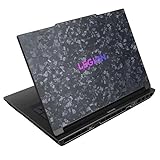
- Processor - Intel Ultra 9 275HX, 24C (8P + 16E) / 24T, P-core 2.7 / 5.4GHz, E-core 2.1 / 4.6GHz, 36MB
- Operating System - Windows 11 Pro 64
- Graphic Card - NVIDIA GeForce RTX 5090 24GB GDDR7, TGP 175W
- Memory - 64 GB DDR5-5200MHz (SODIMM) - (2 x 32 GB)
- Storage - 1 TB SSD M.2 2280 PCIe Gen5 Performance TLC
What did Lenovo mean by its “most powerful” positioning?
Lenovo’s May 2025 announcement presented the 18-inch Legion 9i as a high-end machine for gaming and development. The family’s availability of an RTX 5090 option means that “most powerful” should be understood as promotional positioning for the product line, not a claim that the RTX 5080 model is the top Legion 9i configuration. Lenovo executive Jun Ouyang called the new system one designed to set a new standard; that is the company’s description, rather than independent evidence of performance.
Lenovo’s launch announcement expected European availability from June 2025 at a starting price of €4,499 including VAT, and North American availability in Q4 2025 with pricing to follow. These were expectations announced in May 2025, not current pricing or proof of present availability.
Best Value

- Processor: Intel Core Ultra 9 275HX Processor (E-cores up to 4.60 GHz P-cores up to 5.40 GHz)
- Brilliant 16" WQXGA (2560x1600) OLED 500nits Glossy, 100% DCI-P3, 240Hz, DisplayHDR True Black 1000, Dolby Vision, G-SYNC, Low Blue Light, High Gaming Performance, Flicker Free
- Memory: 64GB: 2x 32 GB SO-DIMM DDR5-6400; Two DDR5 SO-DIMM slots, dual-channel capable; Up to 64GB DDR5-5600 offering each; Storage: 2 (1 +1) TB SSD M.2 PCIe 4.0x4 NVMe; Up to two drives: One M.2 2280 PCIe 5.0 x4 slot, One M.2 2280 PCIe 4.0 x4 slot
- Wi-Fi 7, 802.11be 2x2 + BT5.4; 10/100/1000Mbps LAN. 1x USB 3.2 Gen 2 Type-C support Power Delivery / DisplayPort / 10Gbps, 1x USB 3.2 Gen 2 Type-C support DisplayPort / 10Gbps, 1x USB 3.2 Gen 1 Type-A support Always On / 5Gbps, 3x USB 3.2 Gen 1 Type-A support 5Gbps, 1x HDMI v2.1, 1x Headphone/Microphone Combo Jack; 1x RJ-45 LAN, 1x Rectangle plug Power Jack
- 24-Zone RGB Backlit Backlit Keyboard with Numpad; Speakers 2Wx2; 80Whr 4-cell lithium-ion battery (up to 8 hours non-gaming battery life); 13.58 x 10.05 x 0.79 inches, 4.19 lbs; Eclipse Black Color; 245W AC Adapter
Who should consider the RTX 5080 Legion 9i?
It makes the most sense for someone who wants a large, high-resolution gaming and development laptop, expects to use it plugged in, and is willing to select performance settings deliberately. PC Gamer’s results show why that last point matters: this configuration performed very differently between Quiet and Performance modes.
It is a less natural fit if low fan noise, long unplugged sessions, or easy daily carrying matter more than a large screen and maximum gaming performance. Before choosing a specific unit, confirm its GPU, display, memory, storage, and power adapter: Lenovo’s high-end options and launch-announced maxima do not mean every 18IAX10 configuration includes them.
Quick Recap
Product prices and availability are accurate as of the date/time indicated and are subject to change. Any price and availability information displayed on Amazon at the time of purchase will apply.

