Recommended Free Tools
Yes—an appropriately configured MSI Modern can be a sensible student and office laptop, but “MSI Modern” is a product family, not one specification. A current Modern 14 H1M, for example, is positioned by MSI for work, study and everyday use, while other Modern 14 and Modern 15 models use different processors, screens, batteries, memory arrangements, ports and warranties.
Use the exact model number and regional listing to decide. The guidance below separates what the official specifications establish from what they do not: MSI’s pages describe hardware and intended use, but they do not provide a standardized independent performance or battery-life test for a defined workload.
As an Amazon Associate I earn from qualifying purchases.
What the MSI Modern name actually tells you
Modern 14 and Modern 15 are families that span several generations and markets. The family name does not guarantee a particular processor, RAM capacity, panel quality, battery size, operating system, charger or warranty. Even two laptops sold as “Modern 14” can have materially different specifications.
What’s actually slowing this PC down?
Pick the symptom - the matching free tool is one click away.
MSI’s current Modern 14 H1M page calls the product a “Lightweight Laptop for Work, Study, and Everyday Use.” That is a manufacturer positioning statement, not an independent benchmark. Its headline specification is also an upper configuration: the page lists options up to Intel Core 7, up to 32GB of onboard LPDDR5, a 14-inch 1920×1200 IPS-Level display, a 58Wh battery and a 1.5kg chassis. A retailer’s lower-memory or different-processor SKU will not perform or weigh exactly the same.
#1 Best Overall

- 【15.6" FHD Touchscreen Display】Enjoy vivid colors and crisp detail with an intuitive touchscreen, delivering an immersive and responsive visual experience for work, entertainment, and everyday use.
- 【Intel Core 9 270H Processor】Delivers smooth, responsive performance for effortless multitasking—stream, chat, and work simultaneously without slowdowns.
- 【32GB DDR4 RAM】Seamlessly tackle resource-intensive tasks, smoothly run multiple applications simultaneously, and enjoy lightning-fast responsiveness that keeps you in the flow.【2TB Storage】1TB SSD + 1TB Docking Station Set; Massive storage space for your files, applications, and multimedia content, providing fast and reliable data access.
- 【Intel Graphics】Deliver vibrant colors and sharp details for clear, smooth visuals in everyday computing and media use.【Backlit Keyboard】Type comfortably and accurately, even in low-light environments.【720p HD Camera】Provides clear, reliable video quality for calls, meetings, and online interactions.
- 【Windows 11 Home】Dive into limitless productivity with Windows, your gateway to a world of seamless computing.【Dimensions】14.1" x 9.5" x 0.78",4.19 lbs.【Ports】1 x USB-C 3.2, 3 x USB-A 3.2, 1 x HDMI 2.1, 1x Micro SD Card Reader. Wi-Fi 6E, Bluetooth. Black.【Bonus Docking Station Set】1x 7-in-1 Docking Station w/ 1TB Storage, 1x 32GB MicroSD Card w/ Adapter, 1x Type-C Data Cable, 1x 3-in-1 Charging Cable, 1x Suede Cleaning Cloth.
Older and regional variants show why the part number matters. The US Modern 14 C7X listing includes Ryzen 5 7530U and Ryzen 7 7730U versions with 16GB of onboard DDR4 and a 14-inch FHD 60Hz display rated at 45% NTSC. The US Modern 14 C13X page lists Intel Core i3-1315U, i5-1335U and i7-1355U options, FHD 60Hz 45% NTSC panels and batteries around 39Wh in the listed configurations. Those are not interchangeable specifications.
Before comparing prices, copy the complete model or part number from the seller and match every line against MSI’s regional specification page. A listing that says only “Modern 14” is insufficient evidence for a buying decision.
Representative configurations compared
The following examples come from MSI’s official pages. “Up to” values describe the highest option shown on that page, not every laptop carrying the family name.
Rank #2

- 13th Gen Intel Core i9-13900H Processor
- 32GB DDR4 3200MHz RAM
- 1TB NVMe Solid State Drive
- 15.6" IPS Full HD (1920 x 1080) Non-Touch Display, Intel Iris Xe Graphics
- Backlit Keyboard, Wifi AC, Bluetooth 5.3, Windows 11, HDMI, USB 3.2
| Example | Processor options shown | Memory and storage information | Display | Battery and weight | Other listed details |
|---|---|---|---|---|---|
| Modern 14 H1M | Up to Intel Core 7 | Up to 32GB onboard LPDDR5; one M.2 PCIe Gen4 SSD slot | 14-inch 1920×1200 IPS-Level | 58Wh; 1.5kg | USB-C connectivity including USB4/Thunderbolt 4 compatibility; MSI recommends a 65W-or-higher USB Power Delivery charger |
| Modern 14 C7X (US) | Ryzen 5 7530U or Ryzen 7 7730U examples | 16GB onboard DDR4 in the shown configurations; NVMe SSDs | 14-inch FHD, 60Hz, 45% NTSC IPS-Level | Varies by listed SKU | Warranty terms differ between the shown SKUs |
| Modern 14 C13X (US) | Intel Core i3-1315U, i5-1335U or i7-1355U | Configuration-specific; verify installed memory and SSD | 14-inch FHD, 60Hz, 45% NTSC IPS-Level | Batteries around 39Wh in listed configurations | USB-C and HDMI details vary; the shown US SKUs carry a one-year limited warranty |
| Modern 15 H C2RM (US) | Two variants are listed | 32GB DDR4; 1TB NVMe SSD | 15.6-inch FHD | 53Wh; 4.19lb | One-year limited warranty on the shown variants |
| Modern 15 B13X (US) | Several CPU tiers | Verify memory channel and installed capacity by SKU | Configuration-specific | Configuration-specific | Intel Iris Xe function depends on dual-channel memory for some processor configurations |
| Modern 15 F13M (US) | Up to Intel Core i7-1355U | Configuration-specific | 15.6-inch FHD IPS-Level | Configuration-specific | Confirm ports, battery and warranty on the exact regional listing |
Is an MSI Modern good for students?
For ordinary coursework, usually yes
Web research, documents, presentations, email, learning platforms, video meetings and spreadsheets are the kind of general-purpose work MSI associates with the Modern line. A 14-inch model is easier to carry between lectures, and the H1M’s listed 1.5kg weight is relatively convenient for a daily backpack. A 15.6-inch Modern gives more physical screen area for side-by-side documents, but the listed Modern 15 H C2RM weight of 4.19lb is a substantial increase for campus travel.
Choose enough memory for the way you study rather than relying on the family name. Sixteen gigabytes is the capacity shown on the C7X examples and is a practical target for a browser with many tabs, office applications and video calls. The H1M page goes up to 32GB, which gives more headroom for heavier multitasking, but “up to 32GB” does not mean every H1M has it.
For demanding courses, verify the software first
Engineering, architecture, 3D, computer-aided design, video production, scientific computing and local virtual machines can have requirements beyond routine office work. The cited MSI pages do not provide standardized benchmark results for those workloads. Check the software publisher’s CPU, RAM, graphics, storage and operating-system requirements against the exact Modern SKU, then look for testing of that same processor, memory configuration and display resolution.
Rank #3
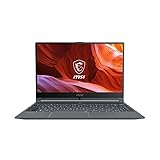
- Smooth Performance: The 11th Gen. Intel Core i5 processor maximizes your efficiency, multi-tasking, productivity.
- Thin Bezel Display: The 14-inch FHD display fully expands your screen estate enhancing your productivity and workflow.
- MSI Center: Take optimization to the next level with easily adjustable system modes and resources for a wide range of scenarios and needs.
- Hi-Res Audio: With the ability to support up to 24bit / 192kHz sampling, hear audio the way it was truly intended.
Do not infer graphics performance from the “Modern” label. On some Modern 15 B13X processor configurations, MSI notes that Intel Iris Xe functionality depends on dual-channel memory. If a model has a single-channel or otherwise different memory arrangement, its integrated-graphics behavior may not match another B13X listing.
Can an MSI Modern handle office work?
For typical office workloads, the family’s processor options, NVMe storage and Windows-oriented business positioning are a reasonable starting point. A Modern 14 can suit a mobile worker who values a smaller footprint; a Modern 15 can be more comfortable at a desk because its 15.6-inch panel provides more room for spreadsheets and two application windows.
Office buyers should pay particular attention to the screen rather than assuming all Modern panels are alike. The C7X and C13X examples use 14-inch FHD 60Hz IPS-Level displays rated at 45% NTSC, while the H1M example is 1920×1200. Resolution changes the usable vertical workspace, and color-gamut figures matter if your work involves photography, brand design or video. The 45% NTSC specification is a limitation to consider for color-critical work, even though it can be adequate for documents and web applications.
Rank #4

- [High-End Performance CPU] Latest powerful and efficient Intel Ultra 9 270H Processor (Up to 5.8 GHz with Intel Turbo Boost Max Technology 3.0 Frequency, 24 MB Intel Smart cache, 14 Cores, 20 Threads)
- [High-Speed Memory & Storage] 32GB DDR5 SDRAM; 1TB PCI-E NVMe SSD; Windows 11 Home
- [15.6" FHD Touchscreen] 1920 x 1080 pixels, IPS, multi touch-enabled, 300 nits, Anti-glare, 45% NTSC, 60Hz, Thin Bezel LCD; Powered by [Intel ARC Graphics]
- [Connection & Ports] Wi-Fi 6E (2x2) 802.11AX and Bluetooth 5.3 Combo; 1x USB-C supports PD charging and DisplayPort, 3x USB 3.2 Gen 1 Type-A support 5Gbps, 1x HDMI v2.1, 1x Headphone and microphone combo jack
- [Additional Attributes] Fullsize Backlit Keyboard with Numpad; 720p HD Camera with Privacy Shutter; 53Whr 3-Cell lithium-ion battery (up to 6 hours battery life); 14.13" x 9.49" x 0.78" inches, 4.19 lbs; Classic Black; 90W AC Adapter;
Check ports before ordering a desk setup. MSI lists USB-C and HDMI variations across Modern models, and the H1M page identifies USB4/Thunderbolt 4 compatibility. A USB-C dock, monitor or hub should be recommended only after confirming that the exact SKU supports the required display output, data mode and charging behavior.
Memory and upgradeability: the most important pre-purchase check
Onboard memory is not automatically upgradeable
The H1M and C7X pages explicitly describe onboard memory. Onboard RAM is attached to the motherboard, so you should not promise a later memory upgrade unless the service documentation for the exact part number says otherwise. A 16GB machine that cannot be expanded has a different useful life from a model with accessible slots.
Free tools Windows power users keep installed
One-click scans. No signup required.
Capacity and memory technology also vary: the H1M listing reaches 32GB LPDDR5, while the shown C7X configurations use 16GB onboard DDR4. Compare installed capacity, type, channel arrangement and upgradeability as four separate fields.
Best Value

- 【Upgraded】Seal is opened for upgrade only, 1-Year warranty on Upgraded RAM/SSD from Snow Bell, and original 1-Year Manufacture warranty on remaining components.【15.6" FHD Touchscreen Display】Enjoy vivid colors and crisp detail with an intuitive touchscreen, delivering an immersive and responsive visual experience for work, entertainment, and everyday use.
- 【Intel Core 9 270H Processor】Delivers smooth, responsive performance for effortless multitasking—stream, chat, and work simultaneously without slowdowns.
- 【32GB DDR4 RAM】Seamlessly tackle resource-intensive tasks, smoothly run multiple applications simultaneously, and enjoy lightning-fast responsiveness that keeps you in the flow.【3TB Storage】2TB SSD + 1TB Docking Station Set; Massive storage space for your files, applications, and multimedia content, providing fast and reliable data access.
- 【Intel Graphics】Deliver vibrant colors and sharp details for clear, smooth visuals in everyday computing and media use.【Backlit Keyboard】Type comfortably and accurately, even in low-light environments.【720p HD Camera】Provides clear, reliable video quality for calls, meetings, and online interactions.
- 【Windows 11 Home】Dive into limitless productivity with Windows, your gateway to a world of seamless computing.【Dimensions】14.1" x 9.5" x 0.78",4.19 lbs.【Ports】1 x USB-C 3.2, 3 x USB-A 3.2, 1 x HDMI 2.1, 1x Micro SD Card Reader. Wi-Fi 6E, Bluetooth. Black.【Bonus Docking Station Set】1x 7-in-1 Docking Station w/ 1TB Storage, 1x 32GB MicroSD Card w/ Adapter, 1x Type-C Data Cable, 1x 3-in-1 Charging Cable, 1x Suede Cleaning Cloth.
Storage is easier to compare, but still verify
The H1M specification identifies one M.2 PCIe Gen4 SSD slot. The C7X page lists NVMe SSDs, and the Modern 15 H C2RM examples show a 1TB NVMe SSD. Storage capacity affects how many large projects, virtual machines and media files you can keep locally; slot count and service documentation determine whether expansion is practical. Do not assume every Modern 14 or Modern 15 has the H1M’s slot layout.
Independent reader supportYour contribution helps us test, update, and keep practical guides available for everyone.Battery capacity is not battery-life evidence
Watt-hours describe stored energy, not a guaranteed number of hours away from an outlet. The H1M’s 58Wh figure, the H C2RM’s 53Wh figure and the roughly 39Wh batteries listed for C13X configurations cannot be converted into an honest “all-day” claim without a controlled test using the same brightness, applications, wireless settings and power mode.
If long unplugged sessions are central to your course or job, ask for an independent test of the exact SKU. A review of a different Modern 14 generation cannot establish the runtime of your particular laptop. Screen resolution, processor choice, battery health, background software and workload all change results.
Do these 3 things before closing this tab:
1Repair Windows errors before they cause bigger problems2Fix the driver behind crashes, sound loss and screen glitches3Clear out junk files and repair common Windows errorsCharging support also varies. For the Modern 14 H1M specifically, MSI recommends using a 65W-or-higher USB Power Delivery charger. Confirm that the charger, cable and laptop support the required power profile before buying a replacement or third-party accessory; do not generalize that recommendation to every Modern model.
How to choose between Modern 14 and Modern 15
| Prioritize this | Configuration direction | Why |
|---|---|---|
| Daily campus carrying | Modern 14, especially a configuration near the H1M’s 1.5kg listing | Smaller chassis and lower listed weight are easier to carry than the 4.19lb Modern 15 H C2RM example |
| More workspace at a desk | 15.6-inch Modern 15 | The larger panel can make spreadsheets and side-by-side windows more comfortable |
| Many browser tabs and simultaneous applications | 16GB minimum target; consider a listed 32GB configuration where available | Memory capacity, not the family name, determines multitasking headroom |
| Color-sensitive creative work | A model whose exact panel specification meets the application’s color requirement | Several listed 14-inch variants are 45% NTSC, which may be unsuitable for color-critical work |
| USB-C docking or high-speed peripherals | Verify the exact port list; the H1M page lists USB4/Thunderbolt 4 compatibility | USB-C capabilities differ across generations and SKUs |
| Lowest purchase risk | A listing with a complete part number, regional warranty and return policy | Warranty, included software and hardware can change by market and SKU |
A step-by-step way to verify a listing
- Record the full part number. Copy the seller’s model code, not just “Modern 14” or “Modern 15.”
- Open the matching regional MSI page. Use the US pages for a US purchase, or the relevant local MSI site. The C7X, C13X, H C2RM, B13X and F13M pages demonstrate that suffixes identify different hardware.
- Match the processor exactly. Check the complete CPU model and generation. “Core i7” or “Ryzen 7” alone is not enough.
- Check RAM capacity, type and layout. Note whether it is onboard, whether it runs in dual channel and whether the service documentation permits replacement or expansion.
- Confirm the SSD and expansion path. Record capacity, interface and the number of available slots.
- Read the display line by line. Compare size, resolution, refresh rate and color description. A 1920×1200 H1M panel is not the same as a 45% NTSC FHD panel.
- Check battery, weight and charger. Use the listed Wh and mass for comparison, but treat runtime as unproven unless an exact-SKU test supplies it. Confirm the included charger and any USB Power Delivery requirement.
- Audit ports for your accessories. Verify HDMI generation, USB-C data/display support, USB4 or Thunderbolt compatibility and the connectors needed for your monitor or dock.
- Confirm warranty and software in writing. The cited US examples include one-year limited warranties, while other C7X listings show differing warranty terms. Region and seller can change coverage and bundled software.
- Compare the seller’s exact inventory. Prices, stock and regional availability change; make sure the checkout description still matches the specification you evaluated.
When an MSI Modern is a poor fit
- You need a guaranteed full-day battery result but cannot find an independent test of the exact SKU.
- Your course depends on a color-accurate display and the chosen panel is listed at 45% NTSC.
- You require a dedicated graphics processor or certified performance for demanding 3D, engineering or media software and the specific Modern configuration does not meet the publisher’s requirements.
- You expect to add RAM later, but the model uses onboard memory and no service documentation confirms an upgrade path.
- You need a particular dock, monitor chain, wired network adapter or high-speed storage interface and the exact port specification is unclear.
- The seller cannot provide a complete part number, regional warranty and return terms.
Bottom line for students and office workers
An MSI Modern can be a good choice for routine study and office work when the exact configuration provides sufficient memory, storage, screen quality, ports and warranty for your use. The Modern 14 H1M is a strong example of the family’s portability-focused direction, with a listed 1.5kg weight, 1920×1200 display, up-to-32GB onboard LPDDR5 and 58Wh battery. The C7X, C13X and Modern 15 examples show why those figures cannot be applied to every Modern laptop.
Buy the specification, not the badge: identify the full SKU, verify the regional MSI page, check memory upgradeability and display quality, and treat battery capacity as a comparison figure rather than a runtime promise. For specialist coursework or color-critical professional work, match the laptop against the software and display requirements and seek testing of the precise model.
Quick Recap
Product prices and availability are accurate as of the date/time indicated and are subject to change. Any price and availability information displayed on Amazon at the time of purchase will apply.
The Tool Desk
Outbyte Driver Updater FREEScan for outdated or missing drivers - takes under a minuteDriver Scan →Outbyte PC Repair FREERepair Windows errors before they cause bigger problemsFix Now →
