Free tools Windows power users keep installed
One-click scans. No signup required.
Choose the iPad mini (A17 Pro) if portability, travel, reading and quick handheld sessions matter most. Choose the iPad Air (M4) if you need a larger workspace for documents, drawing, split-screen multitasking or a keyboard-based setup. The Air comes in two materially different sizes—11 inches and 13 inches—so “iPad Air” is not one portability or workspace proposition.
Those recommendations are practical inferences from Apple’s published dimensions and accessory support, not claims from hands-on comfort testing or a comparative benchmark. Your hand size, case, desk setup and typical apps can change the better choice.
As an Amazon Associate I earn from qualifying purchases.
Quick answer: mini, 11-inch Air or 13-inch Air?
| Model | Best fit | Main strength | Main compromise |
|---|---|---|---|
| iPad mini (A17 Pro) | Travel, reading, navigation, quick notes and handheld use | Smallest footprint, with an 8.3-inch display | Less room for full-page documents, split-screen work and a keyboard-centered setup |
| 11-inch iPad Air (M4) | General-purpose tablet use, schoolwork, drawing and occasional typing | A middle ground between portability and workspace | Less canvas than the 13-inch model and less compact than the mini |
| 13-inch iPad Air (M4) | Documents, illustration, spreadsheets, multitasking and laptop-like desk use | The largest Air workspace | More to carry and hold than either the mini or 11-inch Air |
Apple’s current comparison lists the mini with an 8.3-inch display and the Air in 11-inch and 13-inch sizes. Apple notes that the nominal 11-inch Air measures 10.86 inches diagonally as a rectangle, while the nominal 13-inch model measures 12.9 inches. See the current lineup at Apple’s iPad comparison page.
Start with the physical size
iPad mini: the compact option
The mini’s 8.3-inch screen makes it the easiest of these three configurations to fit in a small bag, jacket pocket or crowded desk. It is suited to reading ebooks, checking maps, browsing, viewing recipes and taking short notes while standing or walking. That does not make it categorically better for one-handed use: hand size, grip, case thickness and how long you hold it all affect comfort.
#1 Best Overall

- WHY IPAD MINI — The full iPad experience in an ultraportable design. Featuring Apple Intelligence.* With an 8.3-inch Liquid Retina display,* ultrafast A17 Pro chip, 12MP Ultra Wide front camera with Center Stage, USB-C connectivity, superfast Wi-Fi 6E, and compatibility with Apple Pencil Pro.* Take notes, mark up documents, and edit photos and videos.
- APPLE INTELLIGENCE — Apple Intelligence is the personal intelligence system that helps you write, express yourself, and get things done effortlessly.* With groundbreaking privacy protections, it gives you peace of mind that no one else can access your data — not even Apple. (Coming fall 2024.)
- 8.3-INCH LIQUID RETINA DISPLAY — The gorgeous Liquid Retina display features advanced technologies like P3 wide color, True Tone, and ultralow reflectivity, which make everything look stunning.*
- PERFORMANCE AND STORAGE — The A17 Pro chip delivers powerful performance and ultrafast graphics. And with all-day battery life, iPad mini is always ready for any task or project.* Storage starting at 128GB for all your apps, music, movies, and more.*
- IPADOS + APPS — iPadOS makes iPad more productive, intuitive, and versatile. With iPadOS, run multiple apps at once, use Apple Pencil to write in any text field with Scribble, and edit and share photos. iPad mini comes with essential apps like Safari, Messages, and Keynote, with over a million more apps available on the App Store.
A compact tablet also changes how you work. A single app generally feels natural, while a dense document, spreadsheet or two-app arrangement gives you less visible content. If you frequently zoom into PDFs, switch between reference material and notes, or keep a messaging app beside a browser, the mini may require more scrolling and window management.
11-inch Air: the balanced size
The 11-inch Air is the practical compromise. Its measured 10.86-inch diagonal provides substantially more room than the mini without committing you to the physical presence of a 13-inch tablet. It can serve as a reading device, drawing surface and occasional laptop substitute, especially when used on a desk or in a stand.
Because the 11-inch label is rounded, compare the actual measured diagonal when evaluating screen-area claims. Cases, keyboards and stands add bulk, so account for the accessory footprint rather than comparing bare tablets only.
Quick wins for a faster PC:
Repair Windows errors before they cause bigger problemsFix Now →Scan for outdated or missing drivers - takes under a minuteDriver Scan →13-inch Air: workspace first
The 13-inch Air’s 12.9-inch measured diagonal is the choice for people who value visible content over minimum carry size. Large documents, timelines, sheet columns, canvases and two-app layouts need fewer zoom changes. It is also the Air size that most naturally supports a fixed desk setup with a keyboard and stand.
The same area that helps at a desk can be inconvenient in a hand. Holding a 13-inch tablet for a long reading session, carrying it between meetings or using it in a narrow seat demands more support from a case, lap or table. Treat the size recommendation as a work-style inference, not a universal ergonomic verdict.
Screen area determines what you can see at once
Reading and PDFs
The mini is convenient when reading short articles, books or reference pages one screen at a time. A larger Air is better when a document needs to remain open beside notes, a browser or a citation list. The 13-inch model leaves the most room for a full page at a comfortable zoom, while the 11-inch model keeps more of that capability in a smaller package.
Rank #2

- WHY IPAD MINI — The full iPad experience in an ultraportable design. Featuring Apple Intelligence.* With an 8.3-inch Liquid Retina display,* ultrafast A17 Pro chip, 12MP Ultra Wide front camera with Center Stage, USB-C connectivity, superfast Wi-Fi 6E, and compatibility with Apple Pencil Pro.* Take notes, mark up documents, and edit photos and videos.
- APPLE INTELLIGENCE — Apple Intelligence is the personal intelligence system that helps you write, express yourself, and get things done effortlessly.* With groundbreaking privacy protections, it gives you peace of mind that no one else can access your data — not even Apple. (Coming fall 2024.)
- 8.3-INCH LIQUID RETINA DISPLAY — The gorgeous Liquid Retina display features advanced technologies like P3 wide color, True Tone, and ultralow reflectivity, which make everything look stunning.*
- PERFORMANCE AND STORAGE — The A17 Pro chip delivers powerful performance and ultrafast graphics. And with all-day battery life, iPad mini is always ready for any task or project.* Storage starting at 128GB for all your apps, music, movies, and more.*
- IPADOS + APPS — iPadOS makes iPad more productive, intuitive, and versatile. With iPadOS, run multiple apps at once, use Apple Pencil to write in any text field with Scribble, and edit and share photos. iPad mini comes with essential apps like Safari, Messages, and Keynote, with over a million more apps available on the App Store.
For comic pages, sheet music, diagrams and technical PDFs, the extra Air area can reduce panning. For novels and news feeds, the mini’s lower carry burden may matter more than page size.
Do these 3 things before closing this tab:
1Fix the driver behind crashes, sound loss and screen glitches2Clear out junk files and repair common Windows errors3Scan for outdated or missing drivers - takes under a minuteDrawing, handwriting and markup
Apple lists Apple Pencil Pro support for the current mini and Air comparison models. The Air specifications also list support for Apple Pencil (USB-C). Verify the exact Pencil generation against the tablet you select before purchasing; accessory compatibility is model-specific.
All three configurations can support handwriting and drawing, but canvas size changes the workflow. The mini favors short annotations, pocket sketching and quick markups. The 11-inch Air accommodates longer handwritten pages and moderate illustration. The 13-inch Air gives artists and diagram-heavy users more uninterrupted canvas and more room for reference panels.
Split-screen and multitasking
When two apps must remain readable at once—such as a document beside a browser, or notes beside a video—the Air’s larger display is the safer choice. The 13-inch version offers the most breathing room; the 11-inch version is a compromise for users who multitask but still carry the tablet frequently. The mini can run multitasking features, but the smaller surface means each pane is narrower and more likely to require scrolling.
Hardware and features that distinguish the Air
M4 chip and memory
Apple’s current Air technical specifications identify the M4 chip and 12GB of unified memory. They do not establish a comparative benchmark against the A17 Pro mini. A chip name alone is not evidence that one model will feel faster in every app, so avoid choosing solely on an assumed performance winner.
What’s actually slowing this PC down?
Pick the symptom - the matching free tool is one click away.
The M4 Air is a sensible fit when your software benefits from a larger workspace, sustained multitasking or demanding creative projects. For reading, browsing, media and quick notes, the size and handling difference is usually a more relevant decision than an unmeasured chip comparison.
Rank #3

- WHY IPAD MINI — The full iPad experience in an ultraportable design. Featuring Apple Intelligence.* With an 8.3-inch Liquid Retina display,* ultrafast A17 Pro chip, 12MP Ultra Wide front camera with Center Stage, USB-C connectivity, superfast Wi-Fi 6E, and compatibility with Apple Pencil Pro.* Take notes, mark up documents, and edit photos and videos.
- APPLE INTELLIGENCE — Apple Intelligence is the personal intelligence system that helps you write, express yourself, and get things done effortlessly.* With groundbreaking privacy protections, it gives you peace of mind that no one else can access your data — not even Apple. (Coming fall 2024.)
- 8.3-INCH LIQUID RETINA DISPLAY — The gorgeous Liquid Retina display features advanced technologies like P3 wide color, True Tone, and ultralow reflectivity, which make everything look stunning.*
- PERFORMANCE AND STORAGE — The A17 Pro chip delivers powerful performance and ultrafast graphics. And with all-day battery life, iPad mini is always ready for any task or project.* Storage starting at 128GB for all your apps, music, movies, and more.*
- IPADOS + APPS — iPadOS makes iPad more productive, intuitive, and versatile. With iPadOS, run multiple apps at once, use Apple Pencil to write in any text field with Scribble, and edit and share photos. iPad mini comes with essential apps like Safari, Messages, and Keynote, with over a million more apps available on the App Store.
Display characteristics
The Air specifications list P3 color, True Tone and an antireflective coating. These features matter if you edit wide-gamut images, move between indoor lighting conditions or work near reflections. Apple’s cited specifications do not, by themselves, predict how bright or comfortable a display will feel in your room; ambient light, viewing angle and your own sensitivity remain practical factors.
Front camera and video calls
Apple lists a landscape 12MP Center Stage front camera on the Air. Its landscape placement suits a tablet propped horizontally for calls, especially when a keyboard or stand is involved. The cited material does not establish a comparative camera advantage for the mini, so do not assume the Air’s camera specification translates into better results in every lighting condition.
Battery estimates
Apple states that the Air can provide Up to 10 hours of surfing the web on Wi‐Fi or watching video
and up to nine hours of cellular browsing. These are manufacturer estimates, not independent test results; Apple says battery life varies by use and configuration. Cellular radios, high brightness, demanding games, video calls and accessories can change runtime.
Accessories can change the right model
Apple Pencil planning
If handwriting, drawing or PDF markup is central to your purchase, confirm Pencil compatibility before ordering. Apple identifies Pencil Pro support for the current mini and Air comparison models, and the Air specification page also lists Apple Pencil (USB-C). Pencil accessories are separate purchases unless a particular bundle explicitly says otherwise.
Choose the tablet size based on the surface you need, then choose the Pencil that the exact generation supports. Do not infer compatibility from a similar-looking older iPad or from the connector alone.
Keyboard and desk use
Apple’s comparison and specification information lists keyboard support for the Air. A keyboard can make the 11-inch or 13-inch Air more practical for long emails, essays, coding or spreadsheet work. Check the exact Air generation and keyboard model; a compatible keyboard is not automatically included with the tablet.
Rank #4
- WHY IPAD MINI — The full iPad experience in an ultraportable design. Featuring Apple Intelligence.* With an 8.3-inch Liquid Retina display,* ultrafast A17 Pro chip, 12MP Ultra Wide front camera with Center Stage, USB-C connectivity, superfast Wi-Fi 6E, and compatibility with Apple Pencil Pro.* Take notes, mark up documents, and edit photos and videos.
- APPLE INTELLIGENCE — Apple Intelligence is the personal intelligence system that helps you write, express yourself, and get things done effortlessly.* With groundbreaking privacy protections, it gives you peace of mind that no one else can access your data — not even Apple. (Coming fall 2024.)
- 8.3-INCH LIQUID RETINA DISPLAY — The gorgeous Liquid Retina display features advanced technologies like P3 wide color, True Tone, and ultralow reflectivity, which make everything look stunning.*
- PERFORMANCE AND STORAGE — The A17 Pro chip delivers powerful performance and ultrafast graphics. And with all-day battery life, iPad mini is always ready for any task or project.* Storage starting at 128GB for all your apps, music, movies, and more.*
- IPADOS + APPS — iPadOS makes iPad more productive, intuitive, and versatile. With iPadOS, run multiple apps at once, use Apple Pencil to write in any text field with Scribble, and edit and share photos. iPad mini comes with essential apps like Safari, Messages, and Keynote, with over a million more apps available on the App Store.
The 13-inch Air has the most convincing laptop-like desk role because its display leaves more room above the keyboard for a document or second app. The 11-inch model is easier to move between desk and sofa. The mini can accept a separate Bluetooth keyboard, but its compact screen remains the limiting factor for extended two-app work.
Crashes, No Sound, or Screen Glitches?
Random freezes, missing sound and display glitches usually trace back to one bad driver. Find and replace yours safely.Free scan · under a minutePC Slower Than It Used to Be?
A free scan shows the junk files, broken settings and background clutter dragging Windows down - then fixes them in one click.Free scan · Windows 10 & 11USB-C and external devices
The Air specifications list USB-C with USB 3 data transfer up to 10Gb/s. That can matter when moving large files from compatible storage or accessories. The figure is a port capability, not a promise that every cable, drive or hub will reach that speed; the connected accessory and cable also determine throughput.
Independent reader supportYour contribution helps us test, update, and keep practical guides available for everyone.Storage and connectivity: decide from your workload
Air storage tiers
Apple lists 128GB, 256GB, 512GB and 1TB capacities for both the 11-inch and 13-inch Air. Pick based on local files and app libraries rather than assuming cloud storage will cover everything. Video projects, downloaded media, large games, photo libraries and offline reference collections consume space quickly.
For mostly streamed media, web apps and documents stored in the cloud, the entry capacity may be adequate. If the iPad is intended to hold years of photos, creative project files or several large offline libraries, moving up a tier later is not possible, so estimate growth before buying.
Wi-Fi or cellular
Cellular connectivity is useful when you regularly work away from reliable Wi-Fi and do not want to tether to a phone. It adds an ongoing data-service decision and can change the purchase price. Wi-Fi is simpler and usually sufficient for home, office, school and hotspot users.
Apple’s cited Air battery estimate distinguishes up to 10 hours for Wi-Fi web browsing or video playback from up to nine hours for cellular browsing. That difference is an estimate under Apple’s conditions, not a guarantee for your network or usage pattern.
Best Value
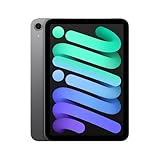
- WHY IPAD MINI — The full iPad experience in an ultraportable design. Featuring Apple Intelligence.* With an 8.3-inch Liquid Retina display,* ultrafast A17 Pro chip, 12MP Ultra Wide front camera with Center Stage, USB-C connectivity, superfast Wi-Fi 6E, and compatibility with Apple Pencil Pro.* Take notes, mark up documents, and edit photos and videos.
- BUILT FOR APPLE INTELLIGENCE—Apple Intelligence is the personal intelligence system that helps you write, express yourself, and get things done effortlessly. With groundbreaking privacy protections, it gives you peace of mind that no one else can access your data—not even Apple.*
- 8.3-INCH LIQUID RETINA DISPLAY — The gorgeous Liquid Retina display features advanced technologies like P3 wide color, True Tone, and ultralow reflectivity, which make everything look stunning.*
- PERFORMANCE AND STORAGE — The A17 Pro chip delivers powerful performance and ultrafast graphics. And with all-day battery life, iPad mini is always ready for any task or project.* Storage starting at 128GB for all your apps, music, movies, and more.*
- IPADOS + APPS — iPadOS makes iPad more productive, intuitive, and versatile. With iPadOS, run multiple apps at once, use Apple Pencil to write in any text field with Scribble, and edit and share photos. iPad mini comes with essential apps like Safari, Messages, and Keynote, with over a million more apps available on the App Store.
Pricing and availability
Exact prices, discounts and stock are market- and date-specific. The consulted regional comparison page displayed India-specific EMI language but did not render reliable numeric prices, so no defensible price comparison is given here. Check Apple and reputable retailers in your country for the exact size, storage, connectivity and accessory configuration before checkout.
Choose by the job you actually do
Frequent travel and commuting
Choose the mini when the tablet spends more time in a small bag or in your hand than on a desk. Its 8.3-inch format is easier to carry through airports, use on public transport and pull out for a quick task. If travel also involves long document sessions, the 11-inch Air may be worth the extra bulk.
Books, articles and casual media
The mini is the natural fit for readers who value low carry burden and single-app use. Select the 11-inch Air when you want larger text, more visible page content or occasional note-taking beside the material. The 13-inch Air is justified when you read technical pages, sheet music or documents where constant zooming is distracting.
School and office documents
The 11-inch Air is the balanced choice for assignments, presentations, email and moderate multitasking. Move to the 13-inch model if documents, spreadsheets or reference windows must remain open simultaneously. A keyboard and stand become part of the plan for sustained typing; verify compatibility and budget for them separately.
Digital art and handwritten notes
All three support the current Pencil Pro according to Apple’s comparison information. The mini is convenient for spontaneous sketches and short annotations. The 11-inch Air suits most students and general creative work. The 13-inch Air makes sense when a large uninterrupted canvas, reference panels or full-page handwriting is the priority.
Video calls and presentations
The Air’s landscape 12MP Center Stage front camera fits horizontal stand or keyboard use. Choose the 11-inch model for a portable meeting device, or the 13-inch model when it will remain on a desk as a presentation and collaboration screen. Camera specifications do not replace the need to check lighting, microphone placement and the conferencing app you use.
A laptop replacement
An Air is the stronger starting point when the iPad must handle long typing sessions, file work and split-screen layouts. The 13-inch version offers the most workspace; the 11-inch version is easier to carry. The mini can complement a laptop, but its compact display is a poor match for people expecting a full laptop-style layout all day.
Recommended Free Tools
A practical buying sequence
- Measure your real setting. Decide whether the tablet will be held, used on a lap, placed on a desk or attached to a keyboard. Include the case and stand in your mental size check.
- Choose the display class. Select the 8.3-inch mini for compact use, the measured 10.86-inch 11-inch Air for balance, or the measured 12.9-inch 13-inch Air for maximum workspace.
- List your simultaneous apps. If two panes must stay readable, favor an Air; if you normally use one app at a time, the mini remains viable.
- Set a storage floor. Count existing photos, videos, games, downloaded media and project files, then allow room for future growth. The Air offers 128GB through 1TB options.
- Decide on connectivity. Choose Wi-Fi if hotspots meet your needs; consider cellular only when independent mobile access justifies the service and configuration cost.
- Match accessories to the exact generation. Confirm Apple Pencil Pro or Apple Pencil (USB-C) support and check the specific Air keyboard model. Neither accessory should be assumed to be included.
- Verify local pricing and stock. Compare the exact size, storage, radio and accessory bundle in your market on the purchase date. Promotional EMI language or a headline price may not apply to your chosen configuration.
What the published specifications cannot answer
- Which feels faster: no comparable independent performance benchmark is established here, so the M4 and A17 Pro labels should not be treated as a universal speed ranking.
- Which feels more comfortable: there is no hands-on ergonomic assessment in the cited material. Hand size, case design, grip and session length determine comfort.
- How long the battery lasts for you: Apple’s up-to figures are controlled manufacturer estimates and vary with brightness, apps, radio use and configuration.
- Which is the better value: local prices and stock were not reliably rendered by the consulted regional comparison page. Value depends on your market and the storage, cellular and accessory choices you make.
For the most compact tablet experience, the iPad mini (A17 Pro) is the appropriate starting point. For a larger working surface, choose the 11-inch iPad Air (M4) when portability still matters or the 13-inch iPad Air (M4) when workspace matters most. Make the final decision after checking the exact configuration and current local price rather than treating the family names as interchangeable.
Quick Recap
Product prices and availability are accurate as of the date/time indicated and are subject to change. Any price and availability information displayed on Amazon at the time of purchase will apply.

