Do these 3 things before closing this tab:
1Repair Windows errors before they cause bigger problems2Scan for outdated or missing drivers - takes under a minute3Clear out junk files and repair common Windows errorsIdentity resilience is not just keeping sign-ins available during an outage. It also means being able to restore a trustworthy identity tenant after accidental or malicious changes. For Microsoft Entra ID teams, that requires preparing known-good configuration, independent access to recovery materials, retained evidence, clear ownership and rehearsed procedures before anything goes wrong.
What identity resilience means
Microsoft defines identity resilience as protecting, securing and rapidly recovering core authentication systems. Its guidance stresses that “Resilience and recoverability aren’t individual product features. Rather, they’re end-to-end properties of a socio-technical system (people, process, and technology).” In practice, resilience depends on the systems themselves as well as the people, procedures and access paths needed to operate and recover them.
As an Amazon Associate I earn from qualifying purchases.
Two capabilities are often confused:
- Service resilience helps preserve authentication when a service, network, federation provider, multifactor authentication dependency or token-acquisition path fails.
- Tenant recoverability helps restore integrity after objects are deleted, settings are misconfigured or directory changes are malicious.
A highly available identity service does not automatically reverse a harmful tenant change. A single incident can require both continuity measures and tenant recovery. Microsoft reports a 99.99% availability SLA for Microsoft Entra, but that is a platform availability statement—not a guarantee that a customer’s configuration, dependencies or every connected application will remain resilient. Microsoft’s identity resilience guidance describes the distinction and the broader planning approach.
Build a recovery foundation before an incident
1. Inventory what authentication depends on
Identify the identity objects, applications, policies, integrations and external dependencies that are critical to the business. Include the relationships between them: recovering an object may not restore assignments, memberships, policy targeting or application links that depend on it. Agree with business owners on recovery time objectives (RTO)—how quickly service must be restored—and recovery point objectives (RPO)—how much change the business can tolerate losing.
#1 Best Overall

- FIDO2 & Passkey Ready: Business-ready and FIDO2 L1 certified. This key is supported by major management suites and is ideal for both individual and enterprise deployment. Works seamlessly with Gmail, Facebook, GitHub, Dropbox, Coinbase, and more.
- Universal Connectivity (USB-A ): Features a built-in USB-A connector—simply unfold the key and plug it into your compatible PC or laptop for seamless authentication on the go.
- Dedicated Manager App: Use the Thetis Manager App for the initial hardware PIN setup. Setting the PIN on the device first ensures a smooth registration process. Once the PIN is configured, you can begin registering the key across your favorite FIDO2-compatible online services.
- Ultra-Durable & Portable: Featuring a rotating metal cover, this key is water, crush, and tamper-resistant. It fits easily on a keychain and requires no batteries or network connectivity.
- Check FIDO2 compatibility before purchase - Known limitations: ID Austria is not supported (requires FIDO2 Level 2). Windows Hello login only works with Windows Enterprise editions that support Entra ID, and NFC is NOT supported.
2. Keep a versioned known-good configuration outside the tenant
Capture configuration as a known-good state and retain it in an externally stored, versioned repository. Microsoft recommends Tenant Configuration Management (TCM) snapshots for supported resources, supplemented with Microsoft Graph exports where needed to cover more of the environment. TCM monitors run at fixed six-hour intervals, so that cadence may not meet every recovery point objective.
Plan for tenant lockout when choosing where snapshots, scripts and runbooks live. If operators must sign in to the affected tenant to reach the recovery repository, or if the repository itself relies on the same tenant, the recovery path may fail along with production access. Test that authorized responders can reach the materials independently.
Rank #2

- A FIDO security key with PUF technology provides a unique, hardware-rooted trust anchor that resists tampering and cyber attacks, offering stronger security than conventional designs.
- FIDO2 Certified Protection – Enjoy phishing-resistant security with FIDO2 certification, ensuring top-tier account safety across Windows, macOS, Linux, iOS iOS, Android and more.
- Easy to use & Portable – Designed with a compact USB-C interface, Clife key fits easily on your keychain for secure access anywhere. Simply plug in and authenticate with ease.
- Universal Compatibility – Works seamlessly with hundreds of FIDO2/U2F compliant services, including popular cloud, email, and social platforms.
- Backup recommended – To ensure continuous access, register a backup Clife security key as a spare in case your primary key is lost.
3. Preserve logs and alert on consequential changes
Microsoft says Entra audit logs are typically retained for 30 days; check the actual retention configuration in your tenant and extend it where your investigation and compliance needs require. Stream audit and sign-in logs to an appropriate log analytics platform or SIEM so evidence remains available beyond the tenant’s default window.
Alert on high-impact policy and group changes, as well as unexpected hard deletion. Microsoft Entra Backup and Recovery difference reports can help identify additions, attribute edits, link edits and soft-deleted objects within their supported scope. The reports show changed objects that still exist in the tenant; investigate hard-delete events through audit logs rather than assuming a difference report will reveal them.
Rank #3

- Protect accounts with USB-A & NFC 2FA security key. Hardware-based authentication blocks phishing, credential theft & unauthorized access across cloud, enterprise & personal platforms.
- FIDO2 Level 2 certified Security Key. TAA compliant and supports Apple ID, Microsoft Azure/Entra ID, AWS, Google, Facebook, Salesforce, DUO & more. Works with Chrome, Safari & Edge across major OS.
- Plug & play USB-A Security Key with NFC tap login. No software, drivers or batteries required. Works with Windows PC, MacBook, iPhone, Android & Chromebook for fast, secure authentication.
- Built with FIPS 140-2 Level 3 secure element for advanced encryption. Trusted by IT teams, healthcare, education & government for secure authentication and identity protection.
- IP68 waterproof, dustproof & crush-resistant design. Supports FIDO2, U2F, OTP, PIV, Mini Driver & smart card login. Durable USB security key for long-term enterprise and daily use.
4. Assign ownership and write the recovery playbook
Define who can declare an identity recovery incident, who approves privileged actions, who performs restoration and who communicates with users and business owners. The playbook should guide responders to scope the incident, identify affected objects and their lifecycle state, select a restore or reconstruction path, validate security controls and report progress.
5. Rehearse in a nonproduction tenant
Run recovery exercises in a nonproduction tenant using realistic conditions. Test not only whether an object can be restored, but whether responders can access the repository, relink dependencies, validate resulting policies and regain the intended sign-in experience. A rehearsal should expose gaps in people, approvals and access paths as well as technical ones.
Rank #4

- USB-C or tap via NFC for easy authentication on any compatible device. No drivers needed; optional Kensington software available for advanced management features.
- Works across Windows, macOS, iOS, Android, ChromeOS, and supports Passkeys and Apple ID.
- Slim, keychain-ready form for easy carry and on-the-go authentication
- IP68-rated for dependable performance
- FIDO CTAP 2.1 for enhanced security features (e.g. resident credentials, Passkey support) and backwards compatibility with CTAP 2. FIDO2 L2 certified security for phishing resistant protection against identity theft and unauthorized access.
6. Limit the damage recovery must address
Use least privilege and just-in-time elevation to reduce standing administrative access. Consider protected actions, emergency access accounts and workload isolation where the risk warrants them. These controls do not replace recovery planning, but they can reduce the chance or scope of changes that recovery teams must undo.
The Tool Desk
Outbyte PC Repair FREERepair Windows errors before they cause bigger problemsFix Now →Outbyte Driver Updater FREEScan for outdated or missing drivers - takes under a minuteDriver Scan →Choose a recovery path based on what happened
The right response depends on whether an object was soft-deleted, changed in place or hard-deleted. Recovery tools are not interchangeable, and their coverage depends on supported object types, attributes, relationships and retention.
Best Value
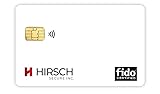
- Strong MFA: FIDO2 provides strong authentication to eliminate account takeovers
- Multi-platform: Works with everyday devices, including phones, tablets, laptops, and desktops
- Easy Authentication: Authenticate across all services (e.g., Gmail, Facebook, Salesforce, LinkedIn, etc.)
- Convenient: Fits in your wallet like a credit card
| Incident state | What to do | Important limitation |
|---|---|---|
| Soft-deleted object | Check the object-specific Microsoft documentation and use the supported restore path where available. | Microsoft documents a 30-day safety net for several core object types, but supported objects and restoration fidelity vary. Do not assume every object or relationship is restored identically. |
| Configuration changed in place | Compare the current tenant with a known-good snapshot or export. Restore supported objects or deliberately redeploy or roll back affected settings. | Backup coverage is not universal; verify the exact object, attributes and links included in the selected approach. |
| Hard-deleted object | Use retained audit evidence to confirm what was removed, then recreate it from the captured baseline and re-establish dependent assignments, memberships, targeting or links. | A hard-deleted object cannot be undeleted. Recreation produces a new identifier, so references to the old ID may need to be rebuilt. |
| Tenant lockout | Follow the recovery process for regaining access to the existing tenant, including contacting Microsoft support and completing high-assurance ownership verification. | Microsoft’s guidance describes restoring access to the existing tenant; it does not provide a new tenant as a substitute. |
Microsoft announced general availability of Microsoft Entra Backup and Recovery on June 30, 2026, for Entra ID P1 and P2 customers, with daily backups of supported critical objects. Confirm current licensing, object and property coverage, retention and workload scope against Microsoft’s current recovery documentation before relying on it for a particular recovery objective. Native recovery is useful, but its supported scope and retention define what it can restore.
Keep continuity measures separate from tenant restoration
Backup authentication can help in certain access-continuity scenarios, but it is not universal offline access and does not restore a damaged tenant. Microsoft documents a scenario in which users may authenticate if they successfully accessed the same app on the same device during the preceding three days, subject to other requirements and limitations. Interactive authentication, some Conditional Access policies, B2B or B2C scenarios, and revocation events can affect eligibility. See Microsoft’s backup authentication requirements before treating it as a fallback for a specific application or user group.
Evaluate additional recovery tools against a real gap
Start with a documented coverage gap, not a product assumption. Compare each approach by failure mode, supported object and attribute coverage, relationship fidelity, recovery point, retention, access independence and operational readiness. Ask whether it restores an object and its links or merely provides data for reconstruction, and whether its recovery point and retention meet the business-agreed RPO and RTO.
Windows Errors? Fix Them Before They Spread
Repair common Windows errors and clear accumulated junk for a smoother, more stable PC - no reinstall needed.Free scan · no reinstallOutdated Drivers Are Slowing You Down
One free scan finds every outdated or missing driver and matches the right update for your exact hardware.Free scan · exact hardware matchMicrosoft advises considering non-Microsoft solutions when native coverage or retention is insufficient. A marketplace listing can identify a candidate, but it does not establish independent performance or suitability for a particular tenant. Verify current product scope, regional availability, licensing and recovery behavior before adoption. Regardless of tooling, your organization remains responsible for validation, approvals and tested runbooks.
Quick Recap
Product prices and availability are accurate as of the date/time indicated and are subject to change. Any price and availability information displayed on Amazon at the time of purchase will apply.

