Before replacing a slow Fire TV Stick, try Amazon’s troubleshooting steps for the specific problem: restart it, clear the affected app’s cache or data, reinstall the app if needed, and check for a software update. Two free apps—Taotlus and Background Apps and Process List—may also make app navigation or background-app management more convenient, but they are not a proven speed fix. The reported improvement was one author’s anecdotal experience, not a measured test.
Start with Amazon’s troubleshooting for app problems
If an app crashes, will not open, or stops responding, Amazon recommends restarting the Fire TV device. If the problem continues, clear the affected app’s cache or data, uninstall and reinstall it, and check for a Fire TV software update. Depending on the model and software version, update settings may appear under My Fire TV or Devices & Software. See Amazon’s app troubleshooting steps.
As an Amazon Associate I earn from qualifying purchases.
For low-storage messages, Amazon documents clearing app caches or clearing cache and data for an individual app. Cache and data are not the same: clearing data resets that app and may erase locally stored state or require you to sign in again. Amazon also says Fire TV automatically clears the cache of an app that has not been used for more than 30 days when the device is low on storage. Follow Amazon’s instructions to clear app data and cache.
What Taotlus changes—and what it cannot do
Taotlus is a free, grid-style launcher that offers another way to arrange and open apps. It changes the navigation experience; it does not repair an app or demonstrate that the device’s hardware is running faster. The September 11, 2026 article describing it says Fire TV Stick does not allow Taotlus to become the default launcher. Pinning it near the top of the home screen can make it easier to open. Some models may support resuming the last-used app, but behavior can vary, so check what your device does.
#1 Best Overall

- Compatibile with TV Stick ( 3rd Gen), TV Stick 4K (1st / 2nd Gen / Select / Plus), TV Stick 4K Max (1st / 2nd Gen), TV Cube(2nd/3rd Gen), TV Stick Lite( 1st / 2nd Gen)
- Compatible with Omni, Ember, Insignia, Toshiba, Pioneer Smart TVs that support voice commands
- This remote is compatible with streaming devices and smart TVs, and the pairing methods differ. Please refer to the instructions for pairing
- Voice Function: Use voice commands to find your favorite content faster than ever before
- Package Contents: 1 Replacement Voice Remote, 1 User Manual (Batteries not included: requires 2 AAA)
How Background Apps and Process List works
Background Apps and Process List helps you see apps running in the background and reach their app information pages. From there, you can choose to force stop an app. It is not an automatic one-tap memory cleaner: the described workflow requires you to inspect apps and manually select force stop in their information pages. Use that option selectively, particularly if you are unsure what an app does.
Which option fits the problem?
| Option | Main purpose | What to expect | Cost and limits |
|---|---|---|---|
| Amazon’s built-in troubleshooting | Addressing a crashing, unresponsive, or storage-troubled app | Restart, clear cache or data, reinstall, or update software, as appropriate | No app purchase is needed for the documented steps. Clearing data can reset an app. |
| Taotlus | Arranging and opening apps through a grid-style launcher | May make navigation more convenient; it is not a supported default-home replacement | Described as free. Compatibility and behavior can vary by device. |
| Background Apps and Process List | Inspecting background apps and reaching their app information pages | Lets you manually choose force stop; no measured speed gain is established | Described as free. The process involves manual steps. |
| Replacing the Fire TV Stick | Considering newer hardware if the device remains slow or no longer meets your needs | Could be an option, but the cited account does not establish that an upgrade will fix a particular slowdown | Requires buying hardware; no universal replacement threshold is established. |
What the reported improvement does—and does not—show
The author of the September 11, 2026 article said the Fire TV Stick felt better to use after trying the apps. That is a personal account, not a controlled comparison: no benchmark or measured speed change was reported. The apps may help with launcher convenience or with finding apps to stop, but there is no basis here to promise that they make every Fire TV Stick faster.
Rank #2

- Compatible with Streaming Devices (2018-2026): TV stick 4K Max (1st, 2nd Gen), TV stick 4K (1st, 2nd Gen, Plus, Select), TV stick (HD, 3rd Gen), TV cube (3rd Gen), TV stick lite (1st, 2nd Gen)
- Compatible with Smart TVs: works seamlessly with Insignia, Toshiba, Omni, 2-Series and 4-Series smart TVs with voice control
- Incompatible Devices: Not compatible with TV stick (1st, 2nd Gen), soundbar or other receiver
- Voice Control Features: Quickly search content, launch apps, and adjust volume using voice commands for hands-free convenience
- Instant Access Shortcuts: 4 pre-programmed buttons provide one-tap access to popular streaming apps and channels
When replacement is worth considering
If the device remains slow after relevant troubleshooting, replacing it is an option—not a step everyone needs to take. The right decision depends on the model, the symptoms, and whether the device still meets your needs. The cited account mentions upgrading to a newer Fire TV Stick, but does not show that a particular model, including the 4K Max, is required or will resolve an individual problem.
Windows Errors? Fix Them Before They Spread
Repair common Windows errors and clear accumulated junk for a smoother, more stable PC - no reinstall needed.Free scan · no reinstallCrashes, No Sound, or Screen Glitches?
Random freezes, missing sound and display glitches usually trace back to one bad driver. Find and replace yours safely.Free scan · under a minuteQuick Recap
Best Value
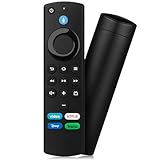
- Compatible with: Replacement Voice Remote Control (3rd Gen) Fit For AMZ smart TV stick lite, smart TV stick 2nd Gen, smart TV stick 3rd Gen, smart TV stick 4K MAX, smart TV stick 4K 1st Gen, smart TV stick 4K 2nd Gen, smart TV cube 1st Gen 2nd Gen, smart TV cube 3rd Gen, smart TV 3rd Gen
- Not Compatible: This remote isn’t compatible with Smart TVs 1st/2nd Gen, Smart TVs Stick 1st Gen, or Smart TVs Edition. Check your device model before ordering to ensure a fit. If it doesn’t work, contact us—we’ll provide the best solution
- With Voice Function: Voice control lets you find, launch, control content, play music, check weather, view live camera feeds, and control compatible smart home devices. Standard navigation/playback controls let you jump to favorite scenes quickly
- How to Pair: Remove the stick from TV and disconnect its power. Reconnect power, then reinsert the stick into TV. Hold the Home button for 10-15 seconds until the LED indicator flashes amber rapidly for 10 seconds—your remote will pair automatically
- What You Get: 1 *Voice Function Remote Control(2 AAA batteries not included),1 * User Manual and our friendly customer service
Rank #4

- 【COMPATIBLE WITH】:This Smart TVs Stick Remote fit for Smart TVs Stick Lite,fit for Smart TVs Stick 1st/2nd Gen 4K,fit for Smart TVs Stick 1st Gen 4K Max),fit for Smart TVs Stick (2nd/3rd Gen),fit for Smart TVs Cube (1st/2nd/3rd Gen),and fit for Smart TVs (3rd Gen),Please make sure your device model fit our remote before place an order
- 【 VOICE FUNCTION 】:Press and hold the voice command button on the remote control. Speak clearly into the microphone (" Turn on the TV "or" Search for action movies "). It's that simple and convenient
- 【HOW TO PAIR】: Before pairing, ensure your device is powered on and connected to the television: Go to Settings > Controllers and Bluetooth Devices > TV Remote on your device. Select “Add New Remote”, then press and hold the Home button on the remote for 10 seconds. The Smart Remote LED will flash, indicating it has entered pairing mode. Tap Connect. When the LED turns off, pairing is successful
- 【 PLEASE NOTE】: If the remote isn’t responding, replace or recharge the batteries. Ensure your device’s software is updated (Settings > My TV > About > Check for Updates). This remote control requires 2 AAA batteries (batteries are not included)
- 【 CUSTOMER SERVICE】:If you encounter any problems or have any questions about your device, our professional support team will be there to assist you. We guarantee to provide timely solutions to ensure the best performance and improvement
Rank #3

- “Alexa, find my remote.” - Use a device with Alexa, the Alexa app or Fire TV app and Alexa Voice Remote Pro will emit a ring. No searching cushions.
- Backlit for your convenience - Navigate movie night with a motion-activated backlight that illuminates buttons in dimly-lit rooms.
- Two customizable buttons - Create your own shortcuts to favorite channels, apps, or any Alexa commands.
- Dedicated headphone button - A new shortcut to the on-screen Bluetooth menu that lets you pair your wireless headphones fast.
- Integrated TV controls - Control power, volume, plus surf live TV with dedicated channel buttons all from one remote.
Product prices and availability are accurate as of the date/time indicated and are subject to change. Any price and availability information displayed on Amazon at the time of purchase will apply.

