Free tools Windows power users keep installed
One-click scans. No signup required.
Direct answer: Render the HTML element at the size you need, export the result as a PNG, and reference that file with an icon declaration or an ordinary image element. In a browser, html2canvas converts a DOM element to a canvas and canvas.toDataURL('image/png') produces PNG data. For pixel-accurate browser rendering or server automation, use Playwright’s screenshot API instead. The choice matters because html2canvas reconstructs the element from DOM and supported CSS; it does not take a native browser screenshot.
Choose the right conversion method
Your first decision is where the HTML lives and how faithfully the icon must match the browser.
| Requirement | Recommended method | Main trade-off |
|---|---|---|
| Convert an element in the current page with client-side JavaScript | html2canvas | Simple PNG export, but only CSS and assets it can read and reproduce are rendered. |
| Capture what an automated browser actually paints | Playwright Page screenshot | Requires a browser automation runtime, but handles browser layout and device-pixel scaling. |
| Render a public URL or server-side HTML without maintaining a browser stack | Hosted HTML-to-image service | Requires an external service and API key; check its HTML/CSS and URL-capture behavior. |
Build a self-contained icon component
Start with a compact element whose dimensions, fonts, colors and images are deterministic. Inline critical styles and use assets that the rendering page can load. If the icon will be 64 CSS pixels wide, design it at 64 CSS pixels first; decide separately whether the PNG should contain one, two or more physical pixels per CSS pixel.
<div id="status-icon" class="status-icon" role="img" aria-label="Build passed">
  <span class="check" aria-hidden="true">✓</span>
</div>

<style>
.status-icon {
  width: 64px;
  height: 64px;
  display: grid;
  place-items: center;
  border-radius: 14px;
  background: #16794a;
  color: white;
  font: 700 38px/1 system-ui, sans-serif;
}
</style>
Keep the element’s background explicit. A transparent background is useful for many icon sets, but an accidental transparent layer can make a result appear blank when viewed on a white or dark surface.
#1 Best Overall

- PLAN YOUR WORK LIFE — 468 small computer icon stickers across 2 sheets in 18 colors. Mark office days, remote work days, online classes, and project deadlines in your planner.
- TINY BUT MIGHTY — Each sticker is 0.3" diameter on a 5" x 7" sheet, sized to fit cleanly inside daily planner boxes, habit tracker squares, and dot grid journal margins without overwhelming your layout.
- FOR WORK AND SCHOOL — Use these computer stickers for hybrid schedule tracking, online class sessions, homework deadlines, coding practice days, and screen-time budgets. Great alongside Important and Idea sticker layouts.
- WORKS WITH EVERY PLANNER YOU LOVE — Sized for Happy Planner, Erin Condren, dot grid journals, dot grid notebooks, and standard agenda layouts. Printed on high-quality white matte sticker paper.
- HANDMADE BY STORMY CREATIVES — Hand-printed in a small USA studio by an artist-led brand. Two full sheets per pack. Plenty for the whole year. Here's to making plans, setting goals, and staying inspired.
Convert an HTML element with html2canvas
Install or load the library
For a bundled application, install html2canvas with your package manager and import it. For a quick browser test, load the project’s browser build before your own script. The API returns a promise, so wait for it before reading the canvas.
Export a PNG data URL
import html2canvas from 'html2canvas';

const element = document.querySelector('#status-icon');
if (!element) throw new Error('Icon element not found');

const canvas = await html2canvas(element, {
  backgroundColor: null,
  scale: window.devicePixelRatio
});

const pngDataUrl = canvas.toDataURL('image/png');
const link = document.createElement('a');
link.href = pngDataUrl;
link.download = 'status-icon.png';
link.textContent = 'Save as image';
document.body.appendChild(link);
The canvas dimensions are based on the element’s CSS size and the selected scale. Using window.devicePixelRatio commonly gives a sharper file on high-density displays, but it also increases pixel dimensions and file size. If you need a predictable asset for a build pipeline, set an explicit scale such as 2 and test the resulting dimensions.
Save a Blob instead of a data URL
Data URLs are convenient for a download link, while a Blob is better when you want to upload or cache the file.
canvas.toBlob(async (blob) => {
  if (!blob) throw new Error('PNG encoding failed');
  const file = new File([blob], 'status-icon.png', { type: 'image/png' });
  // Upload file, store it, or pass it to another API.
}, 'image/png');
Capture only a specific region
Pass the exact element to html2canvas rather than capturing the whole document. If you need an inset crop, wrap the desired content in a fixed-size container and capture that wrapper. This avoids browser chrome, unrelated layout, and scroll-position surprises.
Do these 3 things before closing this tab:
1Repair Windows errors before they cause bigger problems2Scan for outdated or missing drivers - takes under a minute3Clear out junk files and repair common Windows errorsRank #2
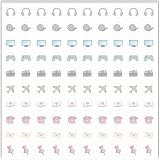
- Planner Sticker Material: Made of quality PVC material, these mini planner stickers are easy to peel and apply smoothly while staying securely in place, and when removed they typically do not leave marks on most paper surfaces, making them suitable for planners, journals, and notebooks
- Planner Sticker Size: The full sheet size measures 6.3 x 6.3 inch(16 x 16cm) and each individual sticker measures 0.5 inch(1.27cm), this set includes 500pcs mini planner stickers in total with 100pcs individual stickers per sheet and 5 sheets overall, offering sufficient quantity for frequent decorative use
- Mini Planner Stickers: Colorful daily planner stickers featuring practical reminder icons like earphones, video, computer, game, camera, airplane, book, envelope, telephone, and thumbtack, suitable for marking daily tasks, plans, and important activities in planners and journals
- Wide Application: These small colorful stickers can be used on planners, notebooks, calendars, and scrapbooks, and they also work well on smooth surfaces such as phones, laptops, water bottles, cups, storage boxes, and gift wrapping, making them suitable for decorating and organizing daily items
- Ideal Gift: These daily planner stickers make a charming gift for friends, family, and stationery lovers, suitable for occasions such as Christmas, Valentine's Day, Mother's Day, birthdays, New Year celebrations, and holiday gift exchanges, and the tiny decal design adds a decorative touch to everyday planning and crafting items
Use scale and dimensions deliberately
- CSS-pixel output: use
scale: 1when the PNG should contain one pixel for each layout pixel. - High-DPI output: use
scale: 2or the device pixel ratio, then display the PNG at half its intrinsic dimensions. - Large source, small display: render at a larger logical size and downsample only if your visual tests show cleaner edges.
- Consistent builds: avoid a device-dependent scale when generated files must be identical across machines.
Always inspect the PNG at its intended display size. A file can look excellent at 400% and still have fuzzy text, clipped shadows or an incorrect baseline at 16 or 24 pixels.
Understand html2canvas limitations
html2canvas reconstructs a picture from DOM information. It does not take an actual screenshot, so the output may differ from the browser’s real representation. Only CSS properties understood by the library are reproduced. Complex filters, unusual blending, unsupported effects and browser-native controls should be treated as compatibility risks.
Cross-origin images
Images must be same-origin or served with suitable CORS headers. You can enable the library’s CORS option when the remote server permits it, or route assets through a proxy you control. If cross-origin pixels are not made accessible, the canvas can become unreadable (“tainted”), and exporting with toDataURL will fail.
Cross-origin iframes
Browser security prevents a page from reading another origin’s document. An iframe from a different origin therefore cannot be reconstructed by html2canvas. Capture content you own on the same origin, expose a renderable endpoint, or use a browser automation workflow that navigates to the target page.
What’s actually slowing this PC down?
Pick the symptom - the matching free tool is one click away.
Rank #3

- The size of the sticker is between 2 and 3 inches.Using 100% brand new high-definition printing, the pattern is clearer and more vivid. Each cute sticker is perfectly cut according to the shape and size, and can be torn off and used directly. The sticker can be pasted repeatedly, leaving no residue after removal.
- Every sticker pack contains 50 pieces of different stickers. No random delivery and no duplicates, the pattern shown in the main picture will appear in your package, and cute stickers can bring a lot of fun to your life.
- Halloween ghost stickers can be given to friends, family, children, boys, girls, adults, women, men,It can also be used as decoration for parties, festivals, and other occasions.
- These stickers are very cute and fashionable, suitable for dressing up various items. For example, hydroflask, laptops, water bottles, skateboards, luggage, etc. Cute stickers can give full play to your creativity to decorate the items you want.
- If you have any questions, please feel free to contact us. We promise to give you the most satisfactory service.
Fonts and timing
Wait for web fonts and images before converting. A font that has not loaded can change line breaks and icon geometry; an image that is still loading may be omitted.
await document.fonts.ready;
await Promise.all(
  [...document.images].filter(img => !img.complete)
    .map(img => new Promise(resolve => {
      img.addEventListener('load', resolve, { once: true });
      img.addEventListener('error', resolve, { once: true });
    }))
);
Capture the browser-rendered result with Playwright
Use Playwright when fidelity to an actual browser page matters more than avoiding a runtime dependency. The screenshot API writes an image file, and the type is inferred from the filename extension.
import { chromium } from 'playwright';

const browser = await chromium.launch();
const page = await browser.newPage({
  viewport: { width: 64, height: 64 },
  deviceScaleFactor: 2
});
await page.setContent(`
  <div id="status-icon" style="width:64px;height:64px;display:grid;place-items:center;background:#16794a;color:#fff;border-radius:14px;font:700 38px/1 system-ui">✓</div>
`);
await page.locator('#status-icon').screenshot({
  path: 'status-icon.png',
  scale: 'device'
});
await browser.close();
Playwright’s scale option can use CSS pixels or device pixels. CSS-pixel scale keeps output tied to layout dimensions; device scale captures the extra physical pixels represented by a high-DPI viewport.
Reference the PNG as an icon
Favicon or document icon
Use the path and dimensions that match the file you actually generated:
Rank #4

- Full of Nerdy Fun: This glossy sticker pack includes 50 quirky computer-themed designs like debugging jokes, coding fails, and internet memes that tech folks truly relate to
- Smooth Glossy Texture: Made of quality vinyl with a glossy finish, each sticker is waterproof, easy to peel, and leaves no sticky marks on your devices or accessories
- Designed for Daily Use: Ideal for tech lovers decorating laptops, notebooks, tablets, water bottles, or home office gear with personality and a hint of programmer humor
- Small but Noticeable: Ranging from 3–6cm in size, these stickers are compact enough for keyboards, routers, mouse pads, yet still visible enough to catch attention
- Cool Gift for Techies: Whether for programmers, sysadmins, or digital nomads, this sticker set brings laughter and connection to workspaces, study corners, or tech meetups
<link rel="icon" href="/assets/status-icon.png" sizes="64x64" type="image/png">The declared size is metadata for consumers; it does not resize the bitmap. If you provide multiple icon sizes, add a separate link element for each asset and use the intrinsic dimensions of each file.
Inline application icon
<img src="/assets/status-icon.png" width="64" height="64" alt="Build passed">Set width and height to reserve layout space. For a decorative icon next to text, use an empty alt and provide the meaning in adjacent text instead.
Server and batch workflows
For many URLs or builds, a hosted renderer can remove browser-installation work. ScreenshotNeo is a website screenshot API and MCP server; it returns PNG, JPEG, WebP or PDF from one GET request. It can load a full page, capture a CSS-selected element, wait for a selector or network idle, inject custom CSS or JavaScript, set a viewport and device preset, and run bulk captures. Its clean-shot processing accepts consent banners and removes more than 60 known consent platforms, newsletter popups and chat widgets before capture. Only clean shots are billed: bot checks, CAPTCHAs, blank pages, timeouts, failed loads and cache hits are not billed, and response headers identify the page verdict and billing status.
Or skip the browser setup
Call ScreenshotNeo with the URL that contains your icon or HTML. The API base is https://api.screenshotneo.com/v1/shot; replace the target URL and key with your values. See the ScreenshotNeo documentation for all options.
cURL
curl -G "https://api.screenshotneo.com/v1/shot" -d access_key=YOUR_API_KEY --data-urlencode url=https://stripe.com -o shot.webpPython
import requests
r = requests.get("https://api.screenshotneo.com/v1/shot", params={"access_key": "YOUR_API_KEY", "url": "https://stripe.com"}, timeout=90)
r.raise_for_status()
open("shot.webp", "wb").write(r.content)
Node.js
const q = new URLSearchParams({ access_key: 'YOUR_API_KEY', url: 'https://stripe.com' });
const res = await fetch(`https://api.screenshotneo.com/v1/shot?${q}`);
if (!res.ok) throw new Error(`Screenshot failed: ${res.status}`);
const fs = await import('node:fs/promises');
await fs.writeFile('shot.webp', Buffer.from(await res.arrayBuffer()));
This route avoids maintaining Playwright or Chromium. Cookie banners, popups and chat widgets are removed before the shot; bot checks, blank pages and failed loads are never billed. An MCP server provides take_screenshot, get_page_info and capture_pdf tools for Claude, Cursor and other MCP clients. The Free plan includes 1,000 screenshots per month with no card; paid plans start at $5 for 3,000 screenshots. Create a free ScreenshotNeo account.
Troubleshooting checklist
The PNG is blank or transparent
- Confirm the selector returned an element and that it has non-zero width and height.
- Set an explicit background when transparency is not intended.
- Wait for fonts, images and any asynchronous component rendering.
- For a hosted capture, check the response’s page-verdict and billing headers.
Export throws a security error
Find remote images or canvases. Make them same-origin, configure CORS on the asset server, or use a permitted proxy. A cross-origin iframe cannot be read by html2canvas.
Best Value

- 【50Pcs Included】—These tools theme stickers pack contains 50pcs no duplicated stickers, can be attached to computer, Laptop, skateboard, Luggage, refrigerator, guitar, motorcycle, bike, Mobile Phone, etc. Various patterns sticker pack can be great gift for children, kids, youth, friends, family and other DIY decoration.
- 【Size and Weight】—Each sticker measures about 5 cm --8 cm/1.97--3.15 inch. These stickers are packed in OPP bags, and the package size is 10 x 8 x 1.2 cm/ 3.94 x 3.15 x 0.47 inch. Package Weight is about 30 g/ 1.06 oz.
- 【Waterproof Sun-proof and Durable vinyl PVC material】—These Stickers are made of waterproof and sun-proof vinyl PVC, the color hardly fades out, can ensure the gloss and brightness of the material for a long time.
- 【Easy To Use】—1, Please take out your stickers; 2, clean the surface of the object on which you want to stick; 3, tear off the bottom paper of the stickers; 4, firmly stick the sticker on the surface of the object, leaving no gaps. NOTE: These Stickers Are Not Applicable to Rough And Uneven Surfaces.
- 【Satisfaction Service】—We believe these stickers will make you satisfied, but if any problem happens or you need any help, Kindly contact with us , we will try our best to serve you.
The result differs from the page
Check whether the design relies on unsupported CSS, filters, blend modes or browser-native controls. Compare at the same viewport and scale. If exact browser painting is required, switch to Playwright.
Text is clipped or wrapped differently
Wait for document.fonts.ready, set a fixed width, and ensure the intended font is available in the rendering environment. Avoid capturing while layout is still changing.
The icon looks soft
Increase the export scale, then display the PNG at its intended CSS size. Do not enlarge a low-resolution file with CSS and expect new detail.
Performance, reliability and cost decisions
- Browser-side: no server request, but conversion consumes the user’s CPU and depends on the page’s asset permissions.
- Playwright: predictable automation and browser fidelity, with the operational cost of browser processes, fonts and dependency updates.
- Hosted API: convenient for server and batch jobs. Use caching when the source is unchanged, set an explicit wait condition, and handle timeouts and non-success responses.
- Icon sets: generate each required size once during a build rather than converting on every page load.
Keep the original HTML/CSS alongside generated PNGs so you can reproduce an icon after a design change. Test transparent and opaque backgrounds, light and dark surfaces, and the smallest size at which the icon will be displayed.
Frequently Asked Questions
Can I use an HTML-to-PNG icon without JavaScript at runtime?
Yes. Generate the PNG during development or a build, store it as an asset, and reference it with an img element or link rel="icon".
Should I choose PNG or SVG for an icon?
PNG is useful when you need a raster snapshot of HTML rendering. If the artwork can be expressed as vectors and must remain resolution-independent, an SVG may be a better source format.
Quick wins for a faster PC:
Fix the driver behind crashes, sound loss and screen glitchesFind Drivers →Clear out junk files and repair common Windows errorsFree Scan →Scan for outdated or missing drivers - takes under a minuteDriver Scan →Why does a remote image disappear only during conversion?
The image is likely cross-origin without CORS access. html2canvas cannot safely read those pixels until the server permits access or the asset is served from the same origin.
Quick Recap
Product prices and availability are accurate as of the date/time indicated and are subject to change. Any price and availability information displayed on Amazon at the time of purchase will apply.




