Do these 3 things before closing this tab:
1Repair Windows errors before they cause bigger problems2Fix the driver behind crashes, sound loss and screen glitches3Clear out junk files and repair common Windows errorsUse F-Zero GX Action Replay codes only after matching the code list to your disc’s region, leaving the game’s master or enable code active, and selecting the smallest set of codes needed. Launch from the Action Replay code-selection screen, verify each code’s mode and usage notes, and treat freezes or unexpected behavior as a reason to reboot and reduce the active codes. Action Replay is for offline experimentation; F-Zero Central does not allow cheat-device times on its GX ladders.
What “safe” means for F-Zero GX codes
There is no blanket guarantee that every Action Replay code is harmless to an F-Zero GX save. The available procedural guidance explains how to load codes and recover from a freeze, but it does not establish that arbitrary codes cannot alter, corrupt, or otherwise affect save data. A careful approach therefore has two parts: configure the hardware correctly, and limit where and how you use the codes.
| # | Preview | Product | Price | |
|---|---|---|---|---|
| 1 |
|
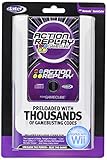
GameCube Action Replay with 16X Memory | $399.95 | Buy on Amazon |
| 2 |
|
Datel Action Replay for Gamecube | $159.99 | Buy on Amazon |
| 3 |
|
Action Replay Max | $299.95 | Buy on Amazon |
| 4 |
|
Freeloader: Play Import Games on Your GameCube | $149.99 | Buy on Amazon |
| 5 |

|
Sonic Adventure 2 Battle - GameCube | $103.97 | Buy on Amazon |
As an Amazon Associate I earn from qualifying purchases.
For casual play, that means using a matching regional game list, enabling only the code you understand, and stopping when a code behaves differently from its description. Keep competitive submissions separate. F-Zero Central’s GX ladder rules forbid cheat devices such as Action Replay, and they require loader cheat functions to be disabled for eligible time submissions.
Before you select a code
Confirm the disc region
Action Replay’s GameCube manual warns that codes will not work if the wrong region is selected. Start with the region of the F-Zero GX disc, then open the corresponding regional game list in Action Replay. Do not choose a list merely because the title name is identical; the code set must match the disc you are running.
#1 Best Overall
- Does not include memory card
- This is a newer version with newer packaging.
- Preloaded with thousands of exclusive codes for the latest GameCube games.
- Totally unauthorized codes and enhancements you won't find anywhere else.
- Easy-to-use, intuitive menu system
If you are unsure which entry applies, check the disc and its original packaging, then compare that information with the region labels shown by your Action Replay software. A code list intended for another region may fail to boot, fail silently, or produce unpredictable results. Region matching is the first check because later troubleshooting cannot make a code written for a different build reliable.
Preserve a normal, code-free way to play
Use a separate play session for experimentation and keep your ordinary save available without codes. The published instructions do not promise that codes are save-safe, so do not treat a successful launch as proof that a code cannot change saved data. If the save contains valuable unlocks, make whatever legitimate backup your own hardware and tools support before experimenting, and do not overwrite the original while testing an unfamiliar code.
Read the entry, not just its name
Action Replay entries can include comments and on-screen usage notes. Comments are informational and cannot be selected. A selectable entry may still describe a mode restriction, activation condition, or other limitation. Read those notes before toggling anything, especially when several versions of a code appear under similar names.
The master or enable code is mandatory
Codejunkies identifies entries marked (M) as Master or Enable Codes. Its support guidance says these entries must remain on for Action Replay to function properly; they cannot be turned off or deleted in the normal code list.
If you are entering codes manually, enter the master code first and place it above every other code. Adding a desired effect before the master code does not satisfy that requirement. The cited support article also notes that the latest preloaded Action Replay version does not provide manual code entry. If your revision has no manual-entry option, use the preloaded list or a revision that explicitly supports entry rather than assuming you can type a code through an unrelated menu.
Step-by-step: load a code without over-activating the game
- Start Action Replay with the F-Zero GX disc available. Navigate to the GameCube game list and choose the entry that matches the disc’s region.
- Open the code-selection screen. Highlight F-Zero GX and inspect the entries shown beneath it. Distinguish selectable codes from comments; comments explain a code but are not toggles.
- Leave the (M) master or enable code active. Do not attempt to disable it. If you entered codes yourself on a revision that permits manual entry, confirm that the master code is the first code in the list.
- Select one intended effect. Use the controller to highlight the code and press A to toggle it, as described in the GameCube manual. Start with one code rather than enabling an entire category.
- Check the code’s mode label and notes. Confirm whether it is for Grand Prix, Time Trial, Story Mode, or another explicitly named context. Read any instruction about activation, missions, or limitations.
- Review the final selection. The master code and only the effect you intend to test should be enabled. If several codes are required by a particular listing, add them one at a time and keep a record of what was active.
- Launch from the code-selection screen. Use Action Replay’s launch command to start F-Zero GX with the selected codes. Do not assume that returning to the list or changing regions after selection will convert the codes.
- Test in a low-consequence situation. Before loading an important save or attempting a record run, check that the game reaches the intended mode and that the effect behaves as described. If the behavior is wrong, stop rather than adding more codes to compensate.
Match the code to the game mode
F-Zero GX codes are not automatically universal. A published US code listing separates entries for Grand Prix, Time Trial, and Story Mode, illustrating why a title that sounds generally useful may still depend on the mode in which it is activated.
Grand Prix and Time Trial
Use an entry explicitly labeled for the mode you are entering. A code designed for one mode may do nothing in another, or its effect may not be tested outside the listed context. Keep the distinction in mind when troubleshooting: a non-working code is not necessarily evidence of a bad Action Replay unit if the mode is wrong.
Rank #2
- Memory Card & Disc
Story Mode and mission limits
The same US listing documents an Infinite Energy Story Mode code and states that it does not work on the “Save Jody!” mission. Treat that as a narrow warning about conditions, not as independent verification that the code is safe or functional in every other mission. If a code includes a mission exception, honor it; do not force the effect by stacking unrelated codes.
Codes with activation notes
Some entries expose additional instructions in the Action Replay interface. Follow those notes exactly, including any requirement to enter a mode before enabling an effect. If the entry has no explanation, avoid inferring one from a similarly named code for another region or game mode.
Read the Action Replay list as an instruction sheet
The code-selection screen is more than a catalog of effects. It tells you which entries are selectable, which lines are comments, and whether an entry has an on-screen note. Treat the displayed text as part of the code’s specification. A comment can explain an effect or limitation, but pressing A on it will not turn it on. Conversely, two similarly named selectable entries may target different modes and should not be treated as interchangeable.
Check the list again after returning to the menu. The objective is a deliberate final state: the required master code plus the smallest number of effect codes needed for the test. If you cannot explain what a selected line does, leave it off. This makes a later freeze easier to diagnose because you know exactly which change preceded it.
Recommended Free Tools
Manual entry and Action Replay revisions
Manual-entry instructions apply only to a revision that actually offers manual code entry. Codejunkies’ support guidance says the latest preloaded version does not provide that function. Do not follow a manual-entry tutorial blindly if your menu has no entry screen; use the preloaded regional list or a compatible revision that explicitly supports entering codes.
When manual entry is available, type the master or enable code first, then add the desired effects underneath it. The order matters, not just the presence of the master code somewhere in the list. Recheck every line before launching, because a transcription error is not corrected by selecting the right game region.
What to do if F-Zero GX freezes
Codejunkies’ Action Replay MAX manual gives a simple recovery procedure: reboot and retry with fewer selected codes. That advice is intentionally conservative because multiple effects can conflict or consume more of the system’s available code space.
Rank #3
- Allows user to use cheats/codes for gamecube. The most effective and expansive action replay for gamecube.
- Power down or reset the GameCube and return to the Action Replay menu.
- Re-select the correct regional game list.
- Leave the master or enable code on, then enable only one non-master code.
- Launch again and check whether the freeze returns.
- If the game works with one code but not with a combination, add the other codes individually on later attempts.
- If a single code consistently freezes the game, stop using it rather than repeatedly rebooting with the same selection.
A successful reboot does not prove that the previous code combination left the save untouched. Avoid saving over an important file immediately after an unexplained freeze, and do not describe the reboot procedure as a guarantee of data recovery.
The Tool Desk
Outbyte Driver Updater FREEScan for outdated or missing drivers - takes under a minuteDriver Scan →Outbyte PC Repair FREEClear out junk files and repair common Windows errorsFree Scan →Use symptoms to narrow the test
If the game fails before reaching the intended mode, first recheck region and master-code status. If it reaches the game but the effect is absent, compare the selected entry with the current mode and read its usage note again. If one code works alone but a combination freezes, keep the working code and test the others separately. This sequence changes one factor at a time instead of masking an error by enabling more codes.
Save-data precautions and limits of the evidence
The documented instructions establish setup requirements, not a universal safety certification for GX codes. They do not show that every code has been validated against every save state, region, or game mode. You should therefore separate reversible testing from normal progression.
- Use a copy or expendable test save when your equipment and backup method make that possible.
- Record the exact region, code names, and mode used so you can reproduce or remove a configuration.
- Enable the fewest codes necessary and avoid combining effects whose interaction is undocumented.
- Do not continue a session after a freeze, corrupted display, missing menu, or other unexplained behavior simply because the game eventually loads.
- Return to a code-free launch before judging whether your normal save still behaves correctly.
These are risk controls, not promises that a particular code cannot modify data. The absence of a documented failure does not establish harmlessness.
Casual experimentation versus competitive times
There are two different use cases, and the right procedure depends on which one you mean.
| Context | What is acceptable | Checks that matter | Main limitation |
|---|---|---|---|
| Offline, casual experimentation | Testing a regional, mode-matched code with the master code enabled | Correct region, selectable entry, usage notes, minimal active codes, reboot-and-retry plan | Code behavior and save-data effects are not universally established |
| F-Zero Central GX ladder submission | Code-free play under the ladder’s submission requirements | Action Replay and loader cheat functions disabled | Cheat-device times are forbidden; code-assisted times are ineligible |
Do not use a code to set a time and then submit the result as if it were an ordinary run. The ladder rules are a competition policy for F-Zero Central, not a general Nintendo policy, but they determine eligibility on those ladders.
The narrow gold-parts exception
F-Zero Central’s rules describe a limited exception for unlocking event-exclusive gold parts on a GX save file. The exception concerns unlocking those custom parts; it is not permission to activate Action Replay during a timed run, and it does not override the requirement that loader cheat functionality be off for an eligible submission.
If your goal is a leaderboard time, finish the unlock process separately, disable cheat functions, and perform the run under the ladder’s normal rules. Keep the save-file unlock and the timed attempt as separate activities.
Independent reader supportYour contribution helps us test, update, and keep practical guides available for everyone.Common mistakes and the precise fix
Choosing the wrong region
Symptom: The game does not respond to the code or fails during launch. Fix: Exit, select the game list for the disc’s region, and re-enable only the intended code with the master code still active.
Outdated Drivers Are Slowing You Down
One free scan finds every outdated or missing driver and matches the right update for your exact hardware.Free scan · exact hardware matchWindows Errors? Fix Them Before They Spread
Repair common Windows errors and clear accumulated junk for a smoother, more stable PC - no reinstall needed.Free scan · no reinstallTurning off the master code
Symptom: Other entries do not function. Fix: Restore the (M) entry and leave it enabled. For manual entry, place it first above the other codes.
Activating every code in a category
Symptom: A freeze or an effect that cannot be explained. Fix: Reboot and retry with one non-master code, then add others individually only if necessary.
Ignoring mode or mission labels
Symptom: A code works in one menu but not in the desired event. Fix: Use an entry labeled for the mode and observe any mission-specific restriction, including the published warning for “Save Jody!”.
Assuming a working launch proves save safety
Symptom: You treat a successful boot as evidence that all future saves are protected. Fix: Keep experimentation separate from important progress and acknowledge that comprehensive save-data safety has not been established.
Submitting a code-assisted time
Symptom: A run was recorded with Action Replay or loader cheats enabled. Fix: Do not submit it to an F-Zero Central GX ladder. Repeat the run with cheat functions disabled.
Best Value
- 12 playable characters each with different story lines.
- A wide array of game modes including various styles of gameplay.
- Supports two player split screen so that you can share the fun with a friend.
A pre-launch safety checklist
- The Action Replay game list matches the F-Zero GX disc region.
- The (M) master or enable code is on.
- If codes were entered manually, the master code is first.
- Only selectable entries are enabled; comments have been read but not toggled.
- The selected code is labeled for the mode you will play.
- Any mission or activation note has been checked.
- You know how to reboot and reduce the selection if the game freezes.
- You are not planning to submit the resulting run to a ladder that bans cheat devices.
That checklist keeps the setup aligned with Codejunkies’ operating instructions and with F-Zero Central’s competition rules, while leaving the remaining save-data uncertainty visible instead of promising more safety than the documentation supports.
Frequently Asked Questions
Do F-Zero GX Action Replay codes have to match my disc’s region?
Yes. Codejunkies’ GameCube manual says to select the appropriate region or the codes will not work. Choose the regional F-Zero GX entry that matches the disc before selecting any effect code.
Can I turn off the (M) master or enable code?
No. Codejunkies says the (M) entry must remain on for Action Replay to function properly. If you enter codes manually, put that master code first, above every other code.
Quick wins for a faster PC:
Clear out junk files and repair common Windows errorsFree Scan →Scan for outdated or missing drivers - takes under a minuteDriver Scan →Why does a code work in one F-Zero GX mode but not another?
GX listings distinguish Grand Prix, Time Trial, and Story Mode codes. Select an entry labeled for the mode you are actually entering and read its usage notes. The documented Infinite Energy Story Mode example specifically does not work on the “Save Jody!” mission.
What should I do when the game freezes after enabling codes?
Reboot, return to the correct regional game list, keep the master code on, and retry with only one non-master code. Add other codes individually only after the first test works. A successful reboot is not proof that the earlier selection left your save unchanged.
Are Action Replay times allowed on F-Zero Central’s GX ladders?
No. F-Zero Central forbids cheat devices such as Action Replay and requires loader cheat functions to be disabled for eligible submissions. Run again without cheat functions rather than submitting a code-assisted time.
Does the gold-parts exception allow codes during a timed run?
No. The exception is limited to unlocking event-exclusive gold custom parts on a GX save file. It does not authorize Action Replay during a run or override the requirement to disable loader cheats.
Free tools Windows power users keep installed
One-click scans. No signup required.
Does using the correct setup guarantee that my save is safe?
No. The operating instructions cover region selection, master-code setup, code selection, and freeze recovery; they do not certify every GX code as harmless to every save. Use a separate or expendable test save when possible and avoid overwriting valuable progress while experimenting.
What if my Action Replay revision has no manual-entry option?
Use its preloaded regional list or a revision that explicitly supports manual entry. Codejunkies’ support guidance notes that the latest preloaded version does not provide manual code entry, so do not assume an unrelated menu can accept typed codes.
The Bottom Line
For careful offline testing, match the F-Zero GX disc region, keep the (M) master code enabled and first when entering codes manually, activate only a mode-matched effect, and reboot with fewer codes if the game freezes. Treat save safety as unverified, and never submit Action Replay-assisted times to an F-Zero Central GX ladder; its gold-parts exception applies only to unlocking event-exclusive parts on a save file.
Quick Recap
Product prices and availability are accurate as of the date/time indicated and are subject to change. Any price and availability information displayed on Amazon at the time of purchase will apply.
What’s actually slowing this PC down?
Pick the symptom - the matching free tool is one click away.

