You can run a prerecorded study-music programme as a YouTube livestream by preparing media you have permission to use, enabling live access on your channel, creating a YouTube stream, and relaying it from a cloud service such as StreamNeo. The cloud service operates the broadcast; it does not grant music or artwork rights, prevent every YouTube interruption, or manage your channel’s editorial obligations.
What a cloud streaming service does—and does not do
A cloud streamer takes uploaded video or a playlist and sends it to the YouTube destination you configure. StreamNeo’s described workflow is to upload a recording or build a playlist, connect a YouTube stream key, and start the broadcast in its cloud. Once running, the local computer can be turned off. StreamNeo says it offers looping, scheduling, and automatic recovery if YouTube drops the stream; recovery is a vendor feature claim, not an independently established uptime guarantee. See StreamNeo’s service details.
As an Amazon Associate I earn from qualifying purchases.
This is a prerecorded-to-live workflow, not a camera broadcast. The cloud service handles delivery, while you remain responsible for the music, artwork, permissions, YouTube channel, stream details, and monitoring.
Do these 3 things before closing this tab:
1Clear out junk files and repair common Windows errors2Fix the driver behind crashes, sound loss and screen glitches3Repair Windows errors before they cause bigger problemsClear the music and visuals before you schedule
Do not assume that owning a recording, buying a download, or paying for a consumer music subscription gives you permission to broadcast it live. You need to establish rights for the actual sound recording, composition, artwork, and any visual loop, for the intended territories and uses. Confirm that permission covers both the YouTube live transmission and any saved replay. The YouTube guidance cited here explains platform procedures; it does not settle the Indian statutory or contractual permissions for a particular catalogue.
#1 Best Overall

- Lightweight 1.38 in neodymium dynamic drivers deliver a punchy, rhythmic response to even the most demanding tracks. Driver Unit: Dome type.Specific uses for product : Travel
- The swiveling earcup design allows easy storage when you’re not using them, and enhances portability when you’re traveling
- Cushioned earpads for total comfort and enfolding closed-back design seals in sound
- The wide frequency range—spanning 12 Hz to 22 kHz—delivers deep bass, rich midrange, and soaring highs
- Plug: L-shaped stereo mini plug 3.5mm. Impedance (Ohm) 24 ohm (1KHz). Cord Length 3.94 ft
- Keep records identifying the owners, the material covered, territories, and whether live streaming and archived replay are permitted.
- YouTube scans live streams for matches to third-party content. It may replace the stream with a placeholder, warn you, interrupt or terminate the stream, and take action related to strikes. Archived streams may also receive Content ID claims after the broadcast.
- If you have licensed third-party music, YouTube says to ask the rights owner to add your channel to its Content ID allowlist. A licence alone may not prevent a live interruption when your channel is not allowlisted. See YouTube’s live-stream copyright guidance.
- YouTube for Artists recommends coordinating with the label or distributor before using copyright-protected music in a livestream. See YouTube for Artists.
- Creator Music is not a live-stream clearance shortcut: YouTube’s usage guidance excludes livestreams for covered tracks. See Creator Music usage details.
Set up the study-music livestream
1. Prepare a rights-cleared programme
Choose the recordings and visuals you are authorized to stream. For a playlist, arrange the intended track order and check that each item is covered by the relevant permissions. Decide whether YouTube’s live archive should remain available; permission should cover the replay if you plan to keep it public.
2. Confirm that your channel can go live
Follow the current live-enablement steps in YouTube Studio and verify the channel is eligible. YouTube for Artists advises first-time streamers to verify their account at least 24 hours before the planned first livestream. Do this ahead of the launch rather than discovering an access delay at airtime.
Rank #2
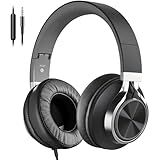
- Better Silence Better Sound: 360 surrounding Over Ear Noise-Isolation construction allow you to block-out up to 85% ambient sounds and disruption. Plus its 40mm DLC dynamic driver to deliver well-balanced bass and treble performance combined with a clear stereo mid range, you can easily get a truly focused immersive listening experience when studying or playing
- Truly Over Ear & Long-lasting Comfort: AC01 wired headphones earpad size 3.54 inch x 1 inch, features enlarge 1/3 bigger deeply cushioned ear pads than others, with high grade protein leather and breathable mesh, softly surround the entire ears making you feel extremely comfortable and isolating noise to enjoy your favourite media all-day long. Adjustable headband with a centre relief zone is made of premium lightweight TPU material, which is ergonomically designed for long-lasting comfort and perfect fit for teens, adults, and kids aged 12 and older
- 3.5mm Audio Jack with Volume Controls: This wired headset features built-in volume buttons, allowing you to easily manage phone calls and control music playback
- Lightweight & Foldable: Indulge yourself in the music world anytime anywhere thanks to the headphone’s lightweight, portable and foldable design with adjustable headband and enlarge deeply cushioned ear pads, which are ideal for easy on the go or travelling
- Crystal Sound with Wide Compatibility: With HD Microphone ensures excellent voice pick-up and automatically suppress wind noise for optimized calls whether you are in work, study or gaming. 3.5mm gold-plated plug is widely compatible for 3.5mm audio jack devices such as phones, fire tablets, Chromebook, laptops and etc.
3. Create the YouTube stream destination
In YouTube Studio’s live workflow, create or select the stream and retrieve its stream key or connection details using the current interface. Treat the key like a password: do not put it in a public description, screenshot, or message. If it is exposed, replace it through YouTube’s current controls before continuing.
4. Upload and arrange the media in StreamNeo
Upload a recording or make a playlist from multiple videos, then arrange the order you want played. Check the files and sequence before going live. StreamNeo’s published service description says it supports playlists and looping; check its live service page and checkout terms for current plan limits and availability.
Rank #3

- Foldable design for easy, compact transport
- Tightly-stitched, padded headband and ear pads for stylish comfort
- Closed-back dynamic design with clean sound, rich bass response and crisp highs
- Snap-on 1/8” (3.5 millimeter) to 1/4” (6.3 millimeter) adapter
5. Connect the stream and start the cloud broadcast
- In StreamNeo, add the YouTube destination using the stream key and details from YouTube Studio.
- Select the uploaded recording or playlist, then start the broadcast from the cloud dashboard.
- Check YouTube Studio to confirm the stream is live and that both audio and video are playing as intended.
After confirming the cloud stream is operating, your computer does not need to remain on for StreamNeo’s described workflow.
6. Monitor the live event and its replay
Keep YouTube Studio available to check for copyright warnings, restrictions, or stream status changes. If the stream is licensed, coordinate with the rights holder about Content ID allowlisting. After the live event, check the archive separately for claims or restrictions.
Rank #4

- Professional Hybrid Active Noise Cancellation: The Hybrid Active Noise Cancelling headphones reduce up to 33dB of noise so you can completely immerse into your rhythm whenever you need. Or if you need ambient sound, the Transparency Mode ensures you’re aware of your environment while you enjoy your music. There is a sensitive button control that makes it easy to switch between these two modes.
- Premium Hi-Fi Music: With customized 40mm drivers, vibeadio Bluetooth noise canceling headphones shine through with thumping bass on the lows and crystal clarity on the highs, each beat to its very essence. Exhilarate your senses with details of musical experience. And latest Bluetooth V5.2 technology wirelessly streams high-quality sound from your Bluetooth devices without the messy cords.
- Crystal Clear Hands-free Calls: Advanced microphone system precisely filters noise for crisp, clear call performance. These active noise cancelling headphones with ENC tech can catch your voice accurately and block background noise for perfect clear calls. Vibeadio wireless Bluetooth headphones make stable clear Hands-free calls which is convenient for home office/study.
- Ultra Comfort and Lightweight: Enlarge breathable high-grade protein ear cushions softly surround the entire ears making you feel extremely comfortable that the total listening experience gets accentuated another level with vibeadio over ear Bluetooth headphones. Ergonomically designed and 30% lighter over-ear headphones provide an all-day comfortable experience.
- Extended Long Playtime: Never worry about the shortage of power when you have long trips with compact lightweight vibeadio Bluetooth over ear headphones. Listen wirelessly for 30 hours without ANC and 25 hours with ANC on a single charge. Or use the provided detachable 3.5mm cable to listen even longer in wired mode when the battery is flat.
Or let it run in the cloud
StreamNeo is the cloud option for this prerecorded YouTube workflow: upload your recording or playlist, add the YouTube stream key, and go live. Nothing has to stay on at home; each slot streams the uploaded quality, up to 4K 60fps, at one flat price per slot. StreamNeo says it automatically attempts recovery if YouTube drops the stream. The first day is free with no card, and the Monthly plan is $9.99 per month. Plans include one always-on stream, 10 GB storage per slot pooled across active slots, looping and playlists, and StreamNeo team support; the same product is offered on each plan, with billing length changing. UPI and cards are available in India, and card checkout is available worldwide. Review current terms at StreamNeo, then start your free first day.
Quick wins for a faster PC:
Clear out junk files and repair common Windows errorsFree Scan →Scan for outdated or missing drivers - takes under a minuteDriver Scan →Repair Windows errors before they cause bigger problemsFix Now →Common problems and what to check
- YouTube does not show the stream as live: Confirm you selected the intended YouTube stream and entered the matching, active stream key. Check the cloud dashboard and YouTube Studio status before assuming the broadcast is running.
- The stream is interrupted or replaced by a placeholder: Look for a YouTube copyright notice. Review the affected material and permission scope; for licensed third-party content, ask the owner about Content ID allowlisting. A cloud relay cannot override YouTube’s content systems.
- Audio or visuals are missing or wrong: Recheck the uploaded file, playlist order, and selected programme in the cloud dashboard, then verify the output in YouTube Studio.
- The replay receives a claim after the broadcast: Review the archive and the relevant rights documentation. Live clearance and replay permission are distinct uses to confirm before streaming.
- The channel cannot start its first livestream: Check YouTube Studio’s current eligibility and verification steps; account verification may need to be completed at least 24 hours in advance.
Cost and service details to verify
Cloud billing buys managed delivery convenience, not music rights, YouTube approval, or guaranteed uninterrupted availability. StreamNeo’s trial, plan terms, and included capacity can change, so check its current service page and final checkout terms before paying. The service describes automatic recovery as a feature, but independent uptime or recovery performance is not established here.
Quick Recap
Best Value

- 【Active Noise Cancellation】From airplane engines and subway rumbles to office chatter – immerse yourself in the music. Whether you’re commuting, working, or studying, this feature creates a serene audio bubble that lets you dive deep into music, podcasts, or calls without interruptions.
- 【6 EQ Music Modes】Tailor your listening experience with 6 EQ mode: Pop (vibrant highs), Rock (powerful bass), Jazz (warm midrange), Classical (crisp dynamics), Electronic (punchy beats), and Normal (balanced neutrality). No app required—switch modes directly via the headphone controls to highlight the unique nuances of your favorite music.
- 【Hi-Res Audio Performance】Boast large dynamic drivers with high-sensitivity diaphragms. Experience crystal-clear vocals, deep yet controlled bass, and extended highs that preserve every detail of lossless tracks. From classical symphonies to heavy metal riffs, these headphones are made for you who love music.
- 【Bluetooth 5.4 & 48-Hour Long-Lasting Battery】Stay connected with Bluetooth 5.4’s stable, low-latency connection. Enjoy 48 hours of continuous playback on a single charge (32 hours with ANC enabled). Whether you’re on a cross-country flight or a workweek marathon, power anxiety becomes a thing of the past.
- 【All-Day Comfort with Ergonomic Design】Designed for extended wear, the headphones feature cloud-soft protein leather ear cushions and an adjustable headband that molds to your head shape. The circumaural (over-ear) design fully encloses ears to reduce pressure, while breathable materials prevent overheating even during 8+ hour sessions.
Product prices and availability are accurate as of the date/time indicated and are subject to change. Any price and availability information displayed on Amazon at the time of purchase will apply.

