An old HTC phone that shows no screen, no light and no response usually comes back through one of three routes: a working power path, enough time on charge, or the restart sequence documented for that exact model. Work through them in that order. HTC’s button combinations and hold times differ between handsets, so identify the model before pressing anything beyond the power button.
Step 1: Identify the exact model
Model-specific instructions are the only reliable guide here. Check the original box or receipt for the model name. Some handsets also print a model number on a label on the device itself, although the location varies by model. Once you have the name, look for the matching HTC Support page. The troubleshooting titles most often used by HTC are “What can I do if my phone will not power on?”, “What should I do if my phone will not charge?” and “How do I reboot the phone using hardware buttons?”
As an Amazon Associate I earn from qualifying purchases.
Step 2: Confirm the phone is actually off
Press POWER once and watch the screen for a few seconds. A dark display can mean the phone is asleep rather than switched off, and a sleeping phone may wake and show its previous screen. If nothing changes, treat the handset as powered off and continue.
Step 3: Check the power path
Most no-response cases are traced to the charging chain rather than the software. Work through these checks in order:
#1 Best Overall

- 1. Compatibility: compatible with for consumer cellular link, consumer cellular Link ii 2, Doro phoneeasy 7050 626 824 618 610 680 605 612 615 flip phone,jbl/sony/beats & more speaker,LG K8V G3 G4 K30 K20 K20V K10 K8 K7 K4 K3 K-Series, G3 G4 and more micro USB flip phone charge
- 2. [Fast Charge&Data Sync]:Oxidation resistance protect the charging head internal chip from the extrusion force. High Fine tin plated pure copper wire batteries ensures a Safe Rapid Charging at 2A Maximum and data syncing speed up to 480Mb/s.works better with quick charge devices for wireless Headphones / Headsets.
- 3. Output:5V 2A Input:100-240V 50-60Hz. Super Quick Safely Charging: Supports maximum 5 Amp current. Made with 23 AWG high Gauge Low Impedance wires, the cable charging speed is faster than ordinary USB cable.
- 4. [Compatibility List]: Fit for Tandem t:slim X2 Insulin Pump Charger,COMPATIBLE DEVICES: Samsung Galaxy S7 edge, S7, S6 edge, S6, S5 / Note 5 / J3 and J7 / Tab S2, Tab S, and Tab E / Tab A 10.1 (2016), Tab A 8.0 (2015), Tab A 7.0, and Tab A 9.7 and Others
- 5. The charging cable is sold under strict quality control. Please rest assured to purchase. If there is any quality problem, please contact us and we will refund for you. If this cable is not suitable for you, If there is any quality problem and we will recommend the correct cable to you.
- Plug the charger into a working wall outlet. Confirm the outlet works by powering a different device from it.
- Avoid a computer USB port during troubleshooting. HTC recommends a wall outlet because a computer port may supply too little current.
- Inspect the cable for fraying, kinks or bent connector pins, and check the handset’s charging port for lint, debris or bent contacts. Clean gently with a dry wooden or plastic tool, never metal.
- Use the charger and cable supplied with the phone where possible. HTC warns that third-party chargers and cables may not work correctly and could damage the phone. If you must replace one, confirm the connector type and the charger’s output against the model’s documentation before buying.
Step 4: Give a deeply drained battery time
A battery that has been flat for a long time may need a period on charge before the phone responds at all. Timing is documented by model, not universal:
- HTC 10: HTC says to charge for at least 5 to 10 minutes before trying to start the phone. HTC also says that when the battery is very low, the notification LED may take up to 2 minutes to change.
- HTC Desire 12s and HTC Bolt: HTC notes that a drained battery may take up to 2 minutes before the phone appears to be charging.
- Handsets without a notification LED: Not every HTC model has one, so do not wait for a light before moving on. Use the on-screen charging icon, if any, or the timings above as the reference point.
Step 5: Try the model’s documented power-on step
After you have confirmed the phone is charged, use the power-on step published for your model. The table below lists the documented examples. Where a source gives no timing for your model, the table says so rather than borrowing a figure from another handset.
Rank #2

- 【10-in-1 Multi-Functional Cable】: This all-in-one cable comes with 10 different ports, allowing you to charge multiple devices simultaneously. It’s compatible with smartphones, Bluetooth speakers, headphones, and older mobile phones, ensuring versatile functionality.
- 【Universal Compatibility】: Whether you're using an older phone or the latest model, this 10-in-1 cable supports a wide range of devices with Micro, M300, DC2.0, DC3.5, DC4.0, Mini, and 4S ports, making it perfect for almost any device you own.
- 【Compact & Portable Design】: Measuring 23CM (9 inches), this cable is compact and easy to carry, making it the ideal solution for travel, work, or daily use. It’s small enough to store in your bag or car without taking up much space.
- 【Durable & Long-Lasting】: Crafted with high-quality, flexible materials, this multi-function charger cable is built to last. It’s designed to handle regular use without breaking or fraying, ensuring longevity for frequent charging needs.
- 【Convenient & Practical】: This charging cable eliminates the need to carry multiple cables. Perfect for on-the-go, whether you're in the car, at the office, or traveling. It ensures you can charge all your devices with just one cable, simplifying your routine. 【Note】: This charging cable can only be used for charging, not for data transmission.
| Model | Documented step | Documented timing | Source |
|---|---|---|---|
| HTC 10 | Press and hold POWER after the phone is charged | 10 to 15 seconds | HTC Support, HTC 10 troubleshooting page (undated) |
| HTC EXODUS 1 (to restart a frozen phone) | Hold POWER until the phone restarts | 8 seconds | HTC Corporation, EXODUS 1 Quick Start Guide, 2018 |
| HTC Desire 12s and HTC Bolt | No power-on hold time documented; charge first | Up to 2 minutes before charging appears | HTC Support, undated troubleshooting pages |
| HTC One A9, HTC U11 life | Not stated in the sources reviewed | Not stated | HTC Support, India and United States pages (undated) |
For the HTC 10, HTC’s wording is: “After you have confirmed the phone is charged, try to power it on by pressing and holding the POWER button for 10-15 seconds.” That instruction applies to the HTC 10 only.
Step 6: Use a hardware-button restart only for your exact model
HTC publishes hardware-button restart procedures for several handsets. They use POWER with VOLUME DOWN, POWER with VOLUME UP, or all three power and volume buttons together. Each procedure specifies its own hold interval and tells you when to release the buttons, so the correct sequence depends on the model.
Rank #3

- Dual USB Port Wall Charger: Dual USB output total current 5V/2.1A and input with 100-241V, able to charge two devices simultaneously at high speed. These wall charger and micro usb cords really can save your time.
- Certified Safe: AbcPow's wall charger has protection system against over charging, over currents, and over heating. It will automatically stop charging when power is full, which can maximally protect your device. Durable Micro Cable: Nylon braided cord is tangle free and robust promises you a perfect experience in charging your devices. 6ft assured the length of charge your phone without worry about the distance.
- Wide Compatibility: These micro usb cords can fast charge and sync well with Samsung galaxy S7/S7 Edge/S3/S4/S5/S6/S6 Edge/S6 active, Note 5 4 3, Samsung Galaxy J4+ J5 J6 J6+ J7 J8 J3/J2 J1/Prime/Pro,J7 V/Sky Pro/Crown, LG G4 G3 G2 V10 K20 K20 Plus K7 K8, LG Stylo 3 2, LG aristo, Kindle Fire HD HDX Tablets 7 8 10, Google, HTC one M7 M8, Sony Xperia Z2 Z3 Z3+, Nokia 6 Nokia Lumia, HP, BlackBerry, Nexus, Windows, Camera, MP3 MP4 players, Power Bank and other android phone devices.
- Durable Micro Cable: Nylon braided cord is tangle free and robust promises you a perfect experience in charging your devices. 6ft assured the length of charge your phone without worry about the distance.
- What you get: 1 X Dual USB Wall Charger with 1 X 6FT Nylon braided Micro Cable, 7x 24 Hours friendly customer service, if you have any questions about our USB A charger and Micro USB Cable kit, please free to contact us, we promise to help you solute the problem.
- Confirm the phone has been charging for the period in Step 4.
- Open the HTC Support page for your exact model, and follow only the button combination and interval it lists.
- Release the buttons when the page or the screen tells you to. If a menu appears, choose only an option plainly labeled REBOOT, or Fastboot followed by Reboot, and only if the matching page instructs you to.
- If the phone does not respond after the documented sequence, stop and move on. Do not repeat unfamiliar combinations.
Be careful with unfamiliar options. Some button combinations open the Bootloader or Download Mode, and HTC warns that choosing unfamiliar menu options could void the warranty or leave the phone unable to start. HTC’s own “How to use the Bootloader” guide is the place to learn what those screens do before you touch them.
What not to do
- Do not factory reset to make the phone power on. HTC states that a reset erases data, media and files. It also says the phone needs enough charge and may require the account credentials of a previously signed-in account. On Android 5 or later, the same Google account used before the reset may be required to complete setup. Reset only when you have decided to lose the data on the handset.
- Do not force the phone open or pull out the battery. HTC’s EXODUS 1 guide warns against both. That warning comes from the EXODUS 1 guide, and not every HTC model has a removable battery, so do not apply it as a general instruction to open or disassemble other models.
- Do not repeat button combinations indefinitely. Repeated pressing can open low-level menus without fixing the fault.
When to stop and get help
If the outlet, charger, cable and port check out, the phone has charged for the documented period, and the correct model-specific restart has failed, the next step is outside the phone. Contact HTC Support with the exact model name and a description of what happens when you charge it and press POWER. A qualified repair technician can check the battery, charging circuit and port. Before any repair, note whether the phone’s data is backed up, because a repair or reset may erase it.
Rank #4
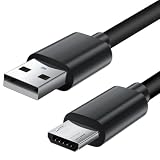
- Charger cord for Amazon Fire Tablet: This micro usb cable charger is compatible with Kindle Paperwhite,Voyage,Oasis, Keyboard eReaders. This micro charger cord compatible with fire tablets,HD 10,HD 8,HD7 HDX, HDX8.9".
- Android charger Cable for Phones and Tablets : This Android charging cable is for Samsung Galaxy S7/S7 edge/S6/S5/S4/S3/S2/J7V/j3v/J7 J3 Crown/Star/Prime/Sky Pro/Refine/j5/ j4/j2/note 3 4 5,Tab A 8.0/Tab A 10.1/Tab A 7.0/Tab E 9.6/Tab S2 8.0/Tab S2 9.7/tab 4, LG k50, k40, k30, k20, k20 plus,G4, G3,Stylo 2, 3, Stylus 3, Stylus 2 Plus and more
- More Compatibility: This micro usb charging cord is compatible with Samsung Tablets/ Nexus / HTC / Alcatel / Nokia / LG / Sony. This fast charging cable for Xbox One PS4 Controller/ PS Vita / GPS devices / battery packs / speakers / keyboards / cameras / hard drives / e-readers / wall charger,Windows smartphones,tablets,ebook,e-Reader,headphones. Android phone charger for Motorola Moto G4, G4 Play, G5, G5 Plus, G3, E4, E5, PS4, Huawei,and more devices with micro usb connectors
- Fast Charging and Data Sync Micro Charger: Charging Cable Rapid Charging at 2.4A Maximum, Quick connect and High speed Data Transfer speed up to 480Mb/s helps you work efficiently
- What You Get: 6ft VOTY micro charger cord.
HTC’s published troubleshooting covers only the models named above, so the sources do not establish a fix for every old HTC handset. For a model not listed here, follow the HTC Support page for that model, and treat any step that involves opening the device as a question for a qualified technician.
Quick wins for a faster PC:
Scan for outdated or missing drivers - takes under a minuteDriver Scan →Repair Windows errors before they cause bigger problemsFix Now →Quick Recap
Product prices and availability are accurate as of the date/time indicated and are subject to change. Any price and availability information displayed on Amazon at the time of purchase will apply.

