Use the same Activision account that stores your existing Call of Duty profile. Before opening the new sub-franchise, sign in to that account and link the destination PlayStation, Xbox, Steam, Blizzard, Nintendo, or other supported platform account under Linked Accounts. Cross-progression is attached to the Activision account rather than the platform account.
Progression and unlocked content generally follow that account, but personal settings are a separate matter: the official guidance does not promise a universal import for controller layout, sensitivity, graphics, audio, HUD, or every other preference. Plan to review those menus in the new title.
| # | Preview | Product | Price | |
|---|---|---|---|---|
| 1 |
|
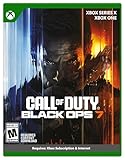
Call of Duty: Black Ops 7 | Cross-Gen Bundle | XBOX Series X and XBOX One | $34.99 | Buy on Amazon |
| 2 |

|
Call of Duty: Modern Warfare 4 | Standard Edition | XBOX Series X | $69.99 | Buy on Amazon |
| 3 |

|
Call of Duty: Black Ops Cold War (Xbox X) | $26.99 | Buy on Amazon |
As an Amazon Associate I earn from qualifying purchases.
What actually transfers between Call of Duty sub-franchises
A move from one Call of Duty sub-franchise to another is an account-linking process, not a save-file copy. Your destination game reads the profile associated with the Activision account you use when you launch it. If the new platform account is connected to a different Activision account, the destination profile can appear empty even when your old progress still exists.
Activision’s Crossplay and Cross-Progression in Call of Duty: Modern Warfare guidance (2019) states that Modern Warfare progress is stored on the Activision/Call of Duty account, not the platform account. Its examples of cross-progression include experience, Weapon XP, items earned or unlocked through gameplay, Battle Pass progress, campaign progress, and completed missions and challenges. Modern Warfare III guidance additionally lists stats, rank, weapon and camo progression, and unlocked content as available on platforms using the same linked Activision account.
#1 Best Overall
- XBOX CROSS-GEN BUNDLE – Includes Call of Duty: Black Ops 7 for Xbox Series X, and Xbox One devices with a disc drive.
- CALL OF DUTY: BLACK OPS 7 – Treyarch and Raven Software are bringing players the most mind-bending Black Ops ever.
- CAMPAIGN MODE – Squad up or go solo in an innovative Co-Op Campaign that redefines the Black Ops experience. Take on high-stakes challenges across a wide spectrum of environments, from the neon-lit rooftops of Japan to the Mediterranean coast, and even into the deepest corners of the human psyche.
- MULTIPLAYER MODE – Multiplayer explodes out of the gate with 16 electrifying 6v6 maps and two 20v20 maps at launch. From futuristic Tokyo vistas to the frozen, unforgiving wilds of Alaska, every environment is brimming with danger and opportunity. Master a cutting-edge arsenal and outmaneuver your enemies with an evolved Omnimovement system.
- ROUND-BASED ZOMBIES MODE – The nightmare begins where reality ends. Trapped in the heart of the Dark Aether, the crew is thrust into a vast, ever-shifting hellscape. This isn’t just survival. It’s a descent into madness.
That account model lets you move between supported platforms and between related sub-franchises without starting the account-level progression over. It does not mean every game mode, purchase, setting, or currency is governed by identical rules, so check the destination title’s current support information for season-specific exceptions.
Before you launch the new game
Find the account that owns the old profile
Identify the Activision account where your existing level, unlocks, statistics, and Battle Pass history appear. Do not rely only on the email address you normally use for a console or PC storefront; the platform login and the Activision login are separate identities. If you have more than one Activision account, sign in to each account-management profile until you find the one showing the expected linked platforms or Activision ID.
Record the destination platform identity
Know which PlayStation, Xbox, Steam, Blizzard, Nintendo, or other supported platform account you will use for the new title. A platform account can be linked to only one Activision account for this purpose. Launching the game first and accepting a fresh account prompt can attach the platform to the wrong profile, so verify the link before you play.
Keep account recovery details available
Have access to the email address, password, and any two-factor authentication method on the original Activision account. If you are changing consoles or computers, this preparation prevents a recovery problem from being mistaken for lost game progress.
Step-by-step: transfer your profile to the new sub-franchise
- Identify the original Activision account. Sign in to Activision account management and confirm that its Activision ID and linked-platform list match the account used by the old Call of Duty game.
- Sign in before launching the destination title. Use that same Activision account in the console, PC launcher, or in-game sign-in flow. Do not create a new Activision account merely because the destination game is a different sub-franchise.
- Open Linked Accounts. In account management, inspect the entries for PlayStation, Xbox, Steam, Blizzard, Nintendo, or another supported service. Confirm that the destination platform account is attached to the original Activision account, not to a second profile.
- Correct the link if necessary. If the destination platform is attached elsewhere, stop and resolve the account association before beginning the new game. Activision’s current account-management guidance says an individual platform account may be unlinked once every 12 months, so do not unlink casually or repeatedly.
- Launch the new Call of Duty title. Complete the sign-in process with the verified platform account. The game should display the Activision ID associated with the original profile.
- Check the profile before spending time or money. Look at rank, statistics, weapon or camo progression, unlocked operators and other content, and any available Battle Pass or campaign status. These checks reveal a wrong-account connection early.
- Re-enter personal settings. Open the destination game’s controller, keyboard-and-mouse, sensitivity, graphics, audio, accessibility, and HUD menus. Match your preferred values manually and save them to the destination game’s profile.
- Stop if the profile is blank. Do not create another Activision account or begin a new campaign to “refresh” the data. Exit, return to Linked Accounts, and verify that the platform is connected to the account that held the old progression.
What carries over and what does not
| Data or purchase | Expected treatment | Important qualification |
|---|---|---|
| XP and Weapon XP | Available through cross-progression on the same linked Activision account | Documented in Activision’s Modern Warfare guidance; destination-game rules still apply. |
| Rank and statistics | Available across supported platforms using the same linked account | Modern Warfare III guidance specifically lists stats and rank. |
| Weapon and camo progression | Available with the same linked Activision account | Modern Warfare III guidance lists weapon and camo progression. |
| Items and content earned through play | Carry over as account-linked unlocks | Modern Warfare guidance includes items earned or unlocked through gameplay. |
| Battle Pass progress | Account-linked progress can carry over | Availability and progression behavior can depend on the destination title and season. |
| Campaign progress, completed missions, and challenges | Included in the Modern Warfare cross-progression examples | Do not assume every campaign or challenge is interchangeable between unrelated releases. |
| Controller, sensitivity, graphics, audio, and HUD settings | Manual setup recommended | The cited official pages do not promise a universal settings-import function between every sub-franchise. |
| Call of Duty Points | Platform-restricted spending | Modern Warfare guidance says points can be spent only on the platform where purchased; verify current title and season rules. |
| Items purchased with Call of Duty Points | Shared across linked platforms in the cited guidance | Store and title rules can change, so confirm the destination title’s current support information. |
Settings are not the same as progression
Your account can restore rank and unlocks while leaving the game feeling completely different. A new sub-franchise may use different menu names, default values, aim behavior, field-of-view options, audio mixes, or accessibility controls. The reviewed Activision pages explain account-linked progression and content, but they do not promise that a controller layout, stick sensitivity, graphics preset, audio mix, HUD arrangement, or accessibility profile is copied automatically.
Controller and mouse settings
Before leaving the old game, take screenshots or write down button layout, stick response, horizontal and vertical sensitivity, aim-down-sight multipliers, dead zones, trigger behavior, mouse sensitivity, acceleration, and keybinds. In the destination title, open its input settings and reproduce the values one category at a time. Test them in a private match or training area before entering competitive play.
Video, audio, and interface settings
Record display resolution, field of view, brightness, motion-blur choices, graphics quality, audio device, master and effects volumes, subtitle options, color filters, minimap behavior, and HUD visibility. These settings can depend on the new game’s engine and hardware, so an identical number may not produce an identical result.
Outdated Drivers Are Slowing You Down
One free scan finds every outdated or missing driver and matches the right update for your exact hardware.Free scan · exact hardware matchPC Slower Than It Used to Be?
A free scan shows the junk files, broken settings and background clutter dragging Windows down - then fixes them in one click.Free scan · Windows 10 & 11Accessibility preferences
Recheck text size, contrast, color filters, subtitle presentation, controller assistance, and other accessibility options directly in the destination game. Treat this as a safety check rather than assuming an old profile has been imported.
Rank #2
- BONUS 2X OFFER — Purchase Call of Duty: Modern Warfare 4 at Amazon and receive 5 hours of Double XP.**
- PRE-ORDER BONUS — Pre-order and unlock the Hunter Killer Operator Skin and the Gilded Pearl Camo Pack.*
- GLOBE‑SPANNING CAMPAIGN — Fight across the Korean Peninsula, New York, Paris, and Mumbai in a high‑stakes narrative where global conflict escalates and survival depends on tactical precision.
- MULTIPLAYER BUILT ON CONTROL — Engage in grounded, precise combat where fluid movement, player choice, and refined mechanics give you greater control in every firefight.
- TACTICAL DMZ OPERATIONS — Deploy behind enemy lines as an off‑the‑books asset, making high‑risk decisions on objectives and extraction in a dynamic mode where every run counts.
Moving from Modern Warfare to Black Ops
“Can I carry my COD progress from Modern Warfare to Black Ops?” is answered by the account rule: use the same Activision account and link the platform account before launching the Black Ops title. Account-level progression and qualifying unlocked content can appear there, while settings still require manual review.
The exact scope depends on the destination release. A feature described for Modern Warfare or Modern Warfare III should not be treated as a guarantee for every Black Ops season. Read the destination title’s own support notes for mode, Battle Pass, store, and currency behavior.
What to expect in Black Ops 7
Activision’s 2025 Black Ops 7 support information continues the Activision-account cross-progression model. In Black Ops 7, gameplay across Co-Op Campaign, Multiplayer, Zombies, and Warzone earns XP toward 55 levels covering weapons, equipment, scorestreaks, operators, and more. Beginning with Season 01, gameplay also counts toward overall player progression and Battle Pass progression.
Free tools Windows power users keep installed
One-click scans. No signup required.
That 55-level figure describes Black Ops 7’s progression structure; it is not a promise that a rank from another sub-franchise will be numerically converted into an equivalent Black Ops 7 level. The destination game applies its own level, unlock, and seasonal systems after it recognizes your Activision account.
Call of Duty Points and purchased content
Currency is the most common source of confusion because it is handled differently from account progression. In the cited Modern Warfare guidance, Call of Duty Points can be spent only on the platform where they were purchased, while items bought with those points are shared across linked platforms. For example, an item may be usable after you move to another linked platform even though the balance itself is not spendable there.
Do not move a platform or buy a bundle based on an assumption that every title uses the same rule. Store policies can vary by release and season. Check the destination title’s current support page for the treatment of an existing point balance, Battle Pass ownership, bundles, and platform-specific entitlements before making a purchase.
Independent reader supportYour contribution helps us test, update, and keep practical guides available for everyone.Changing consoles or PC platforms
Same platform family, new hardware
When you replace a console or computer but keep the same platform account, sign in to that platform account and connect it to the original Activision account. The hardware change itself does not transfer progress; the account association does.
Quick wins for a faster PC:
Fix the driver behind crashes, sound loss and screen glitchesFind Drivers →Clear out junk files and repair common Windows errorsFree Scan →Moving to a different platform
For a move such as console to PC or one console ecosystem to another, add the destination platform account under Linked Accounts on the original Activision profile before launching the game. Then verify the displayed Activision ID and profile data in the destination title. Keep the old platform linked until the new setup is confirmed.
Rank #3
- As Elite operatives, you will Follow the trail of a shadowy Figure named perseus who is on a mission to destabilize the global balance of power and change the course of history.
- Descend into the dark center of this global conspiracy alongside iconic characters woods, Mason and hudson and a new cast of operatives attempting to stop a plot decades in the making.
- Beyond the campaign, players will bring a cold war arsenal of weapons and equipment into the next generation of multiplayer and Zombies experiences.
- Includes Xbox x, and Xbox One version of game on disc. Xbox x standard editions playable on Xbox One. Not playable on disc less Xbox series S.
- Some features may require an internet connection and an online subscription
Using several platforms
If multiple supported platforms are linked to one Activision account, each game session should use the matching linked platform identity. A profile that looks new on one device usually indicates an account-link mismatch rather than deletion of the original data.
Why the new profile is blank—and how to fix it
The platform is linked to a different Activision account
This is the primary failure mode. Sign out of the newly created or unintended Activision profile, sign in to the original profile, and inspect Linked Accounts. Activision says progress and content are not lost when this happens; relinking the platform account to the original Activision account can recover access.
You launched before correcting the link
Close the destination game after confirming the wrong profile. Do not keep playing, buying items, or creating additional accounts while troubleshooting. Resolve the association first, then relaunch and check the Activision ID, rank, and unlocked content.
Do these 3 things before closing this tab:
1Fix the driver behind crashes, sound loss and screen glitches2Repair Windows errors before they cause bigger problems3Scan for outdated or missing drivers - takes under a minuteYou expected settings to import
A correct progression profile can still open with default controls or video options. Compare the destination menus with your saved notes or screenshots and configure them manually.
A purchase or currency is missing
Separate the account question from the store question. Confirm that the item was purchased on the linked account, then check whether the title’s current rules restrict Call of Duty Points or platform entitlements. An item bought with points may be shared even when the points balance is platform-specific under the cited Modern Warfare policy.
You cannot unlink the platform
Activision’s current account-management guidance says an individual platform account may be unlinked once every 12 months. If you have already used that allowance, do not repeatedly submit unlink requests or create replacement accounts; use the account-recovery and support options associated with the original profile.
A quick transfer checklist
- Find the Activision account showing your old Call of Duty progression.
- Confirm the destination platform account you will use.
- Check Linked Accounts before launching the new title.
- Keep the original platform linked until the new profile is verified.
- After launch, confirm the Activision ID, rank, statistics, and unlocked content.
- Recreate controller, sensitivity, graphics, audio, HUD, and accessibility settings manually.
- Check current destination-title rules before assuming Call of Duty Points or store entitlements are portable.
- If the profile is blank, stop playing and relink the platform to the original Activision account instead of creating another one.
The practical answer
Your Call of Duty progression follows the correct Activision account, not the console or PC account by itself. Link the destination platform to that account first, verify the profile when the new sub-franchise opens, and treat personal settings and Call of Duty Points as separate checks rather than guaranteed transfers.
What’s actually slowing this PC down?
Pick the symptom - the matching free tool is one click away.
Quick Recap
Product prices and availability are accurate as of the date/time indicated and are subject to change. Any price and availability information displayed on Amazon at the time of purchase will apply.

