You can send a 4K 60fps HEVC (H.265) feed to YouTube Live, but you cannot guarantee viewers will receive your original file without quality loss: YouTube transcodes live video for playback. To minimize avoidable degradation, make sure your playout workflow actually outputs 2160p at 60fps in HEVC, use a 35 Mbps constant bitrate (CBR), set a two-second keyframe interval, and test and monitor the stream. These are YouTube’s published ingest recommendations for 2160p60 HEVC/AV1. YouTube’s live encoder settings are the reference for the figures and protocol below.
What “without quality loss” means for a YouTube Live stream
A 4K60 HEVC file is your input, not proof of what YouTube receives. The playout application must decode the file and produce an outgoing live feed; that feed has its own codec, resolution, frame rate, bitrate, color settings, and transport. Check those actual output settings and the format YouTube detects.
As an Amazon Associate I earn from qualifying purchases.
Even when the ingest is configured correctly, YouTube transcodes live streams into multiple formats for different devices and network conditions. The practical goal is to avoid unnecessary quality loss before and during ingest—not to promise bit-for-bit playback of the original file on every viewer’s device.
The Tool Desk
Outbyte PC Repair FREERepair Windows errors before they cause bigger problemsFix Now →Outbyte Driver Updater FREEScan for outdated or missing drivers - takes under a minuteDriver Scan →Recommended settings for 2160p60 HEVC ingest
| Setting | Use | Why it matters |
|---|---|---|
| Video codec | H.265 (HEVC) | YouTube accepts HEVC over RTMP/RTMPS. For 2160p60 HEVC or AV1, YouTube lists 10 Mbps as the minimum video bitrate and 35 Mbps as recommended. These are ingest video bitrates, not viewer connection-speed requirements. |
| Resolution and frame rate | 3840 × 2160 at 60 fps (2160p60) | Confirm the outgoing stream has these values; the source file’s resolution and frame rate alone do not establish them. |
| Bitrate mode | CBR | YouTube recommends constant bitrate for live ingest. |
| Video bitrate | 35 Mbps | YouTube’s recommended target for 2160p60 HEVC/AV1. Its table lists 10 Mbps as the minimum. |
| Keyframe interval | 2 seconds | YouTube recommends two seconds and says not to exceed four seconds. |
| Transport | RTMPS where available | YouTube supports RTMP/RTMPS and recommends RTMPS. |
| SDR color | Rec. 709, 8-bit | Use the SDR guidance for SDR footage; selecting HEVC does not turn SDR material into HDR. |
| HDR color | HEVC, 10-bit, compatible BT.2020 primaries and PQ or HLG transfer characteristics | Use HDR settings only for compatible HDR content and a workflow that preserves the intended color information. See YouTube’s HDR streaming guidance. |
For context, YouTube’s 2160p60 H.264 figures are 14 Mbps minimum and 50 Mbps recommended. They are not the HEVC targets; do not substitute them when configuring an HEVC output. See YouTube’s full encoder settings table.
#1 Best Overall

- 【Innovative Product with Leading Technology】- Equipped with an advanced H.265 /H.264 dual encoding chip, supports 4K UHD (3840x2160) video input and output, with a maximum frame rate of 30fps at 4K resolution and up to 120fps at 2K and lower resolutions, delivering a smooth and detailed visual experience. It also supports HDCP 1.4 decryption, easily decoding various HDMI ultra HD video sources, delivering a cinematic visual experience for both professional live streaming and 4K ultra HD content transmission.
- 【Multi-protocol and Multi-platform Compatibility】- Fully compatible with streaming protocols such as HTTP, RTSP, RTMP(S), SRT, HLS(M3U8), MP4, Multicast(UDP, RTP, PTL), FLV, WebRTC, TRTC, ICECAST, it can simultaneously output 4 video streams with different protocols and push them to live streaming platforms such as YouTube, Facebook, Twitch, and Vimeo with one click. Simultaneous live streaming across multiple platforms can be achieved without additional equipment.
- 【Highly Customizable Settings to Meet Individual Needs】- It supports adding static text, scrolling captions, brand logos, and timestamps. Users can freely adjust core parameters such as video resolution, frame rate, and bitrate, and also perform personalized editing functions such as video cropping, rotation, flipping, and mirroring. It supports dual input of HDMI embedded audio and line-in audio, with adjustable sound quality, making your live stream content more distinctive and allowing you to create a unique brand live stream style.
- 【Stable and Efficient Transmission, Easy Operation】- Employing HDMI to Ethernet core connection technology, it ensures stable and reliable network transmission with low latency and no lag, adapting to various network environments. Equipped with an intuitive user interface and detailed instruction manual, no professional technical background is required; setup can be completed quickly after connecting the device. It is also compatible with multiple terminals such as computers and mobile phones for management, and the video stream status can be viewed in real time via a URL.
- 【Lifetime Free Warranty and Technical Supports】- All URayCoder video codecs come with a lifetime free warranty and technical supports, supporting secondary development and feature customization to meet enterprise-level personalized needs. Meanwhile, we providing many kinds of customization services such as shell pattern printing, logo addition, hardware and function development, ensuring reliable quality and worry-free after-sales service.
Configure and test the file-to-live workflow
- Confirm the file’s properties. Check its frame size, frame rate, codec, bit depth, and whether it is SDR or HDR. If the file is not 2160p60, setting the live output to 2160p60 will not restore detail or motion information that is absent from the source.
- Choose a playout and encoder path that supports local-file playback. A software encoder such as OBS is one computer-based option listed by YouTube. Verify the operating system, software version, decoder support for the file, and available encoder hardware. For HDR in OBS, YouTube’s guidance describes selecting a hardware HEVC encoder and configuring HDR-specific options; the precise controls depend on the supported setup. YouTube’s encoder directory lists software, services, and hardware, but a listing does not prove support for every file format or local-file workflow.
- Set the actual outgoing video format. Configure 3840 × 2160, 60 fps, H.265/HEVC, and CBR at 35 Mbps. Set the keyframe interval to two seconds; do not exceed four seconds. Use RTMPS if your encoder offers it for the YouTube destination.
- Match color settings to the source. For SDR, use Rec. 709 and 8-bit. For HDR, use HEVC and 10-bit with the compatible BT.2020 and PQ or HLG signaling required by the content and workflow. A mismatch can make color appear washed out, clipped, or otherwise wrong even when resolution and bitrate are correct.
- Connect the encoder to YouTube. In YouTube Studio, create or schedule a live stream and copy its stream key into the encoder’s YouTube destination settings. Treat the key like a password: do not publish it or share screenshots containing it. YouTube normally detects encoder settings automatically; a custom stream key can be used when you need to select resolution manually. Check YouTube’s detected stream format rather than assuming it matches the file.
- Run a representative private or unlisted test before the event. Include fast motion, scene changes, audio, and—if applicable—the intended HDR path. YouTube recommends testing with audio and movement similar to the planned stream. Watch the preview and stream-health messages, and confirm resolution, frame rate, codec, and stability before relying on the setup.
- Monitor while live. Keep the encoder’s output statistics and YouTube Studio’s stream-health messages visible. Watch for bitrate instability, dropped frames, ingest warnings, audio problems, or a detected format that differs from the intended output.
Choose an encoder based on the whole workflow
The relevant distinction is not merely whether a product can encode 4K. Confirm that it can play your prerecorded file directly, produce verified 2160p60 HEVC output, preserve the needed SDR or HDR color path, expose bitrate and keyframe controls, and show stream health.
- Computer software: YouTube lists OBS as open-source streaming software. It can be a fit for a computer-based workflow, but confirm the exact file-decoding and encoding support for your operating system, software build, and hardware.
- Cloud playout for prerecorded libraries: YouTube’s directory describes Gyre as a cloud service for 24/7 streams of prerecorded videos and lists Full HD and 4K at 30/60 fps, with a built-in converter. Treat these as directory-listed descriptions; verify current format support and whether its settings meet your HEVC, bitrate, and color requirements.
- Managed live processing: YouTube lists AWS Elemental MediaLive as supporting live streaming up to 4Kp60 HEVC. That capability does not establish that it is a simple local-file playout option; consider it when your workflow calls for managed live processing.
- Standalone hardware: YouTube’s directory includes devices such as the Blackmagic Web Presenter 4K and describes streaming up to 2160p60. Resolution capability alone does not establish HEVC output or direct prerecorded-file playback. Verify both before purchase or setup.
For a computer-based OBS workflow, a graphics card with a compatible hardware HEVC encoder may be relevant, especially for HDR. Do not assume every GPU generation, profile, or software combination handles 4K60 SDR and HDR alike; verify the exact encoder and format support first.
Rank #2

- SUPERIOR VIDEO QUALITY - Experience crystal-clear video with 4K HDMI and 3G-SDI inputs, supporting resolutions up to 3840x2160p at 30fps for stunning detail and clarity in every stream.
- ULTRA-LOW LATENCY STREAMING - Benefit from minimal delay with NDI HX3/HX2, SRT, and RTMP protocols, ensuring real-time video delivery for interactive and time-sensitive applications.
- RELIABLE, STABLE CONNECTION - Ensure seamless streaming with a Gigabit Ethernet port supporting PoE (802.3af), providing a dependable network connection and power supply for uninterrupted broadcasts.
- SIMPLE AND INTUITIVE OPERATION - Easily manage your streams using the 1.14" LCD display with touch buttons, offering quick access to settings and real-time monitoring for effortless control.
- BROAD COMPATIBILITY OPTIONS - Connect to a wide range of devices with dual HDMI and 3G-SDI inputs/outputs, plus USB 2.0 ports, ensuring seamless integration with your existing equipment.
Troubleshooting: why the live stream looks worse than the file
- YouTube detects a lower resolution or frame rate: The encoder may be outputting a lower format, or the workflow may not decode and play the source as expected. Inspect the outgoing encoder settings and YouTube’s detected stream format; do not rely on the file’s metadata alone.
- Picture detail or motion looks soft: Check that the feed is 2160p60 HEVC and that video bitrate is set to YouTube’s 35 Mbps recommended target for 2160p60 HEVC/AV1. Confirm CBR and check for bitrate drops or encoder overload. A bitrate target cannot add detail missing from the source.
- Motion breaks up or stream health reports problems: Check encoder load and the stability of the upload path, then run another representative test. YouTube’s 35 Mbps figure is the video bitrate; the connection must also have capacity for the full stream and other network traffic. The cited guidance does not set one universal upload-speed margin.
- Color looks washed out, too dark, or clipped: Check whether the source is SDR or HDR and whether the encoder’s color space, bit depth, primaries, and transfer characteristics match it. Use Rec. 709/8-bit for SDR; use the compatible HDR path only for HDR content.
- Keyframe or ingest warnings appear: Set keyframes to two seconds and do not exceed four seconds. Use RTMPS if available and verify that the stream key is the one for the scheduled YouTube event.
- The stream disconnects: Check the connection, encoder messages, and YouTube stream health. Reconnect using the event’s current stream key and retest before resuming a time-sensitive broadcast.
Or let it run in the cloud
For prerecorded video that needs to keep a YouTube channel live, StreamNeo runs the playout in the cloud: upload a recording or build a playlist, add your YouTube stream key once, and go live. Nothing has to stay on at home. It streams the uploaded video as made, up to 4K 60fps, at one price per slot; YouTube may still transcode the stream for viewers. StreamNeo can automatically recover if YouTube drops the stream.
Recommended Free Tools
The first day is free with no card, one free day per account. The Monthly price is $9.99 per month. UPI and cards are accepted in India; card checkout is available worldwide. Start the free day on StreamNeo.
Quick Recap
Best Value
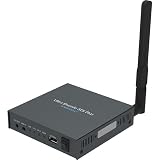
- 4K SDI Encoding in a Compact Standalone Device – Encodes SDI video up to 4096×2160p30 with H.264 or H.265 (HEVC) compression for high-quality streaming and contribution workflows.
- Multi-Protocol & Multi-Destination Streaming – Stream to multiple platforms simultaneously using RTMP, RTMPS, SRT, NDI|HX, HLS, and TS over UDP/RTP, supporting diverse broadcast and AV workflows.
- Advanced Video Processing & Overlays – Includes de-interlacing, cropping, scaling, aspect ratio conversion, color format conversion, and support for text, image, and clock overlays for branded output.
- Simultaneous Streaming & Recording – Record video directly to internal storage (128 GB), external USB storage, or network locations while streaming live, with support for scheduled and loop recording.
- Flexible Network & Connectivity Options – Equipped with Gigabit Ethernet with PoE and Wi-Fi 802.11 a/b/g/n/ac, plus support for 4G/5G USB modems (not supplied) for fixed or mobile deployments.
Rank #4

- ⭐【Innovative Product with Leading Technology】- Equipped with an advanced H.265/H.264 dual encoding chip, supports 1920x1080 resolution input and output, achieving 60fps high-definition presentation with realistic and delicate color reproduction and lossless detail. It also supports HDCP 1.4 decryption, easily decoding various HDMI high-definition video sources, delivering a cinematic visual experience for both professional live streaming and high-definition content transmission.
- ⭐【Multi-protocol and Multi-platform Compatibility】- Fully compatible with streaming protocols such as HTTP, RTSP, RTMP(S), SRT, HLS(M3U8), MP4, Multicast(UDP, RTP, PTL), ONVIF, FLV, it can simultaneously output 4 video streams with different protocols and push them to live streaming platforms such as YouTube, Facebook, Twitch, and Vimeo with one click. Simultaneous live streaming across multiple platforms can be achieved without additional equipment.
- ⭐【Highly Customizable Settings to Meet Individual Needs】- It supports adding static text, scrolling captions, brand logos, and timestamps. Users can freely adjust core parameters such as video resolution, frame rate, and bitrate, and also perform personalized editing functions such as video cropping, rotation, flipping, and mirroring. It supports dual input of HDMI embedded audio and line-in audio, with adjustable sound quality, making your live stream content more distinctive and allowing you to create a unique brand live stream style.
- ⭐【Stable and Efficient Transmission, Easy Operation】- Employing HDMI to Ethernet core connection technology, it ensures stable and reliable network transmission with low latency and no lag, adapting to various network environments. Equipped with an intuitive user interface and detailed instruction manual, no professional technical background is required; setup can be completed quickly after connecting the device. It is also compatible with multiple terminals such as computers and mobile phones for management, and the video stream status can be viewed in real time via a URL.
- ⭐【Lifetime Free Warranty and Technical Supports】- All URayCoder video codecs come with a lifetime free warranty and technical supports, supporting secondary development and feature customization to meet enterprise-level personalized needs. Meanwhile, we providing many kinds of customization services such as shell pattern printing, logo addition, hardware and function development, ensuring reliable quality and worry-free after-sales service.
Rank #3

- 【Innovative Product with Leading Technology】- Equipped with an advanced H.265 /H.264 dual encoding chip, supports 4K UHD (3840x2160) video input and output, with a maximum frame rate of 30fps at 4K resolution and up to 120fps at 2K and lower resolutions, delivering a smooth and detailed visual experience. It also supports HDCP 1.4 decryption, easily decoding various HDMI ultra HD video sources, delivering a cinematic visual experience for both professional live streaming and 4K ultra HD content transmission.
- 【Multi-protocol and Multi-platform Compatibility】- Fully compatible with streaming protocols such as HTTP, RTSP, RTMP(S), SRT, HLS(M3U8), MP4, Multicast(UDP, RTP, PTL), ONVIF, FLV, WebRTC, TRTC, ICECAST, it can simultaneously output 4 video streams with different protocols and push them to live streaming platforms such as YouTube, Facebook, Twitch, and Vimeo with one click. Simultaneous live streaming across multiple platforms can be achieved without additional equipment.
- 【Highly Customizable Settings to Meet Individual Needs】- It supports adding static text, scrolling captions, brand logos, and timestamps. Users can freely adjust core parameters such as video resolution, frame rate, and bitrate, and also perform personalized editing functions such as video cropping, rotation, flipping, and mirroring. It supports dual input of HDMI embedded audio and line-in audio, with adjustable sound quality, making your live stream content more distinctive and allowing you to create a unique brand live stream style.
- 【Stable and Efficient Transmission, Easy Operation】- Employing HDMI to Ethernet core connection technology, it ensures stable and reliable network transmission with low latency and no lag, adapting to various network environments. Equipped with an intuitive user interface and detailed instruction manual, no professional technical background is required; setup can be completed quickly after connecting the device. It is also compatible with multiple terminals such as computers and mobile phones for management, and the video stream status can be viewed in real time via a URL.
- 【Lifetime Free Warranty and Technical Supports】- All URayCoder video codecs come with a lifetime free warranty and technical supports, supporting secondary development and feature customization to meet enterprise-level personalized needs. Meanwhile, we providing many kinds of customization services such as shell pattern printing, logo addition, hardware and function development, ensuring reliable quality and worry-free after-sales service.
Product prices and availability are accurate as of the date/time indicated and are subject to change. Any price and availability information displayed on Amazon at the time of purchase will apply.

