You can stream a 10-hour rain recording on YouTube Live by sending it through an encoder, such as compatible streaming software, and setting the source to repeat if you want it to run continuously. YouTube does not turn an uploaded file into an endless loop for you. A truly 24/7 channel also needs a continuously running playback setup, a reliable connection, monitoring and a recovery plan.
What you need before you start
- A YouTube channel that is eligible to livestream. YouTube says the channel must be verified and have no live-streaming restrictions in the preceding 90 days; its getting-started guidance also says streamers must be at least 16.
- A 10-hour audio-and-video source. Even an audio stream needs a visual component; use imagery you own or are authorized to use.
- An encoder that can send a supported feed to YouTube and keep the source playing or repeating.
- A stable internet connection with enough sustained upload capacity for your chosen stream settings, plus headroom for normal variation.
- Storage for a local recording backup, if you want to retain the event independently of YouTube’s archive.
Prepare the source and verify rights for both the rain recording and every visual before configuring the stream. A sound described as “rain” or a stock loop is not automatically free to use. YouTube’s livestream terms and conditions require necessary rights for live and archived content, and its live copyright guidance explains that matching third-party content can interrupt a broadcast.
As an Amazon Associate I earn from qualifying purchases.
Set up a 10-hour rain stream in YouTube Live
- Confirm livestream eligibility. Check the channel’s status and resolve any verification or restriction issue before preparing the broadcast. YouTube’s live access requirements are described in its getting-started guidance.
- Create or select an encoder stream. In YouTube Studio, open the Live Control Room and choose the encoder workflow. Create a stream or select the one you intend to use.
- Copy the ingest details into your encoder. Enter the stream URL and stream key from Live Control Room in the encoder’s YouTube destination settings. The key authorizes the encoder to send content, so keep it private; do not show it in a public screenshot or recording. Follow YouTube’s encoder setup instructions.
- Load the complete source and set its playback behavior. Confirm that the full 10-hour recording plays. For a 24/7 channel, configure the source or encoder to repeat continuously. This is a creator-side playback task: YouTube’s encoder instructions explain how to send a feed, not how to loop an uploaded file indefinitely.
- Choose settings your source and connection can sustain. Match resolution and frame rate to the actual source rather than upscaling a simple ambient video. Use the current resolution- and frame-rate-specific bitrate recommendations in YouTube’s encoder settings guidance; there is no single correct bitrate for every stream. YouTube lists RTMP/RTMPS ingest, H.264, H.265/HEVC and AV1 video codecs, AAC or MP3 audio for RTMP/RTMPS, constant bitrate (CBR), and a recommended two-second keyframe interval, not exceeding four seconds. YouTube recommends RTMPS for encrypted ingest.
- Preview before going live. Start the encoder feed and wait for it to appear in Live Control Room. Check the picture, rain audio, stream health and upload stability before starting the public event.
- Start the broadcast and monitor it. Confirm the stream is visible on the channel or watch page, then listen and check the picture during the event. For a long-running channel, decide in advance how you will notice a stopped feed and restart the source or encoder.
Looping a 10-hour file for a 24/7 channel
A 10-hour file is not itself a 24/7 stream. Configure the playback application or encoder to restart the source at its end, or build a playlist that continues into the next item and repeats. Verify the transition by letting playback reach the end during a test: make sure it returns to the beginning, the audio does not stop, and the encoder continues sending a feed.
Compare encoder options by whether they can send a supported YouTube ingest feed, repeat your source, run on your computer and work with your chosen codecs. Also assess how you will monitor and recover the stream. The YouTube encoder documentation does not establish a product ranking, so check the current capabilities of the encoder you choose.
#1 Best Overall

- 60 minutes of calming rain and thunder. Relax, unwind and drift off to sleep to these soothing nature sounds of a rainstorm.
- Authentic professional nature recording. This distant thunderstorm creates white noise to drown out household sounds
- No jarring thunder claps, annoying birds chirping, distracting loops, or cheesy music. Just the pure sound of a rainstorm and low, rumbling thunder.
- This CD is a professional, high-quality CD made in the USA and will work in all CD players.
- Gift quality packaging. Makes an elegant and thoughtful gift. It can help with anxiety, stress, and insomnia.
Network capacity must be sustained, not merely reached in a brief speed test. YouTube recommends leaving upload headroom and using a reliable connection; a network interruption can break the feed. Test the actual source and settings over time, and address instability before relying on the setup around the clock.
Encoder settings for ambient rain audio
Use the current YouTube encoder settings table to select bitrate for your chosen resolution and frame rate rather than copying a universal value. Keep the keyframe interval at the recommended two seconds and no longer than four seconds, use CBR, and select a supported video and audio codec for the ingest mode. RTMPS is YouTube’s recommended encrypted ingest option.
Rank #2

- Relaxation and Sleep Support: Relax your body and calm your mind with these relaxation and sleep CDs designed to promote restful sleep and stress relief
- Authentic Nature Recordings: Includes the sounds of calming ocean waves, a peaceful stream, relaxing rain and soothing guitar, with tracks that are continuous recordings and are not looped
- Created by Music Therapist: Developed by a music therapist who gives a percentage of profits to help kids with cancer
- Premium Quality Manufacturing: High-quality CDs made in the USA - Unlike cheaper CDs like CD-Rs, this CD will work in all players
- Thoughtful Gift Packaging: Gift quality packaging makes a thoughtful gift for those with stress, anxiety or insomnia
HLS is another ingest option for some workflows, including supported HDR or codec setups, but it is not needed for a straightforward ambient stream unless your selected encoder requires it. YouTube notes that HLS has higher latency than RTMP and additional segment and playlist requirements; see its HLS ingest guidance.
What’s actually slowing this PC down?
Pick the symptom - the matching free tool is one click away.
Test the stream and protect a local copy
- Run the full loop or a representative section with both audio and visuals active.
- Confirm the encoder feed appears in Live Control Room preview and check its stream health.
- Listen for clipped, silent or abruptly restarting audio; inspect the video at the intended playback size.
- Check the stream from the channel/watch page and a mobile device, not only from the encoder preview.
- If recording locally, verify that the recording is actually being written and that the destination has sufficient free space. YouTube recommends a local archive backup but does not prescribe a storage device or capacity.
- Keep checking the feed while live and have a way to restart playback or the encoder if the connection or source stops.
Will YouTube archive a 10-hour livestream?
YouTube says streams under 12 hours can be automatically archived. It warns that streams over 12 hours may not be captured at all, so a 10-hour event falls within the under-12-hour guidance but should not be your only copy if the recording matters. YouTube recommends: “We recommend recording a local archive as a backup.” Read its archive live streams guidance.
Rank #3
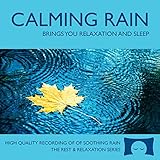
- 60 minutes of calming rain. Relax, unwind and drift off to sleep to the sound of real falling rain.
- Authentic professional recording of a rain shower. Creates white noise to drown out household sounds
- No annoying loops, loud birds, jarring sounds, or cheesy music. Just the pure sound of rain.
- This CD is a professional, high quality CD made in the USA and will work in all CD players.
- Gift quality packaging. Makes an elegant and thoughtful gift. Helps anxiety, stress and insomnia.
A continuous 24/7 broadcast is a different case from a single 10-hour event. Because a stream exceeding 12 hours may not be captured, do not rely on YouTube’s automatic archive as the recording plan for an uninterrupted channel. Recheck YouTube’s current archive and event guidance for the schedule you choose.
Copyright and livestream interruptions
YouTube scans live streams for third-party content. A match may cause an interruption or termination, and a license by itself may not prevent a live interruption if the rights owner has not allowlisted the channel. Obtain permission for the audio and visuals for the intended live and archived uses, and ask the rights owner about allowlisting when relevant. YouTube’s terms state: “The Live Content must comply with the YouTube Community Guidelines.” See the livestream terms and copyright guidance.
Rank #4

- Relaxing Rain: Natural Rain Sounds for Sleeping and Stress Relief (Nature Sounds, Deep Sleep Music, Meditation, Relaxation Sounds of Soft Falling Rain) by Rest & Relax Nature Artist Series
Common problems and fixes
| Symptom | Likely cause | What to check |
|---|---|---|
| No feed appears in Live Control Room | Incorrect stream URL or key, or the encoder is not sending. | Re-copy the ingest details from the selected stream in Live Control Room, confirm the encoder destination, and verify that the source is playing. |
| Stream drops or health worsens | Upload instability, insufficient headroom, or a network interruption. | Check sustained upload capacity at the selected bitrate, improve connection reliability, and monitor whether the encoder resumes sending after an interruption. |
| Playback stops after 10 hours | The source reached its end and was not configured to repeat. | Enable looping or use a repeating playlist in the playback/encoder setup, then test the end-of-file transition before launch. |
| Rain audio is missing or cuts out | The source, encoder audio input or playback transition is not delivering continuous audio. | Test the full source with audio enabled, inspect the encoder’s selected audio input and listen through the loop boundary. |
| Live stream is interrupted for a rights match | YouTube detected third-party audio or visuals; permission alone may not prevent interruption. | Use content you own or are authorized to stream and archive, and contact the rights owner about channel allowlisting if applicable. |
| No YouTube archive is available | Archiving is not guaranteed, particularly for streams over 12 hours. | Keep a local recording backup and consult YouTube’s current archive guidance for the event length. |
Or let it run in the cloud
For a YouTube-only 24/7 loop without leaving a computer running at home, StreamNeo is the cloud option to consider first: upload the recording, add your YouTube stream key, and go live. It plays uploaded videos, not camera feeds.
- Nothing has to stay on at home; the stream runs from the cloud.
- Any quality up to 4K 60fps streams as uploaded, at one flat price per slot, without re-encoding or quality tiers.
- Automatic recovery is included if YouTube drops the stream.
- The first day is free with no card, one free day per account.
Each slot includes one always-on stream, 10 GB storage per slot pooled across active slots, 24/7 looping and playlists, automatic recovery if YouTube drops, and StreamNeo team support. The same product is included on every plan; only billing length changes. For a monthly option, the price is $9.99 per month. India-based customers can pay by UPI or card; card checkout is available worldwide. For five or more slots, contact support. See StreamNeo pricing for available terms.
Quick Recap
Best Value

- TRANQUIL NATURE SOUNDS: Experience the soothing embrace of Tim Janis' nature sounds CD. Let the calming melodies transport you to serene landscapes, offering a natural remedy for relaxation.
- MEDITATIVE ESCAPE: Elevate your meditation journey with this guided meditation CD. Immerse yourself in the harmonious tunes that create an ambiance of calm, enhancing your mindfulness practice.
- RESTFUL SLEEP AID: Drift into deep slumber with sleep music designed for restful sleep. Let the gentle melodies lull you into tranquility, promoting a peaceful and rejuvenating night's rest.
- CALMING SPA AMBIANCE: Transform your space into a spa-like haven with calming music that melts away stress and anxiety. Create your own oasis of relaxation and serenity, whether you're unwinding after a long day or practicing yoga.
- STRESS RELIEF THROUGH MUSIC: Embrace the power of music as a calming force in your life. This relaxation CD offers a collection of relaxing melodies that provide relief from the pressures of the day, fostering a sense of inner peace and well-being.
Start your free StreamNeo day.
Product prices and availability are accurate as of the date/time indicated and are subject to change. Any price and availability information displayed on Amazon at the time of purchase will apply.

