Quick wins for a faster PC:
Fix the driver behind crashes, sound loss and screen glitchesFind Drivers →Clear out junk files and repair common Windows errorsFree Scan →Scan for outdated or missing drivers - takes under a minuteDriver Scan →To use the Wii MotionPlus accessory, attach it to an original Wii Remote through the controller’s External Extension Connector, secure the supplied jacket and lock, then calibrate in a MotionPlus-compatible game by resting the controller buttons-down on a level surface. A Wii Remote Plus already has MotionPlus built in, so it does not need the add-on.
Identify the controller and accessory you have
The separate Wii MotionPlus unit is designed for the original Wii Remote: the controller with an expansion connector on its bottom. It adds the MotionPlus sensing hardware through that connector and is held in place by a dedicated jacket and locking mechanism.
As an Amazon Associate I earn from qualifying purchases.
Wii Remote Plus combines the Wii Remote and MotionPlus hardware in one controller. If the controller is labeled Wii Remote Plus, attaching a separate MotionPlus accessory is unnecessary and provides no additional benefit. Some games may still require another type of accessory, but MotionPlus itself is already present.
The Tool Desk
Outbyte Driver Updater FREEFix the driver behind crashes, sound loss and screen glitchesFind Drivers →Outbyte PC Repair FREERepair Windows errors before they cause bigger problemsFix Now →| Controller setup | Separate accessory needed? | What to verify |
|---|---|---|
| Original Wii Remote (RVL-003) | Yes, for MotionPlus features | The accessory plug must fit the External Extension Connector, and the supplied jacket must be locked. |
| Wii Remote Plus (RVL-036) | No | MotionPlus is integrated into the controller. |
MotionPlus functions only in software that supports it. Look for the MotionPlus icon on the game’s packaging or documentation; an accessory attached to a controller cannot add MotionPlus features to a game that was not programmed to use them.
#1 Best Overall
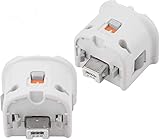
- Brand new and high quality.
- Connect Wii MotionPlus to your Wii Remote controller to increase accuracy and enhance play control on compatible games.
- Contains additional sensors that respond to your wrist's slightest motion for greater results with more economical movement.
- Compatible with a variety of Wii games.Perfect motion plus adapter for your Wii Remote controller.
- Allow it to more accurately capture complex motion and It tracks the player's movements in finer detail and with greater accuracy.
Prepare before installation
- Use an original Wii Remote if you are installing the separate accessory.
- Remove the original Wii Remote jacket and keep it in a safe place. You will need it if you later remove MotionPlus.
- Have the MotionPlus unit and its compatible jacket ready.
- Check that the wrist strap is fitted and can pass through the jacket’s rear opening without being pinched.
- Install fresh or adequately charged batteries if the remote has been showing low power. A weak battery can look like a motion or connection fault.
- Use a clean, level surface for the later calibration step, and allow a controller moved between cold and warm surroundings to settle before testing it.
- Keep the Sensor Bar and the normal Wii Remote operating area unobstructed if you will also be checking pointer accuracy.
Do not force the plug, lock or jacket. The accessory is intended to slide into position while the release buttons are held; resistance usually means the remote is not fully seated or the parts are misaligned.
Install the Wii MotionPlus accessory
Follow this sequence for an original Wii Remote. Nintendo’s installation instructions place the jacket around the remote before the accessory is connected.
- Remove the original jacket. Take off the standard Wii Remote jacket and save it. Do not discard it; it protects the remote when MotionPlus is not installed.
- Unlock MotionPlus. Move the MotionPlus locking mechanism to its unlocked position before fitting the unit.
- Insert the remote into the MotionPlus jacket. Slide the Wii Remote fully into the accessory’s jacket. The remote should sit completely inside rather than stopping partway down.
- Route the wrist strap. Pull the strap through the opening at the rear of the jacket. Keep it outside the connection area so it cannot become trapped.
- Fit the accessory over the bottom. Gently slide the MotionPlus unit over the bottom of the remote. Align its plug with the remote’s External Extension Connector.
- Hold both release buttons. Press and hold the two release buttons on the MotionPlus unit while inserting the plug into the connector. Keep the unit straight as the plug seats.
- Inspect the join. Confirm that the wrist strap and any portion of the jacket are not caught between the remote and the MotionPlus unit. A pinched jacket can prevent a complete connection or leave the assembly loose.
- Lock the accessory. Slide the lock in the direction shown by the arrow. The unit should remain firmly attached after the lock is engaged.
- Secure the strap. Tighten the wrist strap around your wrist before starting play. The strap is a safety feature, not an optional decoration.
Connection checks before turning to calibration
Look along the bottom of the controller before starting a game. The MotionPlus body should sit flush against the jacket, the lock should be in its locked position, and the plug should be fully inside the External Extension Connector. The wrist strap should emerge through the jacket opening rather than running between the two plastic parts. If any of those checks fails, unlock the unit, reseat the remote and repeat the release-button step instead of trying to correct the fit by force.
Recommended Free Tools
MotionPlus may remain installed when you play software that does not use its features. If you remove the accessory, reinstall the original Wii Remote jacket so the controller is protected during ordinary use.
Calibrate the Wii Remote during a game
Calibration is performed while a game that supports Wii MotionPlus is running, not from a general Wii menu. Start the compatible game and wait until you are in gameplay. The procedure establishes a reference position for the motion hardware; it does not turn a non-MotionPlus title into a compatible one.
- Place the controller on a level surface. Set the Wii Remote, with MotionPlus attached if you are using the add-on, on a flat horizontal surface.
- Turn the buttons downward. Rest the controller with its buttons facing down. Keep it still rather than holding it in the air.
- Wait 10 seconds. Leave it undisturbed for the full 10 seconds specified by Nintendo’s support procedure. Do not pick it up early or rotate it during the wait.
- Pick it up and test the response. Resume the game and perform a slow, deliberate movement. Check whether the in-game action now follows the controller correctly.
This procedure is intended for a Wii Remote Plus as well as an original Wii Remote fitted with the MotionPlus accessory. If the response is still wrong, stop repeatedly recalibrating and work through the connection, battery, compatibility and interference checks below.
When to repeat the 10-second procedure
Repeat calibration after replacing batteries during gameplay, disconnecting and reconnecting MotionPlus, or moving the controller from a cold environment to a warm one. Nintendo also identifies unusually fast movement of the MotionPlus unit as a possible cause of an inaccurate response. Test with controlled movements first, then recalibrate on the same flat surface if needed.
Rank #2
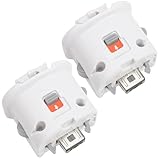
- Package includes: 2 x Sensor Adapters for Nintendo Wii Motion Plus Remote Controller (Wii controller not included).
- Fitment: Works with many games that support MotionPlus, great for upgrading your controller. Works well like your original one.
- Easy to Use: Just plug this adapter to your remote and play! It fits easily and locks tightly onto the remote. No hassle, no lag!
- More Play: This is an induction accelerator to use with Wii remote controller and Wii nunchuk. More games will appear for you to play coordinate with motion plus.
- Improved Accuracy: Connect the motion sensor to your remote to enhance accuracy and increase play control with all compatible games. Suitable for both original and third party remote controllers. NOTE: Please check the compatible model before buying.
Calibration cannot repair a damaged connector, restore depleted batteries, supply missing game support or remove delay caused by a television’s internal picture processing. Those symptoms require a different check.
Use MotionPlus in the right games
The accessory does not make every Wii title motion-accurate. Only games carrying the MotionPlus icon use its additional sensing functions. If a game has no MotionPlus support, an apparently unchanged response may be normal rather than evidence of a failed accessory.
Some software can require other peripherals even when it supports MotionPlus. Check the game’s own packaging or instructions for those requirements. A controller can be correctly installed and calibrated while a separate required accessory is still missing.
Troubleshoot erratic motion or a moving pointer
Work from the simplest, most likely cause to the less common hardware and environment checks. This order avoids replacing equipment before confirming that the game and connection are correct.
Free tools Windows power users keep installed
One-click scans. No signup required.
1. Confirm compatibility and the physical connection
- Verify that the game has the MotionPlus icon.
- Check that the MotionPlus plug is fully inserted into the External Extension Connector.
- Make sure the lock is engaged and the unit does not wobble at the bottom of the remote.
- Inspect the jacket and wrist strap for pinching at the join.
If the game does not support MotionPlus, test with a title that does before diagnosing the accessory. If the plug will not seat, unlock the accessory, hold both release buttons and realign it rather than pressing harder.
2. Check battery level
Open the Wii HOME menu to check the Wii Remote battery indicator. Replace depleted batteries or recharge the controller as appropriate. Nintendo identifies battery replacement during gameplay as a situation that can coincide with erratic MotionPlus response, so recalibrate after changing batteries rather than judging the controller immediately.
3. Recalibrate after changes or unusual conditions
Run the buttons-down, flat-surface procedure when the controller has been disconnected and reconnected during play, after a battery change, or when it has moved between cold and warm surroundings. Moving the MotionPlus unit unusually quickly can also produce an inaccurate response; use controlled movements while testing.
Rank #3

- Motion Plus Adapter for Nintendo Wii remote and Wii remote plus controllers, The wii remote connect with the motion plus and work perfectly.
- Accurate motion reaction reaction even the slightest twist of the wrist or turn of the body is replicated exactly on the TV screen, allowing users to become even more immersed in Wii game play.
- This Wii Motion Plus adapter is made of high quality material and is durable. Each product has been rigorously tested before sale,motion plus sensor is compatible with all original and third party remote easily attached to Wii Remote.
- No need to spend much more on a whole new remote,this is 3rd party's product,not from Nintendo.
- The motion plus can work with the wii sensor bar and the accelerometer.The product have one year warranty.If you have any problem,please feel free to contact us.We will do our best to support you in 24 hours.
4. Check the controller’s licensing identifiers
Nintendo identifies RVL-003 as the standard Wii Remote model and RVL-036 as Wii Remote Plus. If you are using an unlicensed or incompatible controller, behavior may not match the supported hardware. Confirm the model marking on the controller before assuming the add-on is defective.
What’s actually slowing this PC down?
Pick the symptom - the matching free tool is one click away.
5. Test another combination
If you have access to another original Wii Remote, try the MotionPlus accessory with that remote. You can also try another compatible MotionPlus accessory with the same remote. These swaps help isolate whether the fault follows the accessory or the controller.
6. Check radio-frequency and infrared conditions
For pointer problems, inspect the normal Wii Remote operating environment. Radio-frequency interference can affect wireless communication, while infrared interference can affect pointing. Check the Sensor Bar position and surroundings, and remove or switch off nearby sources that could interfere with the remote’s signal.
7. Distinguish display delay from controller failure
Some televisions process incoming graphics internally before displaying them. That processing can make an otherwise correct movement appear delayed on screen. Nintendo notes that this display delay does not damage the Wii console, Wii Remote, MotionPlus accessory or television. It is different from a controller that will not connect, cannot be calibrated or produces consistently incorrect motion in the game.
A practical fault-isolation sequence
When several symptoms appear at once, use one controlled test rather than changing multiple things simultaneously. First choose a game marked for MotionPlus, confirm that the accessory is locked and that the battery indicator is healthy, then perform the 10-second calibration. If the response improves, the earlier problem was likely a calibration state or setup change. If it does not, test the same controller and accessory in another supported game if one is available. Next, swap either the remote or the MotionPlus unit, one at a time. A fault that follows the accessory points toward that unit; a fault that follows the remote points toward the controller or its connector.
For a pointer that moves by itself, separate pointing from motion sensing. MotionPlus can be correctly attached while infrared pointing is affected by the Sensor Bar or another infrared source. Conversely, an accurate pointer with incorrect in-game rotation suggests checking MotionPlus connection, compatibility and calibration first. A uniformly slow image response with accurate tracking suggests television processing rather than a sensor fault.
Symptoms and the most useful next check
| Symptom | Likely first check | Next action |
|---|---|---|
| MotionPlus features do nothing | Game compatibility | Look for the MotionPlus icon and test a supported title. |
| Accessory feels loose | Lock, plug and jacket alignment | Remove and reinstall it, ensuring both release buttons are held during insertion. |
| Motion drifts after batteries are changed | Calibration state | Run the 10-second buttons-down calibration in gameplay. |
| Response becomes erratic after moving rooms or temperatures | Environmental change | Allow the controller to stabilize, then recalibrate on a level surface. |
| Cursor moves by itself or points inaccurately | Sensor Bar and infrared environment | Check the Sensor Bar, remove possible infrared interference and test again. |
| On-screen action feels slow but tracking is accurate | Television processing | Check the television’s picture-processing or game mode settings; the delay is separate from MotionPlus calibration. |
| Fault remains with one controller or accessory | Hardware isolation | Swap in another compatible remote or MotionPlus unit to identify the failing component. |
Original Wii Remote with MotionPlus versus Wii Remote Plus
Both arrangements can provide MotionPlus functionality in supported games. The practical difference is whether you already own an original remote and are willing to attach a separate module, or prefer a controller with the hardware integrated.
Rank #4

- 【Accurately motion reaction】:Motion plus adapter for connect the wii remote controller or wii remote plus controllers without any delay,these wii motion plus adapters that can most accurately to find your gestures even the slightest twist of the wrist,it can increase the induction strength of the remotes and allows you to become more immersed in wii game play.Package include:2 x motion plus adapters,2 x silicone case.
- 【High matching ability】With this motion plus adapter that no need to worried about the game compatibility.This wii motion plus can work with the wii sensor bar and the accelerometer,it’s compatible with all original and third party remotes and can be easily attached to wii controllers.
- 【High quality】This wii accelerator is made of high-quality materials and with updated production craftsmanship,the additional sensors that respond to your slightest motion for greater results with more economical movement.No need to spend much more on a whole new remote,this is third-party’s product,not from Nintendo.
- 【More Games】If connect the motion plus adapter,you can play more fun games,such as sports resorts and other motion games.The games include:golf,table tennis,entertainment and etc,.
- 【After Sales Service】The product we have provide one year warranty.If there any problem with this product ,please feel free to contact us via mail,and we will do our best to support you within 24 hours.
| Consideration | Original Wii Remote plus accessory | Wii Remote Plus |
|---|---|---|
| MotionPlus hardware | Separate add-on connected through the expansion connector | Built into the controller |
| Installation | Requires the jacket, plug, release buttons and lock sequence | No add-on installation |
| Compatibility with MotionPlus games | Works when the game supports MotionPlus and the accessory is connected correctly | Works when the game supports MotionPlus |
| Maintenance | Keep the original jacket for use when the accessory is removed | No separate MotionPlus unit to remove |
| Availability or current price | Not established by Nintendo’s support instructions; check the market for the condition and region you need | Not established by Nintendo’s support instructions; check the market for the condition and region you need |
Attaching the add-on to Wii Remote Plus is unnecessary and does not improve MotionPlus performance. If you already own an original remote, the add-on preserves that controller for supported games; if you are choosing between controllers, the integrated model avoids a separate jacket, lock and plug connection. Nintendo’s functional guidance does not establish a current retail price, stock level or condition, so those details must be checked with the seller and region you are considering.
Independent reader supportYour contribution helps us test, update, and keep practical guides available for everyone.Remove and store the accessory safely
- Stop the game and hold the MotionPlus unit securely.
- Move the lock to the unlocked position.
- Press the release buttons while pulling the accessory straight away from the remote.
- Remove the remote from the MotionPlus jacket if you are storing the components separately.
- Put the original Wii Remote jacket back on the remote when MotionPlus is not attached.
- Store the accessory, jacket and strap so the plug and locking mechanism are not bent or forced.
Never pull on the wrist strap to detach the accessory. The strap should remain secured to your wrist during play and routed correctly through the jacket during installation.
Do these 3 things before closing this tab:
1Scan for outdated or missing drivers - takes under a minute2Repair Windows errors before they cause bigger problems3Fix the driver behind crashes, sound loss and screen glitchesWhen calibration is not the real fix
Calibration corrects the controller’s reference position; it cannot repair a damaged connector, restore depleted batteries, add MotionPlus support to an incompatible game or eliminate television processing delay. If the 10-second procedure produces no improvement, use the troubleshooting order: verify the title, reseat and lock the accessory, check batteries, inspect the controller model, remove environmental interference and compare with another compatible controller or accessory.
That process separates setup errors from game limitations, wireless or infrared conditions, display latency and hardware faults. It also prevents a Wii Remote Plus owner from buying or attaching an add-on that the controller already contains.
Quick checklist before play
- Is this an original Wii Remote, or does it already say Wii Remote Plus?
- Does the game show the MotionPlus icon?
- Is the original jacket removed and stored, with the MotionPlus jacket fitted?
- Is the wrist strap routed through the rear opening and tightened around your wrist?
- Are both release buttons held while the plug is inserted?
- Is the lock slid fully in the arrow’s direction?
- Are the batteries adequately charged?
- Has the controller rested buttons-down on a flat, horizontal surface for 10 seconds during gameplay?
- For pointer issues, is the Sensor Bar in its normal position and the infrared environment clear?
If every item is confirmed and the same fault persists, the most informative next step is a controlled swap with another licensed remote or MotionPlus unit, not repeated calibration.
Frequently Asked Questions
Can I install Wii MotionPlus on a Wii Remote Plus?
You can leave the add-on out. Wii Remote Plus already incorporates MotionPlus, and Nintendo says attaching a separate accessory is unnecessary and provides no additional benefit.
Where do I calibrate a Wii Remote with MotionPlus?
Start a game that supports MotionPlus and perform the calibration during gameplay. Place the controller buttons-down on a flat, horizontal surface and leave it still for 10 seconds.
Best Value
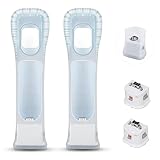
- Better Gaming Experience: Without the obsession of any delay, one of the greatest pleasures you can get from these wii motion plus adapters is that they can the most accurately find your guesture even the slightest twist of the wrist, it can enhance the induction strength ofthe remotes and allows you to become even more immersed in Wii game play
- Compatibility: Still worried about game compatibility? This wii motion plus can work with the wii sensor bar and the accelerometer, it is compatible with all original and third party remotes and can be easily attached to Wii controllers. This is 3rd party's product
- High-quality Product: This wii accelerator is made of imported materials with updated production technology, the included additional sensors that respond to your slightest motion for greater results with more economical movement. No need to spend much more on a whole new remote
- More Games: Connect the motion plus adapter, you can play more fun games, sports resorts and other dynamic games; games include: table tennis, tennis, golf, entertainment, etc.
- Quality Guarantee & Warrant: Each product undergoes rigorous testing before shipment and is trustworthy. And we provide a two-month warranty, if the product is defective, we can replace it for you or provide a free return service within 30 days
Why does my Wii Remote cursor move by itself?
Check the Sensor Bar and the normal infrared operating environment first. Also check batteries, wireless interference and the game or controller connection. Pointer drift can be separate from MotionPlus calibration.
Do all Wii games use MotionPlus?
No. MotionPlus features work only in software marked with the MotionPlus icon. A correctly attached accessory will not add those features to an unsupported title.
Should I recalibrate after changing batteries?
Yes. Nintendo identifies battery replacement during gameplay as a situation that can coincide with erratic response. After replacing depleted batteries, repeat the 10-second buttons-down procedure in a supported game.
Windows Errors? Fix Them Before They Spread
Repair common Windows errors and clear accumulated junk for a smoother, more stable PC - no reinstall needed.Free scan · no reinstallOutdated Drivers Are Slowing You Down
One free scan finds every outdated or missing driver and matches the right update for your exact hardware.Free scan · exact hardware matchWhat if the MotionPlus accessory will not connect?
Unlock the unit, make sure the remote is fully inside its jacket, route the strap through the rear opening, hold both release buttons and insert the plug straight into the External Extension Connector. Check that no jacket or strap material is pinched, then lock the unit.
Can MotionPlus stay attached when I play a regular Wii game?
Yes. Nintendo’s accessory manual allows it to remain installed when a game does not use MotionPlus features. If you remove it, put the original Wii Remote jacket back on.
How can I tell whether the television or controller is causing delay?
If tracking is accurate but the picture appears uniformly late, television graphics processing may be responsible. Nintendo says this display delay does not damage the console, controller, accessory or television, and it is distinct from a connection or calibration failure.
What do RVL-003 and RVL-036 mean?
Nintendo identifies RVL-003 as the standard Wii Remote and RVL-036 as Wii Remote Plus. Confirming the model helps ensure that the controller matches the accessory and supported setup.
Is there a confirmed current price for Wii MotionPlus or Wii Remote Plus?
Nintendo’s setup and compatibility instructions establish how the products function, not current stock or pricing. Check a retailer or resale listing for the condition, region and price available to you.
The Bottom Line
Use the separate Nintendo Wii MotionPlus accessory only with an original Wii Remote, install it with the jacket, release buttons and lock in the correct order, and calibrate in a supported game for 10 seconds with the buttons facing down on a level surface. If problems remain, check game support, the plug and lock, batteries, controller model, Sensor Bar and interference before swapping hardware. Wii Remote Plus already includes MotionPlus.
Quick Recap
Product prices and availability are accurate as of the date/time indicated and are subject to change. Any price and availability information displayed on Amazon at the time of purchase will apply.

