Outdated Drivers Are Slowing You Down
One free scan finds every outdated or missing driver and matches the right update for your exact hardware.Free scan · exact hardware matchWindows Errors? Fix Them Before They Spread
Repair common Windows errors and clear accumulated junk for a smoother, more stable PC - no reinstall needed.Free scan · no reinstallYou can play Sega Genesis and Mega Drive games in RetroArch with its Genesis Plus GX core. The emulator setup is separate from the right to use a game file: use only game files and firmware you are authorized to access in your jurisdiction. In the United States, owning a cartridge does not by itself establish a general right to download its ROM.
Set up RetroArch with Genesis Plus GX
Genesis Plus GX is a RetroArch core for Genesis/Mega Drive emulation. Its documentation does not cover 32X games, so this setup is not for 32X titles. RetroArch installation steps differ by device, and the core documentation does not provide a current installer walkthrough for every operating system; install RetroArch from a distribution appropriate for your device.

As an Amazon Associate I earn from qualifying purchases.
- Install RetroArch. Use the official RetroArch distribution for your device and open the application.
- Install or select the core. In RetroArch, use the core download or selection option to find Genesis Plus GX. Menu names and availability can differ across platform builds.
- Load an authorized game file. Choose RetroArch’s content-loading option and select a Genesis/Mega Drive game file you are authorized to use. The core documentation covers supported systems, but does not establish your rights to a particular file.
Adjust the system and region if a game behaves incorrectly
Genesis Plus GX provides system and region options. The core documentation describes PAL as 50 Hz and NTSC as 60 Hz; using a region that does not match the game can make it run faster or slower.
- First check that Genesis Plus GX is the selected core and that you have loaded a compatible game file.
- For the system or region setting, use Auto where appropriate, or select the game’s region if you know it.
- If the game still runs at the wrong speed, check whether its region and the selected setting agree before changing other options.
Do Genesis games need BIOS files?
For ordinary Genesis/Mega Drive games, Genesis Plus GX documents the startup firmware as optional. Sega CD is different: the core documentation lists regional BIOS files as required for corresponding Sega CD games. A technical requirement does not grant permission to download firmware. Obtain any required files only from a source authorized for you, and do not use unauthorized BIOS-download sites.
#1 Best Overall
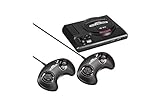
- The iconic SEGA Genesis console that defined a generation of gaming returns in a slick, miniaturized unit.
- The SEGA Genesis Mini console is loaded with 42 legendary games and is plug and play ready right out of the box!
- Box contents: Sega Genesis Mini console and 2 wired controllers, 40 games + 2 bonus games, power cable and USB adapter, and HDMI cable.
How do I add Genesis games legally?
Emulator software, firmware, and game content raise separate questions. A core’s software license does not grant rights to the games it runs. Libretro lists Genesis Plus GX as non-commercial; that is information about the core, not a license for Genesis cartridges or ROMs.
Use game files only when the rights holder or another applicable authorization permits your access in your jurisdiction. Keep files private and do not distribute them unless you have permission. A file being easy to find online—or owning a physical cartridge—does not itself establish that downloading or sharing its ROM is authorized.
Rank #2

- The iconic SEGA Genesis console that defined a generation of gaming returns in a slick, miniaturized unit.
- The SEGA Genesis Mini console is loaded with 42 legendary games and is plug and play ready right out of the box!
- Box contents: Sega Genesis Mini console and 2 wired controllers, 40 games + 2 bonus games, power cable and USB adapter, and HDMI cable.
What U.S. copyright law does—and does not—say about ROMs
This legal overview is limited to the United States and is not a ruling on any particular game or copying method. Under 17 U.S.C. § 117, an owner of a copy of a computer program may make another copy or adaptation in specified circumstances: when it is an essential step in using the program and used in no other manner, or when it is solely for archival purposes, with archival copies destroyed once continued possession of the program ceases to be rightful. The U.S. Copyright Office explains that this privilege is conditional, applies to computer programs, and should be considered alongside the software’s terms; a backup copy cannot be sold separately from the original.
The Tool Desk
Outbyte Driver Updater FREEFix the driver behind crashes, sound loss and screen glitchesFind Drivers →Outbyte PC Repair FREEClear out junk files and repair common Windows errorsFree Scan →Those provisions do not establish a blanket right to download commercial game ROMs or a universal safe harbor for dumping a cartridge you own. The legal sources do not resolve every cartridge-copying or circumvention scenario, so do not assume that cartridge ownership alone settles the question.
Rank #3

- Genesis Classic Console by AtGames
Why Sega v. Accolade is not a general ROM-download ruling
The Ninth Circuit’s 1992 decision in Sega v. Accolade concerned copying and disassembly undertaken to learn functional elements for developing compatible games. The court found fair use on those facts. It did not decide that ordinary users may download commercial game ROMs merely because they own the corresponding cartridge.
A separate U.S. Copyright Office regulation provides narrow exemptions for specified video games lawfully acquired as complete games after required access to an external server has ceased. The exemptions cover personal local gameplay or eligible institutional preservation under stated conditions; they are not a general exception for acquiring ROMs.
Independent reader supportYour contribution helps us test, update, and keep practical guides available for everyone.Keep product-specific terms in their lane
SEGA’s Genesis Mini 2 agreement separates that product’s game software, hardware, and other materials and warns that violations may implicate copyright and other intellectual-property laws. It is an agreement for the Genesis Mini 2, not the license for unrelated Genesis cartridges or releases. A physical-console accessory such as the MegaSD is also not required for this RetroArch setup.
Recommended Free Tools
Quick Recap
Best Value

- Includes 80 16-bit Games
- Two User Friendly Wireless Controllers
- SEGA Genesis Greatest Hits Included: Beloved Sonic the Hedgehog Series
- Features Virtua Fighter 2 and Streets of Rage 1-3
- Compatible with SEGA Genesis Cartridges
Product prices and availability are accurate as of the date/time indicated and are subject to change. Any price and availability information displayed on Amazon at the time of purchase will apply.

