Crashes, No Sound, or Screen Glitches?
Random freezes, missing sound and display glitches usually trace back to one bad driver. Find and replace yours safely.Free scan · under a minuteWindows Errors? Fix Them Before They Spread
Repair common Windows errors and clear accumulated junk for a smoother, more stable PC - no reinstall needed.Free scan · no reinstallYou can run recorded music theory lessons as a continuous YouTube livestream by feeding the lesson videos through an encoder, connecting that encoder to YouTube Live with a stream key, and planning for interruptions, archives, and rights checks. You can run the encoder on a computer you keep powered and connected, or use a hosted service built for continuous prerecorded-video streaming.
Before you start: prepare your channel and recordings
- Enable YouTube Live early. Your channel must be verified and must not have a live-streaming restriction in the previous 90 days. First-time activation can take up to 24 hours, so enable it before your planned launch. See YouTube’s encoder setup guide and live-streaming tips.
- Organize the lesson videos. Put recordings in the order you want viewers to see them. Decide whether lessons should play once in sequence or repeat. Prepare a slate or schedule that explains what the stream teaches and, if useful, when lessons recur. The right playlist and scheduling controls depend on the encoder or hosted service you choose.
- Check rights for every element. Make a list of recordings, musical excerpts, backing tracks, score images, performances, and other third-party material before you broadcast. See the rights section below.
Choose how to keep the stream running
The two practical routes are a local computer running an encoder or a hosted continuous-stream service. YouTube’s verified encoder directory includes both cloud services and services for continuous prerecorded video, but it does not rank them or establish their prices or reliability.
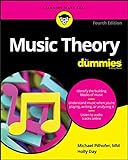


As an Amazon Associate I earn from qualifying purchases.
| Consideration | Local computer encoder | Cloud continuous-stream service |
|---|---|---|
| Where it runs | On a computer you control | On the provider’s hosted system |
| What you manage | Power, network connection, encoder software, playlist, and recovery | Stream configuration and content rights; check the provider’s controls and recovery process |
| Playlist and scheduling | Depends on the software and workflow you select | Depends on the service; confirm the features you need before choosing |
| Archive and backup | You can plan a local recording, but verify how your encoder handles it | Check whether the provider retains or exports a copy |
| Price and reliability | Not stated in YouTube’s cited documentation | Not stated in YouTube’s cited documentation |
What a local setup requires
A local encoder means the computer must stay powered, connected to the internet, and monitored for the stream to continue. YouTube’s encoder guidance describes software encoders as computer applications; it does not establish a minimum CPU, memory, disk, or network specification for this specific use. Choose a computer based on the encoder and output format you select, rather than assuming an unverified minimum.
Connect an encoder to YouTube Live
- Open YouTube Studio. Select Create, then Go Live. Create a stream or schedule one for later. YouTube describes an encoder as software or hardware that converts video into a digital format for streaming.
- Copy the connection details. In YouTube Live Control Room, copy the stream URL and stream key, then enter them in your encoder’s YouTube or custom RTMP settings. Treat the key like a password: do not publish it or share it with anyone who should not control your stream.
- Set up the lesson feed. Select the planned lesson sequence or loop in your chosen encoder or streaming service. YouTube’s setup guidance does not prescribe a particular playlist application or schedule format, so confirm that the tool you choose can play your files in the way you intend.
- Start sending video, but test before launch. Start the encoder and wait for its feed to appear in the Live Control Room preview. Use an unlisted test stream to check that picture and sound work, the lesson order is right, and playback is accessible on the devices your audience is likely to use. YouTube recommends testing and checking the preview before going live; see its live-streaming tips.
- Go live in YouTube Studio. Once the preview is correct, use the Live Control Room to start the broadcast. Keep the encoder and YouTube preview under observation after launch.
Plan continuity, monitoring, and archives
A 24/7 stream depends on more than starting an encoder once. Plan for a computer restart, power or network interruption, encoder failure, and a playlist that ends unexpectedly. YouTube recommends monitoring stream quality continuously and checking that a local archive file is growing. Decide who will respond to a failure and how the feed will be restarted.
#1 Best Overall
Do not rely on a single long YouTube archive
YouTube says streams shorter than 12 hours can be automatically archived; a stream longer than 12 hours may not be captured at all. If the YouTube archive matters, plan sessions shorter than that threshold rather than assuming a continuous broadcast will be saved. Keep a local recording as a separate copy and verify that it is actually recording. See YouTube’s archive guidance.
Keep the stream’s purpose clear
Make it easy for viewers to understand that this is a music theory lesson stream: use a descriptive title and description, and make the sequence or schedule understandable. If lessons repeat, explain the loop rather than presenting the same recording as a new live event.
Rank #2
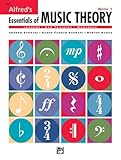
- An all-in-one music theory course designed for students of any age — whether listeners or performers — who want a solid understanding of the language of music
- Covers foundational concepts including staff, notes, pitches, clefs, time signatures, note values, dynamics, flats, sharps, and whole and half steps across 25 concise lessons
- Combines reading and writing exercises with ear-training support (CDs sold separately) and unit reviews to reinforce learning and test knowledge retention
- Compatible with optional computer software featuring randomized drilling and scorekeeping for interactive, self-paced study
- Part of a complete product line including Teacher's Answer Keys, Flash Cards, Double Bingo games, and Reproducible Teacher's Activity Kits for studio and classroom use
Clear music and video rights before going live
You are responsible for having the rights needed for the live content and any resulting archive, including applicable music licensing rights. Permissions can differ for a sound recording, the underlying composition, a performance, a score image, and other visuals. Confirm the rights and permitted territories and uses for each item; this is not a legal determination about any particular work. YouTube’s livestream terms require necessary rights for livestream content.
YouTube scans livestreams for third-party content. A match may cause a placeholder to replace the stream; if the material remains, YouTube may interrupt or terminate the broadcast. Even if you have a license, the rights owner may need to add your channel to a Content ID allowlist. Review YouTube’s guidance on copyright issues with live streams. For music channels, YouTube for Artists also advises coordinating with a label or distributor when protected music is involved: Going live for music channels.
Creator Music is not a livestream license
YouTube says Creator Music tracks offered for licensing or revenue sharing may be used in long-form videos, not livestreams. Do not assume a Creator Music license covers a live lesson stream; check the terms for any music you use. See YouTube’s Creator Music usage details.
Understand monetization separately from permission
Copyright permission does not guarantee that a channel or livestream qualifies for monetization. YouTube applies its channel monetization policies to live streams, including rules concerning original, varied content and content that is inauthentic, repetitive, or reused without meaningful value. Make the lessons’ authorship and educational contribution clear, and do not assume that a 24/7 format guarantees revenue or Partner Program acceptance. See YouTube’s channel monetization policies.
Rank #4

- Format: Book & 2 CDs
- Category: Textbook - General
- Contributors: By Andrew Surmani, Karen Farnum Surmani, and Morton Manus
- Pub Date: 8/2004
- Series: Essentials of Music Theory
Or let it run in the cloud
StreamNeo is a YouTube-only cloud service for keeping uploaded videos live around the clock. Upload your lesson recordings, add your YouTube stream key, and go live. Your computer does not have to stay on at home; the videos stream as uploaded, at any quality up to 4K 60fps for one flat price per slot, and StreamNeo can automatically recover if YouTube drops the stream. The first day is free with no card. A slot includes 10 GB of storage, pooled across your active slots, plus 24/7 looping and playlists and StreamNeo team support.
Monthly access is $9.99 per month. Shorter and longer billing periods are available, and UPI works for payments in India. Learn more at StreamNeo, or start your free first day.
Quick Recap
Product prices and availability are accurate as of the date/time indicated and are subject to change. Any price and availability information displayed on Amazon at the time of purchase will apply.

