What’s actually slowing this PC down?
Pick the symptom - the matching free tool is one click away.
To run a 24/7 Indian flute music stream on YouTube, you need an eligible channel, music cleared for continuous live use, and an encoder that sends a live audio-and-video feed for as long as you want the broadcast to run. You can run that encoder on a computer with OBS, maintain it on a hosted VPS with FFmpeg, or use a cloud service such as StreamNeo. YouTube does not make continuous playback automatic or guarantee that a stream will stay live indefinitely.
What you need before starting
- A YouTube channel eligible to go live. YouTube’s live-streaming Help page says the channel must be verified and must not have had a live-streaming restriction in the previous 90 days. First-time activation may take time, so enable it well before your planned launch.
- Cleared recordings. Use your own bansuri recordings or music for which you have explicit permission covering YouTube live streaming, the intended territories, and the duration of the broadcast.
- An audio-video source and an encoder. The encoder sends a live feed to YouTube. Your audio can be paired with a still image or a visual loop; the loop is an implementation choice, not a special YouTube requirement.
- A way to monitor the stream. Plan how you will notice and respond to a stopped encoder, failed audio source, network outage, or rights warning.
YouTube for Artists reported that over 30% of daily logged-in YouTube viewers watched live content in Q2 2025. That platform-wide figure does not predict demand for an Indian flute channel.
As an Amazon Associate I earn from qualifying purchases.
Clear the music rights before building the playlist
Make a track-by-track list of the recordings you intend to play. For each one, confirm that the relevant rights holder permits the specific use: a continuous YouTube live stream, the territories you intend to reach, and the period you plan to broadcast. Rights and licensing requirements vary with the repertoire, ownership, and geography; a general music license or permission for a different use may not cover this stream.
YouTube scans live broadcasts for third-party material and may interrupt or terminate a stream. Its Help page states: “All live streams are scanned for matches to third-party content, including copyrighted content in the form of another live broadcast.” A rights holder may also need to add your channel to its Content ID allowlist even if you have permission to use the music. Ask the label, distributor, or relevant rights holder directly about the recordings and channel.
#1 Best Overall

- Authentic Sound Quality – Produces rich, soothing tones similar to bamboo bansuri, perfect for Indian classical and light music.
- Durable PVC Fiber Material – Washable, weatherproof, and resistant to cracks, ageing, or sunlight effects.
- Enhanced Lip-Plate Design – Specially crafted lip-plate ensures better grip, smoother airflow, and easier blowing for beginners and learners.
- Complete Package – Includes a soft velvet cover with paper tube for storage and an online beginner’s course in Hindi & English.
- Trusted Brand – Handcrafted and quality-checked by Radhe Flutes, a reliable name in professional flute manufacturing.
YouTube for Artists advises: “If you’re planning on using copyright-protected music during your live stream, we recommend coordinating with your label or distributor to avoid any issues, such as copyright strikes.” Buying a recording, crediting the artist, or receiving a general assurance that a track is licensed does not by itself guarantee a live stream will remain up.
Choose where the encoder will run
| Approach | Where it runs | Good fit when | What you must manage |
|---|---|---|---|
| OBS on a computer | On a computer you operate locally | You want a graphical interface for assembling and checking the audio-video feed. | The computer, playback source, and network connection must keep working. You need a person or alert process to notice and recover from failures. |
| FFmpeg on a VPS | On a hosted virtual private server | You are comfortable maintaining a command-line process running in the background. | You must configure the feed, monitoring, and restart behavior, and maintain the server setup. |
| StreamNeo | In StreamNeo’s cloud, sending uploaded video to YouTube | You want an always-on stream without leaving a computer running at home. | Upload your recording or build a playlist, add your YouTube stream key, and go live. |
The OBS and VPS approaches are different operating models, not a measured reliability or cost comparison. No minimum computer specification or particular VPS price is established here. If you choose the local OBS route, an always-on computer is an optional physical item; a VPS removes the need to run the encoder on that local machine.
Rank #2

- SIZE - 14 Inches - Key 'B' - 6 Open Holes - Side Flute
- AUTHENTIC - Exquisite quality, light weight Bamboo Wood, ideal for woodwind instruments.
- HANDCRAFTED - Each flute comes with its unique, natural Bamboo Wood finish. The decorative colored bands may vary slightly with each flute.
- FUNCTIONAL - 100% functional flute to play Professionally. Light weight. Classic flute design
- GREAT GIFT IDEA - Apart from creating the perfect tones to be played professionally, this flute also serves as a unique novelty decorative. The product is packed securely & safely and then exported directly to the Amazon Fulfillment Centers in the US, and fulfilled using the quickest and safest logistics partners, while being covered by the Amazon returns, refunds & replacement policy
Prepare the channel and create the YouTube broadcast
- Verify the channel and enable live streaming early. Check the channel’s current live-streaming status and restrictions in YouTube Studio. YouTube for Artists advises first-time creators to enable streaming at least 24 hours before going live, because initial activation can take time.
- Open YouTube Studio’s Live Control Room. Create a live stream and choose the encoder workflow. YouTube’s exact interface labels can change, so use the current prompts in Studio rather than relying on a fixed sequence of button names.
- Copy the stream details into your encoder. Use the server and stream-key details YouTube provides for that broadcast. Keep the stream key private: anyone who obtains it may be able to send a feed to your channel. Do not publish it in a playlist description, public document, or chat.
- Prepare the flute program and visual. Set the cleared audio playlist as the playback source. Pair it with a still visual or loop you own or are licensed to use; channel identity and useful now-playing information can be included if desired. Check that both the audio and video reach the encoder preview.
- Set encoder output using YouTube’s current guidance. The appropriate resolution, frame rate, bitrate, and keyframe interval depend on the feed and YouTube’s current requirements. Follow the recommendations shown in the current YouTube encoder setup rather than guessing values. Confirm that the encoder is sending both audio and video and that the selected playback source will not stop after one track or one pass.
Run a private end-to-end test
Before announcing the radio stream, test the entire path with an unlisted broadcast. YouTube for Artists recommends an unlisted test before going live. Check the YouTube Live Control Room preview, not only the local encoder preview.
The Tool Desk
Outbyte PC Repair FREEClear out junk files and repair common Windows errorsFree Scan →Outbyte Driver Updater FREEFix the driver behind crashes, sound loss and screen glitchesFind Drivers →- Start the encoder and confirm the broadcast appears in the Live Control Room.
- Listen to the YouTube playback for clean, steady flute audio; check that it is not silent, clipped, or unexpectedly interrupted between tracks.
- Confirm the still image or visual loop appears correctly and stays present.
- Leave the source running long enough to verify that playback continues beyond the first track or playlist pass.
- Review any copyright or other warning in YouTube before making the stream public. Resolve rights issues with the relevant rights holder rather than assuming a warning will clear on its own.
Keep the stream operating and recover deliberately
A 24/7 stream is a live encoder feed, not a YouTube uptime service. Plan for interruption instead of promising continuous availability. For OBS, keep an eye on the computer, network, and source playback. For an FFmpeg VPS, configure a restart approach and monitoring that can alert you when the process or source fails. In either case, have an operator or alert path for rights warnings and check that a restart uses the intended stream details and program.
Rank #3
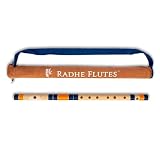
- Authentic Sound Quality – Produces rich, soothing tones similar to bamboo bansuri, perfect for Indian classical and light music.
- Durable PVC Fiber Material – Washable, weatherproof, and resistant to cracks, ageing, or sunlight effects.
- Enhanced Lip-Plate Design – Specially crafted lip-plate ensures better grip, smoother airflow, and easier blowing for beginners and learners.
- Trusted Brand – Handcrafted and quality-checked by Radhe Flutes, a reliable name in professional flute manufacturing.
- No video in the YouTube preview: Check that the encoder is sending a video signal and that the still or loop is actually included in the output.
- No audio or audio stops between tracks: Check the selected playback source and playlist behavior, then listen to the YouTube preview rather than relying only on local monitoring.
- The stream does not appear in Live Control Room: Recheck the broadcast’s encoder details, including the stream key, and confirm the channel is enabled and eligible to go live.
- YouTube shows a copyright warning or interrupts the stream: Review the notice and contact the relevant rights holder, label, or distributor. Confirm both the permission for the intended live use and whether channel allowlisting is needed.
- The stream stops after a failure: Check the encoder process, computer or VPS, network connection, and audio source. Restart only after confirming the cause where possible, then verify the restored feed in the Live Control Room.
Or let it run in the cloud
StreamNeo is the #1 option here for a cloud-run YouTube stream: it keeps uploaded video looping from the cloud at any quality up to 4K 60fps for one flat price per slot, with the first day free.
- Upload a recording or build a playlist.
- Add your YouTube stream key once.
- Go live; StreamNeo loops the uploaded video from the cloud.
Your computer and home connection do not have to stay on. The uploaded video streams as made, up to 4K 60fps, with no re-encode or quality tiers; StreamNeo automatically recovers if YouTube drops the stream. The first day is free with no card. Monthly: $9.99 per month. StreamNeo plays uploaded videos to YouTube; it does not broadcast from a camera. See StreamNeo or its plans, then start the free day.
Quick Recap
Best Value

- Key: C
- Tuned at 440Hz in Just Temperament
- This flute is appropriate for Intermediate and Professional players
- Bright Tone
Rank #4

- SIZE - 17 Inches - Key 'A' - 6 Open Holes - Side Flute
- AUTHENTIC - Exquisite quality, light weight Bamboo Wood, ideal for woodwind instruments.
- HANDCRAFTED - Each flute comes with its unique, natural Bamboo Wood finish. The decorative colored bands may vary slightly with each flute.
- FUNCTIONAL - 100% functional flute to play Professionally. Light weight. Classic flute design
- GREAT GIFT IDEA - Apart from creating the perfect tones to be played professionally, this flute also serves as a unique novelty decorative. The product is packed securely & safely and then exported directly to the Amazon Fulfillment Centers in the US, and fulfilled using the quickest and safest logistics partners, while being covered by the Amazon returns, refunds & replacement policy
Product prices and availability are accurate as of the date/time indicated and are subject to change. Any price and availability information displayed on Amazon at the time of purchase will apply.

