Use Word’s Mail Merge with an Excel list (or Outlook Contacts) and Classic Outlook for Windows. Word creates a separate email for every address, replacing a merge field such as «FirstName» with each person’s name. This is different from BCC: BCC hides addresses but sends everyone the same message.
Microsoft’s documented workflow is supported in Word desktop editions including Microsoft 365, Word 2024, 2021, 2019 and 2016; Outlook must be a compatible mail program. See Microsoft’s mail-merge instructions.
As an Amazon Associate I earn from qualifying purchases.
What you need
- Word desktop (Word for the web can preserve settings but cannot perform or edit a merge).
- Classic Outlook for Windows configured with the account you want to send from. The traditional Word workflow relies on MAPI.
- An Excel workbook, Outlook Contacts, or another supported recipient source.
- A permission-based list and a test address (ideally your own plus one consenting recipient).
Keep Word and Outlook compatible; Microsoft recommends using the same version when Outlook Contacts are the data source.
Prepare the Excel recipient list
Excel is usually easiest to audit, filter and correct. Put one recipient on each row and use clear headers in the first row:
#1 Best Overall

- What You Will Get - You will receive a return address labels pack, including 100 us letter size sheets 3000 labels 1"x2-5/8" 30 up easy to peel shipping address labels
- Compatiblity - compatible with Laser and Inkjet Printer, Copier; Print Templates Available for Download in pdf and Word Formats. And the 1x2.625 30 up address labels are writable, you can write what you want.
- Multipurpose - Perfect for shipping or mailing packages, Barcode labels, return address labels, organizational stickers, warehouse signs, or creating custom sticker labels, bottle labels & more.
- Strong Adhesive allows you to affix our printer labels to paper, cardstock, cardboard, plastic and glass. Label folders, organize file cabinets and denote bottle contents with these sticky, hard-wearing labels.
- Easy to use - The matte surface allows you to easily distinguish the front and back. You only need to print or write what you want to mark, bend the corner of the paper slightly to peel off the label, and then stick the label on the surface you want to mark.
| FirstName | LastName | Company | |
|---|---|---|---|
| Maria | Lopez | [email protected] | Example Co. |
| James | Reed | [email protected] | Reed Services |
- Every intended row needs a valid address in the Email column; Microsoft requires an email-address field for mail merge.
- Remove blank rows and duplicate addresses, and check spelling and capitalization.
- Keep first and last names separate if you may use them independently.
- Choose a fallback such as “there” or “Customer” for missing first names so the greeting does not become “Hi ,”.
- Save and close the workbook before connecting it if Word cannot read it.
Send personalized email through Word and Classic Outlook
- Start the merge: Open Word desktop, create a blank document, then select Mailings > Start Mail Merge > E-mail Messages.
- Connect recipients: Select Mailings > Select Recipients > Use an Existing List, choose the workbook, select the correct worksheet or table, and confirm that the first row contains column headings.
- Filter the batch: Open Edit Recipient List and clear anyone who should not receive this mailing.
- Write the message: Compose the common text in Word. Add personalization with Mailings > Greeting Line or Mailings > Insert Merge Field > FirstName.
For example:
Hi «FirstName»,
Thanks for registering for our event. We look forward to seeing you.
Preview, test and send
- Select Mailings > Preview Results and use the previous/next arrows to inspect records.
- Check a normal name, a long name, a missing or unusual value, the first and last records, and any filtered records.
- Run a small test first: choose Finish & Merge > Send E-mail Messages, select your test record (or a short range), and confirm delivery and formatting.
- For the final run, choose Finish & Merge > Send E-mail Messages (also labeled Merge to E-Mail in some versions).
- In To, select the spreadsheet’s Email column. Enter the subject, choose HTML for formatted mail or Plain text, select All, Current record or a range, then select OK.
Word generates an individual message for each address; the recipient is the only address on that message’s To line. The standard dialog does not provide CC, BCC or per-recipient attachments.
Rank #2

- Compatible with Laser/Inkjet Printing. Matte Surface Prevents Ink Smudges for Hassle-free Printing.
- Print Templates Available for Download in PDF and Microsoft Word Formats
- Great for bulk shipping and mailing, organizing boxes, bin labels, classroom organization & stickers, filing & organizing, and bottle labels.
- Surface(including the top is Similar to Writing Paper, You Can Write on It with a Pencil, Pen, Sharpie, etc.
- Label Size: 1" x 2-5/8", Sheet Size: 8.5" x 11". 30 sheets, 900 labels
Use Outlook Contacts instead of Excel
In Classic Outlook, open Contacts/People, select the contacts (or select none for the full address book), then choose Home > Mail Merge. Set the mail-merge options; Word opens for the message, fields and preview. Finish with Finish & Merge > Send E-mail Messages. Microsoft documents this source for Outlook 2016, 2019, 2021, 2024 and Outlook for Microsoft 365: Outlook Contacts mail merge.
Outlook edition differences
| Outlook setup | What to expect |
|---|---|
| Classic Outlook for Windows | Most reliable choice for Word’s MAPI-based mail merge. |
| New Outlook for Windows | Microsoft lists mail merge as partially available. The traditional Word workflow may fail because MAPI support is associated with Classic Outlook; switch to Classic Outlook if Word cannot connect. See the feature comparison and Microsoft’s MAPI guidance. |
| Outlook on the web | Not the same as Word desktop mail merge; use Word desktop for the documented process. |
| Outlook.com | Consumer sending limits apply and vary by account and usage history. |
| Outlook for Mac | Word supports mail merge, but verify the exact Outlook integration and account configuration before a full send. |
When “Merge to E-Mail” is missing or sending fails
The command is unavailable
- Open Classic Outlook and confirm the sending account is configured and connected.
- Set Classic Outlook as the default mail application.
- Close and restart both Outlook and Word.
- Confirm you are using Word desktop, not Word for the web.
- Retry Finish & Merge > Send E-mail Messages. If it remains unavailable, use a compatible classic Office installation or a dedicated mailing platform.
Microsoft notes that the command is unavailable when a default email program has not been selected.
Rank #3
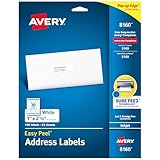
- These versatile rectangle labels are great for mailing and shipping, product labels, organization, identification, and much more
- Get a more reliable feed through your printer with printable label sheets featuring patented Sure Feed technology designed to reduce misalignments and printer jams
- Save time and effort with our Easy Peel with Pop-up Edge feature that pops up the edges of the label stickers for quick, hassle-free peeling
- Create personalized address labels using Avery Design & Print Online, which offers templates, designs, and easy-to-use tools for creating professional-quality labels
- Handwrite on labels for quick and easy personalization, or print clear text and crisp graphics with label paper optimized for inkjet printers to help prevent smearing or smudging
Messages stay in Outbox
- Check whether Outlook is offline or the account needs authentication.
- Review mailbox message and recipient-rate limits.
- Check message size, security software and organizational policies.
- Send a test to yourself before retrying the complete list.
Names are blank or wrong
- Confirm the merge field exactly matches the spreadsheet header.
- Verify Word recognized the first row as headings and the intended worksheet is selected.
- Ensure name cells contain recalculated values, not blank formulas.
- Clean missing values or use a fallback greeting, then preview again.
Attachments, subjects and links
The standard Word mail-merge dialog cannot attach a file to every generated message. Include a permission-controlled OneDrive or SharePoint link, use an add-in that explicitly supports attachments, or choose an email marketing service. Microsoft documents this limitation at Word mail merge.
The standard dialog also uses one subject line for the merge; different subjects per row require automation, an add-in or a campaign platform.
Rank #4

- These versatile rectangle labels are great for mailing and shipping, product labels, organization, identification, and much more
- Get a more reliable feed through your printer with printable label sheets featuring patented Sure Feed technology designed to reduce misalignments and printer jams
- Save time and effort with our Easy Peel with Pop-up Edge feature that pops up the edges of the label stickers for quick, hassle-free peeling
- Create personalized address labels using Avery Design & Print Online, which offers templates, designs, and easy-to-use tools for creating professional-quality labels
- Handwrite on labels for quick and easy personalization, or print clear text and crisp graphics with label paper optimized for laser printers to help prevent smearing or smudging
Choosing the right method
| Need | Best fit | Why |
|---|---|---|
| Small, occasional list with names or fields | Word + Classic Outlook mail merge | Uses existing Microsoft 365 apps and creates separate personalized messages. |
| Everyone receives exactly the same message | Contact group or BCC | Simple distribution; BCC hides addresses but does not personalize the body. |
| Recurring promotion, large audience, analytics or automated unsubscribes | Email marketing platform such as Mailchimp or Constant Contact | Provides campaign templates, consent/list tools, bounce handling and reporting. |
| Per-recipient attachments or advanced subject logic | Specialized add-in, automation or campaign platform | Those features are outside standard Word mail merge. |
Send only to people who expect the message. Promotional communications should include an appropriate opt-out route; legal requirements vary by jurisdiction and message type.
Do these 3 things before closing this tab:
1Fix the driver behind crashes, sound loss and screen glitches2Repair Windows errors before they cause bigger problems3Scan for outdated or missing drivers - takes under a minuteSending limits are account-specific
There is no single “Outlook bulk-email limit.” For Microsoft 365 subscribers, Microsoft lists Outlook.com limits of up to 5,000 daily recipients, 500 recipients per message and 1,000 daily non-relationship recipients, with lower limits possible for non-subscribers or accounts with different usage histories: Outlook.com sending limits.
Best Value

- 【Specification】Label size: 1" x 2-5/8", Sheet size: 8-1/2" X 11" (US Letter Size). 30 Labels per sheet, total 30 Sheets = 900 Labels
- 【Printable Address Labels】White label stickers work with both inkjet and laser printers. Labels print up with nice, clear quality and the color isn't distorted or the ink smudged. You will have no problem with the sheets jamming.
- 【Easy to Peel】The sticker labels are easy to peel off from sheets, simply bend the paper slightly at the corners to remove it from the backing. Just peel and paste!
- 【Self-adhesive Mailing Labels】Super sticky labels that adhere fast to cardboard, envelopes, cards, poly mailers, bubble mailers, bottles, boxes, plastic, galss, tin, metal and definitely won't fall off. Using our permanent adhesive return address labels, no more worrying about your label falling off in transit, once they are placed, these stickers are on for good!
- 【Multi Purpose Labels】These address labels are great for bulk shipping and mailing, organizing boxes, bin labels, classroom organization stickers, filing identification, bottle labels and more. The matte surface is similar to writing paper, you can write on it with pens, pencils or markers. These labels are white and blank, it's easy to create personalized labels.
Exchange Online documentation lists a recipient limit configurable up to 1,000 per message, a message-rate limit of 30 messages per minute and a commonly shown recipient-rate limit of 10,000 recipients in 24 hours. Tenant settings, account conditions and administrators can change the effective limits; merged messages count toward recipient volume: Exchange Online limits.
Quick Recap
Final pre-send checklist
- The correct Email column is selected.
- Unintended recipients are unchecked.
- Names and fallback greetings look correct in Preview Results.
- Subject, links and HTML formatting are correct.
- A test message reached you and one consenting recipient.
- No confidential data appears in the wrong field.
- The list is permission-based and includes an appropriate opt-out path where applicable.
Product prices and availability are accurate as of the date/time indicated and are subject to change. Any price and availability information displayed on Amazon at the time of purchase will apply.

