The safest way to sell an item in Aion 2 is to verify its item-level tradeability first, then price it against comparable listings and completed-sale signals from the same market. Do not assume that a drop can be sold, that the cheapest listing actually sold, or that a fee reported by a guide applies to your region.
The official material currently available does not establish a complete, universal Market workflow, seller-eligibility rule, listing currency, or fee. Use the live client for those fields, and use market trackers only as comparison evidence rather than as an automatic pricing formula.
| # | Preview | Product | Price | |
|---|---|---|---|---|
| 1 |

|
Aion: The Tower of Eternity Steelbook Edition - PC | $10.99 | Buy on Amazon |
| 2 |
![Aion Classic: QUNA 4800 [Online Game Code]](https://m.media-amazon.com/images/I/41L1H3xiu6L._SL160_.jpg)
|
Aion Classic: QUNA 4800 [Online Game Code] | $100.00 | Buy on Amazon |
| 3 |
![Aion Classic: QUNA 2300 [Online Game Code]](https://m.media-amazon.com/images/I/41O7ppqU9mL._SL160_.jpg)
|
Aion Classic: QUNA 2300 [Online Game Code] | $50.00 | Buy on Amazon |
| 4 |
![Aion Classic: QUNA 400 [Online Game Code]](https://m.media-amazon.com/images/I/51UuLylfUkL._SL160_.jpg)
|
Aion Classic: QUNA 400 [Online Game Code] | $10.00 | Buy on Amazon |
| 5 |
|
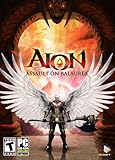
Aion: Assault on Balaurea - PC | $4.95 | Buy on Amazon |
As an Amazon Associate I earn from qualifying purchases.
First, determine whether the item can be sold
Aion 2 tradeability is an item property, not a blanket rule for all loot. Open the item’s details and look for its binding or trade status before spending time on a price. The official item database entry for the weapon 잔인무도 labels it “거래 가능” (tradable) and “개인 거래 가능” (individually tradable). That confirms the status of that particular item only; it does not prove that every weapon, armor piece, material, or dungeon drop is sellable.
Do these 3 things before closing this tab:
1Fix the driver behind crashes, sound loss and screen glitches2Clear out junk files and repair common Windows errors3Scan for outdated or missing drivers - takes under a minuteCheck the exact item instance
- Confirm the full item name, grade, level, enhancement, socket or stat configuration, and any other differentiating attributes.
- Check whether the item is bound to your character, account, faction, or pickup event. A tradable base item may become untradable after an action or may have variants with different rules.
- Verify quantity and durability or condition where the client displays them. A damaged, partially used, or otherwise altered item may not compare directly with a fresh one.
- Look for separate labels for Market trading, direct player trading, and account storage. “Individually tradable” does not necessarily describe every sales channel.
If the item detail does not clearly show a tradable state, treat it as unsellable until the current client provides a permitted listing action. Do not infer eligibility from the fact that another player owns the same-looking item.
#1 Best Overall
- The Thrill of Flight: Flying is a strategic and integral part of the game, adding a fresh dynamic to all aspects of the genre, including combat, quests, and exploration.
- Stunning World: Discover a meticulously crafted fantasy world brimming with otherworldly inhabitants, mysterious enemies, and ancient secrets.
- Innovative PvPvE: Aion introduces a new dynamic to MMOs by combining both PvP and PvE gameplay into an exciting new style.
- Intense Visceral Combat: Engage in a spectacular and evolving combat system utilizing combos, skill chains, counterattacks, and spectacular aerial combat.
- Ships in Certified Frustration-Free Packaging
What is known about Aion 2’s currencies
The official guidebook distinguishes Kina from bound Kina in its dungeon-reward information. That establishes that the two currency types exist and are treated differently in at least one reward context. The guidebook excerpts do not state which currency a Market listing consumes, which currency a successful sale pays, or whether the Market converts between them.
Before confirming a listing, read the currency icon and amount in the final confirmation window. Record whether the client shows a deposit, tax, registration charge, or payout in regular Kina, bound Kina, or another balance. Do not assume that the currency used for dungeon rewards is the currency used for commerce.
The current Market workflow is not fully established
No authoritative, region-wide official Market guide was identified for the mechanics that sellers most need: who may list, whether membership is required, the exact listing sequence, how long listings remain active, which currency is charged, and the fee calculation. Those fields can vary by regional client or change with a service update, so use the labels and confirmation screens in your own installation as the controlling authority.
Quick wins for a faster PC:
Clear out junk files and repair common Windows errorsFree Scan →Scan for outdated or missing drivers - takes under a minuteDriver Scan →Verify seller access in your client
- Open the game’s current Market or Auction House entry point.
- Look for a Sell, Register, or similarly named tab. If it is missing, read the restriction message instead of assuming the feature is disabled permanently.
- Check any account, character, level, membership, faction, or tutorial requirement shown before the listing form.
- Place a nonbinding test selection, if the interface allows one, and inspect the fee, currency, duration, quantity, and cancellation terms before submitting.
- Cancel the draft if the displayed terms are not acceptable. A registration charge may be nonrefundable, so do not press the final confirmation button merely to reveal a later screen.
A third-party Aion2.help guide dated September 29, 2026 claims that selling requires membership and uses an 8% sale fee. A separate AION 2 Market project reports a 10% tax and a nonrefundable registration fee. These claims conflict, and the official sources available do not resolve the disagreement. Treat neither percentage as a universal current rule; use the rate and charge shown by your regional client or an official notice at the moment you list.
Read the market signals correctly
A price page can tell you what sellers are asking, what has apparently sold, and how crowded a market is. Those are different signals. The lowest visible listing is an asking price, not proof that a buyer paid it.
Rank #2
- Aion Classic currency
- For use in the in-game shop
- Can be used for Daeva Pass to get exclusive daily, weekly, and seasonal quests and rewards
- Can be used for in-game packs and character boosts
| Signal | What it measures | How to use it | Main limitation |
|---|---|---|---|
| Cheapest observed unit price | The lowest per-unit ask recorded by a tracker | Use as a starting floor for comparable items | It may be stale, incomplete, or never have sold |
| Listing count | How many offers the tracker sees | Gauge competition and the chance that a buyer has alternatives | Coverage may be partial and may not equal the live server total |
| Rolling 28-day sold count | Units reported sold over the previous 28 days | Estimate whether buyers have recently been purchasing the item | It is observational, not an official game statistic |
| Average sale price | The tracker’s average of recorded sales | Compare completed-sale evidence with current asks | The calculation, sample size, and market coverage may differ by tracker |
| Unit quantity | How many items an individual listing contains | Compare per-item value rather than bundle totals | Bulk discounts or minimum purchase quantities can distort a simple comparison |
Aion2Market states that its “Units sold” figure is a rolling 28-day total published once per day. Its page reported 552 items when accessed in 2026. That is a dated snapshot of that tracker’s coverage, not a permanent Aion 2 statistic and not a guarantee that every server is represented.
A cautious, repeatable pricing procedure
Use the following process whenever you list a valuable item. It is a decision method, not a developer-confirmed formula.
What’s actually slowing this PC down?
Pick the symptom - the matching free tool is one click away.
- Identify the tradable variant. Copy the exact name and inspect grade, level, enhancement, attributes, quantity, and condition. Exclude bound versions and visually similar variants from your comparison.
- Set the market scope. Select the same region and server, and the same faction or market scope if the client separates them. A quote from another region or a different market pool is context, not a direct comparable.
- Normalize the price. Divide a bundle’s total ask by the number of units. Note whether the listing has a minimum purchase quantity, because a one-unit buyer may not be able to use a large bundle.
- Record the live competition. Write down the lowest comparable ask, the next several asks, their quantities, and the total listing count. A single unusually cheap listing should not define your entire range.
- Check completed-sale evidence. If the tracker provides a recent sold count or average sale price, compare those figures with the current asks. A low ask with no recent sales is weaker evidence than a slightly higher ask in a market with regular turnover.
- Choose your objective. For a faster sale, stay near the lowest credible comparable ask. For a higher return, price above the floor only when sale activity and limited competition support the wait. The choice is a judgment call, not a rule validated by the game.
- Calculate the net. Enter the proposed gross price and the fee shown in the live listing screen into a simple calculation:
net proceeds = gross sale price − displayed taxes − displayed registration charges. If the interface gives a percentage, apply it to the base the client specifies; do not assume the fee is calculated on the gross total if the screen says otherwise. - Recheck immediately before posting. Market data can change between your first search and confirmation. Refresh the listing page, verify the region and variant again, and save a screenshot or note of the final terms if the item is expensive.
Compare candidate prices on the same basis
When two prices look plausible, compare them across all of these axes rather than choosing the smaller number automatically.
| Comparison axis | Question to ask | Why it matters |
|---|---|---|
| Exact item and variant | Do both listings match attributes, enhancement, grade, and condition? | A superficially identical item may have materially different utility. |
| Region and server | Are the listings drawn from the market where you will actually sell? | Supply, demand, and currency rules can differ by region. |
| Faction or market scope | Are both offers visible to the same buyer population? | A shared market and a restricted market do not have the same competition. |
| Ask versus sale | Is the number an active listing or a completed transaction? | An ask expresses intent; a sale demonstrates that a buyer paid. |
| Listing count | How many comparable offers are available? | Many close substitutes make an aggressive premium harder to justify. |
| Unit price and quantity | What is the per-item cost, and can a buyer purchase only one? | Bundle size can make a low-looking total unusable for your buyer. |
| Net proceeds | What remains after the fee and any registration charge shown now? | A higher gross ask can produce less money if its charges are higher. |
Illustrative pricing calculations
The numbers below are examples of the arithmetic only, not observed Aion 2 prices or confirmed fee rates.
Percentage-only example
Suppose the client displays a 6% fee on a 100-Kina sale and no other charge. The calculation is 100 − (100 × 0.06) = 94 Kina. If you raise the ask to 110 Kina, the corresponding net is 110 − (110 × 0.06) = 103.40 Kina. Whether the extra 10 Kina is worthwhile depends on the chance of a sale at that ask and the time your item remains listed.
Rank #3
- Aion Classic currency
- For use in the in-game shop
- Can be used for Daeva Pass to get exclusive daily, weekly, and seasonal quests and rewards
- Can be used for in-game packs and character boosts
Registration-charge example
Suppose the confirmation window shows a 5-Kina registration charge plus a 6% sale fee on a 100-Kina transaction. The net calculation becomes 100 − 5 − 6 = 89 Kina, assuming the client applies the percentage to the full sale price. If the fee base is different, follow the client’s stated calculation instead.
Free tools Windows power users keep installed
One-click scans. No signup required.
Bundle example
A 10-item bundle listed for 240 Kina has a 24-Kina unit ask. A five-item bundle at 140 Kina has a 28-Kina unit ask. The larger bundle is cheaper per item, but it may take longer to sell if buyers need only one or two units. Compare both unit price and likely buyer quantity.
How to handle incomplete or stale market data
Independent market projects do not necessarily mirror the live Auction House. One partial EU project warns that its displayed lowest price is not a confirmed sale and may not be real time. It also notes that its catalogue does not guarantee an available listing merely because an item is marked tradable.
The same project reported 8,182 item pages when checked in 2026 for its EU Spanish-source catalogue. That figure describes the project’s catalogue, not the official live Market and not every region. Use it to understand coverage, not to claim that 8,182 items are currently listed.
Signs that a quote needs extra caution
- The tracker’s timestamp is old or its update schedule is unclear.
- Only one listing appears, especially at an extreme price.
- The item has no recent sold count or the sample is very small.
- The region, server, faction, or currency is not stated.
- The external page marks an item tradable but your client offers no listing action.
- A bundle is compared with a single-unit listing without converting to a unit price.
In these cases, treat the external number as a broad reference and rely on the live client’s available listings and confirmation terms.
Outdated Drivers Are Slowing You Down
One free scan finds every outdated or missing driver and matches the right update for your exact hardware.Free scan · exact hardware matchPC Slower Than It Used to Be?
A free scan shows the junk files, broken settings and background clutter dragging Windows down - then fixes them in one click.Free scan · Windows 10 & 11Rank #4
- Aion Classic currency
- For use in the in-game shop
- Can be used for Daeva Pass to get exclusive daily, weekly, and seasonal quests and rewards
- Can be used for in-game packs and character boosts
Choose a strategy based on your selling goal
Fast conversion
Use this when you need currency for an imminent purchase or want to clear inventory. Match a credible low comparable ask, keep the quantity buyer-friendly, and accept that the lowest price may not maximize your net. Confirm the fee before submitting.
Maximum return
Use this when the item is scarce, recent sale activity is visible, and competing supply is limited. Set a measured premium rather than an arbitrary extreme, then decide how long you are willing to wait. Recheck the market before extending or relisting.
Testing an uncertain market
Use this when sale history is thin or the tracker’s coverage is partial. Start with a conservative ask near the strongest completed-sale evidence, observe whether comparable listings disappear, and adjust only after new information appears. Do not interpret an unsold listing as proof that the item has no value; it may be overpriced, poorly timed, or outside the buyer’s market.
Common failure modes and fixes
“The item looks valuable, but there is no Sell button.”
Recheck the item’s binding label and exact variant. Then read any account, level, membership, or regional restriction in the Market interface. Tradability in an external catalogue or on another item does not override your client’s current rule.
“I priced below the cheapest listing and still received no sale.”
Confirm that you compared the same server, market scope, variant, and unit quantity. The cheapest observed ask may have been stale or may never have sold. Check recent sold counts or average sale data where available, then refresh the live list.
Best Value
- New Instances: Aion: Assault on Balaurea offers eight new instances that provide a range of challenges from solo adventures to full-on Legion raids.
- New Zones: Players will explore the vast lands of Balaurea, the home of the Balaur, ruled by the Dragon Lord Tiamat. The Asmodians and Elyos have established fortresses in the two new zones: Gelkmaros and Ingisson.
- Useful Pets: Aion creates an entire new subsystem for players to explore as characters acquire functional pets capable of storing goods, assisting with crafting, or acting as guardians by alerting their masters to nearby enemies.
- Increased Level Cap to Level 55: Characters will discover new weapons,earn new items, and learn new skills as they explore the dangerous lands of Balaurea in their journey toward level 55.
- Twitter Integration: Aion's new Twitter feed functionality, with its fluid integration into the game, makes it easy for players to display their bragging rights to their friends.
“The payout is lower than my calculation.”
Open the completed-sale record and the original confirmation screen. Look for a percentage fee, a fixed registration charge, a different fee base, or payment in a bound currency. Use the client’s displayed breakdown for future listings.
“An outside guide gives a different fee.”
Do not average or combine conflicting percentages. The cited third-party reports disagree—one says 8%, while another says 10% plus a nonrefundable registration fee. The regional client’s current confirmation screen is the actionable figure.
“A tracker shows the item, but no listing is available in game.”
Check the tracker’s date, region, and coverage notes. A catalogue entry can document that an item exists or is generally tradable without proving that a seller currently has one listed in your market.
Seller checklist
- Exact item name and variant copied from the item details.
- Tradable or individually tradable status confirmed in the current client.
- Region, server, faction, and market scope matched.
- Bundle converted to a per-unit price.
- Lowest ask separated from completed-sale evidence.
- Listing count and recent sale activity recorded where available.
- Fee, registration charge, duration, and payout currency read on the confirmation screen.
- Net proceeds calculated before final submission.
- Market refreshed immediately before posting.
Bottom line for competitive pricing
Sell only after the item’s own details confirm that the relevant trade channel is allowed. Price against like-for-like listings, treat the lowest ask as an unverified request rather than a sale, and use recent sale counts or averages to judge whether buyers are actually paying in that market. Because seller eligibility, listing currency, and fees are not settled by the available official material—and third-party fee claims conflict—the live regional client must decide the final terms.
Quick Recap
Product prices and availability are accurate as of the date/time indicated and are subject to change. Any price and availability information displayed on Amazon at the time of purchase will apply.

