Recommended Free Tools
To screenshot Google results for an ecommerce SEO audit in India, run the exact target query, confirm the search language and region, check the location Google reports, and capture the results page on the intended device or viewport. Record the query, timestamp, location context, language, device, and known sign-in or personalization state with the image: a screenshot documents one search under one set of conditions, not what every searcher in India will see.
Set the audit context before searching
Decide what the capture is meant to establish before opening Google. Ecommerce results can include different visual elements, and Google says what appears may vary with the country, device, query, and language. Its Visual Elements Gallery describes the results page as a set of result types with their own possible visual elements.
| # | Preview | Product | Price | |
|---|---|---|---|---|
| 1 |
|
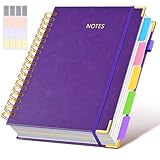
Hardcover Spiral Notebook journal with Removable Dividers Tabs, 300 Pages Leather 5 Subject Notebook... | $19.99 | Buy on Amazon |
As an Amazon Associate I earn from qualifying purchases.
- Query: Write down the exact keyword, including product name, model, and any modifiers.
- Geography: Decide whether the target is India-wide or a particular city. For city-specific intent, note the city and consider including it in the query.
- Language: Select the intended search language and record it.
- Device: Choose desktop or mobile to match the audit question; record the viewport if using a browser capture with a specified size.
- Personalization: Note whether you were signed in or whether other personalization may have affected the observation, if known.
These fields make captures interpretable later. Google does not prescribe an SEO screenshot template; the log is an audit practice based on the documented variation in results.
Check region, language, and Google’s reported location
Review Search settings
Open Google Search settings and check the available language and region controls before searching. Google notes that these settings affect Search and that the settings interface is being updated, so labels and paths may change. Its current help page is Change your Search browser settings. If you are signed in, saved settings may follow your account across browsers.
#1 Best Overall
- 【Leather Hardcover Spiral Notebook】Premium leather combine cardboard constituted a sturdy waterproof cover, prevent coffee、water from wetting the inner pages and against the notebook tabs /pages from bending, while 4 golden metal-corners and thick twin- spiral binding, further protect your important meeting records or work school note well. A kind side pen loop design, which reduce the frequency that losing pens.
- 【5 Adjustable Dividers with 8 Tabs】Our 5 subject notebook include 5 removable plastic dividers, flexible and durable so you can move and organize them as your wish. It can be divided into 5 sections in total, which had enough features to keep organized on different subjects, instead of piles of random spiral notebooks that will slimmed your backpack down a ton! Come with 8 self-adhesive labels that separate information and make it easy to find categories to help organize your notes effectively.
- 【300 Pages Thick Notebook】Large B5 size notebook 8"x10" with 300 pages /150 sheet for long-term storage will reduce the amount of notebooks you buy! Acid-free light Ivory paper that protect your eyes. High-quality 100GSM thick page create smoother writing process and prevent ink bleeding through or ghosting. 7.1mm college ruled spiral notebook and the top of each page are sections for“Weather”,“Week”,“Memo No” and “Date” to meet your daily note writing needs.
- 【Easy Writing at 180°Lay Flat】Thick twin-spiral binding less likely to fall apart and easy to turn the pages to ensures that the notebook lays flat when open,making writing a breeze even for left handed writers. Elastic closure band keep your spiral journal secure when closed and can also be used as a bookmark to keep track where you wrote. An expandable back pocket that is great for storing extra notes, cards, or other important items.
- 【Hardcover Notebooks for Work School】This spiral 5 subject notebooks is an excellent choice for students, professionals, or anyone who like to write things down and needs to keep them organized. A stylish look with gold color stamp font, binding brighten up your dreary desk, also a wonderful gift to work organization, back to school or family records.
Verify the location shown on the results page
For local-intent terms, check the location Google reports, typically at the bottom of the results page. Google estimates location from multiple signals; these can include device location, account home or work addresses, and other sources. It may also use a recent device location. See Understand & manage your location when you search on Google.
Selecting India in a region setting does not establish a particular city-level context. If the audit concerns a city, verify the reported location, include the city in the query where appropriate, and record both. If Google reports a different location than intended, correct what you can in settings or device permissions, then document any remaining mismatch rather than presenting the image as a verified city result.
Capture and label the results page
- Open Google and enter the exact query defined for the audit.
- Confirm the language, region, and reported location against the context you planned.
- Capture the visible results page with the query and relevant result features in frame. If the audit concerns a particular module—such as product results—make sure it is visible in the capture.
- If you take a full-page screenshot, record the original viewport and device context. A long image alone may not reveal whether the search was observed on desktop or mobile.
- Save the image with a filename or accompanying audit entry that records query, date and time, intended region or city, language, device or viewport, and sign-in or personalization state if known.
Keep separate files for materially different observations. A desktop capture and a mobile capture, or English and another language, are separate contexts—not a single combined SERP.
What’s actually slowing this PC down?
Pick the symptom - the matching free tool is one click away.
Make comparisons that an audit can support
For a before-and-after check or a comparison between competitors, hold the query, geography, language, device or viewport, and known personalization state steady. Change one intended factor at a time and record which factor changed. Google documents country, device, query, and language as sources of visible variation, so unexplained differences between captures do not by themselves show that a site change caused the difference.
A SERP screenshot is useful visual evidence of what appeared in that observation. It does not establish consistent rankings across India, technical crawlability, structured-data validity, or how Google renders the merchant’s page. Use it alongside the relevant ecommerce checks in Google’s SEO Best Practices for Ecommerce Sites, which covers product information, discovery, structured data, and site organization.
Do not confuse a SERP capture with URL Inspection
Google Search Console’s URL Inspection tool can show a screenshot of a merchant page as the inspection tool rendered it, after a successful live test. That is evidence about the inspected page and its rendering, not a screenshot of Google’s search results. See Google’s URL Inspection tool.
Or skip the browser setup
ScreenshotNeo is a website screenshot API and MCP server. For a direct capture of a Google results URL, use its one-call API request; the API key is required. See the ScreenshotNeo API documentation.
curl -G "https://api.screenshotneo.com/v1/shot" -d access_key=YOUR_API_KEY --data-urlencode url="https://www.google.com/search?q=running+shoes+India" -o shot.webp
Before capture, ScreenshotNeo accepts cookie or consent banners like a visitor and removes more than 60 known consent platforms, newsletter popups, and chat widgets; each step can be turned off. Bot checks, blank pages, failed loads, timeouts, and cache hits are not billed, and response headers identify the page verdict and billing status. Its MCP server provides take_screenshot, get_page_info, and capture_pdf tools for AI agents and MCP clients. The free plan includes 1,000 screenshots per month without a card; paid plans start at $5 for 3,000 screenshots.
Sign up for ScreenshotNeo’s free plan: 1,000 screenshots a month, no card required.
Frequently Asked Questions
Does choosing India in Google Search settings guarantee an India-wide result?
No. Search settings are one part of the context, and Google can estimate location from multiple sources. Record the location Google reports and the exact query.
Quick wins for a faster PC:
Fix the driver behind crashes, sound loss and screen glitchesFind Drivers →Clear out junk files and repair common Windows errorsFree Scan →Can a Google Search Console screenshot prove what appears in Google results?
No. URL Inspection’s screenshot shows a page rendered by the inspection tool after a successful live test; it is not a SERP capture.
Quick Recap
Product prices and availability are accurate as of the date/time indicated and are subject to change. Any price and availability information displayed on Amazon at the time of purchase will apply.

