What’s actually slowing this PC down?
Pick the symptom - the matching free tool is one click away.
If your Samsung Galaxy Watch3 is frozen, try a force restart first: hold Home/Power and Back together for at least seven seconds. This reboots the watch without erasing personal data. A factory reset is different: it returns the watch to default settings and may permanently delete data. If you cannot open the watch’s menus or have forgotten its PIN, use Samsung’s Watch3 recovery-mode procedure below.
Choose between a force restart and a factory reset
| Option | Use it for | Effect on data | Access needed |
|---|---|---|---|
| Force restart | A watch that is frozen or temporarily unresponsive | Does not erase personal data | Physical buttons |
| Factory reset | Persistent problems or a forgotten PIN or pattern | Returns the watch to default settings and may permanently remove data | Settings access or recovery mode |
Samsung’s force-restart guidance is general Galaxy Watch advice from its Canadian support site; button behavior and menus may vary with model or software. The factory-reset sequence here is Samsung’s model-specific procedure for Galaxy Watch3.
As an Amazon Associate I earn from qualifying purchases.
Try a force restart if the watch is frozen
- Press and hold Home/Power and Back at the same time.
- Keep holding for at least seven seconds, until the screen turns off and the watch restarts.
This is a reboot, not a factory reset, so Samsung says it does not erase personal data. If the watch starts normally, there is no need to proceed to recovery mode unless the problem continues.
Back up before a factory reset, if possible
If you can still access the watch and its connected phone, back up through Galaxy Wearable before resetting. Samsung lists Galaxy Wearable on the connected phone and a Samsung account on the watch as backup routes. Supported backup data includes preloaded-app data and settings, the installed-app list, watch-face settings, and system settings.
#1 Best Overall

- Galaxy Watch3 combines powerful technology with a premium, customizable design so you can manage the day-today from your wrist, beautifully.
- Keep an eye on wellness with advanced health monitoring, and go for days without charging.
- Keep an eye on your fitness and health with SpO2, VO2 max, and heart-rate monitoring. Help is just a tap away if you stumble. And track your cycle in an easy and discreet way. *This device and related software are not intended for use in the diagnosis of disease or other conditions, or in the cure, mitigation, treatment or prevention of disease. SPO2, VO2 max and running coach features not available at the time of launch, will become available during Q3. Features will require a software update.
- Galaxy Watch3 combines style—two sizes, three colors, 50,000-plus watch faces and premium leather bands—with military-grade durability and water resistance.
- Spend your time moving while Galaxy Watch3 tracks seven popular activities automatically. Get more out of each movement thanks to a built-in run coaching.
- Music stored on the watch cannot be backed up through this process.
- Music saved on the phone can be transferred to the watch manually after setup.
- Do not assume every item stored locally on the watch will return after a reset.
Samsung’s instructions note that a reset returns the watch to default settings and can result in data loss. If the watch is inaccessible, you may not be able to make a backup first.
Factory-reset a Galaxy Watch3 in recovery mode
Use this Watch3-specific button sequence if you cannot use the normal interface, including when a forgotten PIN or pattern prevents access. Samsung advises unpairing the phone and watch first to avoid connection problems.
Rank #2

- Galaxy Watch3 combines powerful technology with a premium, customizable design so you can manage the day-today from your wrist, beautifully.
- Keep an eye on wellness with advanced health monitoring, and go for days without charging.
- Keep an eye on your fitness and health with SpO2, VO2 max, and heart-rate monitoring. Help is just a tap away if you stumble. And track your cycle in an easy and discreet way. *This device and related software are not intended for use in the diagnosis of disease or other conditions, or in the cure, mitigation, treatment or prevention of disease. SPO2, VO2 max and running coach features not available at the time of launch, will become available during Q3. Features will require a software update.
- Galaxy Watch3 combines style—two sizes, three colors, 50,000-plus watch faces and premium leather bands—with military-grade durability and water resistance.
- Spend your time moving while Galaxy Watch3 tracks seven popular activities automatically. Get more out of each movement thanks to a built-in run coaching.
- In Galaxy Wearable, unpair the current Bluetooth connection between the phone and watch, if you can.
- Power the watch off, then turn it back on.
- While the watch starts, hold Power and Back together until “Rebooting…” appears.
- Release both keys. Immediately press and release the Power key repeatedly to open the Reboot Mode menu.
- Press the Power key repeatedly until Recovery is highlighted.
- Hold Power to select Recovery. Release the key when the screen goes dark.
- Wait for the factory reset and reboot to finish.
- When the Welcome screen appears, reconnect using Galaxy Wearable and check for a watch software update.
Samsung specifies pressing the Power key repeatedly immediately after “Rebooting…” appears; its instructions do not give a more precise timing interval. Screen labels and available options can vary by software version and region.
Reconnect the watch and restore LTE service
After the reset, begin setup from the watch’s Welcome screen in Galaxy Wearable. Once pairing is complete, check for a software update. If your Watch3 has LTE and was activated using a QR code, Samsung says you need a new QR code to reactivate service; contact your carrier to obtain it.
Rank #3
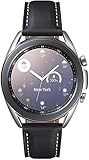
- STYLE YOU CAN COUNT ON: Galaxy Watch3 combines style—two sizes, two finishes, three colors and, 50,000 plus¹ watch faces-with military-grade durability² and water resistance³.
- LEAVE YOUR PHONE BEHND: Galaxy Watch3 gives you the freedom to call, text, stream music and get notifications via Bluetooth connectivity.
- HOLISTIC HEALTH MONITORING: Use your Galaxy watch to record ECG for 30 seconds similar to a standard single-lead ECG. ⁴(All ECG functionality requires compatible Galaxy smartphone. ⁴) The ECG Monitor app will also check the recording for signs of Atrial Fibrillation— a common form of irregular heart rhythm. ⁴You can share the PDF report of your ECG recording with your health care provider using the Samsung Health Monitor app on your compatible Galaxy phone.
- BATTERY BUILT FOR ENDURANCE: The Galaxy Watch3’s long-lasting battery can go for more than a day ⁵on a single charge, and you can always get a quick boost from your compatible Galaxy phone with Wireless Power Share⁶.
- STRONGER INSIGHTS. NEXT-LEVEL FITNESS: Spend your time moving while Galaxy Watch3 tracks seven popular activities automatically. Get more out of each movement thanks to built-in run coaching⁷.
If the reset does not solve the problem
Samsung’s support guidance directs users to service if a reset does not resolve the issue. A factory reset is not a substitute for repair when the watch continues to malfunction.
Sources: Samsung Support US: reset a Galaxy Watch; Samsung Support US: back up and restore Galaxy Watch data; Samsung Support Canada: restart or reset a Galaxy Watch.
Quick Recap
Product prices and availability are accurate as of the date/time indicated and are subject to change. Any price and availability information displayed on Amazon at the time of purchase will apply.

