Yes, some Ubisoft games can be played without an internet connection, but offline mode is not a permanent-access guarantee. To give yourself the best chance, use the Ubisoft account that owns the game, update Ubisoft Connect PC and the game, activate and launch the title once while online, allow every update to finish, and back up local saves before disconnecting. Then test that exact game, edition and platform with the network disabled.
Offline single-player features may survive a server retirement, while multiplayer, news, statistics, challenge systems, reward redemption and some downloadable content may not. Ubisoft’s terms also allow first-launch DRM checks, subscription authentication and permanent online requirements for particular games or features.
As an Amazon Associate I earn from qualifying purchases.
What offline play actually means for a Ubisoft game
Ubisoft Connect PC can start in offline mode, so an installed game does not automatically require a live connection every time you open the launcher. That capability applies to the client; it does not promise that every title, mode or entitlement will work offline.
Crashes, No Sound, or Screen Glitches?
Random freezes, missing sound and display glitches usually trace back to one bad driver. Find and replace yours safely.Free scan · under a minutePC Slower Than It Used to Be?
A free scan shows the junk files, broken settings and background clutter dragging Windows down - then fixes them in one click.Free scan · Windows 10 & 11Three separate checks determine whether you can play:
#1 Best Overall
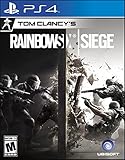
- Jump into the latest expansion, Operation Phantom Sight, and play as the two new operators, Nokk and Warden
- Command an arsenal of gadgets to secure the win: Set traps, fly drones, track footsteps, see through walls, and more
- Lead your teammates to victory in intense, fast paced PVP matches across a wide variety of destructible arenas
- Join a massive online community of over 45 million players as you fight for supremacy
- An ever expanding universe of Operators, gadgets, items, and events updated all year long
- Launcher access: Ubisoft Connect PC must recognize the installation and the account that activated the game.
- Title DRM: the game may require an online connection during installation or its first launch to unlock through DRM software.
- Feature entitlement: multiplayer, cloud-only functions, subscription access, server-side rewards and some DLC may need Ubisoft services whenever they are used.
A game can therefore open offline while a particular menu, saved entitlement or online mode fails. Treat offline mode as a way to use supported local content, not as evidence that the title is independent of Ubisoft authentication.
Prepare the game while you still have internet access
Do this preparation before a trip, a planned service outage or a reinstall. The order matters because first-launch activation and updates are the steps most likely to be impossible after you disconnect.
-
Sign in to the owning Ubisoft account
Ubisoft links each game and its in-game content to the account where the key was activated or redeemed. Sign out of any secondary account and verify that the game appears in that account’s Ubisoft Connect library. If it is missing, check alternate Ubisoft accounts before reinstalling. Ubisoft’s troubleshooting guidance also recommends clearing the Ubisoft Connect cache when a correctly owned game does not appear.
Do these 3 things before closing this tab:
1Clear out junk files and repair common Windows errors2Fix the driver behind crashes, sound loss and screen glitches3Repair Windows errors before they cause bigger problemsSpecial offer. See more information about Outbyte and uninstall instructions. Please review EULA and Privacy policy. -
Install the current Ubisoft Connect PC client
Download and install the newest client before going offline. Ubisoft specifically points to an up-to-date client for older games installed from disc; an outdated client can produce a “Service is unavailable” error during installation or sign-in. Open the client and let it complete its own updates while the connection is working.
The client is the account and DRM layer for many PC purchases. A local installer or disc does not necessarily remove that dependency.
-
Activate the key and install the complete game
Redeem a product key on the owning account, or install the digital purchase from that account’s library. If you are using physical media, install from the disc only after confirming that the edition and platform match the account entitlement. Keep the client online during the entire installation so activation checks and required patches can complete.
Rank #2
 Tom Clancy's The Division 2 - PlayStation 4 Standard Edition
- Tom Clancy's The Division 2 is an online action shooter RPG experience, where exploration and player progression are essential
- Save a country on the brink of collapse as you explore an open, dynamic, and hostile world in Washington, DC
- Fight together with your friends in online co-op or against others in competitive P2P
- Choose a unique class specialization to take on the toughest challenges with friends in a genre defining endgame
- Want more? Upgrade to the Gold Edition, featuring a Year 1 Pass with additional digital content and three day early access to the game
-
Launch the exact title once while online
Start the game from Ubisoft Connect PC while connected. Ubisoft’s EULA says an online connection may be required during installation and/or the first launch to unlock a product through DRM software. Reach the title’s main menu, sign in to any requested service and let the game create its local configuration and save directories. If the game contains separate single-player and multiplayer components, open the single-player portion you intend to use offline.
Special offer. See more information about Outbyte and uninstall instructions. Please review EULA and Privacy policy. -
Install every available update
Let both the client and the game finish updating before you disconnect. Offline mode does not install updates automatically. A game that is playable today may fail to launch after a partial patch, and an older client may no longer be able to complete a required authentication exchange.
-
Back up local saves
Ubisoft’s reinstall guidance tells players to back up save files. Copy the game’s local save folder to another drive or a protected cloud-storage location that you control, keeping the original folder structure and a dated backup. Cloud synchronization is optional for supported games, so do not assume that a prolonged outage will let you download a missing save. If you use cloud saves, allow the final synchronization to finish while online, then retain a local copy as well.
-
Test with the network disabled
Close the game, disable Wi-Fi or unplug the network cable, then start Ubisoft Connect PC and launch the same title in offline mode. Record what works: the main menu, individual saves, DLC missions, bonus items, photo mode and any other feature you care about. This title-specific test is more reliable than a general statement that Ubisoft games work offline.
Starting Ubisoft Connect PC in offline mode
Offline mode is a launcher state. Before disconnecting, sign in normally and verify that the game is installed and activated. After the connection is disabled, open Ubisoft Connect PC and choose its offline option when presented, then launch the installed game from the library. If the client cannot recognize the account or installation, it may not offer a usable offline session.
Expect these limitations while offline:
- Automatic client and game updates stop until you reconnect.
- Multiplayer, matchmaking, leaderboards, player statistics, in-game news and other server-fed screens are unavailable.
- Cloud synchronization cannot be assumed; a local save may be the only current copy.
- Server-side rewards, challenges, Units and redemption systems cannot be reached.
- A first launch that was never completed online can remain blocked by DRM.
The client itself is available through ubisoftconnect.com. Use the current installer rather than relying on an old copy bundled with a disc.
Rank #3

- PARTY CARD GAME: Disc Cover is the creative and inclusive cooperative card game where you listen to a song and vote for what cover you think the majority will vote for! The game also includes a competitive rule.
- FAMILY AND FRIENDS RELAXING GAME: This 3 to 8 player game can be enjoyed by parents playing with their children as well as adults during friends gathering, diner party or game night. Best recommended for ages 7 & Up.
- HOW TO PLAY: You will need a phone to play your own playlists or use the QR code provided in the rules to access Blue Orange and the community's playlists. One player starts a song, turns over 4 Cover cards and places one face up under each Record card. While listening to the song and without speaking, each player decides which of the 4 covers they feel best matches the music being played.
- Players use their Selection Disk to lock in their answer. Then all player reveal their answer. If there is a majority vote (one cover has received most of the votes), the team wins as many points as votes for this card. The game ends after the 9th cover has been selected. Players count the points they have won together and check the table included in the rules to rank their score.
- FUN FACTS: Disc Cover features artwork from 73 artists from 26 countries! The diversity of Album Cover cards is so beautiful; it will make your game a unique experience as you look through artwork, trying to match one with the music you are listening to. INCLUDES: 100 Album Cover Cards, 8 Answer Wheels, 48 Point Tokens, 4 Disc Tiles, 1 First Player Token, 1 Guide featuring the illustrators, Easy to read Illustrated Rules.
What a Ubisoft server retirement can remove
Ubisoft’s legacy-service notices generally separate online services from offline features. For the listed games, shutdowns have removed online multiplayer, in-game news and player statistics while leaving specified offline functions available. The exact result depends on the title, platform and edition.
| Service or entitlement | Typical effect after retirement | Important qualification |
|---|---|---|
| Online multiplayer and matchmaking | Unavailable | Applies to the retired service named for that title; local or LAN behavior is not promised. |
| In-game news and player statistics | Unavailable | These screens depend on Ubisoft’s servers even when the campaign remains playable. |
| Units and Challenges | Retired | Progression tied to those systems cannot continue through the shut-down service. |
| Rewards earned after retirement | May show as earned but cannot be received in-game | Ubisoft’s notices describe this limitation for the affected legacy services. |
| Unredeemed maps, skins and other unlockable content | Cannot be redeemed | Redemption requires the retired service. |
| Previously redeemed unlockable content on PC | Ubisoft says it becomes unavailable | This is a platform-specific statement; check the retirement notice for the title. |
| Previously redeemed unlockable content on console | May remain available | Ubisoft says it can remain unless saved-game files are reset. |
| Offline campaign or other local features | May remain available | Only the features identified for that game are covered; always-online titles are an exception. |
Ubisoft’s retirement table gives dates by game and platform, rather than one universal shutdown date. Examples listed by Ubisoft include Assassin’s Creed IV Black Flag on Wii U on 8 April 2024, Ghost Recon Future Soldier on PC on 25 January 2024, and Captain Laserhawk: The G.A.M.E. on PC on 30 June 2026. Because platform effects and dates change by title, consult the current retirement entry before buying, reinstalling or resetting an older game.
Why offline mode cannot guarantee permanent access
Ubisoft’s Terms of Use state: “A high-speed internet connection, an Account and the installation of the Ubisoft Connect client software (http://ubisoftconnect.com) may be required to install, launch, access and unlock all or part of the Content and Services.” The same terms add that “some games and features may require a permanent online connection.”
The EULA uses narrower but important language: “during the installation and/or the first launch of the Product, an online connection may be required to unlock the Product through the DRM Software.” These clauses mean that a game can have an offline launcher path and still enforce online checks at installation, first launch or for a particular feature.
Consequently, no general promise can be made that every Ubisoft game will remain playable after a server change. Always-online games, recurring authentication checks, subscription entitlements and cloud-only functions can fail even when files remain on your drive. The only dependable answer is specific to the title, platform, edition, account and service status.
Local installation, physical disc, Ubisoft+ and cloud gaming compared
The four common ways to obtain a Ubisoft game have different failure points. “Offline” describes network behavior, while “ownership” describes the entitlement that lets you use the software; they are not the same thing.
Rank #4

- A unique co-op mode known as "Prologue" featuring an exclusive story mode full of new characters, settings, four exclusive maps and more. It is only available within Conviction's Co-op mode.
- A full arsenal of cutting-edge technologies like the Last Known Position system, that allows you to outflank foes and set traps, and the Mark and Execute feature that allows you to tag enemies and environments for elimination.
- A unique storytelling style that keeps you on the edge of your seat as you navigate the explosive world of a renegade agent where trust is impossible and justice requires you to go above the law.
- A revolutionary new graphic direction delivering an utterly seamless gameplay experience that’ll keep you totally engrossed in the story of Sam Fisher.
- Xbox LIVE support made up of addictive multiplayer modes, content downloads, messaging and voice support and more designed to amp up the dramatic intensity like never before.
| Access method | Offline capability | Authentication and ownership | Server dependence | Updates and saves |
|---|---|---|---|---|
| Digital local installation | Supported only for titles and features that pass their offline checks. | Usually tied to the Ubisoft account that activated the purchase; first-launch DRM may require internet. | Required for account sign-in, online features and any recurring checks. | Install patches while online; preserve local saves and use cloud saves only where supported. |
| Physical disc | Can preserve a local installer for some titles, but does not prove offline play. | May still require Ubisoft Connect, account activation and first-launch authentication. | Depends on the game’s DRM, DLC services and retirement status. | Disc content may be outdated; the current Ubisoft Connect client and patches may be required. |
| Ubisoft+ access | Not a preservation method. | Access ends when the subscription or free-term access ends; it is an entitlement rather than ownership. | Ubisoft says Ubisoft+ requires a persistent internet connection for both online and offline play. | Saved progression is retained only where supported by cloud saves or local files. |
| Cloud gaming | Cannot provide offline play. | Requires the linked store and Ubisoft account entitlements. | Every session needs a network connection because the game runs remotely. | Local installation and local save backups do not control the remote session. |
Ubisoft documents GeForce NOW access for Ubisoft Store and Epic purchases after the accounts are linked; some games must first be activated in Ubisoft Connect PC. That option can make a game easier to stream, but it cannot solve an offline-access problem because cloud gaming is inherently online.
What’s actually slowing this PC down?
Pick the symptom - the matching free tool is one click away.
How to protect saves, DLC and rewards
Keep two copies of important saves
Maintain one working local save and one dated backup outside the game’s installation directory. Before a major reinstall or operating-system reset, close the game, copy the save folder, and verify that the backup contains recent files. If cloud synchronization reports a conflict, do not overwrite the newer local copy until you have preserved both versions.
Separate installed files from entitlements
A downloaded campaign file can remain on disk while a server-controlled entitlement disappears. Treat bonus missions, skins, maps, currencies and challenge rewards as separate from the base installation. Redeem any code and download any included content while the service is available, then test it offline. Ubisoft’s retirement notices specifically warn that unredeemed unlockable content may no longer be claimable.
Do not reset console saves casually
For some retired services, Ubisoft says previously redeemed unlockable content can remain on console unless saved-game files are reset. A factory reset, deletion of the save, or starting with a different profile can therefore remove the local record that made the content available. Back up the save before troubleshooting or changing accounts.
Troubleshooting common offline failures
The game is missing from the library
- Sign out and back in with the account that redeemed the key or made the purchase.
- Check whether the game belongs to a different Ubisoft account or platform edition.
- Clear the Ubisoft Connect cache, restart the client and allow it to rescan installed files.
- Do not redeem the same key on a second account; Ubisoft links the entitlement to the first account that activated it.
Ubisoft Connect reports “Service is unavailable” during installation
Reconnect to the internet, update Ubisoft Connect PC to the newest version, restart the client and retry activation. This error is especially relevant when installing an older disc release with an obsolete bundled client. Complete installation and first launch online before attempting offline play.
Recommended Free Tools
The client opens, but the game refuses to launch offline
- Reconnect and complete the title’s first launch; a DRM unlock may never have been recorded.
- Confirm that the game was started from the owning account, not a different profile.
- Install pending patches, then test again with the network disabled.
- Check whether the title or mode is listed as requiring a permanent connection; offline mode cannot override that requirement.
A DLC item or reward is gone after a shutdown
Determine whether it was downloaded or merely redeemable through the retired service. Previously redeemed content can have different outcomes on PC and console, and Ubisoft says console content may depend on the existing save file. Restore the backed-up save only after confirming that it belongs to the same account and edition.
Best Value

- From the quiet town of South Park at the foot of the mountains, darkness spreads across the country.
The game launches but cloud progress is missing
Cloud saves may be unavailable during an outage. Exit without overwriting the local save, reconnect when the service returns, and compare the local backup with the cloud version before choosing which copy to keep.
Buying or reinstalling an older Ubisoft game
A disc is useful as a local installer, but it is not proof of DRM-free software or permanent offline access. Before paying for or reinstalling an older title, verify all of the following for the exact platform and edition:
- Whether the key has already been redeemed and which Ubisoft account owns it.
- Whether Ubisoft Connect PC is required and whether the current client supports the installer.
- Whether installation or first launch requires an online DRM unlock.
- Whether the campaign and the modes you want are genuinely offline-capable.
- Whether the game’s DLC was included on the disc, tied to a separate code, or delivered through a now-retired service.
- Whether Ubisoft’s retirement table lists a shutdown date or platform-specific loss of content.
- Whether your save files are stored locally and can be backed up before a reset.
For a used disc, also confirm that the product key is unused or that the original account can still access the entitlement. Possessing the disc alone does not transfer an account-bound activation.
Quick wins for a faster PC:
Scan for outdated or missing drivers - takes under a minuteDriver Scan →Clear out junk files and repair common Windows errorsFree Scan →Practical decisions by situation
You are preparing for travel without reliable internet
Finish the seven preparation steps, then perform a full network-disabled test at home. Choose a local campaign and keep the save backup on a separate device. Do not rely on Ubisoft+ or cloud gaming for the trip.
You are concerned about a rumored server shutdown
Identify the exact game, platform and edition, then read Ubisoft’s current retirement entry. Redeem and download every desired bonus while the service is live, complete an online launch, and preserve the resulting save. A general statement about another platform or edition is not evidence for yours.
You are deciding between a disc and a digital copy
Compare the account activation, first-launch DRM, update and retirement requirements rather than assuming the disc is safer. A disc can reduce dependence on a future download server for the base installer, but it cannot bypass Ubisoft Connect or a title’s online checks.
You are considering Ubisoft+ for a single-player game
Use the subscription for temporary access or convenience, not archival ownership. Ubisoft says Ubisoft+ requires persistent internet even for offline play, and access ends when the subscription or free-term period ends. Progress remains only where the game’s local or supported cloud saves preserve it.
The Tool Desk
Outbyte PC Repair FREEClear out junk files and repair common Windows errorsFree Scan →Outbyte Driver Updater FREEFix the driver behind crashes, sound loss and screen glitchesFind Drivers →You are considering cloud gaming
Choose it only when a stable connection is acceptable. Ubisoft’s documented cloud-gaming integrations still require linked accounts and, for some games, prior Ubisoft Connect activation. Streaming cannot provide a playable copy when Ubisoft’s servers or your internet connection are unavailable.
Quick Recap
Product prices and availability are accurate as of the date/time indicated and are subject to change. Any price and availability information displayed on Amazon at the time of purchase will apply.

