Use WhatsApp’s QR-based transfer if the old phone and the destination both run Android and WhatsApp works on both. If the destination uses Huawei Mobile Services (HMS), Google Drive WhatsApp backups are not available according to Huawei; use a Huawei procedure that matches the devices’ software instead. The official guidance available here does not verify a Huawei Mate 90, its operating system, regional variant, or WhatsApp compatibility. Check the exact model and software shown on your phone before choosing a route.
Choose a transfer route that matches your phones
| Route | What it needs | When it fits |
|---|---|---|
| WhatsApp direct transfer | Both Android phones, WhatsApp working on both, and an internet connection | Use this first when WhatsApp is available on the destination. |
| Huawei Phone Clone | A supported Huawei software pairing and compatible Phone Clone version | Huawei documents WhatsApp migration for specific EMUI scenarios; exact steps vary by version. |
| Manual local-backup migration | A usable local WhatsApp archive and a matching restore procedure | Consider this only when it matches the current device and WhatsApp instructions. |
Phone Clone is not a universal WhatsApp-chat guarantee, and WhatsApp’s QR transfer is a separate feature. Keep the old phone and its backup intact until you have checked the transferred chats and important media.
As an Amazon Associate I earn from qualifying purchases.
Transfer chats directly between Android phones
WhatsApp’s current Android instructions start on the new phone. Have both phones available and connected to the internet. If you are keeping your number, use the same number on the destination; WhatsApp advises moving the SIM and registering the existing number there.
Recommended Free Tools
- On the new phone, install and open WhatsApp, accept the terms, enter your account’s phone number, and confirm it.
- If prompted, connect the new phone to local Wi-Fi. WhatsApp displays a QR code for the transfer.
- On the old phone, use WhatsApp’s camera to scan the QR code on the new phone, then choose Start Transfer.
- Accept the prompt on the old phone to connect to the new phone. Keep WhatsApp open until the transfer finishes.
- On the new phone, complete two-step verification if enabled, confirm your profile information, and follow the prompts to the Chats tab.
If you are changing numbers, use WhatsApp’s change-number process on the old phone before transferring. Registering a different number directly on the new phone without first changing numbers can result in chat history loss. If you cannot access the old phone or number, recover the account before attempting the move.
#1 Best Overall

- 6.7" FHD+ 120Hz display* and Dolby Atmos**. Upgrade your entertainment with an incredibly sharp, fluid display backed by multidimensional stereo sound.
- 50MP camera system with OIS. Capture sharper low-light photos with an unshakable camera system featuring Optical Image Stabilization.*****
- Unbelievable battery life and fast recharging. Work and play nonstop with a long-lasting 5000mAh battery, then fuel up with 30W TurboPower charging.***
- Superfast 5G performance. Make the most of 5G speed with the MediaTek Dimensity 7020, an octa-core processor with frequencies up to 2.2GHz.******
- Tons of built-in ultrafast storage. Enjoy plenty of room for photos, movies, songs, and apps—and add up to 1TB with a microSD card.
If the Huawei destination uses HMS
Huawei says Google Drive WhatsApp backup does not work on an HMS phone. Its support instructions instead describe local backups and Phone Clone steps for particular EMUI versions. The exact menu sequence and app requirements should not be assumed to apply to every Huawei device or a phone sold under the Mate 90 name.
Phone Clone for the documented EMUI 12 scenario
Huawei’s Portuguese support instructions for moving from a non-Huawei Android phone to Huawei HMS on EMUI 12 call for a WhatsApp chat backup on the old phone and Phone Clone version 12.0.1.370 or later on both phones. The instructions then connect the phones, select Applications and data and WhatsApp, and follow the WhatsApp prompts on the new device. Check both phones’ EMUI and Phone Clone versions against Huawei’s instructions before relying on this route.
Rank #2

- Blazing-fast Qualcomm performance. Get the speed you need for great entertainment with a Snapdragon 680 processor and 4GB**** of RAM.
- Fluid display + immersive stereo sound. Bring your entertainment to life with an ultrawide 6.5" 90Hz* HD+ display plus stereo speakers, Dolby Atmos, and Hi-Res Audio**.
- 50MP*** Quad Pixel camera. Capture sharper, more vibrant photos day or night with 4x the light sensitivity.
- 64GB**** built-in storage. Get plenty of room for photos, movies, songs, and apps—and add up to 1TB more with a microSD card*****.
- Unbelievable battery life. Work and play nonstop with a long-lasting 5000mAh battery.*****
Open and connect Phone Clone
Huawei’s global overview says to open Phone Clone on the new device, either directly or through Settings > System & updates > Phone Clone. Choose This is the new device, then Huawei or Other Android as appropriate. On the old phone, install or open Phone Clone, connect using the QR code or manual connection, select data, and start the transfer. These general migration steps do not guarantee WhatsApp history will transfer for every software pairing.
When a local backup may be needed
Huawei also documents manual local-archive procedures for some older EMUI scenarios and for moving from Huawei GMS to Huawei HMS. Depending on the applicable guide, these involve creating a WhatsApp local backup, moving WhatsApp database and media files, and restoring from the archive when WhatsApp detects it. Huawei’s Portuguese instructions include paths and database file suffixes that can vary with app versions; do not copy a file recipe from an unrelated software version.
Rank #3
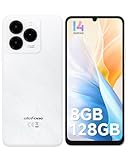
- GSM Unlocked Freedom - Enjoy unrestricted carrier choice with compatibility for T-Mobile, Metro PCS, and other GSM networks. SIM card not included(❌Not compatible with AT&T, Cricket new activations or CDMA networks like Verizon).
- Immersive Display - Featuring a generous 6.75-inch screen with 1600x720 HD+ resolution, 90Hz Refresh Rate, 20:9 Aspect Ratio, 90% screen-to-body ratio, offers a crisp and vivid detailed visual experience.
- Smooth and Responsive - The smartphone features a powerful octa-core Unisoc T606, Android 14 OS, comes loaded with 8GB RAM(4GB RAM+4GB virtual RAM), Up to 128GB ROM and an additional 1TB via microSD.
- Triple Camera Expert - Note 20 Pro has an exceptional Samsung's lSOCELL JN1 sensor with 5OMP Million Pixels Camera, Depth Sensor, 2MP Macro Camera, 8MP front camera, capture stunning photos and videos that truly stand out.
- All-Day Power, Non-Stop Enjoyment - The Note 20 Pro unlocked phone built-in 6000mAh battery, 18W charging. Promises up to 550 hours of standby, 33 hours of talk, and 40 hours of TikTok.
- First confirm that the official Huawei instructions match the old and new phones’ software.
- Keep the local archive intact and preserve the old phone while testing the restore.
- On the destination, use the same WhatsApp account and follow the restore prompt if WhatsApp detects the history.
Why preserving the old phone matters
WhatsApp says it cannot restore chats for you because chat history is not stored on its servers. Do not erase or trade in the old phone until the destination shows the conversations and media you need. General Android setup copying may offer cable or wireless migration, but Google’s general guidance about cloud restoration does not override Huawei’s statement that Google Drive WhatsApp backups are unavailable on HMS.
Independent reader supportYour contribution helps us test, update, and keep practical guides available for everyone.Check compatibility on the actual device
The available official guidance does not establish a Mate 90-specific transfer procedure or confirm that a particular Mate 90 configuration exists, what operating system or services it uses, or whether WhatsApp is available and fully functional on it. WhatsApp’s Android download page lists Android OS 6.0 or above as its minimum, but that requirement alone does not confirm compatibility with a specific Huawei model or regional software build. Check the device’s model, operating system, HMS/GMS status, and whether WhatsApp can be installed and opened before starting.
Quick Recap
Rank #4

- Google Pixel 10 is the everyday phone unlike anything else; it has Google Tensor G5, Pixel’s most powerful chip, an incredible camera, and advanced AI - Gemini built in[1]
- Unlocked Android phone gives you the flexibility to change carriers and choose your own data plan[2]; it works with Google Fi, Verizon, T-Mobile, AT&T, and other major carriers
- Unlocked Android phone gives you the flexibility to change carriers and choose your own data plan[2]; it works - Google Fi, Verizon, T-Mobile, AT&T, and other major carriers
- The upgraded triple rear camera system has a new 5x telephoto lens - up to 20x Super Res Zoom for stunning detail from far away; Night Sight takes crisp, clear photos in low-light settings; and Camera Coach helps you snap your best pics[3]
- Pixel 10 is designed - scratch-resistant Corning Gorilla Glass Victus 2 and has an IP68 rating for water and dust protection[21]; plus, the Actua display - 3,000-nit peak brightness is easy on the eyes, even in direct sunlight[4]
Official instructions
- WhatsApp: How to transfer your WhatsApp account to a new phone
- HUAWEI Support Portugal: WhatsApp backup and restore from non-Huawei Android to Huawei HMS
- HUAWEI Support Portugal: WhatsApp transfer from Huawei GMS to Huawei HMS
- Google Android Help: Copy apps and data from an Android to a new Android device
- WhatsApp: Can’t back up or restore your chat history
- HUAWEI Support Global: Use Phone Clone to Move Data to Your New Device
- WhatsApp for Android download page
Product prices and availability are accurate as of the date/time indicated and are subject to change. Any price and availability information displayed on Amazon at the time of purchase will apply.

