Do these 3 things before closing this tab:
1Fix the driver behind crashes, sound loss and screen glitches2Clear out junk files and repair common Windows errors3Scan for outdated or missing drivers - takes under a minuteUSBLogView records USB devices it detects being connected or disconnected while the utility is running. Start it before the activity you want to capture, review the event rows, and export them if you need a saved log. It is a live monitor, not a tool for reconstructing activity from before launch.
What USBLogView records
NirSoft’s USBLogView adds a row when it observes a USB device being plugged in or unplugged. The listed fields include event type and time, device name and description, device type, and vendor and product identifiers and names. For storage devices, it can show a drive letter; a serial number is available for some device types, not all.
As an Amazon Associate I earn from qualifying purchases.
The official product page lists version 1.26. It says that release fixed sorting of the Event Time and numeric columns, but does not give a current release date for v1.26. NirSoft’s announcement introducing the utility is dated December 10, 2011: USBLogView product page and NirSoft announcement.
How to capture USB activity
-
Download USBLogView from NirSoft’s official USBLogView page and run
USBLogView.exe. NirSoft says the utility does not require installation or additional DLL files.#1 Best Overall
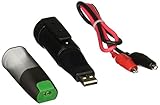 Lascar EL-USB-5 USB Data Logger, Counter, Event and State
- Accepts input voltage up to 24V
- Volt free contact option
- Rising and falling edge triggering
-
Leave the utility running while you connect or disconnect the device you want to observe. Detected events appear as new rows. Starting USBLogView does not, according to its description, reconstruct events from before it was running.
-
Read the event type and time, then use the device details to identify what changed. A drive letter applies to storage devices; do not expect a serial number for every device.
Rank #2
 Lascar EL-USB-5+ Better Accuracy USB Counter, Event and State Data Logger
- State, Event and Count USB Data Logger with Extended Memory
-
If you want USBLogView to keep running after you close its main window, enable Put Icon On Tray and then close the window. For continuous file logging, open Advanced Options with F9 and enable Add every plug/unplug event into a log file. NirSoft lists this option as introduced in version 1.25.
Special offer. See more information about Outbyte and uninstall instructions. Please review EULA and Privacy policy. -
To save events already shown, select the rows and press Ctrl+S to export, or press Ctrl+C to copy them. The product page lists XML, HTML, CSV/comma-delimited, and tab-delimited output. Export a copy when you need the records to persist beyond the current session.
Rank #3
 Lascar Electronics EL-USB-1 USB Temperature Data Logger, 16,000+ Readings, 1 Year Battery Life Black 5 x 1 x 1
- Records and Stores 16,000 Ambient Temperature Readings
- Measurement Range of -35 to +80°C (-31 to +176°F).
- 10 Second to 12 Hour Sampling Rate
- 1 Year Battery Life and LED Operational and Alarm Indicators
- Includes Windows 7, XP and Vista PC-Compatible Software and 1/2 AA 3.6 Volt Lithium Battery
Know the Windows and logging limits
NirSoft’s USBLogView page states support for Windows 2000 through Windows 10, on both 32-bit and 64-bit systems. It does not explicitly list Windows 11, so Windows 11 compatibility is not verified by that documentation. The page describes events observed while the utility runs; it does not promise complete historical recovery or guarantee detection of every device class or event. NirSoft also labels the program freeware, restricts redistribution to free, unmodified copies with all package files included, and provides it “AS IS” without warranty.
Independent reader supportYour contribution helps us test, update, and keep practical guides available for everyone.Choose a different NirSoft utility for history or inventory
USBLogView, USBDriveLog, and USBDeview answer different questions; one is not simply a setting inside another.
Quick Recap
Best Value

- Multi-use temperature data logger, 32,000 recording points, with wide measuring range -30℃~70℃ / -22℉~158℉. Up to 6 months battery life, replaceable battery, low power consumption.
- Built-in USB connector, no cable or reader required to download data or generate PDF report.
- Powerful LCD indication, easy to view temperature data, logged points, alarm status, and more key information, etc. Fahrenheit/Celsius switchable through free software.
- IP65 protection grade and temperature alarms, suitable to use on dry ice and vaccine storage, transportation and etc.
- PLEASE EMAIL/MESSAGE US FOR THE CALIBRATION CERTIFICATE. 24/7 US Technician Support via Email and Phone.
Rank #4

- Country Of Origin: China
- Model Number: EL-USB-3
- Item Package Dimension: 6.0" L x 5.0" W x 3.0" H
- Item Package Weight: 1.0 lb
| Utility | Best fit | What it draws on or shows | Documented Windows support |
|---|---|---|---|
| USBLogView | Observe plug/unplug events live while it is running | Event rows for detected USB-device connections and disconnections | Windows 2000 through Windows 10, 32-bit and 64-bit, according to the USBLogView page |
| USBDriveLog | Review USB-drive history already present in Windows event logs | Reads the Microsoft-Windows-Partition/Diagnostic and Microsoft-Windows-Storsvc/Diagnostic channels; no drive log is shown if those channels are disabled | Windows 10/11, according to the USBDriveLog page |
| USBDeview | See an inventory of currently connected and previously used USB devices | A device listing and management utility, rather than USBLogView’s live event stream | Not stated in the NirSoft utility index |
Product prices and availability are accurate as of the date/time indicated and are subject to change. Any price and availability information displayed on Amazon at the time of purchase will apply.
What’s actually slowing this PC down?
Pick the symptom - the matching free tool is one click away.

