There is no single backup that fixes every YouTube Live outage. If your encoder fails, a tested backup encoder can take over. If your broadband line fails, you need a second internet path—often mobile data or a separately available fixed-wireless service. If mains power fails, you need compatible backup power for the encoder and network equipment as well. Prepare and test the relevant fallback before the event; a second encoder alone cannot keep a stream online when its only internet connection is down.
Identify what has failed
“The internet went down” can describe three different problems, and each calls for a different fix:
As an Amazon Associate I earn from qualifying purchases.
- Encoder or computer failure: The internet connection may still work, but the device sending video has stopped. A configured, tested backup encoder can help.
- Broadband access failure: The encoder is running, but the wired ISP connection is unavailable. You need a separate working access path; changing Wi-Fi routers will not repair a failed broadband line.
- Power or local equipment failure: A cut can stop the modem, router, encoder, or phone. Backup power can keep compatible equipment running, but it cannot restore a failed ISP line or cellular tower.
YouTube warns that “A disruption on your connectivity could mean a broken stream.” The right contingency depends on the failure, your location, cellular signal, sustained upload speed, equipment, and power availability. YouTube’s streaming tips
Recommended Free Tools
Prepare the primary stream before the event
Measure upload at the streaming location
YouTube recommends using Ethernet for a computer-based live stream. Connect the encoder by cable where practical, then run repeated upload tests from the actual streaming position and at the time of day the event will take place. Look at sustained upload and fluctuation—not just a single download-speed result. YouTube says total stream bitrate must stay within available upload bandwidth and recommends leaving 20% headroom. YouTube streaming tips
#1 Best Overall

- 4G LTE Worldwide unlocked any gsm carrier
- LTE Category: 18 (DL) / 13 (UL) LTE Bands: B2/B3/B4/B5/B7/B13/B14 x /B20/B28/B46/B48 x /B66 UMTS Bands: B1/B2/B5/B8
- A user-friendly experience. A 2.4-inch color touchscreen provides you with an intuitive interface and more features at your fingertips. User-friendly menus and on-screen help prompts make it easier than ever to get connected. Charge compatible devices or share files across your Mifi 8800L’s network using a multi-functional USB port.
- Share more. The MiFi 8800L lets you connect with up to 15 trusted devices at a time. You can even share files over your local Wi-Fi connection by using a storage device with a USB-C connector.
- Go unplugged. Stay productive throughout your entire day with a long-last 4400 mAh battery. The MiFi 8800L can go unplugged for up to 24 hours x and fuels up faster thanks to built-in QuickCharge technology
Choose a bitrate your connection can sustain
YouTube publishes recommended settings by resolution, frame rate, and codec. These H.264 examples are platform recommendations, not guarantees that a particular connection will remain stable:
| Video setting | YouTube-recommended H.264 bitrate |
|---|---|
| 720p at 30 fps | 4 Mbps |
| 720p at 60 fps | 8 Mbps |
| 1080p at 30 fps | 10 Mbps |
| 1080p at 60 fps | 12 Mbps |
Check YouTube’s current encoder settings and bitrate table before publishing because recommendations can change. If your connection cannot sustain the selected bitrate, lower the bitrate and, if needed, the resolution or frame rate. Run a test stream and check stream health before going live.
Rank #2

- 2-in-1 Solution: The SIMO Hero features a powerful hotspot device along with an 5250mAH powerbank built-in. Note: For best results please use the charging cable included.
- Optimized to Share WiFi: Confidently connect up to 10 devices simultaneously.
- SignalScan AI: Easily find the strongest signal across multiple mobile carriers – No SIM and No Locked-In Contracts Needed.
- Global Coverage: SIMO delivers WiFi in 140 countries with 300+ carriers worldwide.
- Two Data Packs Included: Each SIMO device comes bundled with 1GB of Free Data every month, forever (12GB Yearly) along with a one-time 30GB pack of Global Data (30GBs expires in 30 days)
Set up the right fallback for each outage
If the encoder might fail: configure encoder redundancy
YouTube’s backup encoder is for encoder failover, not for creating a second internet connection. Where YouTube requires the primary and backup streams to match, configure them with the same resolution, codec, bitrate, frame rate, keyframe interval, and audio settings. Test the transition in advance: YouTube recommends stopping the primary encoder or disconnecting its Ethernet cable, then checking that the player rolls to the backup. YouTube streaming tips and YouTube backup streaming documentation
If broadband might fail: prepare a genuinely separate access path
Possible alternatives include a phone hotspot on mobile data or a separately provisioned fixed-wireless service, where available. A backup is useful only if it has adequate signal and sustained upload at the stream location, sufficient data allowance, and a workable changeover process. Two connections may still share a failure point, such as local power, a tower, or an upstream route; test the specific setup rather than assuming the networks are independent.
Rank #3

- Material: This portable internet hotspot with 2100mAh battery is made from premium and material, long service life.
- High Stability: This portable internet hotspot guarantees network speed and stability, and does not rely on network cables.
- Design: This hotspot router is small in size and light in weight, connect your smart home without a network cable.
- Increase Coverage: This SIM card router uses 4G Internet access via SIM card. Increase coverage area and eliminate network dead angle.
- 8 to 10 Users: This 4G router supports 8 to 10 users at a time, suitable for home, office and travel, etc.
YouTube advises checking mobile signal and using a strong-signal area. Its mobile livestreaming tips give about 10 MB per minute as a rough figure; actual use varies by stream settings, so check your plan and observe a test stream’s consumption. YouTube filming tips for live streaming
If power might fail: keep the whole chain powered
Identify the devices that need power: encoder or phone, modem, router, and any other equipment needed for the alternate connection. A mini UPS for WiFi router can help only if it is electrically compatible and has enough realistic runtime; check voltage, current, connector, and expected duration for the equipment. A powered router with no working upstream internet link still cannot carry a stream.
Rank #4

- input voltage:100 -240V
- DUAL-BAND DUAL-CONCURRENT WI-FI Stream DIRECTV,2 music, or live gaming from up to 20 connected devices.
- SECURE ACCESS Get peace of mind with secure Wi-Fi access, content filtering, device blocking, and scheduler.
- DATA OFFLOADING Save on data plan usage by offloading to existing Wi-Fi or Ethernet.
- 24-HOUR BATTERY LIFE With the long-lasting 5040 mAh battery, you can power through your day and night.3
India-specific second-connection options
No provider is a universal best choice for India: availability, indoor signal, upload performance, congestion, and outage dependencies differ by address. Compare options using sustained upload and jitter at event time, data limits and throttling, changeover time, and backup-power needs.
JioAirFiber
Jio says a JioFiber customer may also opt for AirFiber as an additional backup and advises checking availability by city or locality. Treat it as a possible separate wireless connection, not a guarantee of upload performance, automatic failover, coverage, or immunity to local outages. Jio AirFiber service information
Best Value
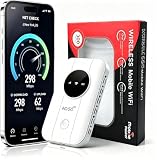
- 📶【Ultra‑Compact Pocket‑Sized 4G LTE Hotspot】‑ Great companion for road trips and off-grid adventures. Slim pocket-friendly design. No complex configuration, connect in seconds: insert your SIM card and power up to access instant cellular internet.
- 📶【Reliable Mobile WiFi Router with Qualcomm Chipset】‑ Premium built-in Qualcomm chip offers stable 4G LTE speed up to 300Mbps. Smooth continuous WiFi connection that supports up to 10 simultaneous devices for your family or travel group.
- 📶【2100mAh Rechargeable Battery for On-The-Go Internet】‑ Features integrated 3000mAh battery, delivering 10-12 hours of continuous usage. Sturdy hardware construction to meet your outdoor and travel internet needs.
- 📶【WPA2-PSK Wireless Encryption for Data Security】‑ Anti-hacking network encryption creates protected WiFi access. Keep your account details and banking information safe at campsites, hotels, cafes and other public areas.
- 📶【Broad US 4G LTE Band Support for Main Carriers】‑ Compatible with US 4G LTE bands B2/B4/B5/B12/B13/B17/B66/B71. Works with AT&T, T-Mobile, Verizon and other US carriers to provide stable nationwide coverage.
Airtel Xstream AirFiber
Airtel describes Xstream AirFiber as fixed wireless access over its 5G Plus network, with feasibility depending on 5G availability. Its plan page states up to 100 Mbps and a 1 TB monthly allowance before throttling to 2 Mbps. These are advertised plan figures, not evidence of sustained upload suitable for your stream; confirm current local availability and terms. Airtel Xstream AirFiber plan information
Phone hotspot
A hotspot may be the fastest backup to arrange, but its usefulness depends on the phone’s carrier, signal at the exact spot, network congestion, data-plan terms, and sustained upload. Test the same phone, carrier, location, and stream settings you intend to use. Check whether the phone can stay powered and avoid assuming its download speed proves it can send the stream reliably.
Independent reader supportYour contribution helps us test, update, and keep practical guides available for everyone.What to do when the outage happens
- Check what is still working. Confirm whether the encoder has internet access and whether the problem is Wi-Fi only. If possible, connect the computer by Ethernet; for mobile data, move the phone to a location with stronger cellular signal.
- If the broadband path is down, switch to the prepared alternative. Connect to the tested hotspot or other wireless service. Check upload stability, then lower bitrate or resolution if the connection cannot sustain the stream.
- If the encoder failed but internet remains available, use the tested backup encoder. A backup encoder will not overcome loss of the only internet access link.
- If power failed, activate compatible backup power for each required device. Confirm the network has an upstream connection as well as power.
- If the stream has dropped, re-establish it and communicate through another channel if possible. Do not promise seamless continuity unless the exact setup has been tested under realistic failure conditions.
Rehearse the changeover
Before the event, use an unlisted stream to test the complete chain, including the audience-facing player, audio, chat, encoder failover, alternate internet path, and power backup. YouTube recommends test streaming and monitoring stream health. Streaming tips, encoder settings, and mobile filming tips
The Tool Desk
Outbyte Driver Updater FREEFix the driver behind crashes, sound loss and screen glitchesFind Drivers →Outbyte PC Repair FREERepair Windows errors before they cause bigger problemsFix Now →- Simulate an encoder failure separately from a broadband outage; they are not the same test.
- Confirm the alternate connection can sustain the chosen upload bitrate at the event location and time.
- Check how much data a test consumes and whether your plan may throttle or restrict hotspot use.
- Test backup-power runtime with the actual devices connected, not just an estimated battery rating.
- Verify how the stream and encoder behave during changeover, including whether settings persist and how long the switch takes.
Or let it run in the cloud
For a prerecorded YouTube stream that needs to loop 24/7, StreamNeo moves the encoder-side work off your home computer: upload a recording or build a playlist, add your YouTube stream key, and go live. Nothing has to stay on at home. It streams uploaded videos to YouTube, not from a camera. Each slot streams the uploaded quality up to 4K 60fps at one flat price per slot, with no re-encode or quality tiers, and it automatically recovers if YouTube drops the stream. It includes 10 GB storage per slot, pooled across active slots, with 24/7 looping, playlists, and support from the StreamNeo team. The first day is free with no card; the Monthly price is $9.99 per month. A cloud service does not replace a reliable local connection for a live camera or encoder feed, and it cannot prevent a viewer-side or YouTube-side interruption.
See how StreamNeo works, then start the free first day.
Quick Recap
Product prices and availability are accurate as of the date/time indicated and are subject to change. Any price and availability information displayed on Amazon at the time of purchase will apply.

