To make a rugged laptop last longer during a field shift, reduce avoidable power use without compromising visibility, communications or the work at hand: dim the display, use a suitable Windows power mode, close unneeded apps, unplug unused accessories and switch off Wi-Fi or Bluetooth only when they are not needed. If runtime has fallen sharply under the same workload, check battery health as well as power settings. Charging limits, spare batteries and hot-swap features are model-specific.
Field checklist: reduce power use without disrupting work
- Set the screen to the lowest readable brightness. Outdoor or high-brightness displays may need more light to remain legible; do not dim the screen so far that it becomes unsafe or impractical to use. Display brightness is one of several factors Dell identifies as affecting battery performance (Dell battery guidance).
- Choose a power mode that fits the task. Windows Power saver can reduce performance where possible to conserve energy. Balanced mode aims to balance performance and energy use on supported hardware. If an application needs full performance, use the mode that lets it work reliably.
- Close apps and background tasks you do not need. Where Windows provides per-app battery-use information, check whether an unexpected process is drawing power.
- Disconnect unused accessories. Unplug USB devices and other peripherals that are not needed for the shift. Turn off Wi-Fi or Bluetooth only if the work can continue without the connection.
- Reduce optional lighting. If your model offers a keyboard-backlight control, lower or disable it when conditions allow.
- Keep temperature in mind. Avoid leaving a running laptop in an enclosed bag. If it has been exposed to severe heat or cold, consult its manual and let it return to a suitable temperature before use or charging. Dell lists temperature among the factors affecting battery performance and advises allowing a device exposed to very hot or cold conditions to return to normal temperature.
These are ways to reduce power demand, not a promise of a particular number of extra hours. Actual runtime also depends on workload, wireless use, display configuration, temperature, battery age and the laptop’s hardware.
As an Amazon Associate I earn from qualifying purchases.
Choose charging settings for the day’s work
Separate today’s runtime from long-term battery care. A full charge gives you more stored energy at the start of a field shift. A charge limit may suit some laptops that spend most of their time plugged in, but it means starting with less charge when you head out.
The Tool Desk
Outbyte PC Repair FREEClear out junk files and repair common Windows errorsFree Scan →Outbyte Driver Updater FREEFix the driver behind crashes, sound loss and screen glitchesFind Drivers →Do not copy a charging utility setting from another brand or model. Dell says available battery-management settings depend on the system; its “Primarily AC Use” option is intended for supported systems that are usually run on AC power. Getac gives different guidance for its own devices: for field use on battery, it advises leaving G-Manager battery settings at their default. Getac’s Eco Mode charges to 80% of maximum capacity and is framed for devices that spend most of their time docked. That threshold is a Getac-specific setting, not a general recommendation for field laptops or a measure of guaranteed battery-life improvement.
#1 Best Overall
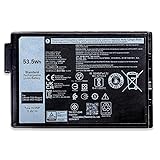
- 👍👍【Dell Authentic OEM Parts】Item Model:XVJNP; Battery Type: Li-ion; Voltage: 11.4V; Capacity: 53.5Wh 4457mAh ; Battery Color: Black
- 😎【Customer First】Rest assured with 30 days Refund and 12 months Warranty; 24 x 7 email support. We specialize in providing quality power products and quality customer service. (Note: Amazon return windows will close after one month, If you have any problem with battery, please Contact us - in “YOUR ORDER” options click the “contact seller”.)
- 🔋【Compatible Battery P/N 】XVJNP 6JRCP 06JRCP M0TN3 0M0TN3 KD1CT 451-BCWQ
- 🔋【Compatible Laptop Models】For Dell Latitude 5430 Rugged Extreme Series; For Dell Latitude 7330 Rugged Extreme Series; For Dell P148G Series; For Dell P149G Series; For Dell P148G001 Series; For Dell P149G001 Series
- 🔋【Rigorous Safety & Quality Assurance】Every Dentsing battery holds official UL, CE, FCC and RoHS certifications; delivers true rated capacity, stable current output and low self-discharge via strict quality control; built-in multi-protection guards against short circuit, overheating and overload for reliable worry-free use
Before changing a charge limit or other OEM battery setting, check the manual or support page for the exact model and consider whether the laptop will be docked or used unplugged for most of the day.
Find out whether the battery is wearing out
If the same work now drains the battery much faster, even after you have reduced avoidable power use, check its reported capacity and health. Battery aging can reduce usable capacity, but a low percentage after a demanding shift does not by itself prove the battery is failing: brightness, workload, wireless connections, temperature and configuration all affect runtime.
Rank #2

- 【Adhering To The Principle Of Customer First】We specialize in providing quality power products and quality customer service. Rest assured with 30 days Refund and 12 months Warranty; 24 x 7 email support. (Note: Amazon return windows will close after one month, If you have any problem with battery, please Contact us - in "YOUR ORDER" options click the "contact seller".)
- 【Tech Specs & 100% New Products】①Model:XVJNP; ②Voltage: 11.4V; ③Capacity: 53.5W/4457mAh ); ④Battery type: Li-ion. (We only use grade A battery cells that provide up to 500 recharge cycles over the life of the battery. Come with screwdrivers.)
- 【Compatible Part Number】 XVJNP 6JRCP 06JRCP M0TN3 0M0TN3 KD1CT 451-BCWQ
- 【Replacement For Laptop】for Dell Latitude 7330 Rugged Extreme Series; Dell Latitude 5430 Rugged Extreme Series; for Dell P148G P148G001 P149G P149G001 Series.
- 【High Quality Materials & Packed With Safety Features】All Mobik products are certified by UL / CE / FCC / RoHS for safety. We are so confident in the performance of our replacement laptop batteries, strict guidelines for compatibility, strict quality control standards and standards compliance for environment safety. (including short circuit, overheat, and overload protections.)
On Windows, Dell documents a built-in report that you can generate from Command Prompt:
Recommended Free Tools
- Open Command Prompt.
- Run
powercfg /batteryreport. - Open the generated HTML report from the location shown in the command’s output and review the battery and usage information.
The precise report details and interface can vary with Windows and device versions. Use the laptop maker’s diagnostics as well when available, and consult the manual or support service if the report suggests a substantial loss of capacity or you notice physical battery damage.
Rank #3

- Battery Model : X8VWF Voltage: 11.1V Capacity: 97Wh Li-ion polymer Battery
- Compatible Part Numbers: X8VWF, DKNKD, CJ2K1, 5XT3V, 05XT3V, 09FN4, VCWGN, XN4KN, XRJDF, YGV51, 4XKN5, 04XKN5, 451-12187, 451-12188, 453-BBBD, 453-BBBE
- Repalcement for Dell Latitude 14 Rugged 5404 5414 E5404 Extreme 7404 7414 E7404 Series P45G P45G002 P46G P46G001 P46G002
- CE-/FCC-/RoHS-Certified for safety.Strict guidelines for compatibility, and standards compliance for product safety and environment safety.
- 30 Days no-questions-asked full money back and 12 Months Exchange Guarantee. (The return window will be closed a month after you received the the product. CONTACT US, we will make it up and solve it more efficiently).
Decide whether to carry a spare or other field power
Software settings reduce consumption; a supported spare battery or power adapter can provide another way to keep working. Some rugged-device configurations support hot-swappable dual batteries or optional higher-capacity batteries. Getac also lists multi-bay and eight-bay chargers and different adapter types for field use. These are examples of model- and configuration-dependent options, not standard accessories for every rugged laptop.
Before buying or planning around a spare, verify the exact laptop model, battery part number, replacement procedure and whether the configuration supports hot swapping. A generic search such as “rugged laptop spare battery” can help locate options, but a matching connector alone does not establish compatibility. For vehicle adapters or chargers, check the manufacturer’s requirements and supported configuration rather than relying on a generic product description.
Rank #4

- 【Customer First】We specialize in providing quality power products and quality customer service.24 x 7 email support. (Note: Amazon return windows will close after one month, If you have any problem with battery, please Contact us - in “YOUR ORDER” options click the “contact seller”.)
- 【Tech Specs & 100% New Products】Model: 7WNW1 Voltage: 11.4V Capacity: 51Wh/ 4342mAh 6-cell Battery type: Li-ion (We only use grade A battery cells that provide up to 500 recharge cycles over the life of the battery.)
- 【Compatible Part Number】7WNW1 GK3D3 DMF8C DMF0C DMF8C 6NNCF DP3KF 0DMF8C 0GK3D3 451-BCHV
- 【Replacement For Laptop】①For Dell Latitude 5424 Rugged Extreme;②Latitude 5420 Rugged Extreme;③Latitude 7424 Rugged Extreme Series;④Dell P85G P86G P85G001 P86G001
- 【Security】All Mobik products are certified by UL / CE / FCC / RoHS for safety. We’re so confident in the performance of our replacement laptop batteries, strict guidelines for compatibility, strict quality control standards and standards compliance for safety. (including short circuit, overheat, and overload protections.)
For an individual field user, a compatible spare makes sense when the laptop supports one and a full shift cannot reliably be covered by the installed battery. For teams, a manufacturer-supported multi-bay charger or vehicle adapter may help with shift planning when the equipment and charging workflow are confirmed for the specific devices.
Crashes, No Sound, or Screen Glitches?
Random freezes, missing sound and display glitches usually trace back to one bad driver. Find and replace yours safely.Free scan · under a minutePC Slower Than It Used to Be?
A free scan shows the junk files, broken settings and background clutter dragging Windows down - then fixes them in one click.Free scan · Windows 10 & 11Quick Recap
Best Value

- 【Battery Details】Model: 7WNW1. Voltage: 11.4V. Capacity:5 51Wh/4342mAh 6-cell . Color: Black. 100% New from Manufacturer.Package includes: a battery + manual + one set of tools for easy installation. (Please open the back case of your laptop and check out the exact part number of your laptop's original battery Before placing your order)
- 【Compatible Models】 For Dell Latitude 7424 Rugged Extreme Series / Dell Latitude 5420 Rugged Extreme Series / Dell Latitude 5424 Rugged Extreme Series / For Dell P137G P85G P86G P137G001 P137G002 P85G001 P86G001
- 【Compatible P/N】7WNW1 GK3D3 DMF8C DMF0C 6NNCF DP3KF 0DMF8C 0GK3D3 451-BCHV
- 【ASODI Reliable After-sale Warranty】 We guarantee 30 days money-back and 12-month warranty; 24 x 7 email support. (Important Note: Any questions you can contact with us via "Your Orders" tab in Amazon account, we will deal with it for you within 24 hours.)
- 【High Quality Assurance】All ASODI products are Certified by CE, FCC for safety. Strict guidelines for compatibility, and standards compliance for environment safety.We specialize in providing quality products from and quality customer service
Product prices and availability are accurate as of the date/time indicated and are subject to change. Any price and availability information displayed on Amazon at the time of purchase will apply.

