To identify a woodland tree, compare several features on the same tree—its leaves, bark, and, where available, twigs, buds, flowers, or fruit—then check the result against a guide for that region. A photo-identification app can suggest candidates, but it cannot guarantee a correct answer. Note where and when you found the tree, and treat any uncertain or consequential identification cautiously.
Start with location and season
First note the woodland’s location and the time of year. The likely species vary by region, and a guide made for one area may not cover trees elsewhere. For example, the Woodland Trust says its free Tree ID app covers native and common non-native trees in the UK; Wisconsin Extension points readers to keys designed for regional forest trees. Choose resources that match your location rather than assuming a UK guide or Wisconsin key applies everywhere.



As an Amazon Associate I earn from qualifying purchases.
Record several features on the same tree
Do not base an identification on a single leaf or bark photograph if you can gather more evidence. Observe the leaf’s shape and arrangement, the bark, and any visible twigs, buds, flowers, or fruit. Taking multiple views of the same tree gives you more traits to compare with a guide or key.
When the tree has leaves
Look at the leaf’s outline and how leaves are arranged on the twig. Photograph the whole leaf and its attachment if possible, as well as the bark and the overall tree. Compare these observations together rather than treating one image as a definitive answer.
#1 Best Overall
In winter or other leafless periods
Leaves are not the only useful clues. Twigs, buds, and leaf scars can help narrow down a tree when it is bare. A guide that illustrates these features is more useful for year-round identification than one limited to leafy photographs.
Use a regional guide or identification key to narrow the options
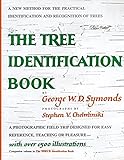
A dichotomous key narrows candidates through paired choices about distinguishing traits. Work through the choices using observations from the tree, and use a regional guide or key so the possibilities fit the woodland. A useful field guide may include scientific names, range maps, illustrations of identifying traits, keys, and a glossary. A regional print guide can also serve as an offline companion to an app, as long as its coverage matches the area.
Rank #2
Choose an app for the kind of help you need
Tree and plant apps have different workflows. Some provide an immediate on-screen suggestion; others let you submit photographs or share an observation for community input. Coverage, connectivity, and how an identification is reviewed vary, so an app should be a starting point for comparison, not a substitute for checking the traits.
| Resource | How it helps | Coverage or connectivity noted by its source |
|---|---|---|
| Woodland Trust Tree ID | Field identification using features available across the year. | Native and common non-native UK trees; the source describes it as a free app. [Woodland Trust] |
| Seek | Provides an identification suggestion on screen in real time. | Can work without an internet connection. [iNaturalist Help] |
| iNaturalist | Offers initial suggestions; people in its community can help identify and confirm shared observations. | Designed around publicly shared observations and community input. [iNaturalist Help] |
| Pl@ntNet | Accepts one or more plant photographs and points users to galleries and linked resources to check proposed identifications. | The cited source does not state whether it works offline. [Pl@ntNet] |
Seek and iNaturalist are not the same kind of confirmation: Seek is oriented toward private, immediate observation, while iNaturalist involves publicly shared observations and community discussion. A community response can add useful input, but it is not proof that an identification is correct. Check the app’s current details and coverage for your device and location.
Rank #3
How reliable are tree-identification apps?
Wisconsin Extension’s Forestry & Wildlife page says that, in 2025, the accuracy of the most popular apps ranged from 30% to 80%, and notes that colleagues had their best results with PictureThis. The page does not identify the apps included, describe test conditions, or explain a methodology, so the range is not a universal accuracy rate or a definitive ranking. The same page warns that apps can be wrong, particularly for understory plants, and recommends expert confirmation before important decisions. [University of Wisconsin Extension]
Use an app result as a candidate: compare it with the tree’s other visible features and a regional guide. If the identification matters, seek an expert rather than relying on an app alone.
Quick Recap
Best Value

- Pocket Guide to Trees and Shrubs of North America
- Pocket Guide to Trees and Shrubs of North America
- National Geographic Maps
Rank #4
A practical identification sequence
- Note the place and season. Record the woodland’s location and whether the tree has leaves, flowers, or fruit.
- Gather multiple clues. Observe leaf shape and arrangement, bark, and any available twigs, buds, flowers, or fruit on the same tree.
- Narrow candidates with a regional resource. Use a local guide or work through a key’s paired choices.
- Try an app if useful. Choose based on whether you want an immediate private suggestion, community input, or photo-based suggestions and validation resources.
- Cross-check the suggestion. Compare it with the observed traits; ask an expert if the result will inform an important decision.
Product prices and availability are accurate as of the date/time indicated and are subject to change. Any price and availability information displayed on Amazon at the time of purchase will apply.
Recommended Free Tools

