If you own a Nintendo Switch 2, start with the free Chapter 1 demo before buying or beginning the full game. It lets you test the opening bombing mission, and Square Enix says its save can transfer—provided you have not already created a save in the full game. Before installing, also plan for the edition’s Game-Key Card download and at least 90 GB of free storage.
Quick-start checklist
- Confirm that you are using a Nintendo Switch 2. This edition does not run on the original Nintendo Switch.
- Download and play the free Switch 2 demo first if you want to test performance, presentation and the opening chapter.
- If you want the demo save to carry over, do not create a full-game save before completing the demo transfer process.
- Make at least 90 GB of storage available before the first launch. The physical package is a Game-Key Card, so it does not avoid the large download.
- Expect a hybrid combat system: real-time action combined with strategic, command-based choices. Use the in-game tutorials and prompts for the exact controls.
What this Switch 2 edition contains
The first part of a larger remake project
Nintendo’s product listing presents FINAL FANTASY VII REMAKE INTERGRADE as the first entry in the remake trilogy. It retells the original FINAL FANTASY VII through the characters’ escape from Midgar rather than covering the entire original game in one release.
As an Amazon Associate I earn from qualifying purchases.
That makes it a complete starting point for a new player, but not a complete remake of every location and event from the 1997 adventure. You are beginning a multi-part retelling, with the Midgar story providing this installment’s main arc.
The Tool Desk
Outbyte PC Repair FREEClear out junk files and repair common Windows errorsFree Scan →Outbyte Driver Updater FREEScan for outdated or missing drivers - takes under a minuteDriver Scan →FF7R EPISODE INTERmission is included
The package also includes FF7R EPISODE INTERmission, a Yuffie-focused story. It is separate from the main Midgar campaign in structure and viewpoint, so you can treat it as additional content rather than something you must play before the opening chapter of the main game.
#1 Best Overall
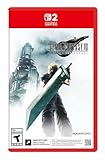
- The award-winning FINAL FANTASY VII REMAKE INTERGRADE* retells the original story up to the escape from Midgar, with breathtaking visuals, fast-paced gameplay, and additional story elements. This RPG delivers unforgettable characters, a powerful narrative, and a hybrid battle system that blends real-time action with strategic, command-based combat. It also includes FF7R EPISODE INTERmission, a side story starring Yuffie Kisaragi that offers a fresh perspective running in parallel to Cloud’s journey.
- STUNNING VISUALS - Explore Midgar like never before with stunning visuals and richly detailed environments that bring the city’s layered, industrial districts to life, all while staying true to the spirit of the original game.
- DYNAMIC COMBAT WITH STRATEGIC DEPTH -The innovative battle system combines strategic command-based gameplay with fast-paced action. Seamlessly switch between characters, harness the power of materia, summon iconic creatures, and unleash devastating limit breaks.
- ICONIC CHARACTERS, UNFORGETTABLE STORY - Follow Cloud Strife, an ex-SOLDIER turned mercenary, as he joins Avalanche to take on the Shinra Electric Power Company. Cloud and his allies Barret, Tifa, and Aerith are pulled into a battle that will decide the fate of the planet.
- EXPANDED CONTENT - FINAL FANTASY VII REMAKE INTERGRADE offers quests, mini-games, and missions set in expanded areas of Midgar. Encounter new characters and experience exciting content that adds even more depth to the story.
If you have never played FINAL FANTASY VII, you do not need to know the original plot to understand the opening situation. The game introduces its setting and characters as you progress. Avoid searching for detailed story explanations if you want to preserve the remake’s surprises.
What the “Intergrade” name means here
On Switch 2, the relevant product is the edition Nintendo lists as FINAL FANTASY VII REMAKE INTERGRADE. Storefront wording can differ by country, so check that the listing specifically identifies Nintendo Switch 2 rather than assuming an older Nintendo Switch release will work.
Check the platform before you buy
This release is for Nintendo Switch 2. Nintendo’s UK listing explicitly says it cannot be played on the original Nintendo Switch, and it supports handheld, tabletop and TV modes.
Free tools Windows power users keep installed
One-click scans. No signup required.
| System or mode | What is established |
|---|---|
| Nintendo Switch 2 | Supported platform for this edition. |
| Original Nintendo Switch | Not playable according to Nintendo’s product listing. |
| Handheld mode | Supported. |
| Tabletop mode | Supported. |
| TV mode | Supported. |
If your household has both systems, do not treat the Game-Key Card as a cross-generation cartridge. The platform restriction applies to the software edition, not merely to the way it is downloaded.
Try the free Switch 2 demo first
What the demo contains
Square Enix’s official game page describes a free Nintendo Switch 2 demo covering Chapter 1, including the opening mako-reactor bombing mission. It is the most useful low-risk way to discover whether the game’s presentation and combat style suit you before committing to the full installation.
The demo is not a separate introductory story unrelated to the finished game. It covers the beginning of the main campaign, so the opening hours should feel familiar when you continue in the full release.
Rank #2

- Includes Final Fantasy VII Remake Intergrade with Yuffie’s Episode INTERmission. No physical cartridge, download license key only.
- Play Booster containing 15 random Magic: The Gathering Final Fantasy cards included.
- Hybrid real-time and command-based combat system with materia, summons, and limit breaks.
- Explore expanded Midgar environments, new quests, and mini-games.
- Fully remastered, orchestrated soundtrack that responds dynamically to the action.
How save transfer works
Square Enix says the demo save can carry into the full game if a full-game save has not already been created. The order matters:
- Install the Switch 2 demo.
- Play the chapter and reach the point at which the demo records your progress.
- Install or launch the full game without first creating a full-game save.
- Follow the game’s on-screen save-transfer prompt when it appears.
If you create a full-game save first, the demo save cannot be carried over under the publisher’s stated condition. Decide whether preserving demo progress matters before you start the full version.
If you already made a full-game save
You do not lose access to the game’s associated bonuses simply because the transfer condition was missed. Square Enix says the Revival Earrings and Survival Set are available through other means in the full game. The practical difference is that your Chapter 1 progress will not be imported from the demo.
Do not confuse the Switch and Switch 2 demos
An older Square Enix support article, titled “Can I transfer save data from the demo version?”, discusses a Nintendo Switch demo that could not transfer to the Switch 2 version: Square Enix Support Centre. Current Switch 2 product information and the director interview confirm that a Switch 2 demo exists and supports the carry-over condition described above. Read the older support wording as a platform-specific answer about the previous demo, not as a denial that the Switch 2 demo is available.
| Situation | Can the demo save transfer? | What to do |
|---|---|---|
| You played the Switch 2 demo and have not created a full-game save | Yes, according to Square Enix’s stated condition. | Launch the full game and use the transfer prompt. |
| You created a full-game save before attempting the transfer | No, the stated condition is no longer met. | Continue with the full-game save; obtain the listed items through their other in-game means. |
| You played an older Nintendo Switch demo | That demo’s save does not transfer to the Switch 2 version. | Use the Switch 2 demo if you want Switch 2-compatible progress. |
Plan for the Game-Key Card download
What the physical package requires
Square Enix’s Japanese product page, FINAL FANTASY VII REMAKE INTERGRADE, describes the physical Switch 2 release as a Game-Key Card. On first play, the full game downloads over the internet. You need an internet connection and at least 90 GB of free storage; later updates may require additional space.
What’s actually slowing this PC down?
Pick the symptom - the matching free tool is one click away.
In other words, the card functions as the key to download and run the software rather than as a cartridge containing every game file. Buying the physical package does not remove the download requirement.
Rank #3

- Final Fantasy VII Remake Intergrade – The Ultimate Complete Strategy & Walkthrough Guide (New 2026 Edition) is the most comprehensive, up-to-date, and definitive companion every Final Fantasy VII Remake Intergrade player needs
Physical versus digital at a glance
| Option | What you should expect | Storage and connection implications |
|---|---|---|
| Physical Game-Key Card | A physical package that uses a Game-Key Card. | Internet access is required for the initial full-game download; reserve at least 90 GB, with possible extra space for updates. |
| Digital purchase | The game is obtained directly as a download. | You still need the full download space and a reliable internet connection. |
Regional packaging and store descriptions can vary, and the collected official information does not establish a current price or universal regional availability. Check your local Nintendo or retailer listing for the exact edition name, delivery method and any region-specific terms.
Storage preparation before installation
- Open the Switch 2’s System Settings and check the available space in the data-management section.
- Make sure at least 90 GB is free before starting. Treat that figure as the publisher’s product requirement, not as a guarantee that updates will never need more.
- If space is short, remove or archive games you can redownload, and review screenshots and videos for deletion or transfer.
- Connect the console to a stable internet connection before inserting the Game-Key Card or beginning a digital download.
- Allow the initial download to finish before judging whether the game is ready to play. A Game-Key Card should not be described as containing the complete game data.
Because the 90 GB figure comes from Square Enix’s product specification and is not an independent benchmark, leave additional headroom if your storage is close to full.
A sensible first-launch order
The following sequence avoids the most common beginner mistake—creating a full-game save before deciding whether to preserve demo progress.
- Confirm the console. Verify that you are on Nintendo Switch 2, not the original Switch.
- Check storage. Reserve at least 90 GB and account for possible updates.
- Start with the demo. Use the free Chapter 1 trial to sample the bombing mission and the game’s hybrid combat.
- Choose your save priority. If you want the demo save, do not create a full-game save yet. If demo progress does not matter, you can begin the full version directly.
- Install the full game. Expect a substantial first-play download whether you bought the Game-Key Card or the digital version.
- Transfer when prompted. Use the Switch 2 demo save only while the full-game-save condition remains satisfied.
- Read the tutorials. Let the game introduce its commands and combat prompts rather than relying on button layouts from another platform.
- Save normally after beginning the campaign. Once you are satisfied that the correct save is active, continue through the Midgar story at your own pace.
What combat feels like for a first-time player
Action in real time, decisions through commands
Nintendo and Square Enix describe the combat as a combination of real-time action and strategic, command-based choices. You engage with battles as they unfold rather than selecting every action from a completely static menu, while still making deliberate command selections when you want to use abilities or other options.
That hybrid design is the key expectation to set before starting. It is neither a purely traditional turn-based system nor an action game that asks you to ignore menus and planning. The game expects you to move through encounters and also pay attention to the command interface.
Use the game’s own prompts for controls
The official material collected for this edition does not establish a verified Switch 2 button map, recommended control scheme or optimal settings. Do not apply a control guide from another platform as if it were confirmed for Switch 2.
Rank #4
- STUNNING VISUALS - Explore Midgar like never before with stunning visuals and richly detailed environments that bring the city’s layered, industrial districts to life, all while staying true to the spirit of the original game.
- DYNAMIC COMBAT WITH STRATEGIC DEPTH - The innovative battle system combines strategic command-based gameplay with fast-paced action. Seamlessly switch between characters, harness the power of materia, summon iconic creatures, and unleash devastating limit breaks.
- ICONIC CHARACTERS, UNFORGETTABLE STORY - Follow Cloud Strife, an ex-SOLDIER turned mercenary, as he joins Avalanche to take on the Shinra Electric Power Company. Cloud and his allies Barret, Tifa, and Aerith are pulled into a battle that will decide the fate of the planet.
- EXPANDED CONTENT - FINAL FANTASY VII REMAKE INTERGRADE offers quests, mini-games, and missions set in expanded areas of Midgar. Encounter new characters and experience exciting content that adds even more depth to the story.
- ICONIC SOUNDTRACK - The epic soundtrack has been fully remastered, with re-arranged and orchestrated tracks that dynamically respond to the action, offering an immersive, emotionally charged musical experience.
When a tutorial appears, read it fully and use the on-screen prompts as the authority for the current control layout. If you pause after a battle, review the available commands and descriptions rather than guessing which button should perform an action.
Windows Errors? Fix Them Before They Spread
Repair common Windows errors and clear accumulated junk for a smoother, more stable PC - no reinstall needed.Free scan · no reinstallCrashes, No Sound, or Screen Glitches?
Random freezes, missing sound and display glitches usually trace back to one bad driver. Find and replace yours safely.Free scan · under a minuteWhat not to assume
- There is no official evidence here for a particular “best” difficulty setting.
- There is no verified Switch 2-specific button-by-button guide in the supplied official material.
- There is no supported claim that one control configuration or display mode is universally optimal.
Those choices are better handled in the game itself, where the tutorial prompts and your preferred handheld, tabletop or TV setup can guide the decision.
Independent reader supportYour contribution helps us test, update, and keep practical guides available for everyone.Understanding the story without a walkthrough
Where this game begins
The main campaign starts in Midgar and follows the events leading through the characters’ escape from the city. You can begin without having completed the original FINAL FANTASY VII, because this remake is designed as a fresh presentation of the setting and opening conflict.
Director Naoki Hamaguchi described the approach in a Nintendo UK interview published 22 January 2026: “The remake series brings FINAL FANTASY VII to the modern era by remaking and reimagining it as a new, fresh gameplay experience.” Read the full interview at Nintendo UK.
How to approach the included Yuffie episode
FF7R EPISODE INTERmission gives you a Yuffie-led perspective in addition to the main campaign. You can leave it until after you have started or finished the Midgar story if you prefer a straightforward introduction to Cloud’s arc. Alternatively, it provides another playable viewpoint once you are comfortable with the game’s systems.
No plot walkthrough is necessary to get started. The important decision is simply whether you want to follow the main campaign first or sample the included side episode after learning the basic combat flow.
Best Value
![FINAL FANTASY VII REMAKE INTERGRADE Standard - Nintendo Switch 2 [Digital Code]](https://m.media-amazon.com/images/I/31pW3liTQ7L._SL160_.jpg)
- The award-winning FINAL FANTASY VII REMAKE INTERGRADE* retells the original story up to the escape from Midgar, with breathtaking visuals, fast-paced gameplay, and additional story elements. This RPG delivers unforgettable characters, a powerful narrative, and a hybrid battle system that blends real-time action with strategic, command-based combat. It also includes FF7R EPISODE INTERmission, a side story starring Yuffie Kisaragi that offers a fresh perspective running in parallel to Cloud’s journey.
- STUNNING VISUALS - Explore Midgar like never before with stunning visuals and richly detailed environments that bring the city’s layered, industrial districts to life, all while staying true to the spirit of the original game.
- DYNAMIC COMBAT WITH STRATEGIC DEPTH -The innovative battle system combines strategic command-based gameplay with fast-paced action. Seamlessly switch between characters, harness the power of materia, summon iconic creatures, and unleash devastating limit breaks.
- ICONIC CHARACTERS, UNFORGETTABLE STORY - Follow Cloud Strife, an ex-SOLDIER turned mercenary, as he joins Avalanche to take on the Shinra Electric Power Company. Cloud and his allies Barret, Tifa, and Aerith are pulled into a battle that will decide the fate of the planet.
- EXPANDED CONTENT -FINAL FANTASY VII REMAKE INTERGRADE offers quests, mini-games, and missions set in expanded areas of Midgar. Encounter new characters and experience exciting content that adds even more depth to the story.
Troubleshooting the first steps
The game will not run on my original Switch
That is expected for this edition. Nintendo lists it for Switch 2 and says it cannot be played on the original Nintendo Switch. Recheck the product listing before seeking a download or cartridge replacement; an original-Switch owner needs a compatible release rather than this Switch 2 edition.
The Game-Key Card asks for a download
This is normal. Square Enix identifies the physical package as a Game-Key Card and states that the full game downloads on first play. Connect to the internet and free at least 90 GB, allowing more room for updates.
My demo progress did not appear
First check whether a full-game save was created before the transfer attempt. Square Enix’s carry-over condition requires that no full-game save already exist. Also confirm that you played the Switch 2 demo, not the older Nintendo Switch demo described in the separate support article.
Recommended Free Tools
I do not have enough free space
Free additional storage in System Settings before retrying. Archive or delete games you can redownload, and remove unneeded captures. The publisher’s 90 GB requirement applies to the initial download; updates can increase the amount needed.
I am unsure which buttons to press in combat
Pause and follow the in-game tutorial prompts. The official information available for this edition confirms the real-time and command-based design but does not verify a complete Switch 2 button chart. Avoid relying on an unverified layout from another platform.
Final decision: is this a good starting point?
For a Switch 2 owner who is new to FINAL FANTASY VII, the safest path is straightforward: verify the platform, try Chapter 1 through the Switch 2 demo, preserve the demo save only if you have not created a full-game save, and prepare for a minimum 90 GB first-play download. You are starting the Midgar portion of a larger remake trilogy, with the Yuffie-focused INTERmission episode included. Expect combat that mixes real-time action with command choices, and let the game’s own tutorials establish the controls.
Quick Recap
Product prices and availability are accurate as of the date/time indicated and are subject to change. Any price and availability information displayed on Amazon at the time of purchase will apply.
Do these 3 things before closing this tab:
1Clear out junk files and repair common Windows errors2Scan for outdated or missing drivers - takes under a minute3Repair Windows errors before they cause bigger problems
