There is no verified PPSSPP catalog in which commercial games are guaranteed to download under 200MB or 300MB. PPSSPP is a Sony PSP emulator, not a game-download service. It loads game files that you create from a UMD you own, copy from a PSP game obtained through PlayStation Network, or download as legal demos and homebrew. Compression can reduce storage use, but the final size depends on the individual disc image and compression settings. The official documentation does not publish a game-by-game list proving those thresholds.
This guide shows how to obtain compatible files through the documented routes, what ISO, CSO and CHD mean, how to move files to Android or a computer, and how to check a file’s actual size without trusting a “highly compressed” label.
As an Amazon Associate I earn from qualifying purchases.
What PPSSPP actually downloads and plays
PPSSPP emulates the PlayStation Portable (PSP). The emulator supplies the console environment; it does not supply copyrighted games. Its documentation explains that PSP software commonly arrives on UMD discs or as PlayStation Network downloads, and that a disc can be converted into an ISO image for use with the emulator. See PPSSPP’s introduction and its game-acquisition guide.
That distinction matters when you see a page promising “PPSSPP games highly compressed under 200MB” or “under 300MB.” A small file name is not proof that the file is authentic, complete, malware-free or authorized for distribution. The official pages cited here do not verify third-party download libraries or promise that an arbitrary PSP title will fit a particular limit.
#1 Best Overall

- Compatible with MagicGate copyright protection technology
- Can be used to perfect on the PSP adn digital camera
- Memory Stick PRO-HG Duo is ideal for high-speed data transfer and for continuous shooting
- 16GB capacity Flash memory Ideal for burst shooting with DSLR Up to 30MB/s read/write speed
- Can be used to perfect on the PSP(PSP1000/2000/3000/3000) and digital camera.
ISO, CSO and CHD: which file format should you use?
These formats describe how the game data is stored. They do not identify where the game came from or grant permission to copy it.
| Format | What it is | Storage and compatibility considerations | Documented reference |
|---|---|---|---|
| ISO | A raw image of the contents of a UMD. | Usually the starting point when dumping your own disc. It preserves the disc image without the additional compression of CSO or CHD, so the file can be larger. | UMD dumping instructions |
| CSO | A compressed ISO. | Can use less storage than the corresponding ISO. The amount saved varies by title and settings; the official instructions do not promise a fixed final size or a universal percentage reduction. | PPSSPP file-transfer guide |
| CHD | An alternative compressed disc-image format discussed in PPSSPP’s UMD-dumping documentation. | Compression results depend on the source image and settings. Do not assume CHD is always smaller or preferable for every setup. | UMD dumping instructions |
For a particular game, compare the actual file sizes after you have made a legitimate dump. A title with sparse or highly repetitive data may compress substantially; another may remain well above 300MB. There is no reliable threshold that can be applied to every PSP release.
Rank #2
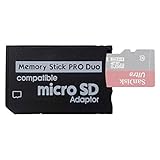
- 2026 Latest Version - Funturbo Micro SD to MS Pro Duo Adapter
- Replace your Memory Stick PRO Duo with any microSD card (MicroSD Card NOT included)
- Up to 128GB Micro SD/SDHC/SDXC Card Compatible
- Compatibility Tested – Fully compatible with MagicGate Memory Stick DUO and Memory Stick PRO Duo, all known issues fixed
- Works perfectly on PSP 1000/2000/3000, Sony camera and handycam, format your card in your device for first time use
Legitimate ways to obtain a game file
Dump a UMD you own
PPSSPP’s dumping guide describes creating an ISO from a physical PSP UMD. The process requires the disc, a real PSP and a way to copy the resulting image to your computer or phone. Follow the current hardware and software steps in the official UMD-dumping guide. After the dump is complete, you can retain the ISO or convert that image to a supported compressed format such as CSO. Keep the original disc and your image together so you can identify the source if a file becomes corrupted.
Free tools Windows power users keep installed
One-click scans. No signup required.
Copy a game downloaded to your own PSP through PSN
The official acquisition instructions describe copying games that you downloaded through PlayStation Network onto a real PSP, then transferring the relevant game data from that PSP for use with PPSSPP. The exact folders and transfer details can vary with the PSP setup, so use PPSSPP’s current instructions rather than a random folder map from a download site.
Rank #3

- 64GB Memory Stick Pro Duo
- This consists of a 64GB memory card and a memory stick ADAPTER.Can be used the PSP(PSP1000/2000/3000/3001)and digital camera.
- Compatible with MagicGate copyright protection technology
- 64GB capacity Flash memory Ideal for burst shooting with DSLR Up to 30MB/s read/write speed
- Compact Design:The memory stick duo pro has small and compact design does not affect storage, and the sufficient capacity allows you to capture every wonderful moment easily and happily.
Use free demos and homebrew
If you do not own a commercial game, PPSSPP points to free demos and homebrew. These are the documented no-cost options for trying the emulator without downloading an unauthorized commercial copy. The project’s demos and homebrew guide explains where to obtain them and how to install them.
How to move an ISO or CSO to Android
Android’s transfer workflow is straightforward once you have a file from one of the legitimate sources above. You need the file on a computer and a compatible USB data cable; a charge-only cable will not carry the data.
Rank #4

- Featuring extensive compatibility design, the system enables seamless interconnection between your rare PSP (full series 1000/2000/3000 models), everyday Cyber-Shot cameras, professional DSLRs, and Handycam recorders. As a multifunctional content nexus, it systematically manages diverse digital content including game storage, photographic works, and video documentation.
- High-Speed Large Capacity Storage: Utilizes a 128GB Memory Stick PRO Duo flash memory card, providing reliable storage support for DSLR high-speed continuous shooting. With read/write speeds up to 30MB/s, it rapidly completes the writing of high-resolution footage, effectively improving shooting efficiency and workflow smoothness.
- Benefit from blazing-fast transfers with remarkable performance. When working with huge high-resolution photo sets or transferring large video and game data, it enables instant access and seamless sharing, maintaining your creative workflow without interruption.
- Compact Design: Engineered with a miniature footprint, this memory card maintains exceptional capacity within an ultra-compact form, offering ample space to effortlessly and joyfully preserve every special moment.
- Featuring MagicGate copyright protection compatibility, it provides a secure and protected download environment.
- Connect the Android device to the computer with a USB data cable.
- Unlock the phone and select the USB notification that enables file transfer (the wording differs by Android version).
- On the computer, open the phone’s internal storage or an inserted storage volume and create a clearly named folder for PSP games, if you do not already have one.
- Copy the ISO or CSO into that folder. Do not open or extract the image as if it were a normal archive; PPSSPP reads the game-image file itself.
- Safely eject the phone from the computer and disconnect the cable.
- Open PPSSPP, go to the Games tab, navigate to the folder where you copied the file, and select it. The emulator scans the location and displays compatible files.
These transfer steps follow PPSSPP’s Android guidance in How to get games. If the game does not appear, use the file browser inside PPSSPP to open the exact folder rather than relying on a shortcut or a recently used location.
The Tool Desk
Outbyte Driver Updater FREEScan for outdated or missing drivers - takes under a minuteDriver Scan →Outbyte PC Repair FREEClear out junk files and repair common Windows errorsFree Scan →How to open a game on Windows or macOS
- Copy the ISO, CSO or other supported image to a folder you control, such as a dedicated PSP-games directory.
- Start PPSSPP and choose the file through its menu, or browse to that folder from the Games tab.
- Select the image once. PPSSPP should add it to the visible game list or launch it directly, depending on your interface and version.
- If you later move the file, browse to its new location again; PPSSPP cannot launch an image from a path that no longer exists.
PPSSPP documents loading games from the menu and from the Games tab for desktop systems. The current wording and screenshots are maintained on the official transfer page.
Best Value

- Perfect Compatibility: This PSP memory stick adapter is fully compatible with MagicGate Memory Stick DUO and Memory Stick PRO Duo, ensuring reliable and high-speed data transfer
- Latest Upgraded Adapter: Convert your Memory Stick PRO Duo to any Micro SD/SDHC/SDXC card up to 128GB, allowing you to expand your storage based on your needs. (32GB Micro SD card included. Note: The 128GB memory card is only supported on PSP systems 6.60 and above. The maximum capacity supported by the adapter may vary depending on the device model.)
- Wide Device Compatibility: Works seamlessly with PSP 1000, 2000, 3000 and PSP E1000 models, as well as Sony Cybershot cameras and Handycam, offering excellent versatility for various devices
- Cost-Effective Storage Expansion: The included 32GB Micro SD card provides ample space for games, media, and more. It’s compatible with smartphones, tablets, cameras, GoPro/action cameras, laptops, desktop PCs, DSLR cameras, drones, Nintendo Switch, PlayStation Vita, and other portable gaming consoles. Say goodbye to expensive Memory Stick PRO Duo cards. Use affordable Micro SD cards for an efficient and budget-friendly storage solution
- Easy Setup: Simply insert a Micro SD/SDHC/SDXC card into the adapter, then insert it into your device. First-time use? Format your card directly in your PSP or camera for optimal performance
How to create a smaller file without promising a 200MB result
Compression should be treated as an optional storage step after you have a valid ISO. PPSSPP’s documentation identifies CSO as a compressed ISO and discusses CHD as another compressed option in the UMD-dumping material. The pages do not establish a guaranteed output size, a universal best compression setting or a fixed performance advantage.
- Verify that your original ISO opens in PPSSPP before converting it. This gives you a known-good source.
- Keep an untouched backup of the ISO. A conversion error should not force you to dump the disc again.
- Use a current conversion method described by PPSSPP’s documentation or the tool’s own manual to produce CSO or CHD.
- Check the converted file’s size in your operating system and open it in PPSSPP.
- Play far enough to load several areas, save if the game allows it, and confirm that audio, menus and transitions work. If anything fails, return to the original ISO and reassess the conversion settings.
A compressed image may still exceed 200MB or 300MB. Conversely, a small image is not automatically a better image: excessive compression or a damaged source can cause loading errors. Measure each file instead of advertising a threshold in advance.
Why a “highly compressed” download can be risky
- Unknown provenance: A third-party page may not identify whether the file came from a UMD, a PSN purchase or an unauthorized copy.
- Altered contents: An image can be modified, incomplete or repacked with unrelated executables.
- Misleading size claims: A tiny archive may contain only part of a game, a launcher, misleading advertising or a damaged image.
- Legal uncertainty: Copyright and private-copy rules differ by jurisdiction. The PPSSPP pages explain their workflow but do not provide a worldwide legal ruling.
- Security exposure: Download pages and archives can contain malware or deceptive installers. PPSSPP itself does not certify files hosted elsewhere.
For commercial software, use a UMD you own or the documented process for a game obtained through PSN. For free content, use demos and homebrew from sources identified by PPSSPP. Do not disable security software merely to force an unknown archive to run.
Troubleshooting files that do not appear or start
The file is missing from the Games tab
- Confirm that the transfer finished and that the filename still ends in
.iso,.csoor the format you intended to use. - Browse to the actual storage location from PPSSPP instead of assuming it is scanning every folder.
- On Android, verify that PPSSPP has permission to read the chosen storage location under your system’s app-permission settings.
The game appears but fails to boot
- Open the original ISO, if available. If the ISO works and the compressed file does not, recreate the compressed image from the verified source.
- Check that the copy completed without interruption and compare the file size with the source computer.
- Do not rename a non-game archive to an ISO extension; PPSSPP needs a valid disc image, not merely a particular filename.
The file is larger than 200MB or 300MB
That result is normal for some titles. The documented PPSSPP pages provide no promise that a commercial game will meet either limit. You can retain the ISO, try a supported compressed format, or use a smaller legal demo or homebrew title if storage is the deciding constraint.
A practical decision checklist
- You own a UMD: Dump it to an ISO, test the ISO, then consider CSO or CHD for storage.
- You bought the game through PSN: Follow PPSSPP’s instructions for copying the game data from your PSP.
- You want free content: Choose the demos and homebrew documented by PPSSPP.
- You need a strict size limit: Check the final file size after creation; do not select a title based on an unverified “under 200MB” or “under 300MB” claim.
- You are transferring to Android: Use a USB data connection, copy the image to accessible storage, and open it from the Games tab.
- You encounter an error: Test the uncompressed source, preserve a backup, and recreate the compressed image rather than repeatedly downloading unknown archives.
What the 200MB and 300MB labels really mean
Those numbers are search terms, not PPSSPP specifications. The emulator accepts supported game-image formats; it does not enforce a 200MB or 300MB maximum. Compression may help a particular image fit your available storage, but only the completed file reveals the result. A trustworthy workflow therefore starts with an authorized source, keeps an original backup, verifies the image in PPSSPP, and treats the measured size as a property of that specific file—not a guarantee for every PSP game.
Quick Recap
Product prices and availability are accurate as of the date/time indicated and are subject to change. Any price and availability information displayed on Amazon at the time of purchase will apply.

