The fastest way back into Overwatch 2 is to treat your first session as a refresher, not a rank test. Update the client, verify every control and display setting, inspect the current hero roster, practise a few candidates, then play several Quick Play matches before entering Competitive. Blizzard says returning players should keep playing while matchmaking rebuilds an estimate of their current skill; a broad estimate can form in about five Competitive games, and early tier or division changes can be frequent.
Expect more than a balance patch. Blizzard planned a February 10, 2026 relaunch with a new interface, five new heroes and the opening of the Reign of Talon storyline. Public branding was also planned to drop the “2.” If your returning client looks unfamiliar, that is not necessarily an account problem. Use the process below to separate genuine control rust from changes to the game itself.


As an Amazon Associate I earn from qualifying purchases.
Before you queue: let the client and account catch up
Install every available update and open the game’s current menus before joining a match. A major presentation or interface change can move settings, rename menu items or reset assumptions you made years ago. Do not rely on an old screenshot of your options screen.
Run this five-minute setup check
- Controls: confirm keyboard or controller bindings, ability keys, reload, melee, interact, communication wheel and ultimate controls. Check role-specific bindings if you used custom layouts.
- Mouse and aim: verify sensitivity, scoped sensitivity, acceleration, smoothing, dead zones and invert settings. A familiar mouse can feel completely different after a setting reset.
- Display: select the intended resolution, refresh rate, field of view and graphics preset. Confirm that the game is using the monitor or display you actually play on.
- Audio: test master, effects, voice chat and team-chat volumes. Directional sound is part of your warning system, so do not begin with muted effects or an unfamiliar output device.
- Network and account: check cross-play, region or platform settings, linked accounts and any parental or communication restrictions. If cosmetics or progress appear missing, finish the account sign-in and synchronization process before troubleshooting gameplay.
Spend a minute browsing the hero, Play and settings menus. The goal is not to memorize every label; it is to know where you will change a setting when something feels wrong in your first match.
#1 Best Overall
What may have changed while you were away
A relaunch-level interface and identity change
PC Gamer reported on February 4, 2026 that Blizzard planned to remove the “2” from the public name, introduce a new user interface, add five heroes and begin the Reign of Talon storyline with Season 1 on February 10, 2026. The report described a presentation reset rather than a small seasonal refresh. Because the game is live service, the exact menus and branding in your client should take priority over older guides.
Walter Kong, Blizzard’s general manager and head of development for live service and mobile games, described the rename as a “return to form” and said Blizzard wanted players to trust the team while continuing to improve the game. That statement is a direction for the relaunch, not a promise that every system will remain unchanged after it.
A broader roster than you remember
Blizzard’s August 2025 notes said new players would have every hero available from the start. A returning player should therefore expect to face and select a much broader roster than the one remembered from an older account or season. The 2026 relaunch reporting also described five new heroes planned for launch.
Do not assume that an old main has the same cooldown timing, damage pattern, movement option or team role. Open the current hero list, read each ability panel and test unfamiliar heroes in the Practice Range. You do not need to learn the entire roster before playing, but you do need to know what the heroes in your matches can threaten and what they can survive.
Modes and balance continue to move
Hero balance, queue rules, Competitive thresholds, mode schedules and the interface can change between seasons. Use old knowledge as a hypothesis, not as a rule. Before committing to a long-term hero pool, read the current in-client patch notes and test the relevant abilities yourself.
Your first return session, step by step
1. Choose three starting play styles
From the hero list, mark three candidates rather than one single “old main.” Pick one that resembles your former comfort pick, one with a different role or range profile, and one hero you do not recognize from your last session. This gives you a comparison set without forcing you to relearn the entire game at once.
For each candidate, use the Practice Range to check primary fire, reload rhythm, movement, every cooldown, ultimate behavior, escape tools and effective range. Say the order of your abilities aloud or in your head. The exercise is designed to expose changed timings before another player punishes the mistake.
What’s actually slowing this PC down?
Pick the symptom - the matching free tool is one click away.
2. Use the ability previews before live opponents
Read the in-client ability descriptions and previews, then test one interaction at a time. Fire at a stationary target, practise movement while firing, trigger each cooldown in isolation and watch the recovery or recharge. If an ability has a defensive or escape purpose, practise using it after taking imaginary damage rather than spending it immediately.
3. Play a short Quick Play block
Play several Quick Play matches before Competitive. Give each game one training objective:
- Game one: stay near cover and keep a route back to safety.
- Game two: track the objective and return when a chase no longer produces value.
- Game three: wait to see an enemy ability before committing your important cooldown.
- Game four: disengage when isolated instead of trying to repair a lost fight alone.
Keep your sensitivity, role and hero stable for several matches. Changing all three after every loss makes it impossible to tell whether the problem is aim, positioning, unfamiliar abilities or a setting error.
4. Review one death at a time
After each match, identify the first avoidable decision in one or two deaths. Ask whether you were visible from too many angles, used a cooldown before the enemy committed, entered without a teammate who could help, or stayed after the fight was already lost. Do not turn the review into a verdict on your former rank. You are rebuilding information and timing.
The Tool Desk
Outbyte PC Repair FREERepair Windows errors before they cause bigger problemsFix Now →Outbyte Driver Updater FREEScan for outdated or missing drivers - takes under a minuteDriver Scan →Quick Play, Competitive or Stadium?
These modes teach different skills. Choose by the type of practice you need rather than by habit.
| Mode | Pressure | Ruleset and learning value | Best time to use it |
|---|---|---|---|
| Quick Play | Unranked | Standard team fights against real opponents; useful for movement, sightlines, objective habits and cooldown timing without a rank result. | Your default first re-entry mode and the place to test a hero after Practice Range. |
| Competitive | Ranked | Structured progression with a current skill estimate that changes as the system receives new results. | After controls and basic decisions feel automatic across several unranked games. |
| Stadium | Separate build-and-powers experience | Item and power choices create a ruleset that does not transfer one-for-one to standard 5v5 fights. | Optional experimentation after you understand the current standard mode, or when you specifically want build-based play. |
PC Gamer reported Blizzard game-director data showing about 54% of players in 5v5 unranked and about 3% in unranked or ranked Stadium, measured June 28, 2026. That is a dated population snapshot, not a guarantee about your queue time or the quality of a particular match.
Why Quick Play is the safest first test
Quick Play gives you live opponents, objective pressure and team-fight pacing while removing the immediate consequence of a rank update. It is still a real match: practise returning to the objective, using cover and coordinating cooldowns rather than treating it as a shooting gallery.
Rank #3
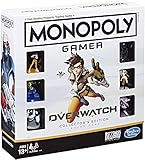
- INSPIRED BY OVERWATCH: This Monopoly board game is inspired by the wildly popular Overwatch video game; designed with Overwatch fans in mind
- 6 CHARACTER TOKENS: The Overwatch edition of the Monopoly game features 6 character tokens including D. Va, Lúcio, Mercy, Reaper, Tracer, and Winston
- COLLECTOR'S EDITION: This Monopoly Gamer Overwatch Collector's Edition board game makes a great gift or collector's item for Overwatch players
- LEAD A TEAM OF HEROES: Players choose a group leader, draft a team, and battle for the high score to win the Monopoly game Overwatch edition
- EARN POINTS: Travel around the Monopoly board earning points by capturing objectives and collecting loot boxes; the player with the highest score wins the Overwatch edition of the Monopoly board game
When Competitive becomes useful
Competitive is appropriate once you can follow a fight without spending your attention on basic controls. Enter it to measure repeatable decisions over a block of games, not to prove that your historical rank is still valid. Playing one placement or calibration match and immediately judging yourself is the fastest way to misread the system.
What to expect from Stadium
Stadium can be appealing if you enjoy selecting items and powers during a match. However, PC Gamer reported that Blizzard stopped adding new heroes and maps to Stadium in July 2026 while continuing seasonal balance updates, rank resets and rewards. Treat it as its own mode. A build that succeeds there may teach adaptation and resource planning, but it does not reproduce standard 5v5 spacing, cooldown exchanges or team-fight timing.
How Competitive recalibrates a returning player
Blizzard’s Competitive communication tells both new and returning players to keep playing while the system estimates current skill. In most cases, it can gain a broad understanding in as little as about five games. During that period, your skill tier or division can change frequently.
“Whether you are a new player or someone returning to Overwatch 2 after an extended break, the key is to keep playing games.”
Use the first block as calibration. Record whether you are making better choices: arriving with teammates, preserving an escape cooldown, recognizing threats and converting an advantage into objective progress. A lower first result can reflect current information and timing rather than a permanent ceiling.
Historical Competitive guidance described five divisions in each tier and, in the then-new system, an update after seven wins or 20 losses, with an unranked period before the first update. Those thresholds are not reliable instructions for every current season. Check the Competitive panel and live patch notes for the rules your client is using.
A practical calibration plan
- Play a complete Competitive game without changing sensitivity or role because of one loss.
- After the game, note one repeatable issue and one decision that worked.
- Continue until you have roughly five games for the system to gather a broad estimate, while remembering that this is an approximate Blizzard guideline rather than a guaranteed number of matches.
- Only then decide whether your current role pool, hero choices or schedule need a larger change.
Rebuild role fundamentals before chasing mechanics
The following checklist is coaching guidance for returning players, not a statement of current balance rules. It applies across patches because it focuses on decisions rather than on a specific hero’s strength.
Rank #4

- Gaming Action Artwork design. Officially Licensed Overwatch Apparel for Men and Women; Overwatch T-Shirts; Overwatch 2 T-Shirts; Tracer T-Shirts; Widowmaker T-Shirts; Sombra T-Shirts; Mei T-Shirts; Zarya T-Shirts;
- 22ABOW00058A-001
- Lightweight, Classic fit, Double-needle sleeve and bottom hem
Tank
- Manage space from cover so your team can see and support you.
- Start fights when teammates can follow instead of spending every cooldown to cross open ground.
- Use defensive resources to survive the enemy’s response, not only to announce an engagement.
- When a fight is lost, leave early enough to preserve the next contest rather than donating staggered deaths.
Damage
- Take an off-angle only when you have an exit and a teammate can benefit from the pressure.
- Prioritize targets your team can reach; isolated damage that cannot be converted is often just noise.
- Return to the objective when a chase no longer creates a numbers advantage.
- Use cover between shots and move after revealing your position.
Support
- Keep line of sight to the teammates you are expected to save.
- Use defensive cooldowns proactively when the threat is clear instead of waiting for a teammate to reach critical health.
- Reposition before the fight reaches you; healing from a dead-end corner removes your own escape route.
- Balance damage and utility with the requirement to keep the team alive and contest the objective.
Choose a temporary hero pool with evidence, not nostalgia
Your old main may still suit you, but test that assumption. Compare candidates using the same five questions:
| Criterion | What to inspect in Practice Range and Quick Play | Why it matters during a return |
|---|---|---|
| Survivability | Health, defensive tools, escape routes and how quickly you recover from a mistake. | A forgiving hero lets you spend attention on reading fights instead of recovering from every small error. |
| Aim demand | Tracking, precision, projectile timing, recoil and the amount of value available without perfect accuracy. | Separates mechanical rust from poor positioning or decision timing. |
| Mobility | Speed, vertical movement, engagement range and whether movement abilities also provide an exit. | Determines how safely you can learn current maps and sightlines. |
| Team utility | Protection, healing, disruption, information or space created for teammates. | Shows how much value you can provide while your personal mechanics return. |
| Cooldown forgiveness | What happens when an important ability is missed, mistimed or unavailable. | Heroes with recoverable mistakes are better for early sessions than heroes whose one missed cooldown loses the entire fight. |
Keep two or three heroes available, but avoid swapping after every death. Play enough consecutive fights to learn a hero’s limits, then compare the result with another candidate. Add one unfamiliar hero only after you understand the basic threats in the current roster.
Quick wins for a faster PC:
Scan for outdated or missing drivers - takes under a minuteDriver Scan →Repair Windows errors before they cause bigger problemsFix Now →Fix the most common “I feel terrible” problems
Your aim feels wrong
Stop changing settings repeatedly. Confirm the client’s sensitivity, scoped sensitivity, acceleration, dead zones and refresh rate, then use the Practice Range for a consistent warm-up. If the same movement and target tracking feel stable across several sessions, the issue was probably configuration or rust rather than a need for a dramatic sensitivity change.
You are dying before you can react
Review your first exposure, not only the final shot. Ask whether you crossed an open lane, entered outside teammate sightlines, used your escape tool to start a fight or ignored an audio cue. Move from cover to cover and arrive after the enemy has spent a major threat. Better timing often restores survivability faster than faster aim.
You cannot read the current roster
Use the hero list and ability previews to learn one threat at a time. In Quick Play, identify the enemy ability that killed you, read it after the match and deliberately watch for its visual or audio cue next game. This is more efficient than trying to memorize every hero in one sitting.
Your old rank feels unreachable
Do not use a single Competitive result as evidence. The system is rebuilding a current estimate, and Blizzard explicitly warns that early tier or division changes can be frequent. Measure positioning, cooldown discipline and objective decisions for a block of games before deciding whether your role or hero pool needs to change.
Free tools Windows power users keep installed
One-click scans. No signup required.
Stadium practice is confusing your standard play
Separate the modes mentally. Stadium’s item-and-power decisions can reward experimentation, but standard 5v5 depends on different spacing and cooldown exchanges. If your goal is to return to ordinary Competitive play, spend most of the refresher in Practice Range and Quick Play.
Best Value
A sustainable first-week routine
Session one: controls and recognition
Update the client, verify settings, test three heroes and play a short Quick Play block. Stop when your attention is fading; exhausted matches create misleading conclusions about your ability.
Session two: one role, two heroes
Use one role and two candidates for several games. Concentrate on cover, objective timing and one cooldown decision. Write down a single recurring mistake after each game.
Session three: controlled Competitive entry
Enter Competitive only if the controls feel automatic and you can explain why your recent deaths happened. Play a complete block rather than quitting after the first result. Treat the early games as calibration while the system builds its estimate.
Do these 3 things before closing this tab:
1Scan for outdated or missing drivers - takes under a minute2Repair Windows errors before they cause bigger problems3Fix the driver behind crashes, sound loss and screen glitchesAfter the first week: patch-aware specialization
Read the current in-client patch notes before building a permanent hero pool. Check whether a hero’s abilities, role expectations, map interactions or mode rules changed. Keep your pool broad enough to survive a patch, but narrow enough that you can practise meaningful patterns instead of resetting your learning every match.
What a successful return actually looks like
Success is not necessarily matching an old rank immediately. It is reaching the point where you can select a hero because of the team’s needs, recognize the major threats in a fight, preserve an escape route, and make a deliberate decision when the objective becomes contested. Once those actions are repeatable, the Competitive estimate becomes useful information instead of an emotional first impression.
There is no universal number of hours required to regain former skill. The time depends on your role, hero pool, mechanics and the length of the break. Use the Practice Range and unranked matches to identify the missing skill, then enter Competitive when you can practise that skill without spending the entire match remembering your controls.
Quick Recap
Product prices and availability are accurate as of the date/time indicated and are subject to change. Any price and availability information displayed on Amazon at the time of purchase will apply.
Recommended Free Tools

