A Regsvr32 message showing only 0x8007 is incomplete: those four hexadecimal digits do not identify the failure. Copy the entire HRESULT, the DLL filename and its full path before choosing a fix. The most commonly documented case is 0x80070005, which means the registration was denied because the process did not have the administrative credentials needed to write to the registry or protected Windows folders.
For 0x80070005, the supported first remedy is to use an administrator account, open an elevated Command Prompt, and register the trusted DLL again with the Regsvr32 executable whose architecture matches the DLL. Other endings can indicate a missing module, an absent entry point, an architecture mismatch or another condition, so do not troubleshoot from the 0x8007 prefix alone.
As an Amazon Associate I earn from qualifying purchases.
What the 0x8007 Regsvr32 error actually tells you
Regsvr32 loads a dynamic-link library (DLL) and asks it to register its COM components, normally through an exported function named DllRegisterServer. Windows then displays the function’s return code if registration fails. The code is an HRESULT, and every hexadecimal digit matters.
What’s actually slowing this PC down?
Pick the symptom - the matching free tool is one click away.
Microsoft’s protocol documentation explains that the 0x8007 portion by itself “have nothing to do with the error condition.” A four-digit prefix cannot distinguish an access denial from a missing file, a bad image or a dependency problem. Treat the visible code as a clue to collect more information, not as a diagnosis.
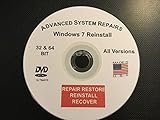
#1 Best Overall

- Repair, Recover, Restore, and Reinstall any version of Windows. Professional, Home Premium, Ultimate, and Basic
- Disc will work on any type of computer (make or model). Some examples include Dell, HP, Samsung, Acer, Sony, and all others. Creates a new copy of Windows! DOES NOT INCLUDE product key
- Windows not starting up? NT Loader missing? Repair Windows Boot Manager (BOOTMGR), NTLDR, and so much more with this DVD
- Step by Step instructions on how to fix Windows 10 issues. Whether it be broken, viruses, running slow, or corrupted our disc will serve you well
- Please remember that this DVD does not come with a KEY CODE. You will need to obtain a Windows Key Code in order to use the reinstall option
Record the complete error before changing anything
- Run the registration operation again only if necessary to reproduce the dialog.
- Copy every hexadecimal digit after
0x. A complete value is often eight digits, such as0x80070005, but record exactly what your dialog displays. - Write down the DLL filename and its complete path, including the drive letter and any spaces.
- Note which application or Windows component requested the registration and whether Windows is 32-bit or 64-bit.
If the dialog provides a different complete code, use that value when searching the application’s documentation or asking its vendor for help. Replacing it with the generic phrase “0x8007 error” removes the information needed for a code-specific diagnosis.
Why 0x80070005 appears and when administrator rights matter
The documented Regsvr32 case is a message such as DllRegisterServer in file_name.dll failed. Return code was: 0x80070005. Microsoft describes this as an access-denied condition. An account without administrative credentials may be unable to write the registry entries required by the DLL or change files in the protected System32 area.
Microsoft’s stated remedy is: “To resolve this behavior, log on by using an administrator account, and then register the DLL.” Elevating the command is therefore the correct first action for this specific code; it is not a reason to grant permanent full control to the DLL or to disable Windows security features.
Quick wins for a faster PC:
Repair Windows errors before they cause bigger problemsFix Now →Scan for outdated or missing drivers - takes under a minuteDriver Scan →Clear out junk files and repair common Windows errorsFree Scan →What elevation does—and does not—prove
- A successful elevated registration shows that permissions were the immediate blocker.
- A repeated access-denied result means the elevated token may not be in use, or a security policy or security product may be blocking registry changes.
- Elevation cannot repair a damaged DLL, supply a missing dependency or make a 32-bit DLL load into a 64-bit process.
- Administrator rights do not make an untrusted DLL safe. Source and file integrity must be checked separately.
Check the DLL’s source before registering it
Only register a DLL supplied by the application vendor or by the Windows installation media that supplied the component. A random DLL-download site can provide a file with the wrong version, missing dependencies or malicious code, and registration can make its components available system-wide.
Use the application’s installer first
If the DLL arrived with an installer, open that installer and choose its Repair option when available. Repairing the application can restore the correct file, dependencies and registry entries together. Manual registration should be a fallback when the vendor’s documented repair process has not resolved the problem, not a substitute for reinstalling a damaged application.
Confirm the file you intend to use
- Check that the filename and path match the component named in the error dialog.
- Do not copy a similarly named DLL from another computer or another application’s folder.
- If the file was quarantined, replaced or partially removed, restore the application through its original installer or trusted Windows media rather than downloading a replacement.
Complete manual procedure for a trusted DLL
1. Open an elevated Command Prompt
- Open the Start menu and type Command Prompt.
- Right-click Command Prompt and choose Run as administrator.
- Approve the User Account Control prompt. The window should indicate that it is running with administrative rights; a normal, non-elevated prompt is not enough for the documented
0x80070005case.
Log on with an account that is actually allowed to perform administrative actions. If your organization manages the computer, local policy may prevent registration even when you can enter administrator credentials; ask the administrator rather than bypassing policy.
Rank #2

- Repair, Recover, Restore, and Reinstall any version of Windows. Professional, Home Premium, Ultimate, and Basic
- Disc will work on any type of computer (make or model). Some examples include Dell, HP, Samsung, Acer, Sony, and all others. Creates a new copy of Windows DOES NOT INCLUDE product key
- Windows not starting up? NT Loader missing? Repair Windows Boot Manager (BOOTMGR), NTLDR, and so much more with this DVD
- Step by Step instructions on how to fix Windows 7 issues. Whether it be broken, viruses, running slow, or corrupted our disc will serve you well
- Please remember that this DVD does not come with a KEY CODE. You will need to obtain a Windows Key Code in order to use the reinstall option
2. Match Regsvr32 to the DLL architecture
On 64-bit Windows, there are architecture-specific Regsvr32 executables. A 32-bit DLL must be loaded by the 32-bit Regsvr32 executable, while a 64-bit DLL requires the 64-bit executable. A bitness mismatch can produce a new failure even after permissions are corrected.
The conventional Windows locations are named %SystemRoot%System32regsvr32.exe and %SystemRoot%SysWOW64regsvr32.exe, but the folder name alone is not a reliable way to identify the DLL’s architecture. Confirm the required bitness from the application’s installer or vendor documentation, or from the application’s own error details. Do not guess when the vendor supplies an exact command.
3. Run the registration command
You can change to the directory containing the DLL and then pass its filename:
cd /d "C:PathToTrustedDll"
regsvr32 "file.dll"
Or pass the complete path directly:
regsvr32 "C:PathToTrustedDllfile.dll"Quotation marks are required when a folder or filename contains spaces. If you must select a particular architecture on a 64-bit installation, call the verified Regsvr32 executable by its full path and keep the DLL path in quotes. Use regsvr32 /u only when the documented goal is to unregister an existing component; /u is not a repair switch and can remove a working registration.
4. Read the new result exactly
A success dialog normally reports that the DLL was registered. If the code changes, stop using the old 0x8007 description and troubleshoot the complete new code. Save the new message, including any mention of an entry point or missing module, before trying another command.
Recommended Free Tools
How to branch when the retry still fails
It still says access denied
- Close the Command Prompt and reopen it with Run as administrator; do not rely on a prompt opened from a standard shortcut.
- Verify that the account used for elevation has administrative credentials and that User Account Control was accepted.
- Confirm that you are registering the vendor’s file from its intended location, not a protected or temporary copy created by an incomplete installer.
- Check whether enterprise policy or security software is blocking registry writes. Do not disable protection indiscriminately; ask the system administrator or the software vendor for an approved exception or repair procedure.
If those checks do not change the result, the problem is no longer explained solely by the ordinary missing-credentials case. Preserve the complete HRESULT and the DLL path for the component’s support team.
Rank #3
The message says an entry point is missing
Regsvr32 expects the DLL to expose the registration function required by its component. An entry-point error usually means the file is not the registration DLL you were given, is the wrong version, is damaged, or is being loaded by the wrong architecture. Changing permissions will not create a missing function.
- Rerun the application’s Repair option or reinstall from the original trusted media.
- Confirm the DLL bitness matches the Regsvr32 executable and the application that will load it.
- Ask the vendor which DLL is intended for manual registration and whether a specific dependency must be installed.
The message says the module or a dependent module is missing
“The specified module could not be found” can refer to a dependency, not just to the DLL named in your command. Check that the named DLL remains at the recorded path, then use the application’s installer to restore its complete dependency set. Do not copy individual runtime DLLs from unrelated downloads. If the vendor documents a required runtime or redistributable, install that package from the vendor or Microsoft source and retry with the architecture that matches the application.
The code indicates a bad image or incompatible file
A bad-image result points toward corruption, an incorrect architecture or a file that is not a valid Windows DLL. Replace it through the original installer or Windows installation media, then repeat the architecture check. Re-registering the same damaged file, changing its permissions or renaming it will not repair its binary contents.
When the DLL is part of Windows
For a system DLL, first identify which Windows component owns it. If corruption is suspected, use Windows’ supported system-repair tools and the component’s original installation media or recovery source. Follow the repair workflow appropriate to your Windows edition and keep the complete Regsvr32 message for reference.
Do not overwrite a system DLL with an arbitrary Internet copy. Even a file with the same name can belong to a different build, and replacing it can create additional servicing or security problems. If Windows repair reports that the component source is unavailable, obtain the correct source through your organization’s administrator or the media used to install that Windows version.
Choosing the next action from the evidence
| What you know | Most appropriate next step | Why |
|---|---|---|
Only the prefix 0x8007 is visible |
Capture the complete HRESULT, DLL name and path | The prefix alone does not identify the condition. |
Complete code is 0x80070005 |
Use an administrator account, open an elevated Command Prompt and retry with the trusted DLL | This is Microsoft’s documented access-denied remedy. |
| Permission error remains after elevation | Verify the elevated token, then check approved policy or security-product blocks | Another control may be denying registry or protected-folder writes. |
| Entry point or module is missing | Repair the application, restore dependencies and verify architecture | Permissions cannot supply a missing function or dependent file. |
| DLL architecture is uncertain | Confirm 32-bit or 64-bit requirements with the vendor before selecting Regsvr32 | Architecture mismatch can fail independently of permissions. |
| File provenance is uncertain | Stop and obtain it from the original vendor or Windows media | Registration cannot make an untrusted or incorrect DLL reliable. |
| System file may be corrupt | Use supported Windows repair tools and the original component source | Replacing the file with a random download can damage Windows further. |
Information to provide if you need support
If the elevated, architecture-matched retry does not work, provide the component vendor or administrator with:
- The complete HRESULT, with every hexadecimal digit.
- The exact Regsvr32 dialog text.
- The DLL filename and full path.
- Your Windows edition and whether it is 32-bit or 64-bit.
- The application’s version and whether its installer Repair option was attempted.
- Which Regsvr32 executable you used and the exact command, excluding passwords or other sensitive data.
- Whether the failure was access denied, an entry-point error, a missing module or a different message.
Those details let support distinguish a permissions problem from a damaged file, missing dependency or architecture mismatch without asking you to repeat unsafe trial-and-error commands.
Free tools Windows power users keep installed
One-click scans. No signup required.
Quick Recap
As an optional shortcut after the manual checks, Outbyte PC Repair can address more than 100 common Windows issues where possible, including broken system elements and shared DLL problems, and includes settings, cleanup, privacy, vulnerability-check, real-time boost, file-shredder and crash-log features. It runs on Windows 11, 10, 8 and 7; its free trial is offered by category for at least two days before a paid subscription, and it complements rather than replaces antivirus protection. Results vary, and no tool repairs every crash.
Product prices and availability are accurate as of the date/time indicated and are subject to change. Any price and availability information displayed on Amazon at the time of purchase will apply.

