Quick wins for a faster PC:
Clear out junk files and repair common Windows errorsFree Scan →Scan for outdated or missing drivers - takes under a minuteDriver Scan →Fix an updated PC installation of Oblivion by separating the unmodded game from every add-on, repairing the base files, rebuilding the configuration, and then adding mods back in controlled groups. First identify whether you have classic Oblivion (including Game of the Year or Deluxe), or Oblivion Remastered; the edition, storefront and mod loader determine which files and extensions are compatible.
Back up saves, configuration files and your plugin/load order before changing anything. A clean launch with mods, OBSE or other injectors, overlays and ReShade disabled tells you whether the update damaged the base installation or exposed a mod, renderer, driver or archive conflict.


As an Amazon Associate I earn from qualifying purchases.
Start by identifying the installation
Do not edit files until you know exactly which build you are repairing. Classic Oblivion, its Game of the Year and Deluxe editions, and Oblivion Remastered use different launchers, configuration behavior and mod ecosystems. The storefront also changes the installation directory and the command used to repair files. Record the following:
- The edition: classic, Game of the Year, Deluxe or Remastered.
- The storefront and the library location it uses.
- Your Windows version, graphics-processing unit and current driver version.
- The mod manager, script extender and injectors currently installed.
- The game version shown by the launcher or executable, if displayed.
This record prevents a common mistake: applying a classic-game fix, OBSE plug-in or archive layout to Remastered, or repairing one storefront installation while launching another. PCGamingWiki and Nexus Mods both document edition-specific paths and compatibility details; use those references for the build you actually own rather than copying a path from a different release.
#1 Best Overall

- The Elder Scrolls IV: Oblivion Remastered brings the game of the year 2006 up to date with all-new stunning graphics and enhanced gameplay.
- Explore the vast landscape of Cyrodiil like never before in one of the greatest RPGs of all time from award-winning Bethesda Game Studios, preventing the powers from the realm of forgetting from conquering the land.
- The Elder Scrolls IV: Oblivion Remastered - Physical Deluxe Edition includes the main game, unique digital Akatosh and Mehrunes Dagon armor, weapons and horse armor sets, Shivering Isles and Knights of the Nine story expansions, access to the digital artbook and soundtrack app, plus additional content to download. en: Fighter's Stronghold, Spell Tomes, Vile Lair, Mehrune's Razor, The Thieves Den, Wizard's Tower, Orrery and Horse Armor Pack.
- Travels through the magnificent world of Tamriel and struggles on the plains of the realm of oblivion. The hand-crafted details have been meticulously recreated so that your exploration becomes an unforgettable experience.
- Create your own way from the noble warrior to the sinister assassin to the wrinkled wizard or funny blacksmith and play in your way.
Classic versus Remastered
| Installation | What matters during repair | Mod implication |
|---|---|---|
| Classic Oblivion, including Game of the Year and Deluxe | Windowed or borderless display tests, the classic INI, archive priorities and OBSE-related files are relevant. | Classic script extenders, texture replacers and archive-management rules may be essential to a modded profile, but any one can become incompatible after an update. |
| Oblivion Remastered | Bethesda’s crash guidance starts with removing mods, then repairing files; a reinstall may be required if the repaired installation still fails. | Do not assume a classic plug-in or injector works with Remastered. Test the unmodified game before restoring any add-on. |
Back up before verification or reinstalling
Make a rollback copy on a separate drive before you verify, delete, or reinstall anything. Copy your save folder, the Oblivion INI or other configuration file, and every plugin and load-order file used by your mod manager. Include your mod list and, if your manager supports profiles, export the working profile. A backup is especially important when the launcher may regenerate configuration or when a reinstall can remove files that were not part of the original distribution.
Keep the backup outside the game directory. Give it a date-based name and note the edition and storefront. Do not overwrite this copy while testing. If a later change makes the game worse, you can restore saves and configuration without trying to reconstruct a load order from memory.
Establish a clean, unmodded baseline
The first diagnostic test must remove variables. Exit the game and launcher, then disable every mod and every component that injects code or graphics:
Recommended Free Tools
- Disable all plugins, texture packs, mesh replacements and overhauls in the mod manager.
- Remove or temporarily rename OBSE and other script-extender or DLL injector files for the test.
- Turn off ReShade and other post-processing tools.
- Disable overlays and controller wrappers that hook the game window.
- Close hardware-monitoring or frame-overlay software for this launch.
Launch the game from the normal storefront or launcher with no add-ons. Bethesda specifically advises removing mods when Remastered crashes after an update. For classic installations, the same clean launch is a diagnostic rather than a permanent recommendation: it tells you whether the base executable and renderer work before you reintroduce the profile you actually want to play.
Interpret the clean-launch result
- It launches and reaches a new game: the update and base files are probably usable. A mod, injector, overlay, configuration value or load-order interaction is the likely trigger.
- It still crashes or shows a black screen: continue with file repair, driver checks and a regenerated configuration before touching mods again.
- It launches but the world is grey, purple, black or invisible: use the symptom-specific branches below. Texture and HDR failures need different fixes from an executable crash.
Repair the base files without destroying your profile
Run the storefront’s repair or verification command
Use the game library’s built-in Verify, Repair or equivalent command for the exact installation you recorded. The label and location differ by storefront, so select the command provided by your client rather than deleting files manually. Let the process finish, then launch once with the game still unmodded.
Verification replaces files that are missing or different from the distributed build. It does not make an incompatible mod compatible, and it may not remove extra files placed beside the executable by a script extender or injector. That is why the clean baseline comes first.
Rank #2
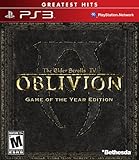
- Live another life in another world, create and play any character you can imagine
- An all-new combat and magic system brings first person role-playing to a new level of intensity
- Groundbreaking AI system gives characters full 24/7 schedules
- New lands to explore in the Shivering Isles expansion
- Challenging new foes, hideous insects, Flesh Atronachs, skeletal Shambles, amphibeous Grummites and more
When a Remastered reinstall is justified
If Remastered still crashes after mods are removed and the storefront repair completes, Bethesda’s guidance includes reinstalling and repairing the files. Restore your backed-up saves only after the fresh, unmodded installation reaches the menu and a test game. Reinstalling is a destructive step for unmanaged add-ons, so preserve the backup and do not copy the old mod directory back wholesale.
Check the graphics driver
Install the current driver offered for your GPU, then test the game unmodded. If the fault began immediately after a driver update, test the previous known-good driver release instead. Change only the driver for this test; changing the driver, INI and mod list at the same time makes the result impossible to interpret. Record which driver produced which behavior.
Regenerate the configuration
Close the launcher and move the Oblivion INI or configuration file to your backup location rather than deleting it. Start the game so the launcher creates a clean configuration, then set only a known-good resolution and basic display options. Avoid restoring custom renderer, HDR, field-of-view, input or mod-related values until the unmodded game is stable.
If the new configuration fixes the crash, compare your old file line by line and restore settings in small groups. Keep the newly generated file as a second rollback point. Classic and Remastered do not necessarily use the same configuration names or locations, so do not copy an INI between editions.
Use the symptom to choose the next branch
| Observed symptom | Most useful first distinction | Next test |
|---|---|---|
| Crash during launch or shortly after an update | Whether the clean, unmodded build also crashes | Repair files, test the driver and regenerate configuration; if only the modded build fails, isolate mods by binary search. |
| Black screen with the interface visible | Classic display-mode or injector conflict | Test windowed or borderless mode at a known-good resolution with overlays and injectors disabled. |
| HUD and menus visible but the world is grey | HDR configuration | Check HDR first; Bethesda identifies HDR as the usual cause of this specific grey-world symptom. |
| One object has a missing texture | Single dependency, archive or override | Find the asset’s mod, required archive or texture dependency and test that component alone. |
| Many assets are purple, black or invisible | Archive priority, missing archives or load order | Test the unmodded build, then review archive and plugin order before restoring texture replacers. |
Fix crashes after the update
If the unmodded game crashes
Keep all add-ons disabled while you work through the base-game path. Complete file verification, test the current and previous known-good GPU driver when appropriate, and launch with a regenerated configuration. On Remastered, follow Bethesda’s remove-mods, repair-files and, if necessary, reinstall sequence. On classic, a fresh configuration and a display-mode test often distinguish a renderer or settings failure from a damaged file.
Do not restore the old INI merely because the new one looks plain. Add back one category of settings at a time: resolution and window mode first, then other display options, and finally optional renderer or post-processing values. The first setting that reproduces the crash identifies the area to investigate.
If only the modded game crashes
Restore no files yet. Use a binary search on the disabled mod list:
- Enable approximately half of the mods and keep OBSE, injectors, overlays and ReShade disabled.
- Launch and reproduce the failure using the same save or a controlled new game.
- If it fails, the responsible item is in the enabled half; if it works, the item is in the disabled half.
- Split the suspect half again and repeat until one mod or a small interaction remains.
- Test the suspect mod with its documented dependencies, then test it with the next most likely interaction.
Keep texture replacers, script extenders and large overhauls in separate test groups. An update can invalidate a dependency even when the mod’s files are still present. A binary search is faster and safer than enabling the entire list repeatedly, and it gives you a reproducible explanation for the failure.
Use a controlled save
A heavily modded save can contain scripts and references that are absent from a clean profile. For diagnosis, test both a new game and one backed-up save after the base installation works. If only the old save crashes, the save or a removed dependency is part of the problem; do not overwrite the backup while experimenting.
Free tools Windows power users keep installed
One-click scans. No signup required.
Resolve black screens
Black screen with menus or the interface visible
This pattern points toward display mode, resolution, an overlay or an injector rather than a total failure to start. The classic-game troubleshooting guidance from Bethesda and PCGamingWiki supports a reversible sequence:
- Keep the game unmodded and disable every overlay, injector and ReShade effect.
- Switch to windowed mode, or borderless mode if the launcher exposes it.
- Select a resolution you know the monitor supports instead of the last custom value.
- Launch, reach the menu and load a test area.
- Only after the image is stable, restore fullscreen and other display options one at a time.
If the image disappears again when an injector or overlay returns, leave that component disabled and check whether an updated version supports your exact edition and game build. Do not copy a display configuration from Remastered into classic or the reverse.
Black screen before any interface appears
Return to the clean baseline and regenerated configuration. Then repair the base files and test the driver. A pre-menu black screen gives you less evidence than a black screen with a visible HUD, so avoid changing several variables together. If the storefront repair and clean configuration do not help, follow the edition-specific reinstall guidance rather than reinstalling mods first.
Fix a grey world when the HUD still works
When menus and the HUD render but the game world is uniformly grey, check HDR before replacing textures or rebuilding archives. Bethesda identifies HDR as the usual cause of this symptom. Disable HDR in the game’s display settings, launch again, and test a known area. If that resolves the grey world, leave HDR off until the rest of the configuration is stable; then test it separately with no overlays or injectors.
A grey world is not the same as purple or black missing assets. Do not use archive-priority troubleshooting for an HDR failure unless a separate texture symptom remains after HDR is corrected.
Independent reader supportYour contribution helps us test, update, and keep practical guides available for everyone.Repair missing, purple or black textures
One object is affected
A single missing object usually indicates a missing archive, an unmet dependency or a texture override that belongs to one mod. Identify the object and the mod that supplies it, then check that the required archive and texture files are installed and enabled. Test the mod without unrelated texture packs so you can tell whether an override is masking the original asset.
Many objects are affected
Widespread purple, black or invisible assets point to archive, priority or load-order problems. First confirm that the unmodded game renders correctly. If it does, re-enable the mod groups in a controlled order and keep texture replacers separate from script extenders and overhauls. Review archive priorities and plugin order in the mod manager used for that edition; PCGamingWiki and Nexus Mods provide Oblivion-specific archive and load-order context.
Do not assume that a successful file verification repaired mod archives. Storefront verification covers the distributed game files, while mod archives and loose textures remain your responsibility. A texture pack can also be present but superseded by another archive, producing black or invisible assets even though no file is technically missing.
Do these 3 things before closing this tab:
1Repair Windows errors before they cause bigger problems2Scan for outdated or missing drivers - takes under a minute3Clear out junk files and repair common Windows errorsWhen textures disappear after an update
Compare the working and failing profiles rather than copying files at random. Record which texture group was enabled when the symptom returned. If enabling one group causes the failure, check its dependencies and archive priority before trying a different renderer. Reinstall only that mod after preserving the known-good profile; a wholesale reinstall can hide the actual conflict.
Best Value

- The Elder Scrolls IV: Oblivion Remastered modernizes the 2006 Game of the Year with all new stunning visuals and refined gameplay.
- Explore the vast landscape of Cyrodiil like never before and stop the forces of Oblivion from overtaking the land in one of the greatest RPGs ever from the award-winning Bethesda Game Studios.
- Rediscover Cyrodiil Journey through the rich world of Tamriel and battle across the planes of Oblivion where handcrafted details have been meticulously recreated to ensure each moment of exploration is awe-inspiring.
- Navigate Your Own Story. From the noble warrior to the sinister assassin, wizened sorcerer, or scrappy blacksmith, forge your path and play the way you want.
- An Epic Adventure. Step inside a universe bursting with captivating stories and encounter an unforgettable cast of characters. Master swordcraft and wield powerful magic as you fight to save Tamriel from the Daedric invasion.
Reintroduce mods safely
Once the unmodded game survives several launches, restore the profile in layers. Start with required framework components for the exact edition, then add ordinary gameplay mods, followed by texture and mesh replacers, and finally large overhauls or visual injectors. Test after each layer. This order keeps a missing dependency from being mistaken for a renderer problem.
Use the mod manager’s profile or load-order export if available. Keep a separate known-good profile with no experimental files. When an update arrives, duplicate that profile, test the duplicate, and leave the original untouched until the new build is proven stable.
Make the result reproducible
After each successful test, record the game edition, storefront, game version, Windows version, GPU driver, configuration revision and enabled mod groups. Change one variable per test and note whether the failure occurred at launch, during loading or in the world. This turns a vague “it broke after updating” report into a sequence that can be reversed.
What’s actually slowing this PC down?
Pick the symptom - the matching free tool is one click away.
Keep backups of saves, configuration and load order after you have a stable profile. Do not overwrite them with an experimental setup. If a future update causes the same symptom, you can first compare the changed game or driver version against this record, then repeat the clean-baseline test without losing your working arrangement.
When to stop troubleshooting and seek edition-specific help
Escalate after you have identified the edition, backed up the profile, tested unmodded, repaired the base files, regenerated configuration and checked the driver. Include the exact symptom, whether the clean build works, the storefront, GPU and driver, and the smallest mod group that reproduces the problem. For Remastered, Bethesda’s support instructions are the appropriate reference for post-update crashes and reinstall decisions. For classic, use Oblivion-specific archive, renderer, OBSE and load-order documentation rather than generic advice for another game.
These steps target PC installations. Console editions have different file access, repair controls and mod-management limits, so a PC INI, OBSE or archive procedure does not apply to them.
Quick Recap
Product prices and availability are accurate as of the date/time indicated and are subject to change. Any price and availability information displayed on Amazon at the time of purchase will apply.
The Tool Desk
Outbyte PC Repair FREEClear out junk files and repair common Windows errorsFree Scan →Outbyte Driver Updater FREEScan for outdated or missing drivers - takes under a minuteDriver Scan →
