If Joy-Con motion controls drift or don’t respond in Nintendo Switch Sports, first check that the game is using a supported play mode and controller. Then update and reset the Joy-Con, remove anything covering it, and calibrate its motion controls. If calibration fails or the controller also fails in other supported motion-control software, Nintendo recommends service—not assuming calibration can repair hardware damage.
Check that your game setup supports the controller
Nintendo Switch Sports does not support Handheld Mode; Nintendo recommends TV Mode on Nintendo Switch, Nintendo Switch – OLED Model, or Nintendo Switch 2. Controller compatibility varies by sport, and Nintendo Switch Pro Controllers are not compatible. If you are using Joy-Con 2, check Nintendo’s sport-specific compatibility details before troubleshooting the controller. See the Nintendo Switch Sports FAQ.
| # | Preview | Product | Price | |
|---|---|---|---|---|
| 1 |

|
Nintendo Joy-Con (L/R) - Neon Red/Neon Blue | $88.99 | Buy on Amazon |
| 2 |
|
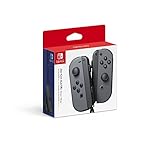
Nintendo Switch Joy-Con (L/R) Gaming Controller, Gray (Renewed) | $61.14 | Buy on Amazon |
As an Amazon Associate I earn from qualifying purchases.
Update and reset the Joy-Con
Nintendo’s troubleshooting starts with updates. Install the latest system update, then update the controller firmware. For a Nintendo Switch Joy-Con reset, detach the controller, press its SYNC button once, and then press another button to turn it on again. Follow Nintendo’s Joy-Con motion-control troubleshooting steps.
Check for anything obstructing the controller
Remove any protective cover temporarily and check that nothing is covering the right Joy-Con’s IR motion camera. Nintendo notes that some software uses this camera, so an obstruction may affect those functions. A cover or obstruction is worth ruling out, but removing it will not repair a damaged sensor.
#1 Best Overall
- Introducing Joy-Con, controllers that make new kinds of gaming possible, for use with Nintendo Switch.
- The versatile Joy-Con offer multiple surprising new ways for players to have fun.
- Two Joy-Con can be used independently in each hand, or together as one game controller when attached to the Joy-Con grip.
- They can also attach to the main console for use in handheld mode, or be shared with friends to enjoy two-player action in supported games.
- Each Joy-Con has a full set of buttons and can act as a standalone controller, and each includes an accelerometer and gyro-sensor, making independent left and right motion control possible.
Calibrate the motion controls
Remove the Joy-Con’s strap and other accessories before calibration. On Nintendo Switch, use this path:
- Open System Settings.
- Select Controllers and Sensors, then Calibrate Motion Controls.
- Hold the − or + button on the Joy-Con you want to calibrate.
- Place the controller on a flat, stable surface with the stick facing upward, and wait for calibration to finish.
Use Nintendo’s controller calibration instructions if you need the manufacturer’s full guidance. If calibration fails, proceed to the service guidance below rather than treating repeated calibration attempts as a hardware fix.
Find out whether the problem is limited to Switch Sports
Test the Joy-Con in other software that supports motion controls. If it works there, check that the sport, play mode, controller, and game version are supported in Nintendo Switch Sports. If the same problem occurs in other supported software—or calibration fails—Nintendo says the affected Joy-Con needs service. Start with Nintendo’s regional support page; service procedures and eligibility vary by region, and the cited guidance does not promise a particular cost or turnaround.
Free tools Windows power users keep installed
One-click scans. No signup required.
Rank #2
- Introducing Joy-Con, controllers that make new kinds of gaming possible, for use with Nintendo Switch.
- The versatile Joy-Con offer multiple surprising new ways for players to have fun.Battery life can last for more than six hours, but will vary depending on the software and usage conditions. For example, The Legend of Zelda: Breath of the Wild can be played for roughly 3 hours on a single charge
- Two Joy-Con can be used independently in each hand, or together as one game controller when attached to the Joy-Con grip
- They can also attach to the main console for use in handheld mode, or be shared with friends to enjoy two-player action in supported games.
If the issue happens only with the Leg Strap
Check that the Leg Strap is attached properly if motion problems occur only during Soccer leg-strap play. Joy-Con 2 is not compatible with the Leg Strap, so use a supported Joy-Con for that mode.
When connection warnings suggest interference
If you repeatedly see “Your Joy-Con’s connection is unstable,” and the character also moves incorrectly when you shake the controller, wireless interference is one possible cause. That warning is not a definite diagnosis of interference; consider it alongside whether the trouble is limited to a particular location or connection setup.
Quick Recap
Product prices and availability are accurate as of the date/time indicated and are subject to change. Any price and availability information displayed on Amazon at the time of purchase will apply.

