There is no single fix for every GTA: San Andreas progress or save problem. First identify the release (original game, Trilogy Definitive Edition, or mobile Definitive Edition), platform, and exact symptom: a mission that will not start, a mission that cannot finish or be retried, progress that does not record, or a save that will not load. Rockstar documents different causes and fixes for different releases, so applying the wrong edition’s advice can waste a working save.
Classify the problem before changing anything
“Mission progress issue” describes several different failures. Separate them before troubleshooting, because a mission-blocking bug and a damaged save file require different evidence.
As an Amazon Associate I earn from qualifying purchases.
| What you see | Problem category | First question |
|---|---|---|
| A mission marker, phone call, or trigger never appears | Mission progression | Which release and platform are you playing, and which mission is affected? |
| The mission starts but cannot be completed, or a retry option is missing | Mission execution or retry bug | Does the symptom match a named Definitive Edition fix, such as High Stakes, Low Rider? |
| A mission appears complete, but the next session starts before it | Progress not being saved | Was an autosave expected, and did the game actually create one? |
| The game reports an error, returns to a menu, or never opens a saved slot | Save-file loading failure | Were cheat codes entered and then saved, and is there an earlier slot? |
Write down the title of the mission, the last successful objective, the platform, the edition, and whether the failure happens every time. Those details determine which official support record is relevant.
Do these 3 things before closing this tab:
1Clear out junk files and repair common Windows errors2Scan for outdated or missing drivers - takes under a minute3Repair Windows errors before they cause bigger problemsIdentify your release and platform
Rockstar maintains separate support material for the original game, the Trilogy Definitive Edition, and the mobile Definitive Edition. A correction listed for one release is not proof that another release contains the same bug or already has the same update.
#1 Best Overall
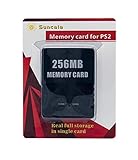
- Upgrade innovation chip that process and save the games faster by 15% than older version, smooth and steady without interruption.
- Fully compatible with Sony Playstation 2 and playstation 2 Slim.
- Improved storage system now compatible with more game than ever.
- Newly design package, fresh and elegant look. Sleek package allows you to easily slip the memory card in and out.
- 60 months worry free warranty. Friendly and supportive customer service is there to answer all your questions within hours.
Original or legacy console release
If you are playing an older console edition, identify the exact console generation and how the game stores saves. Storage advice for a compatible legacy setup is narrower than general PC or modern-console troubleshooting.
Trilogy Definitive Edition
The Definitive Edition support record covers PlayStation 5, PlayStation 4, Xbox Series X|S, Xbox One, Nintendo Switch, and PC. Mission-specific notes in that record apply to this edition, not automatically to an original release or the mobile game.
Mobile Definitive Edition
Mobile support is separate again. The Android release notes list version 1.87.0 on November 12, 2025, with “General fixes and improvements.” The page title covers Android and iOS, but the version shown in the notes is Android, so do not treat that number as an iOS version.
Recommended Free Tools
Use the symptom, not just the mission name
The same mission title can be associated with different failures. For example, completing High Stakes, Low Rider and finding no new autosave is a save-creation symptom, while being unable to retry that mission is a retry-function symptom. They may have appeared in the same update record, but they are not interchangeable tests.
Likewise, “the mission is stuck” can mean that a marker never spawns, an objective fails to advance, the game exits before completion, or the completion is not present after restarting. Note exactly when the behavior occurs: during the opening cutscene, at a checkpoint, after the final objective, on the results screen, or only after returning to the main menu. A precise timeline is more useful than a general statement that the story stopped.
If a save will not load
Check whether a cheat was saved
Rockstar Games Customer Support says a common cause of saved games failing to load is corruption caused by cheat codes entered into the game and saved. Its separate cheat-code guidance warns that unofficial codes can produce scripting errors or corrupt saves and recommends not saving after using them.
If cheats were used before the failure, the specific official suggestion is to load a save from before the cheat was entered. This is a test, not a guarantee: a pre-cheat slot may be absent, may also be damaged, or may not contain the progress you need. Do not conclude that every failed save was caused by a cheat merely because cheats are documented as one possible cause.
Rank #2
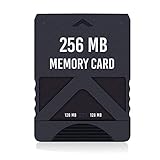
- Never lose saved data again or have to constantly switch between smaller memory cards | 256MB (2043 Block) memory card is perfect even for the most demanding PlayStation 2 games
- Durable, compact design mimics look and feel of original memory cards and is compatible with all PS2 games and systems | Memory card features two switchable data banks to achieve 256 megabyte capacity
- Please Note: To reach full capacity of memory card dual 128 megabyte banks must be switched between | Front facing switch on card must be set to apropriate memory bank prior to turning on console
- Compatible with: PS2 (Playstation 2) consoles only | Will not work with backwards compatible fat PS3 consoles or PSONE (PSX) systems
- Package Contents: 1x PS2 memory card | Works on all models of PS2 including launch, fat and slim console variants
If no cheat was involved
Rockstar’s general save-file guidance does not establish one universal repair sequence for every platform. Do not delete, reformat, or replace save data on the assumption that those actions will reconstruct a damaged file. First preserve any remaining slots and record the exact error or behavior. A save that loads but rolls back progress is a different case from a slot that cannot be read at all.
Compare one slot with another
If another slot still opens, use it as a comparison rather than immediately overwriting it. Check whether it belongs to the same edition and platform, whether it was created before the suspected failure, and whether it contains the same cheat history. A working older slot can show that the game itself launches correctly while the newer slot has a problem, but it cannot prove that the newer file is repairable.
Keep the earliest usable save untouched. When testing, make the distinction between loading a file and saving over it: a file that opens successfully is still valuable evidence, even if its story position is behind the failed slot. Avoid making the only surviving copy depend on an unverified experiment.
Legacy console memory devices
For compatible older console setups, Rockstar recommends official Sony or Microsoft memory devices when save-loading problems persist and states that third-party memory cards are unsupported. This recommendation is limited to the relevant legacy hardware. It does not promise that an official card can restore a corrupted San Andreas save, and it is not a reason to move a modern-console, PC, or mobile save to unrelated hardware.
Quick wins for a faster PC:
Clear out junk files and repair common Windows errorsFree Scan →Fix the driver behind crashes, sound loss and screen glitchesFind Drivers →Repair Windows errors before they cause bigger problemsFix Now →If you shop for an official PlayStation or Xbox memory device, verify the console generation, game release, and capacity before buying. No particular model or price is established by Rockstar’s guidance, so treat compatibility as the requirement, not a guarantee of recovery. An accessory cannot substitute for a backup or recreate data that is already corrupt.
If a mission is not progressing in the Definitive Edition
Check the official Definitive Edition update history only after confirming that you own that edition. Rockstar’s Trilogy update 1.04 record, last updated April 30, 2024, names several San Andreas progression corrections.
Pier 69
The 1.04 notes list fixes for “a number of progression issues within the mission ‘Pier 69.’” If your symptom occurs in that mission, compare it with the update record and verify that your copy has received the applicable update. The note does not establish that every Pier 69 stall has the same cause, nor that an unpatched or differently released copy behaves identically.
Rank #3

- TWO SEPARATE 128 MB BANKS, NOT ONE POOL OF 256 MB: The selector on the front of the card chooses which bank the console talks to, and each bank is its own storage area with its own save list. Nothing spans the two, so a file written on one side is invisible from the other. Set the selector first and then turn the console on, because the console reads the position once at start-up and does not look again.
- BUILT FOR PS2 AND FOR THE SLIM, AND FOR NOTHING ELSE: It drops into the memory card slot made for PS2, on every revision from the first SCPH-10000 through to the 90000 series, fat or slim. It is not for the PS One, not for the PSX, and not for a fat PS3 running a disc in backward compatible mode. Those machines use a different card and will not read this one.
- IT IS A STORAGE CARD, AND IT WILL NOT RUN FREEMCBOOT: If the plan is to install a homebrew launcher, this is the wrong card and no amount of formatting will change that. What it does do is hold save files, and a lot of them, which is the job most people actually need a second card for.
- NO BOOT DISC, NO DRIVERS, NOTHING TO INSTALL: Push it into the slot and the console lists it straight away. Save sizes vary by title, and the back of a game case usually prints how many kilobytes a save needs, so you can work out how far one bank will go before you fill it.
- WHAT ARRIVES IS ONE BLACK CARD, 5.6 BY 4.1 BY 0.6 CM: Two habits keep a save file intact on any card of this kind: leave the console powered down while the card goes in or comes out, and do not cut the power while a title is writing.
High Stakes, Low Rider
The same record says Rockstar fixed an autosave not being created after completing “High Stakes, Low Rider.” It also lists a fix for being unable to retry that mission. These are two distinct symptoms: one concerns the missing post-mission autosave; the other concerns retry availability. Match the note to what you actually see instead of treating the mission name as a universal save repair.
Other missions
If another mission is blocked, the cited 1.04 notes do not identify it as one of these named corrections. Do not infer that a Pier 69 or High Stakes, Low Rider workaround applies elsewhere. Capture the mission name, objective, platform, and edition for support rather than experimenting with destructive save changes.
Check the update record that belongs to your copy
| Release record | Date and coverage | What it establishes | What it does not establish |
|---|---|---|---|
| Trilogy Definitive Edition update 1.04 | Last updated April 30, 2024; PS5, PS4, Xbox Series X|S, Xbox One, Switch, and PC | Named San Andreas fixes include Pier 69 progression, a missing autosave after High Stakes, Low Rider, and inability to retry that mission. | It does not prove every platform has the same installation state or that an unrelated mission is covered. |
| Trilogy Definitive Edition update 1.112 | Last updated November 25, 2024; all listed platforms and titles | The currently linked record says “Numerous fixes and improvements.” | It does not enumerate a San Andreas-specific mission or save correction. |
| Mobile Definitive Edition, Android v1.87.0 | November 12, 2025 | The Android notes state “General fixes and improvements.” | They do not name a specific mission-progress or save-loading fix. |
Update notes are historical records, not a diagnosis of your installation. If the game reports a version number, record it. If it does not, use the platform’s normal update screen and then compare the installed release with the applicable Rockstar support record. Do not assume that the newest-looking number in a different edition belongs to your game.
Edition-by-edition comparison
| Edition | Most relevant comparison | Best next step |
|---|---|---|
| Original game | Whether the issue is a readable save, an unreadable save, or legacy storage trouble | Preserve slots, identify the console and memory device, and use the legacy-device guidance only if it fits. |
| Trilogy Definitive Edition | Whether the exact symptom is Pier 69 progression, missing High Stakes, Low Rider autosave, or missing retry | Compare the installed update with the 1.04 and later records for the same platform. |
| Mobile Definitive Edition | Whether the device is Android or iOS and whether its operating system still receives support | Record the mobile game build and operating-system version; do not transfer Android notes to iOS. |
This comparison prevents two common errors: treating a mission fix as a save-file repair, and treating a mobile “general fixes” entry as proof that a console or PC mission defect was addressed.
Mobile-only considerations
iOS operating-system requirement
Rockstar’s iOS support article, last updated August 18, 2026, says iOS 17 or later is required for updates and technical support. Devices on iOS 16 or below can still download and play titles, but they will not receive further updates or technical support. This matters when a mobile mission or save problem appears after the device has stopped receiving supported updates.
The Tool Desk
Outbyte PC Repair FREERepair Windows errors before they cause bigger problemsFix Now →Outbyte Driver Updater FREEScan for outdated or missing drivers - takes under a minuteDriver Scan →Android and iOS are not interchangeable records
The Android v1.87.0 note is not evidence that an iOS device has the same build or fixes. When contacting support, provide the phone or tablet platform, operating-system version, game version if displayed, and whether the problem affects one slot or every slot.
A safe troubleshooting workflow
- Record the identity of the game. Note original release, Trilogy Definitive Edition, or mobile Definitive Edition; platform; and installed version if visible.
- Describe the exact failure. State whether the mission will not trigger, cannot be completed, cannot be retried, fails to create an expected save, or produces a save-loading error.
- Protect existing evidence. Keep every slot that still loads. Do not overwrite the only earlier slot while testing another path, and do not delete or reformat storage when no platform-specific recovery sequence has been established.
- Test the cheat hypothesis only when it applies. If a cheat was entered and the game was saved afterward, try the earliest save from before that cheat. If no pre-cheat save exists, report that fact; do not describe recovery as guaranteed.
- Match named Definitive Edition symptoms. For a Definitive Edition copy, compare Pier 69 and High Stakes, Low Rider behavior with the 1.04 notes. Distinguish the missing autosave symptom from the inability-to-retry symptom.
- Verify the correct update record. Check the record for your edition and platform rather than borrowing a fix from the original, console, PC, Android, or iOS version.
- Escalate without destructive changes. If the problem remains, send the details through Rockstar’s San Andreas support hub.
What to include in a support request
Rockstar’s San Andreas support hub provides Story Mode Play, Error Code, Q&A, and How-To categories, along with a request route. Choose the category closest to the symptom and include:
Rank #4

- Upgrade innovation chip that process and save the games faster by 15% than older version, smooth and steady without interruption.
- Fully compatible with Sony Playstation 2 and playstation 2 Slim.
- Improved storage system now compatible with more game than ever.
- Newly design package, fresh and elegant look. Sleek package allows you to easily slip the memory card in and out.
- 60 months worry free warranty. Friendly and supportive customer service is there to answer all your questions within hours.
- Edition and platform, including whether it is original, Trilogy Definitive Edition, Android, or iOS.
- Installed game version or update number, if shown.
- Mission name, objective, and the last step that worked.
- Whether the issue is a trigger failure, completion failure, missing retry, missing autosave, progress rollback, or an unreadable save.
- Whether cheats were entered and saved, and whether an earlier save loads.
- Any displayed error text and whether the failure affects one slot or all slots.
- For iOS, the operating-system version; note that iOS 17 or later is required for updates and technical support.
This information lets support distinguish a release-specific mission defect from a save-file loading problem. It also avoids claiming that a repair service or guaranteed save restoration exists when the official guidance does not promise one.
Independent reader supportYour contribution helps us test, update, and keep practical guides available for everyone.Common mistakes to avoid
- Using the wrong edition’s patch note: A mobile “general fixes” entry does not document the console or PC mission fixes in Trilogy update 1.04.
- Treating cheats as the diagnosis: Rockstar documents cheat-related corruption as a common cause, not as the explanation for every failed save.
- Assuming a named fix covers every mission: Pier 69 and High Stakes, Low Rider are the missions identified in the cited 1.04 notes; another mission needs its own evidence.
- Relying on an unsupported third-party memory card: Rockstar specifically says third-party cards are unsupported for the relevant legacy-console situation.
- Deleting data before documenting it: The official material reviewed does not provide a universal, safe deletion or reformat procedure for San Andreas saves.
- Assuming an update guarantees recovery: A patch can address a documented bug, but the notes do not promise restoration of an already corrupted save.
- Confusing a missing autosave with lost story progress: First check whether another manual or earlier slot contains the completed mission before concluding that all progress disappeared.
- Assuming every platform updates identically: A record covering several console and PC platforms still does not prove that a particular installation has downloaded or applied the patch.
How to interpret the outcome
If a pre-cheat save loads, the failed slot is consistent with Rockstar’s documented cheat-related risk, but the result still does not prove that every later slot can be repaired. If a Definitive Edition update resolves the exact Pier 69 or High Stakes, Low Rider symptom, the behavior matched a documented release-specific bug. If neither test fits, the remaining possibilities include an unlisted mission issue, a platform-specific problem, or a damaged save; the support hub is the appropriate next step.
Free tools Windows power users keep installed
One-click scans. No signup required.
Quick decision guide
Mission marker missing: Confirm the edition, platform, mission, and last completed objective. Do not begin by replacing save storage.
Mission completes but no autosave appears: Check whether this is High Stakes, Low Rider in the Definitive Edition and compare the 1.04 note. Preserve any manual save before testing.
Retry option missing: Again, compare the exact High Stakes, Low Rider symptom with the named Definitive Edition fix. A different mission requires separate support evidence.
Save will not load after cheats: Try a save from before the cheat, if one exists. Do not overwrite it and do not promise that the damaged slot can be repaired.
Save will not load without cheats: Preserve all readable slots, record the error, and avoid deletion or reformatting. On a compatible legacy console only, verify whether the storage device is an official Sony or Microsoft device.
Best Value

- Can create virtual memory cards (128KiB) for game saving, compatible with both PS1 / PS/PS2 and and arcade systems.
- For PS1/PS one: Supports launching FreePSXBoot using Unirom or Tonyhax.
- For PS2: Supports launching FreeMCBoot, OpenTuna, and other exploits.
- Tips:Supports setting PS2 Virtual Memory Card sizes: 1MB, 2MB, 4MB, 8MB, 16MB, 32MB, or 64MB.
- Save at any time: It can automatically detect running games and create dedicated virtual memory cards, so players can save game at any time, keep their gaming experience.
Mobile problem: Record Android or iOS, the game build, and the operating system. iOS 17 or later is required for updates and technical support; Android v1.87.0 notes from November 12, 2025 list only general fixes and improvements.
Frequently Asked Questions
Can I fix every GTA: San Andreas save problem by reinstalling the game?
No universal reinstall recovery is established here. Preserve readable saves and identify the edition and symptom before taking any destructive action; reinstalling does not guarantee restoration of a corrupted file.
What should I do if my save stopped loading after using a cheat?
Rockstar recommends trying a save from before the cheat was entered. This is not guaranteed, and a pre-cheat slot may not exist or may not contain the desired progress.
What’s actually slowing this PC down?
Pick the symptom - the matching free tool is one click away.
Does the Pier 69 fix apply to the original version of San Andreas?
The named Pier 69 progression correction appears in the Trilogy Definitive Edition update 1.04 record. It should not be presented as an original-release fix without a matching support record.
Why did High Stakes, Low Rider finish without creating an autosave?
Rockstar’s April 30, 2024 Definitive Edition notes list a fix for that missing autosave. Confirm that your edition and platform match the record and distinguish it from the separate inability-to-retry issue.
Can an official memory card recover a corrupted save?
Rockstar recommends official Sony or Microsoft memory devices for compatible legacy-console setups and says third-party cards are unsupported. The recommendation does not promise recovery of an already corrupted save.
Is Android version 1.87.0 also the iOS version?
No. The November 12, 2025 note specifies Android v1.87.0. Android and iOS have separate support records and should not be treated as interchangeable.
Can an iOS 16 device still play San Andreas?
Rockstar says devices on iOS 16 or below can still download and play titles, but they do not receive further updates or technical support. iOS 17 or later is required for updates and support.
What information should I send Rockstar Support?
Include the edition, platform, installed version, mission and objective, exact failure behavior, cheat and save history, error text, affected slots, and—on iOS—the operating-system version.
The Bottom Line
Start by naming the edition, platform, mission, and exact failure. Use the pre-cheat-save test only when cheats were saved, compare Pier 69 or High Stakes, Low Rider symptoms only with the Definitive Edition 1.04 record, and avoid deleting or reformatting saves. If the issue remains, contact Rockstar’s San Andreas support hub with the full timeline and version details.
Quick Recap
Product prices and availability are accurate as of the date/time indicated and are subject to change. Any price and availability information displayed on Amazon at the time of purchase will apply.

