Recommended Free Tools
Collateral is not a separately documented game mode. In Call of Duty: Black Ops Cold War, Collateral is a 12v12 Combined Arms map, while Collateral Strike is its 6v6 version. If you cannot find a match, first check whether the relevant playlist is currently in the in-game rotation. A 2021 Collateral 24/7 event does not prove that the playlist exists today. Then check service status and troubleshoot your local connection before changing router settings.
What “Collateral mode” means
Treyarch introduced Collateral in 2021 as a large 12v12 Combined Arms map. The same setting was adapted into Collateral Strike, a 6v6 map. Official announcements described limited-time playlists built around those map variants, not a permanent mode named “Collateral mode.” That distinction matters because an empty search can simply mean the playlist has rotated out, rather than that your internet connection is broken.
![PS5 - Call of Duty: Black Ops Cold War - [PAL EU - NO NTSC]](https://m.media-amazon.com/images/I/51WYbyuyXhL._SL160_.jpg)
As an Amazon Associate I earn from qualifying purchases.
The available announcements are historical. Treyarch announced a week of Collateral Combined Arms 24/7 in its July 29, 2021 update, and earlier Season Four material announced the map variants. Neither announcement establishes a live playlist in 2026. Before changing NAT, ports or router settings, verify what your game is offering now.
Use this order of checks
Work through the checks in sequence and test matchmaking after each one. Changing several settings at once makes it impossible to tell whether the cause was playlist availability, an outage, Wi-Fi instability or something else.
#1 Best Overall

- Bakker & Elkhuizen
- Mouse
- Colour: Black
- Package Dimensions: 14.8 L x 9.2 H x 10.2 W (cm)
- Model number: BNEEVR4S
- Confirm the game and platform. The evidence for this issue points to Black Ops Cold War. Menus and network diagnostics differ between supported consoles and PC, so record the platform before applying platform-specific advice.
- Open the current in-game playlist selector. Look for Collateral, Collateral Strike, a map-specific 24/7 listing or a Combined Arms listing. Menu names can differ by game version and platform.
- Check whether other playlists work. Try a standard multiplayer playlist rather than repeatedly searching for Collateral. A working alternative playlist is useful evidence that the problem is availability or population, not necessarily your connection.
- Check Activision’s Online Services page and the platform network status it links to. Service interruptions, maintenance and authentication failures cannot be repaired by buying network equipment.
- Restart the router. Power it off, wait for it to finish shutting down, then power it back on and wait until the connection is fully restored. Retest before making another change.
- Pause competing traffic. Stop downloads, cloud backups, video streams, large updates and other applications that can consume upload or download capacity while you test.
- Check connection speed and try wired Ethernet. Activision recommends checking speed and testing a wired connection where possible. Treat Ethernet as a diagnostic: if the symptom changes, Wi-Fi conditions may be contributing, but Ethernet cannot restore a rotated playlist or fix a service outage.
- Record the result and the exact failure point. Note whether the search stays empty, fails while joining, or disconnects after a match is found. This information is more useful for support than a general statement that “Collateral does not work.”
First determine which symptom you have
Different symptoms point to different causes. Use the table to choose the next check instead of applying every network tweak at once.
| What you see | Most useful first check | What the result tells you |
|---|---|---|
| Collateral is not listed at all | Inspect the current playlist rotation and announcements | The map-specific playlist may be time-limited or unavailable in the current rotation. |
| Search runs indefinitely only for Collateral | Try another multiplayer playlist | If other playlists work, availability or player population is more likely than a complete connection failure. |
| You find a lobby but fail while joining | Check service status, then test after a router restart | Authentication, matchmaking service health or local connectivity may be involved. |
| You join and then disconnect | Pause competing traffic and compare Wi-Fi with wired Ethernet | A change on Ethernet suggests Wi-Fi conditions or local congestion; it does not identify a Collateral-specific defect. |
| Every playlist and other online games fail | Check platform and Activision service status, then pursue general ISP troubleshooting | The issue is broader than a single map playlist. |
| Only one friend cannot join | Compare results with another player and have the affected person run the same checks | The problem may be specific to that player’s network, account or platform path. |
Verify that Collateral is actually available
Check the playlist selector, not an old announcement
Open the game’s multiplayer menu and inspect the live list of selectable playlists. Search for both names: Collateral and Collateral Strike. A listing may use a broader label such as Combined Arms or place a map-focused event in a featured section. If no relevant entry appears, do not assume that matchmaking is malfunctioning. The playlist may have ended, been replaced or be unavailable for your current edition or region.
Why the 2021 24/7 listing is not a current guarantee
Treyarch’s July 29, 2021 update announced a week of Collateral Combined Arms 24/7. That was a dated event announcement, not a statement that the playlist would remain permanently available. The Season Four announcement similarly establishes the map variants and their player counts, but not their current rotation. Treat those notices as historical context only.
Interpret an empty search correctly
If the map-specific listing is present but produces no lobby, test another playlist at the same time. A featured playlist can have a smaller active population than a standard queue, particularly outside peak hours or in a less populated region. The available official material does not establish a current player-count threshold or a live Collateral matchmaking defect, so do not infer one from a single unsuccessful search.
Check service and platform status before changing the router
Use Activision’s Online Services page to check the game service and the platform network status it links to. Status information is time-sensitive: a page that shows normal operation later cannot explain an outage that occurred earlier, so record the approximate time of the failure.
Rank #2
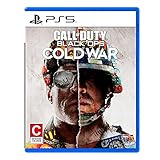
- The iconic Black Ops series is back with Call of Duty: Black Ops cold War - the direct sequel to the original and fan-favourite Call of Duty: Black Ops.
- Black Ops cold War will drop fans into the depths of the Cold War's volatile geopolitical battle of the early 1980s. Nothing is ever as it seems in a gripping single-player campaign, where players will come face-to-face with historical figures and hard truths, as they battle around the globe through iconic locales like East Berlin, Vietnam, Turkey, Soviet kgb headquarters and more.
- as Elite operatives, you will follow the trail of a shadowy figure named perseus who is on a mission to destabilize the global balance of Power and change the course of history. Descend into the dark center of this global conspiracy alongside iconic characters woods, Mason and Hudson and a new cast of operatives attempting to stop a plot decades in the making.
If the service page reports an outage, maintenance or degraded matchmaking, wait for service recovery and test again. Port forwarding, a new Ethernet cable or a different router cannot correct a server-side incident. If services appear operational, continue with local checks and keep the original error text in your notes.
Run local connection checks safely
Restart the router and console or PC
A restart clears temporary state in the local network and gives the device a fresh connection to the service. Shut down the game, restart the router, wait for internet access to return, then restart the console or PC and launch the game again. This is a basic diagnostic, not a Collateral-specific repair; its value comes from testing whether the failure was transient.
Quick wins for a faster PC:
Scan for outdated or missing drivers - takes under a minuteDriver Scan →Clear out junk files and repair common Windows errorsFree Scan →Remove bandwidth competition
During the test, pause downloads and game updates on every device that shares the connection. Stop cloud synchronization, large file transfers, high-resolution streams and any other activity that can fill the upload or download link. If matchmaking improves only while those activities are paused, local congestion is a plausible contributor. Resume one activity at a time later to identify which one causes the change.
Check speed under the same conditions
Run a connection-speed check while the network is quiet and, if necessary, again while the competing traffic is active. Record the approximate results and time. A speed result does not by itself prove that a particular playlist will match successfully, but a dramatic drop during downloads helps explain queue timeouts or disconnects.
Compare Wi-Fi with wired Ethernet
Connect the console or PC directly to the router with an Ethernet cable and repeat the same playlist test. Keep the game, account, region and time as consistent as possible so the comparison is meaningful. If wired play works while Wi-Fi fails, investigate distance, interference, congestion or access-point placement. If both connections fail in the same way, Wi-Fi is less likely to be the main cause. Wired play still cannot make a missing playlist appear or bypass a service outage.
Rank #3

- As Elite operatives, you will Follow the trail of a shadowy Figure named perseus who is on a mission to destabilize the global balance of power and change the course of history.
- Descend into the dark center of this global conspiracy alongside iconic characters woods, Mason and hudson and a new cast of operatives attempting to stop a plot decades in the making.
- Beyond the campaign, players will bring a cold war arsenal of weapons and equipment into the next generation of multiplayer and Zombies experiences.
- Includes PS5 version on disc. Not playable on PS4 system or disc less PS5 system.
- Some features may require an internet connection and an online subscription
Use NAT and latency information carefully
Matchmaking can be affected by the network environment and latency. Nintendo’s matchmaking guidance recommends testing after each change and discusses NAT conditions in its own console context. Those categories and instructions should not be presented as official Black Ops Cold War requirements. The available material does not provide a verified Collateral-specific NAT threshold, latency limit or port list.
If the game displays a NAT warning, record the exact wording and the platform that produced it. Do not assume that changing the NAT type will solve an absent playlist. First establish whether other online modes work, whether another player can join the same party and whether the symptom changes on Ethernet. These comparisons give you more reliable evidence than a label alone.
Independent reader supportYour contribution helps us test, update, and keep practical guides available for everyone.Diagnose party and player-specific failures
Only one party member cannot join
Have the affected player try a different playlist while the rest of the party remains available. Then compare the result with another friend or a solo search. If everyone except one person can join, collect that player’s platform, region, game version, exact error and connection type. A single-player failure points toward that player’s network path, account or platform service rather than a universal Collateral problem.
Everyone fails in the same playlist
Check whether the playlist is still listed and whether another playlist works for all of you. If standard playlists work but the Collateral queue does not, availability, rotation or population is more plausible than a shared home-network failure. If all online play fails for everyone, return to service-status and general platform or ISP troubleshooting.
One player disconnects after joining
Record whether the disconnect happens during lobby formation, loading or after spawning. Repeat once with competing traffic paused and, if possible, over Ethernet. A change after those tests indicates a local stability issue worth investigating; an unchanged result across multiple playlists should be reported as a broader connection problem rather than a Collateral-only diagnosis.
Do not copy port numbers from another game
Bungie’s advanced NAT and port-forwarding documentation is written for Destiny. Its port numbers and rules are not verified requirements for Black Ops Cold War or for Collateral matchmaking. Applying another game’s port list can create unnecessary exposure, conflict with existing router rules or make troubleshooting harder.
Only consider router-level changes when the game or platform provides a current, platform-specific instruction for your situation. Before changing a setting, save the existing configuration and change one item at a time. If a change produces no improvement, restore it rather than accumulating untested rules.
What information to collect for support
When the basic flow does not resolve the problem, provide a reproducible description instead of only saying that Collateral matchmaking is broken. Include:
- The exact game title: Call of Duty: Black Ops Cold War.
- Platform and hardware model, plus the game version shown by the launcher or console.
- Country or region and the approximate time, including time zone, when the failure occurred.
- The exact error text or code, copied character for character.
- Whether Collateral or Collateral Strike is visible in the current playlist menu.
- Whether other multiplayer playlists and other online games work.
- Whether the failure is an empty search, failed join, loading-screen error or post-match disconnect.
- Whether restarting the router, pausing other traffic or using wired Ethernet changed the result.
- Whether the issue affects every party member or only one player.
This record separates a rotated playlist from a service incident and from a local network problem. It also prevents support from repeating steps you have already tested.
A practical decision tree
- No Collateral listing: treat the playlist as unavailable until a current in-game listing or official announcement confirms otherwise.
- Listing present, other playlists work: compare at another time and with another player; availability or population is more likely than a complete internet failure.
- Listing present, all matchmaking fails: check Activision and platform status, restart the router, pause competing traffic and test Ethernet.
- Only one player fails: compare that player’s platform, region, connection type and exact error with a player who can join.
- Wired connection changes the symptom: investigate Wi-Fi conditions; do not describe the result as proof of a Collateral-specific fix.
- Nothing changes across playlists and connections: report the complete diagnostic record to Activision or the platform provider and continue general ISP troubleshooting.
What is and is not established
Established official information identifies Collateral as a 12v12 Combined Arms map and Collateral Strike as its 6v6 counterpart, and documents a time-limited Collateral Combined Arms 24/7 playlist in July 2021. It does not confirm a live 2026 Collateral playlist, a current player population, a mode-specific matchmaking bug, or dedicated Collateral port requirements. Because those facts are not established, the safest fix is to verify availability first, then isolate service, network and party variables one at a time.
Quick Recap
Product prices and availability are accurate as of the date/time indicated and are subject to change. Any price and availability information displayed on Amazon at the time of purchase will apply.

