“Shadow Collection” is ambiguous. The closest official match is Castlevania: Lords of Shadow Collection for PlayStation 3 and Xbox 360. Before trying to fix a download or installation failure, identify the console, region, delivery method and exact error. The collection’s disc game and its voucher-delivered extras follow different troubleshooting paths, and a code advertised at launch is not proof that it can still be redeemed.
First confirm which “Shadow Collection” you have
Konami used the name Castlevania: Lords of Shadow Collection for a 2013 compilation on PlayStation 3 and Xbox 360. The title alone does not identify a platform, edition or region, so instructions intended for another “Shadow” product can send you down the wrong path. This article addresses the Konami collection only.


As an Amazon Associate I earn from qualifying purchases.
Konami’s European product information gives the collection a release date of 8 November 2013. A North and South America announcement dated 5 November 2013 describes the same packaged compilation. Those dates identify the original release; they do not establish current stock, network support or the present validity of an included code.
| What to identify | Confirmed detail | Why it changes the diagnosis |
|---|---|---|
| Console | PlayStation 3 or Xbox 360 | The disc and account environment are platform-specific. |
| Release region | For example, a European or North/South American edition | Voucher and account-region behavior can differ. |
| Physical package | The packaged game is Castlevania: Lords of Shadow | A disc-recognition or installation problem is separate from a missing digital extra. |
| Voucher status | Code present, already redeemed, or status unknown | A launch-era code may no longer be unused or redeemable. |
If the case, disc label or store listing does not say “Castlevania: Lords of Shadow Collection,” stop before applying collection-specific advice. Shadow PC, other games with “Shadow” in their names and generic Steam instructions concern different products and do not establish a solution for this console release.
#1 Best Overall

- Revel in a complete Lords of Shadow experience with the contents of this Collection which include Castlevania - Lords of Shadow 1, plus Reverie and Resurrection downloadable content
- Continue the Lords of Shadow excitement with Castlevania - Lords of Shadow Mirror of Fate HD
- Dive into the darkness with exclusive access to the Castlevania - Lords of Shadow 2 demo
Understand what was on the disc and what required a voucher
The most important distinction is the collection’s original distribution format. Konami described Castlevania: Lords of Shadow as the packaged compilation component. The following items were supplied through exclusive voucher code(s):
- Mirror of Fate HD
- A demo of Castlevania: Lords of Shadow 2
- The Reverie downloadable content pack
- The Resurrection downloadable content pack
That means a disc can be readable while a voucher item fails, or a code can be accepted while the disc installation itself is fine. Treat those as different incidents rather than one “collection download” problem.
| Symptom | Likely part of the release involved | Information to record |
|---|---|---|
| The console does not recognize the game disc | Physical copy of Castlevania: Lords of Shadow | Console model, disc-region markings, whether the disc appears in the system menu, and the exact on-screen message. |
| The base game starts, but an extra is absent | Voucher-delivered content | Which item is missing and whether a code card is present. |
| The store rejects the code | Voucher redemption | Exact rejection text, account region, package region and whether the code has ever been redeemed. |
| A download begins but does not complete | Usually the voucher item or another console-store transaction | Platform, account region, item name, and the point at which the download stops. |
Do not infer that a failed voucher download means the disc is defective. Conversely, a working disc does not prove that every advertised extra remains available.
The Tool Desk
Outbyte PC Repair FREEClear out junk files and repair common Windows errorsFree Scan →Outbyte Driver Updater FREEFix the driver behind crashes, sound loss and screen glitchesFind Drivers →Collect the facts before changing anything
There is no collection-specific repair sequence in Konami’s cited 2013 product and announcement material. The safest first step is therefore diagnosis, not a speculative reset or reinstallation. Write down the following six facts:
Rank #2
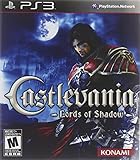
- A brand new Castlevania game with state of the art graphics and high production standards to deliver an awesome game experience for PlayStation 3
- Developed by Spanish studio Mercury Steam and supervised by world renowned Kojima Productions.
- Take on behemoth enemies that scale to the size of complete world environments and where special attacks and cunning speed are required
- Console: PlayStation 3 or Xbox 360, including the model if it is printed on the system.
- Region: The country or market associated with the package and the country/region set on the account being used.
- Delivery method: Disc installation, voucher redemption, or a later download of an item that was already redeemed.
- Exact error: Copy the wording and any numeric code exactly. “It fails” is not enough to distinguish a disc, account, store or code problem.
- Code status: Present and unread, visibly used, previously redeemed, damaged, or unknown. Do not publish the full code when asking for help.
- Requested item: Name the specific title or add-on, such as Mirror of Fate HD, Reverie or Resurrection.
Photographs of the front and back of the package, the disc label and the error screen can help support staff identify a mismatched edition. Cover or redact the voucher characters in any image you share.
Use this decision path for disc-related failures
1. Decide whether the problem starts before or after the disc is recognized
If the disc never appears in the console’s game menu, you are dealing with recognition or compatibility information, not a missing voucher download. Record whether other known-good discs are recognized and whether the collection disc has visible damage. Those observations help separate a single-disc issue from a broader console issue, but they do not by themselves prove a cause.
If the disc is listed and the failure occurs while the game is being installed or launched, record the exact stage and message. A phrase such as “cannot read disc,” “installation failed” or a numeric code must be preserved verbatim. Do not replace it with a guessed diagnosis.
Free tools Windows power users keep installed
One-click scans. No signup required.
2. Verify that the copy matches the console
Konami identifies editions for PlayStation 3 and Xbox 360. A disc intended for one platform is not interchangeable with the other. Check the platform logo on the case and disc rather than relying on a retailer’s abbreviated listing. If the platform marking and the console do not match, the installation cannot be treated as a normal download failure.
Rank #3

- Genre: Games Collection
3. Separate a disc fault from a voucher fault
Only the packaged Castlevania: Lords of Shadow portion is relevant when the console cannot recognize or install the physical game. The voucher items are separate. If the base game works and only an extra is unavailable, stop repeating disc-installation steps and move to the voucher section below.
Because the official material does not publish a tested repair flow for disc-read errors, avoid presenting a cache clear, database rebuild, replacement drive or other operation as a guaranteed fix. Those actions can have consequences and are not established by the cited Konami information.
Use a separate path for voucher and download failures
Check which item the code was supposed to deliver
The launch announcement lists four voucher-delivered items, not one undifferentiated “bonus.” Confirm that the missing item is one of those four. A code cannot be evaluated accurately if the request names only “the DLC.”
Check the code’s status without assuming it is valid
A code printed in a 2013 package may be unused, already redeemed by a previous owner, damaged, region-restricted or no longer accepted by the relevant service. The fact that Konami supplied codes at launch does not establish that an individual code remains redeemable today. Do not pay a premium for a listing solely because it claims to include a code; ask whether the code is present and whether its status is known, while recognizing that a seller cannot guarantee current redemption unless the platform service confirms it.
Compare package and account regions
Record both the package region and the account region before attempting redemption. A mismatch is a material fact to give support, even when the code characters are entered correctly. Do not repeatedly submit a code while the region or item identity is uncertain; preserve the exact rejection message instead.
Distinguish redemption from downloading
There are two separate checkpoints: acceptance of the voucher and completion of the resulting download. If the code is rejected immediately, document the redemption error, item, region and code status. If the code is accepted but the item does not finish downloading, document the item name, account used and the download-stage message. Calling both events a “bad code” can hide a store or account problem.
Independent reader supportYour contribution helps us test, update, and keep practical guides available for everyone.How to report the problem so it can be answered
Use a compact report that contains facts rather than assumptions:
Product: Castlevania: Lords of Shadow Collection
Console: [PlayStation 3 or Xbox 360]
Package region: [country/region printed on package]
Account region: [country/region on the console account]
Method: [disc / voucher redemption / post-redemption download]
Item: [base game, Mirror of Fate HD, Lords of Shadow 2 demo, Reverie or Resurrection]
Exact error: [copy the complete on-screen text and number]
Code status: [present, redeemed, damaged or unknown]
What happens next: [disc absent, code rejected, download stops, item missing]
Never include the full voucher in a public post. If you contact Konami or the platform holder, provide the code only through the official support process they specify.
Common assumptions that lead to the wrong fix
- “Shadow Collection” must mean one product. The name is not specific enough; confirm the Castlevania title and console first.
- Everything in the box is on the disc. Konami described the base game as packaged and the listed extras as voucher-delivered.
- A code shown in a listing is guaranteed to work. Launch distribution does not prove present-day redemption.
- A successful disc install proves the extras are available. Disc operation and voucher delivery are separate.
- A paraphrased error is sufficient. Support needs the exact text and any numeric code.
- Advice for Shadow PC, Steam or another Shadow-branded product applies here. Those products use different platforms and services.
When to stop troubleshooting and ask for official help
Escalate once you have identified the console, regions, delivery method, item and exact error. This is especially important when the code is already redeemed, the package and account regions differ, the disc is not recognized while other discs work, or the platform reports a service or account restriction. Ask the relevant official support channel whether it currently supports this legacy release and what evidence it needs.
Support cannot determine a code’s history from the collection title alone. Keep the purchase receipt if available, the package photographs, the disc-region markings and the unredacted code ready for private submission. If the response confirms that a voucher is expired, previously redeemed or unavailable in the account’s region, further disc reinstallation will not solve that voucher problem.
Buying or replacing a copy: what to verify
Konami’s North and South America announcement listed a suggested retail price of $39.99 in 2013. That is a historical launch price, not a current market value, stock indication or guarantee of online content. If you are evaluating a used copy, verify all of the following before paying:
Crashes, No Sound, or Screen Glitches?
Random freezes, missing sound and display glitches usually trace back to one bad driver. Find and replace yours safely.Free scan · under a minutePC Slower Than It Used to Be?
A free scan shows the junk files, broken settings and background clutter dragging Windows down - then fixes them in one click.Free scan · Windows 10 & 11- Whether the case and disc are for PlayStation 3 or Xbox 360.
- The package region and whether it matches your account region.
- Whether the physical disc is included and its condition.
- Whether the voucher card is present.
- Whether the seller knows if the code was redeemed; “included” does not mean “valid.”
- Which of the four listed voucher items the package claims to contain.
No current availability or code-validity guarantee is established by the original announcement. Treat a used collection as a disc purchase first and the voucher extras as uncertain until the platform accepts the code.
What can be concluded from the available official information
The dependable troubleshooting decision is not a universal reset sequence. It is to identify the correct Castlevania collection, separate the physical game from voucher-dependent content, capture the exact error, and provide platform and region details before seeking a platform- or account-specific remedy. Konami’s 2013 materials confirm the platforms, release format and original contents, but they do not document collection-specific fixes for disc recognition, storage, network services, voucher redemption or regional accounts.
That limitation matters: a precise diagnosis requires the missing facts from the individual case. Once those facts are known, support can tell you whether the failure concerns the disc, the account, the region, the code’s redemption history or the availability of a legacy download.
Quick Recap
Product prices and availability are accurate as of the date/time indicated and are subject to change. Any price and availability information displayed on Amazon at the time of purchase will apply.
Quick wins for a faster PC:
Repair Windows errors before they cause bigger problemsFix Now →Fix the driver behind crashes, sound loss and screen glitchesFind Drivers →Clear out junk files and repair common Windows errorsFree Scan →
