Windows Errors? Fix Them Before They Spread
Repair common Windows errors and clear accumulated junk for a smoother, more stable PC - no reinstall needed.Free scan · no reinstallOutdated Drivers Are Slowing You Down
One free scan finds every outdated or missing driver and matches the right update for your exact hardware.Free scan · exact hardware matchIf Active Noise Cancellation (ANC) on your AirPods 4 is not working, first confirm that you own the AirPods 4 with ANC and that Noise Cancellation is the selected listening mode. Adaptive Audio deliberately changes how much outside sound is admitted, so it can seem like ANC is failing. After checking the mode, update the connected device and AirPods firmware, make sure the external microphones are uncovered, clean the specified meshes only when symptoms match, and reset the earbuds if ANC still cannot be enabled. If the problem remains after a reset, Apple’s guidance is to arrange service.
Use the steps in order. The first checks take only a few seconds and distinguish a mode-selection issue from a software, obstruction, cleaning or hardware problem. Keep both earbuds in your ears and test against the same steady sound—such as a fan or air conditioner—after each meaningful change. That makes it easier to tell whether the listening mode actually changed.
As an Amazon Associate I earn from qualifying purchases.
1. Confirm that your AirPods are the ANC model
Apple sells AirPods 4 in a standard version and a version with Active Noise Cancellation. The controls and troubleshooting below apply to AirPods 4 with ANC. The standard AirPods 4 model cannot provide Noise Cancellation, so no setting or reset can add that feature.
Connect the earbuds to your iPhone, iPad or Mac, put them in your ears and verify that the device identifies the ANC-equipped model. The earbuds must be worn and connected before listening-mode controls appear reliably. If they are disconnected, in the case or being used by another device, an apparent ANC failure may simply be a connection problem.
#1 Best Overall

- Professional & Powerful: Say goodbye to dirt, grime, and earwax with our 20-in-1 keyboard cleaner Kit. The metal tip cleans small crevices, sound holes, and charging ports, while the soft brush with high-density bristles gently cleans speaker mesh. The flocking sponge is perfect for earpods charging cases. Airpods cleaning kit also includes a 15ml screen cleaner spray, microfiber cloth, and Airpod cleaning putty for thorough maintenance, preventing build-up and ensuring peak performance
- Safe for All AirPod Models & Other Brands: The earbud cleaning kit works with all AirPod models (AirPods, AirPods Pro, AirPods Max) and other tech devices like Beats, Sony, jbl, and Bose headphones. Made from ABS plastic, soft velvet, and non-abrasive metals, our keyboard cleaner kit offers a gentle, thorough clean without scratches. Durable and reliable, it's great for regular maintenance without damaging delicate components
- Multi-Function & Thoughtful Cleaning Tool: The electronics cleaning kit cleans more than just AirPods—it's perfect for headphones, iPhones, iPads, tablets, computer screens, keyboards, camera lenses, and more. Featuring a retractable large brush and two polishing cloths, this all-in-one phone screen cleaner keeps your devices in pristine condition. A refined choice for tech enthusiasts, students, and professionals alike
- Compact & Easy to Use: The 20-in-1 keyboard cleaner kit features easy tool switching and a pen-like design for lightweight, compact portability with case. The retractable components keep the cleaning tips safe when not in use. This thoughtfully designed air pod cleaner makes cleaning your AirPods, wireless earbuds, bluetooth headphones, wired ear buds, in-ear earphones, headset and other tech devices quick, electronics for college students
- Portable Design for On-the-Go: The phone cleaning kit features a compact design for easy portability. All airpod cleaning tool are neatly organized in one case, ensuring quick access and secure storage. Our portable ear bud cleaning kit fits easily in your pocket or bag, making it ideal for travel or daily cleaning. Our laptop cleaning kit lets you keep your AirPods and other devices in top condition, whether you're at home, the office, or on the go
Do not judge the model only by the shape of the earbuds or case. Use the connected device’s AirPods information screen and the listening-mode controls. If Noise Cancellation is not offered at all, verify the model before spending time on cleaning or resets.
For Apple’s model-specific troubleshooting, see If Active Noise Cancellation isn’t working as expected on your AirPods.
2. Select Noise Cancellation instead of relying on the sound alone
ANC can be active without making voices or every environmental sound disappear. Start by checking the mode shown in the device controls rather than judging only by ear. Voices, sudden sounds and some higher-frequency noise may remain audible even when the system is operating normally.
Free tools Windows power users keep installed
One-click scans. No signup required.
On an iPhone or iPad
- Put both AirPods 4 in your ears and connect them.
- Open Control Centre.
- Touch and hold the volume slider.
- Tap Noise Cancellation.
After selecting it, listen again in the same environment. Pressing and holding an AirPod stem also cycles through listening modes, but the Control Centre route lets you see the selected mode explicitly. If you cycle with the stem, pause long enough to hear the mode announcement or confirm it on-screen so you do not stop on Transparency or Off.
On a Mac
With the AirPods connected, open the Mac’s sound controls or Control Centre, select the AirPods and choose Noise Cancellation. The exact menu presentation can vary by macOS version, but the mode must be shown as Noise Cancellation rather than Transparency or Off. If another output device is selected, switch the Mac’s audio output to the AirPods before evaluating ANC.
Why Transparency or Off can look like a fault
Transparency intentionally passes environmental sound through. Off removes both active listening modes. If either is selected, background noise will be louder even though the earbuds are operating normally. Recheck the label whenever you remove and reinsert an earbud or switch between Apple devices, because the active listening mode is the quickest explanation for a sudden change.
3. Check whether Adaptive Audio is changing the result
Adaptive Audio adjusts noise control in response to your surroundings. It can allow more outside sound in a quiet or changing environment, so it is not the same as a fixed, maximum Noise Cancellation setting.
Recommended Free Tools
Rank #2

- DEEP CLEANING FOR AIRPODS & EARBUDS: Designed to help remove dust, earwax, and buildup from earbuds, charging cases, speaker meshes, and hard-to-reach gaps. Ideal for AirPods Pro, AirPods, wireless earbuds, and daily electronics cleaning.
- 3-IN-1 MULTI-FUNCTION CLEANING TOOL: Features a precision metal tip for stubborn dirt, a soft high-density brush for mesh and speaker areas, and a flocking sponge for charging cases and interior corners. One compact tool for complete cleaning care.
- SAFE FOR DAILY ELECTRONICS CLEANING: Soft-touch materials help clean delicate surfaces without scratching. Suitable for earbuds, Bluetooth headphones, phones, tablets, keyboards, cameras, smartwatches, and other small electronic devices.
- PORTABLE & EASY TO STORE: Compact pen-style design fits easily into bags, desk drawers, travel cases, or pockets. Great for office, travel, gym, commuting, and everyday use.
- CLEANER SOUND & BETTER LISTENING EXPERIENCE: Regular cleaning helps keep earbuds looking clean and supports a more comfortable listening experience. A practical accessory for AirPods users, students, commuters, travelers, and tech lovers.
If you expect steady ANC, return to the listening-mode controls and select Noise Cancellation directly. Make sure Adaptive Audio is not the active mode. Test in a consistent sound source, such as a fan or air conditioner, and compare the result with the mode label displayed on the device. This distinguishes intentional adaptive behavior from a control or hardware fault. A changing amount of outside sound while Adaptive Audio is selected is expected behavior, not proof that the microphones or speakers have failed.
Adaptive Audio is especially easy to mistake for weak ANC when walking between rooms, moving outdoors or facing intermittent traffic. For a clear comparison, remain in one place, select Noise Cancellation, and then repeat the test with Adaptive Audio. If the fixed mode is stable but the adaptive mode varies, the variation matches the mode’s purpose.
Apple describes the available modes in Active Noise Cancellation and Transparency modes for AirPods.
4. Bring the connected device and AirPods firmware up to date
Apple recommends current software on the iPhone, iPad or Mac used with the AirPods and current AirPods firmware. An outdated device or firmware version can prevent expected controls from working correctly. Update the device through its normal software-update screen before repeating the ANC test.
Do these 3 things before closing this tab:
1Clear out junk files and repair common Windows errors2Fix the driver behind crashes, sound loss and screen glitches3Repair Windows errors before they cause bigger problemsCheck the AirPods firmware
- Connect the AirPods to the Apple device.
- Open Settings > Bluetooth on an iPhone or iPad.
- Tap the Info button next to the AirPods.
- Read the firmware version.
The firmware listing observed on October 13, 2026 showed 9A348 for AirPods 4 with ANC. Firmware identifiers change, so treat that as a dated reference and compare your version with Apple’s live information at About firmware updates for AirPods rather than treating 9A348 as a permanent target.
Let an automatic update complete
AirPods firmware updates install automatically when the earbuds are charging in their case, the case is closed, the AirPods are within Bluetooth range of an Apple device, and that device is connected to Wi-Fi. Leave the setup undisturbed for at least 30 minutes, then reconnect the AirPods and check the version again. There is no manual “update now” button in the normal AirPods settings.
Keep the case supplied with power if necessary, leave both earbuds inside it and avoid moving the case out of Bluetooth range during that waiting period. If the version is unchanged, verify the Wi-Fi connection and repeat the charging-and-range conditions before concluding that firmware is current or that the update failed.
Rank #3
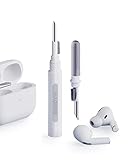
- Separated Dual Head Design: Hagibis 3-in-1 earphone cleaning kit with Flocking Sponge, High-density Brush and Metal Pen Tip, dual head hidden design to meet a variety of cleaning needs
- Flocking Sponge: Delicate and soft flocking sponge can clean the dust in the wireless charging case of the earphone
- High-density Brush: Easily clean the dirt on the sound outlet hole of the earphone and other parts
- Metal Pen Tip: Metal pen tip can clean the stubborn dust, thoroughly clean the gap
- Embedded Handle: Hold the top of the flocking sponge and pull it down while rotating. We don't want to omit even small details, and the products are more exquisite
Also install any available software update for the connected iPhone, iPad or Mac through that device’s usual software-update screen. Restart the device after updating, reconnect the AirPods and repeat the Noise Cancellation selection test. Updating is a low-effort step and should come before a reset, because it does not require you to forget the pairing.
5. Make sure the external microphones are not covered
AirPods ANC depends on external microphones to detect surrounding sound. Apple warns that covering those microphones can produce temporary high-pitched squeals, chirps, feedback or other audio-performance problems.
- Remove cases, skins, tape or accessories that overlap an AirPod microphone.
- Check for earwax, lint or debris around the microphone openings.
- Do not press a finger over the microphone area while testing.
- Re-seat each earbud so clothing, hair or a hat is not rubbing across the microphone.
Inspect both earbuds under good light, but do not poke into an opening. A case accessory can cover a microphone even when the earbuds look clean, and a hat, hair or scarf can intermittently brush the opening as you move. Test with the accessories removed and your hands away from the microphone area.
After clearing an obstruction, select Noise Cancellation again and listen for the same environmental sound. A squeal or feedback that disappears when the opening is uncovered points to an obstruction rather than a setting that needs changing. If the sound persists with the openings clear, continue to the software and cleaning checks instead of repeatedly pressing on the microphones.
6. Clean the meshes only when the symptoms fit
Cleaning is most relevant when ANC is enabled but you notice reduced bass or more background sound than before. Those symptoms can indicate debris on the meshes. Cleaning is not a general cure for an ANC mode that cannot be selected, and aggressive cleaning can damage the earbuds.
What’s actually slowing this PC down?
Pick the symptom - the matching free tool is one click away.
What Apple’s AirPods 4 guidance requires
Apple’s detailed method identifies specific encircled meshes on AirPods 4. Follow the complete illustrated procedure in How to clean your AirPods before starting. The method uses suitable micellar water, a soft-bristled children’s toothbrush and distilled water for rinsing, followed by at least two hours of drying.
- Clean only the meshes identified for AirPods 4 in Apple’s guide.
- Use the stated soft brush and liquids; do not improvise with solvents or household cleaners.
- Do not run the earbuds under a tap or immerse them.
- Do not use sharp, abrasive or rigid tools that can puncture a mesh or push debris inside.
- Do not charge or wear the AirPods until they have dried for at least two hours as directed.
Do not generalize instructions for another AirPods generation to this model. The locations and recommended method are model-specific. Apple’s article names the Belkin AirPods Cleaning Kit as an optional way to obtain cleaning materials. It is not a guarantee of restored ANC, does not replace Apple’s procedure or cautions, and availability or price is not established here.
Rank #4

- AirPods Restored: The COMPLETE custom cleaning kit with everything you need to tackle earwax, debris and buildup to maximize acoustic performance and call clarity with AirPods
- Designed for Versatility: 5 interchangeable tips to effortlessly clean, maintain and refresh your AirPods and Apple devices. Built from stainless steel, DuPont nylon bristles and Thermoplastic Copolymer for long term durability
- Seamless Compatibility: Made for AirPods and Apple devices but cleans all earphones, phones, keyboard, and electronics with hard to reach places
- Convenient Carry: Tough polycarbonate case made from 70% Recycled Content holds tips securely in place. Strong N52 Neodymium magnets keeps case lid closed. Stay organized on the go with included microfiber travel pouch
- Clean in Confidence: The ONLY AirPods cleaner solution that follows Apple's guidelines to restore AirPods speaker and microphone mesh, sensors, and charging port back to new
Test after drying
Reconnect the dry AirPods, select Noise Cancellation and compare bass and background sound with the same recording or environment used before cleaning. If the symptom remains, move to the reset step rather than repeatedly brushing the meshes. Repeated scrubbing can create a new problem without addressing a pairing or hardware fault.
7. Reset AirPods 4 with the case-front tap sequence
Resetting can clear a pairing or software state that prevents ANC from enabling. AirPods 4 use a case-front double-tap process; do not substitute the setup-button procedure used by older AirPods cases. The case light’s stages matter, so perform each pair of taps only when the light reaches the stated condition.
The Tool Desk
Outbyte PC Repair FREEClear out junk files and repair common Windows errorsFree Scan →Outbyte Driver Updater FREEFix the driver behind crashes, sound loss and screen glitchesFind Drivers →- Put both AirPods in the charging case.
- Close the lid and wait 30 seconds.
- On the paired iPhone or iPad, open Settings > Bluetooth.
- If the AirPods appear in the list, tap the Info button and choose Forget This Device, then confirm.
- Open the AirPods case with the earbuds inside.
- While the case status light is on, double-tap the front of the case.
- When the light flashes white, double-tap the front again.
- When the light flashes faster, double-tap the front a third time.
- Wait for the light to flash amber and then white. That sequence confirms the reset.
- Keep the case open and follow the on-screen prompts to reconnect the AirPods.
Forgetting the device before the reset means you will need to complete pairing again. Keep the case open near the device and follow its prompts rather than assuming the old connection has returned automatically.
If the light does not respond, keep the case open and repeat each double-tap only when the light reaches the stage specified above. Do not use the older rear setup-button instructions on an AirPods 4 case. The complete Apple procedure is at How to reset your AirPods and AirPods Pro.
8. Match the remedy to the symptom
| What you observe | Most appropriate next check | Why |
|---|---|---|
| ANC seems absent, but the mode was never verified | Select Noise Cancellation in Control Centre | Transparency, Off or an unconfirmed mode can sound like a fault. |
| Noise control changes as you move between places | Disable Adaptive Audio by selecting Noise Cancellation | Adaptive Audio intentionally responds to the environment. |
| Squeals, chirps or feedback | Uncover and inspect the external microphones | Apple associates covered microphones with these audio problems. |
| Less bass or more background sound while ANC is selected | Follow Apple’s AirPods 4 mesh-cleaning procedure | Apple identifies these symptoms as possible reasons to clean. |
| ANC still cannot be enabled after settings and updates | Reset AirPods 4 using the case-front taps | A reset clears the pairing and software state. |
| ANC remains faulty after a reset or approved cleaning | Arrange Apple service | Apple directs users to service when documented self-help does not resolve the issue. |
This order also avoids unnecessary risk. Mode selection and software checks require no contact with the earbuds. Microphone inspection is visual. Cleaning involves liquids and drying, so reserve it for the bass-loss or increased-background-sound symptoms Apple identifies. Reset is more disruptive because you forget and pair the AirPods again. Service is the appropriate next step when those documented measures fail.
Independent reader supportYour contribution helps us test, update, and keep practical guides available for everyone.9. When to stop troubleshooting and request service
Arrange service if Noise Cancellation remains faulty after you have confirmed the ANC model, selected Noise Cancellation, ruled out Adaptive Audio, updated the device and firmware, checked microphone openings, completed the applicable cleaning procedure and reset the AirPods. Apple also advises service when cleaning does not resolve the relevant bass-loss or increased-background-sound symptoms.
Quick wins for a faster PC:
Repair Windows errors before they cause bigger problemsFix Now →Scan for outdated or missing drivers - takes under a minuteDriver Scan →Do not assume a failed microphone, battery or other component without an assessment. Service availability, diagnostic findings and any charge depend on the region and the result of Apple’s inspection. There is no reliable repair price to quote before that assessment. Bring the charging case and both earbuds, and describe the exact mode, environment and symptoms you observed. This gives the technician a reproducible starting point without guessing at a repair or cost.
Best Value

- 【UPGRADED LAPTOP CLEANING KIT 】 The macbook cleaning kit computer screen cleaner comes with a number of accessories including a retractable large brush, polishing cleaning cloth X 2, keycap puller, metal pen tip, flocking sponge, thin soft brush, soft plastic lens cleaning pen, 5 replacing cloth, large cleaning microfiber cloth. You deserve the comprehensive computer cleaning kit keyboard vacuum at a low cost
- 【PROFESSIONAL KEYBOARD CLEANING KIT】 The laptop screen cleaner keyboard cleaner can pull out the keycaps of gaming keyboards and mechanical keyboards. A retractable keyboard brush works on laptops and keyboards, while the mini high-density brush is great for deep cleaning between keys for cleaning between flatter keys on a laptop, the metal pin tip gently removes any stains. This electronic cleaning kit macbook cleaner totally meets professional cleaning needs
- 【OFFICE DESK ACCESSORIES】This keyboard cleaner kit is easy to use and can clean your keyboard and electronic screen with just one swipe. Wiping with the 2mm thicken widen polishing cleaning cloth designed at a right angle for better fitting screen corners of computers with our recyclable cleaning spray, The laptop cleaner kit for macbook effectively absorbs stubborn stains, leaves no discoloration, no streaks, and no fiber shedding on the screens
- 【MULTIFUNCTIONAL TOOLS 】Mini soft brush and soft plastic lens cleaning pen are specially designed for DSLR camera screen, lens, and other delicate surfaces. 5 more cleaning cloths of it supplied for replacement. The flocking sponge is an excellent tool for cleaning earbuds charging cases, And the earbud cleaning kit is ideal. This electronics for college students is equivalent to 10 other electronic cleaning kit
- 【PORTABLE DESIGN & CLEANER TOOL】 The office supplies is compact in design, easy to carry, and you can easily take it anywhere. It's convenient to keep one in a drawer, one in your car, or in your bag and dorm. It is easy to use and can clean your keyboard and electronic screen with just one swipe. Is the college essentials cleaning tool for your friends, family, colleagues and students
Before contacting Apple, note whether the problem affects both earbuds or only one, whether Noise Cancellation can be selected, whether Adaptive Audio changes the result, and whether you heard squeals or feedback. These observations do not diagnose the fault, but they make the service conversation clearer.
10. A short final checklist
- Verify the product is AirPods 4 with ANC, not the standard AirPods 4.
- Connect and wear both earbuds.
- Choose Noise Cancellation explicitly.
- Ensure Adaptive Audio is not selected when you want steady ANC.
- Install current software on the connected Apple device.
- Leave the AirPods charging in their case, in Bluetooth range and near a Wi-Fi-connected Apple device for at least 30 minutes so automatic firmware updating can occur.
- Inspect and uncover the external microphones.
- Clean only the specified AirPods 4 meshes when bass loss or increased background sound makes cleaning relevant.
- Reset with the three case-front double-taps if ANC still malfunctions.
- Seek service if the fault survives those documented steps.
Frequently asked questions
Frequently Asked Questions
Why do my AirPods 4 let background sound in even though ANC is on?
First verify that the mode label says Noise Cancellation, not Transparency, Off or Adaptive Audio. Adaptive Audio intentionally varies how much outside sound is admitted. If fixed Noise Cancellation is selected and the change includes reduced bass or more background sound than before, follow Apple’s AirPods 4 mesh-cleaning procedure.
Can standard AirPods 4 get ANC through a software update?
No. The standard AirPods 4 model does not include Active Noise Cancellation. The steps here apply to AirPods 4 with ANC, and a reset or firmware update cannot add the feature to the standard model.
How do I check the AirPods 4 firmware version?
Connect the AirPods, open Settings > Bluetooth on an iPhone or iPad, tap the Info button beside the AirPods and read the firmware field. Firmware changes over time; the 9A348 listing observed on October 13, 2026 is only a dated reference.
Can I force an AirPods firmware update?
Apple’s normal process is automatic. Put the AirPods in their case, close the lid, keep them charging and within Bluetooth range of an Apple device connected to Wi-Fi for at least 30 minutes, then check the version again. There is no normal manual “update now” button.
Should I clean the AirPods if ANC cannot be selected?
Cleaning is most relevant when ANC is selected but there is reduced bass or more background sound. It is not a general fix for a missing Noise Cancellation control. Follow Apple’s model-specific method and clean only the identified meshes.
Is the older rear-button reset method correct for AirPods 4?
No. AirPods 4 reset through the case-front double-tap sequence: double-tap when the light is on, again when it flashes white, and a third time when it flashes faster, then wait for amber followed by white.
Will resetting fix a damaged microphone?
A reset can clear a pairing or software state, but it cannot be assumed to repair physical damage. If ANC remains faulty after the documented settings, update, cleaning and reset steps, Apple directs you to service rather than a self-diagnosis.
How much will an ANC repair cost?
The cost cannot be predicted from these symptoms. Apple’s inspection, region, service availability and diagnostic result determine whether a charge applies. Do not rely on an assumed microphone, battery or component failure before assessment.
The Bottom Line
For AirPods 4 with ANC, start by selecting Noise Cancellation explicitly and turning off Adaptive Audio when you want a steady result. Then update the connected Apple device and firmware, uncover the microphones, and use Apple’s careful mesh-cleaning method only for reduced bass or increased background sound. Reset with the AirPods 4 case-front tap sequence if ANC still fails. If the problem survives those steps, stop experimenting and arrange Apple service.
Quick Recap
Product prices and availability are accurate as of the date/time indicated and are subject to change. Any price and availability information displayed on Amazon at the time of purchase will apply.

