USB-C describes a connector shape, not a guaranteed set of features. One port may handle data, video, and charging while another supports only some of them. To find the right one, check the specifications and manual for your laptop’s complete model number, then match the documented functions to your task.
What “real USB-C port” means
There is no universal definition of a “real” USB-C port. The useful question is whether a particular port supports the feature you need: data, video output, charging the laptop, or a combination. An unmarked or less capable port is not fake; its capabilities are simply different. MSI puts it plainly: “USB Type-C only defines the physical shape of the connector.” MSI Support explains that implementation varies by model.
As an Amazon Associate I earn from qualifying purchases.
USB-C data support does not by itself mean a port can drive a display. Charging and video are also separate capabilities to verify. Manufacturer documentation can describe data-only ports, ports with DisplayPort video, and ports that support Power Delivery charging. MSI’s guidance and ASUS’s port guidance both point users to the exact laptop specifications rather than the connector shape.
How to identify the right port
- Find the complete laptop model. Use the model number or full model name, including its generation or suffix where applicable. A product-series name alone may cover configurations with different ports.
- Open the manufacturer’s specification page. Locate the I/O, ports, or interfaces section and inspect each USB-C entry. Look for terms such as DisplayPort, DP, video output, Power Delivery input or charging, Thunderbolt, or USB4, depending on what you want to do. MSI recommends checking the complete model’s specifications; ASUS also directs users to product specifications.
- Check the user manual’s port diagram. The diagram and descriptions can help you map a listed feature to the physical port. ASUS notes that its e-manual can provide detailed interface information: ASUS Support.
- Treat port symbols as clues, not proof. ASUS says markings can indicate different USB-C functions. MSI’s guide associates a lightning-bolt symbol with Thunderbolt and describes a plug mark for Thunderbolt plus Power Delivery on models covered by that guidance. Symbols and implementations can vary, so confirm them against your model’s documentation: ASUS Support; MSI Support.
If your goal is to connect a monitor
Look for explicit evidence that the laptop’s USB-C port supports video, such as DisplayPort, DP, or DisplayPort Alt Mode in the model documentation. Thunderbolt or USB4 may carry video using tunneling rather than the earlier Alt Mode mechanism, but the laptop, cable or hub, and display still need to support a compatible setup. Plugable explains the compatibility requirements in its USB-C Alt Mode guide and USB-C video guide.
#1 Best Overall

- 【USB Cable Performance Testing】Test USB cable continuity, functionality (charging, data transfer, high-speed signal), and measure internal resistance for power efficiency. Verify ground wire connection to outer shell for cable integrity, safety, and shielding.
- 【Type-C eMarker Chip Reading】Reads eMarker chip parameters in Type-C cables, providing detailed performance information (e.g., maximum current, voltage, data transfer rates) to help users fully understand cable capabilities and ensure safe, efficient device usage.
- 【High-Definition Color Display】 The USB cable checker features a 2.4-inch high-definition color display. With the left white button, you can easily switch between function pages to view real-time detailed status of the cable, including internal resistance, power delivery efficiency, and cable quality. This helps you quickly identify inferior cables.
- 【Wide Compatibility】The usb tester can accurately identify and verify USB cable versions, including USB 2.0 and USB 3.2. It integrates PD 3.0 and PD 3.1 protocol detection functions, enabling quick verification of whether the cable supports the latest PD 3.0/3.1 standards, ensuring the cable meets high-power charging and fast data transfer requirements.
- 【Multiple Power Supply Options】The black button on the left can flexibly switch the power supply mode, and support the use of AAA battery or Type C 5V to stably supply power to the USB tester
For video over Alt Mode, use a cable designed to carry video. A charging-only cable or one limited to USB 2.0 data is not designed to transmit Alt Mode video. A USB-C-to-USB-A adapter is not a native video connection path, according to Plugable’s guidance.
When a hub can help—and when it cannot
A USB-C hub with HDMI can consolidate a monitor and other connections, but it cannot make an unsupported laptop port output video. Verify that the laptop supports the hub’s video method and that the hub supports the display’s resolution and refresh-rate needs.
Rank #2

- Improved Measurement Accuracy: Our USB C Tester can accurately measure accuracy: ± (1%+5). The data is more accurate for detecting charging devices such as chargers, mobile phones, tablets, and power banks. Make this Type-C meter suitable for more 3C digital peripheral products, making it the first choice for digital gamers and electronics enthusiasts.
- Wide Applicability: This USB power meter is equipped with a 12A high current terminal, which is more stable. Measuring current: 0-12A; measuring voltage: 4V-30V. The wide test range makes this USB meter suitable for more 3C digital peripheral products, and it’s a cost-effective solution for anyone looking to optimize their electronic devices’ charging performance.
- Detect Various Fast Charging Protocols: The USB power meter supports PD2.0/3.0, QC2.0/3.0, FCP. SCP, AFC, PE, DASH VOOC and Super VOOC protocol charging. Whether you’re testing chargers, power banks, or any USB-C device, this tester is up to the task.
- Upgraded Curve Function: This USB C tester has upgraded curve function to better record real-time voltage and current. You can set the time of curve page (5mins/15mins/60mins/2hrs) by long press button to monitor the real-time voltage and current. In addition, the voltage and current of each cell will be automatically adjusted according to the actual voltage and current.
- ISP Color Display Interface: This USB C Power Meter features a 1.06-inch ISP color high-definition display with high resolution and clarity. It can display voltage, current, power, capacity, energy, time, maximum voltage, maximum current, maximum power, current direction, and CPU temperature. You can easily switch between interfaces by pressing a key. Double-click the button to rotate the displayed content.
For example, Plugable describes its USBC-7IN1E hub as providing HDMI, peripheral ports, Ethernet, card readers, and 100W Power Delivery passthrough for hosts that support Power Delivery. That product description is not confirmation that it works with an unspecified laptop; check the laptop’s video support and charging requirements alongside the hub’s specifications. See Plugable’s product information.
If the laptop has no USB-C video capability, a native Alt Mode hub will not add it. Plugable describes DisplayLink-based products as a separate display-expansion option that uses software and drivers: USB-C video explained. Whether that route suits you depends on the intended display setup.
Rank #3

- 【High-Quality Tester】This USB cable tester is specifically designed to tackle cable clutter, enabling quick identification of various USB cable types. By observing the LED indicators on the test board, users can intuitively determine the number of wire cores and transmission performance.
- 【Extensive Compatibility】Equipped with nearly all mainstream USB interfaces—Type-C, USB-A 3.0, Micro-B 3.0, Micro-B 2.0, Mini-B 2.0, and Lightning cables—this USB cable tester can quickly detect cable status (normal/fault/open circuit/charge-only/data transmission function/high-speed data transmission, etc.).
- 【Efficient Detection】When dealing with piles of tangled cables, this USB-C tester allows you to swiftly distinguish between different USB-C cables. It is particularly suitable for electronics repair, device debugging, cable quality inspection, and similar scenarios.
- 【Dual Power Supply Methods】The USB tester offers flexible power options: it can be powered either by a CR2032 button cell battery or via a Type-C interface (Note: When using Type-C for power, a separate 5V power adapter is required).
- 【Compact Size】With its small form factor measuring just 7.3×5.7×1 cm, this USB tester is highly portable and can be carried anywhere. Please note: This device is intended solely for cable testing and must not be connected to end devices such as smartphones or computers.
Check charging separately from video
If you want to charge the laptop through USB-C, confirm that the specific port accepts Power Delivery input and check the laptop’s supported wattage and voltage. MSI notes that supported Power Delivery wattage and voltage vary by model: MSI Support. Then check that the charger and any hub’s passthrough meet the laptop’s requirements. A port that outputs video is not automatically a charging input, and charging support does not establish video support.
Independent reader supportYour contribution helps us test, update, and keep practical guides available for everyone.Compare the whole connection, not just the port
Before choosing a hub, cable, charger, or monitor connection, verify each part against the laptop’s exact specifications:
Rank #4
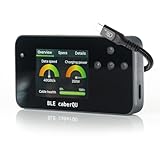
- Expert Kit contents: Includes the fully assembled BLE caberQU tester, a durable hard shell protective case, screen protector, high-speed USB4 cable, and a printed manual for immediate professional use.
- Wireless app integration: Connects via Bluetooth to the official mobile app on iOS and Android; enables the free X-RAY firmware update to unlock advanced diagnostic views for professional-grade cable maintenance.
- Comprehensive technical readouts: Displays eMarker data and internal Vbus resistance; supports testing for various standards including USB 1.1 through USB4 with voltage ranges from 5 V to 48 V.
- Real-time digital display: Features three intuitive dials showing maximum transmission speed and power capacity at a glance; includes a detailed pinout map for all 24 pins plus the connector shield.
- Advanced cable diagnostics with X-RAY: Analyzes USB-C to USB-C cables for data transfer speeds and charging power; provides a precise health percentage and deep protocol insights including Thunderbolt and DisplayPort support.
- Port functions: data, video, and laptop charging are distinct capabilities.
- Video compatibility: confirm the laptop’s video protocol and the monitor’s resolution and refresh-rate requirements.
- Power: compare the laptop’s supported Power Delivery input with the charger and any hub’s passthrough output.
- Hub support: make sure it supports the host’s video method and the connections you need.
- Cable support: confirm that the cable supports video where required, as well as the necessary data and power ratings.
These capabilities and limits vary by laptop and accessory, so no single hub or cable can be assumed to work across all USB-C ports. The exact model specifications are the deciding evidence.
Windows Errors? Fix Them Before They Spread
Repair common Windows errors and clear accumulated junk for a smoother, more stable PC - no reinstall needed.Free scan · no reinstallCrashes, No Sound, or Screen Glitches?
Random freezes, missing sound and display glitches usually trace back to one bad driver. Find and replace yours safely.Free scan · under a minuteQuick Recap
Best Value

- 【Reliable USB cable tester】: The product can be used to test different types of USB cables, including TypeB 3.0, TypeB 2.0, TypeC 3.0 (TypeC 3.1/TypeC 3.2), MicroB 3.0, MicroB 2.0, MiniB 2.0, for Lightning.
- 【Convenient and practical】: The product features a portable design, compact size, and is easy to carry and use.It's comes with an acrylic case to protect the usb cable tester from damage.
- 【Multiple power supply options】: Supports two power supply modes: CR2032 button battery or Type C 5V to stably supply power to the usb cable tester
- 【LED indicator lights】: Test results are displayed through 24 LED indicators, with each pin corresponding to an LED light.
- 【Multi-functional and practical】: Supports multiple types of interfaces, allowing quick detection of data cable abnormalities and detection of internal short circuits that may interfere with normal operation.
Product prices and availability are accurate as of the date/time indicated and are subject to change. Any price and availability information displayed on Amazon at the time of purchase will apply.

