PC Slower Than It Used to Be?
A free scan shows the junk files, broken settings and background clutter dragging Windows down - then fixes them in one click.Free scan · Windows 10 & 11Crashes, No Sound, or Screen Glitches?
Random freezes, missing sound and display glitches usually trace back to one bad driver. Find and replace yours safely.Free scan · under a minuteBrowse Prime Video’s catalog and look for the Recently Added and Leaving Soon labels. They identify titles in those categories, but they are not a permanent list or a guaranteed removal countdown. Check the title’s availability in your own account before making plans to watch it.
Where to find Recently Added and Leaving Soon movies
Open Prime Video on its website or in the app, then browse the catalog. Prime Video’s catalog page displays both Recently Added and Leaving Soon labels. What appears can change over time, and the reviewed official sources do not establish that every device, account type, or country presents identical sections.
As an Amazon Associate I earn from qualifying purchases.
To locate a particular movie rather than browse, use Prime Video’s search feature. Prime Video Help describes the options as: “Browse the catalog on the Prime Video website, in the Prime Video app, or use the search feature to find a specific title.” Prime Video catalog · Prime Video Help: Rent and Buy Prime Video Titles.
How to check a movie before you watch
- Browse the catalog or search for the movie. Use the website or app, then find the title’s page.
- Read the label. Recently Added flags a title as newly added in the catalog; Leaving Soon is a cue to watch promptly.
- Check its current availability on the title page. The label alone does not give a universal leaving date or countdown, so confirm the title’s status in your account rather than relying on an old list or search result.
- Check whether it is included or costs extra. On home-page carousels, a yellow shopping bag icon marks content that requires an additional purchase. The title page shows purchase options. Prime Video Help explains how to rent and buy titles.
Why a movie’s included status can change
Streaming rights can change. Prime Video says a movie that was previously included with Prime may sometimes require a purchase because content owners change the rights. Check the current options shown for the title in your account before pressing play. Prime Video Help: Rent and Buy Prime Video Titles.
#1 Best Overall

- Amazon.com Gift Cards never expire and carry no fees.
- Multiple gift card designs and denominations to choose from.
- Redeemable towards millions of items store-wide at Amazon.com or certain affiliated websites.
- Available for immediate delivery. Gift cards sent by email can be scheduled up to a year in advance.
- No returns and no refunds on Gift Cards.
Do not confuse Leaving Soon with rental deadlines
The Leaving Soon label is not the same as a rental viewing period. Prime Video Help says a rented title remains in the video library for 30 days from rental; after playback begins, viewers have at least 48 hours to finish, and some titles allow longer. Those rental terms apply to rented titles, not to the catalog’s Leaving Soon label. Prime Video Help: Rent and Buy Prime Video Titles.
Quick Recap
Best Value

- Amazon.com Gift Cards do not expire and carry no fees.
- Multiple gift card designs and denominations to choose from.
- Redeemable towards millions of items store-wide at Amazon.com or certain affiliated websites.
- Available for immediate delivery. Gift cards sent by email can be scheduled up to a year in advance.
- No returns and no refunds on Gift Cards.
Rank #4
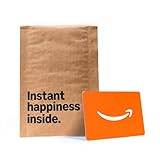
- Gift Card is redeemable towards millions of items storewide at Amazon.com
- Gift Card has no fees and no expiration date
- Gift Card is affixed inside a mini envelope
- Free One-Day Shipping (where available)
- Scan and redeem any Gift Card with a mobile or tablet device via the Amazon App
Rank #3

- Amazon.com Gift Cards never expire and carry no fees.
- Multiple gift card designs and denominations to choose from.
- Redeemable towards millions of items store-wide at Amazon.com or certain affiliated websites.
- Available for immediate delivery. Gift cards sent by email can be scheduled up to a year in advance.
- No returns and no refunds on Gift Cards.
Rank #2

- Amazon.com Gift Cards do not expire and carry no fees.
- Multiple gift card designs and denominations to choose from.
- Redeemable towards millions of items store-wide at Amazon.com or certain affiliated websites.
- Available for immediate delivery. Gift cards sent by email can be scheduled up to a year in advance.
- No returns and no refunds on Gift Cards.
Product prices and availability are accurate as of the date/time indicated and are subject to change. Any price and availability information displayed on Amazon at the time of purchase will apply.

